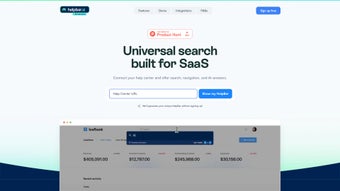

Download HelpBar – universal search, AI answers, SaaS navigation tool
Overview
HelpBar is a streamlined navigation overlay designed specifically for SaaS platforms that want to boost user productivity and reduce support overhead. By embedding a universal search bar directly inside any web‑based application, HelpBar lets users query the company’s knowledge base, video tutorials, demos, and even third‑party documentation without ever leaving the current tab. The tool relies on AI‑driven natural‑language processing to surface the most relevant answer in seconds, turning a vague “I can’t find the invoice export option” into a precise, step‑by‑step guide. Because the search experience is triggered by a simple keyboard shortcut (usually Ctrl+K or ⌘+K), users develop a habit of self‑servicing, which in turn creates power users who can complete tasks faster and with fewer clicks. From a business perspective, HelpBar directly contributes to cost reduction by offloading routine questions from live support agents, while simultaneously increasing user satisfaction scores and overall product adoption. The solution is built to be highly configurable – admins can tailor the visual theme, define which help centers are indexed, and embed custom videos or interactive demos right inside the result pane. This level of integration makes HelpBar a comprehensive answer‑engine for any SaaS product looking to modernize its help experience, keep users engaged, and drive long‑term retention.
Core Features
- Universal AI‑Powered Search: Natural‑language queries return the most relevant articles, videos, and demos across all connected help centers.
- Keyboard Shortcut Activation: Instantly open HelpBar with a single shortcut, keeping the workflow uninterrupted.
- Inline Result Rendering: Answers appear in an overlay without opening a new tab, preserving context.
- Multi‑Source Indexing: Combine internal knowledge bases, external documentation, and media assets into one searchable index.
- Customizable UI & Branding: Match colors, fonts, and logos to your product’s look‑and‑feel.
- Analytics Dashboard: Track search volume, popular queries, and knowledge‑gap metrics to continuously improve content.
- Role‑Based Access Control: Restrict certain results to specific user groups or subscription tiers.
- Video & Demo Embedding: Show short walkthroughs directly in the result pane, turning static text into interactive learning.
- Zero‑Code Setup: Deploy via a single JavaScript snippet; no backend changes required.
- Security‑First Architecture: All data is fetched over HTTPS, and the tool respects CSP policies to avoid cross‑site scripting risks.
Installation & Usage Guide
Step‑by‑Step Deployment
Getting HelpBar up and running is intentionally straightforward. First, sign up for a free trial on the HelpBar website and create a new “Project” for the SaaS product you want to enhance. The platform will generate a unique JavaScript snippet that looks like this:
Copy the snippet and paste it just before the closing tag of your application’s main HTML template. Because the loader is asynchronous, it won’t block page rendering, ensuring that page load speeds remain optimal.
Configuration Dashboard
After the script is live, log back into the HelpBar dashboard. Here you can:
- Connect existing help centers (e.g., Zendesk, Intercom, Confluence) via API keys or public URLs.
- Upload or link to video tutorials hosted on YouTube, Vimeo, or your CDN.
- Define custom shortcuts, default themes, and fallback messages.
- Set up role‑based filters so that premium users see advanced documentation while free users see public content only.
Using the Tool as an End‑User
Once the overlay is active, users press Ctrl+K (Windows/Linux) or ⌘+K (macOS) to summon the search bar. Typing a query instantly triggers the AI engine, which returns a ranked list of results. Clicking a result expands the content inline; if the result is a video, it plays directly in the pane. Users can also press Esc to close the overlay, returning focus to their original workflow. The experience feels native, as the overlay adopts the host application’s color palette and respects dark‑mode preferences.
Ongoing Maintenance
HelpBar automatically re‑indexes connected sources every 24 hours, ensuring that new articles or updated videos appear in search results without manual intervention. For enterprises that need real‑time indexing (e.g., after a product release), the dashboard offers a “Force Re‑index” button that refreshes the cache within minutes. Additionally, the built‑in analytics let product managers identify high‑frequency queries that may indicate missing documentation, enabling a proactive content strategy.
Compatibility, Pros & Cons
HelpBar is a browser‑based overlay, which means it works on any modern operating system that supports a contemporary web browser. Tested environments include:
- Windows 10/11 – Chrome, Edge, Firefox
- macOS Monterey and later – Safari, Chrome, Firefox
- Linux distributions – Chrome, Firefox
- iOS 14+ – Safari (via progressive‑web‑app mode)
- Android 9+ – Chrome, Edge
Pros
- Instant, AI‑driven answers reduce support tickets.
- Zero‑code integration keeps development overhead low.
- Customizable UI aligns with brand identity.
- Supports multiple content types (articles, videos, demos).
- Robust analytics for continuous improvement.
- Secure, HTTPS‑only communication.
Cons
- Initial configuration requires access to all help‑center APIs.
- Search relevance depends on the quality of source content.
- Heavy reliance on internet connectivity; offline use is limited.
- Advanced role‑based filtering is only available on higher‑tier plans.
- Custom branding may need minor CSS tweaks for perfect visual match.
Frequently Asked Questions
How does HelpBar differ from a standard help widget?
Unlike traditional widgets that open a separate modal or page, HelpBar appears as an overlay that keeps users in their current workflow. It also leverages AI to understand natural‑language queries, delivering more accurate results than keyword‑based searches.
Can I use HelpBar with multiple SaaS products simultaneously?
Yes. Each product receives a unique project ID and JavaScript snippet, allowing you to deploy separate instances of HelpBar that pull from distinct knowledge bases or share a common repository, depending on your needs.
Is there a limit to the number of articles or videos I can index?
HelpBar scales with your content. The free tier supports up to 5,000 searchable items, while paid plans lift that limit to 100,000+ items and include priority indexing.
What security measures protect my data?
All communications occur over HTTPS, and the script respects Content Security Policy (CSP) headers. HelpBar never stores raw user queries; they are processed in‑memory and discarded after delivering results.
How can I measure the ROI of implementing HelpBar?
The built‑in analytics dashboard tracks reductions in support ticket volume, average time‑to‑resolution, and user engagement with help content. By comparing these metrics before and after deployment, you can quantify cost savings and productivity gains.
Conclusion & Call to Action
HelpBar delivers a modern, AI‑enhanced navigation experience that transforms how SaaS users find information, reduces support costs, and drives higher adoption rates. Its lightweight, zero‑code integration means you can start seeing benefits within minutes, while the customizable UI ensures the overlay feels native to your product. If you’re ready to empower your users, cut support expenses, and turn ordinary documentation into an interactive knowledge engine, download HelpBar today and start your free trial. Experience seamless, secure, and smart navigation that keeps users productive and satisfied.
Pros:
- AI‑driven relevance
- Zero‑code deployment
- Multi‑source indexing
- Powerful analytics
- Secure, HTTPS‑only
Cons:
- Initial API setup required
- Reliant on source content quality
- Advanced features gated behind paid plans



.png)




