
Download Hexometer – AI‑Powered Website Monitoring Tool for Uptime, SEO & Security
Overview
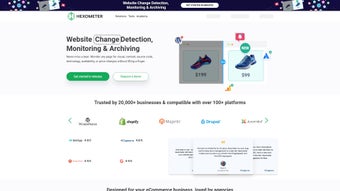
Hexometer is a cloud‑based, AI‑driven monitoring platform built specifically for eCommerce sites, SaaS portals, and content‑rich publishers. It consolidates the most critical health checks—uptime, page speed, user‑experience signals, SEO health, and security threats—into a single dashboard that can be accessed from any browser. Because Hexometer lives in the cloud, there is no need to install agents on your server or inject tracking code into your pages; the service simply pings your URLs, runs a suite of synthetic tests, and parses the results in real time. This design eliminates the overhead of maintaining on‑premise monitoring software and lets businesses focus on growth instead of infrastructure.
Real‑time alerts are delivered through the channels that modern teams already use: email, SMS, Slack, and Telegram. The platform’s multi‑client agency dashboards enable marketing firms, SEO consultants, and managed service providers to monitor dozens—or even hundreds—of client websites from a single pane of glass. White‑labeling adds a professional touch, allowing agencies to present Hexometer’s data under their own branding.
With more than 20,000 businesses trusting the service, Hexometer has proven its reliability in mission‑critical environments. Whether you run a Shopify store that cannot afford downtime during a flash sale, a WordPress blog that depends on SEO rankings, or a fintech portal that must guard against security breaches, Hexometer provides actionable insights before visitors notice a problem. Its integration library, covering over 100 popular platforms (including Zapier, HubSpot, Google Analytics, and more), means you can automatically push alerts into existing workflows, trigger remediation scripts, or generate detailed reports for stakeholders.
In short, Hexometer is a comprehensive, secure, and user‑friendly monitoring solution that eliminates the need for multiple point solutions. It gives you a single source of truth for website health, helping you maintain optimal performance, protect brand reputation, and ultimately drive higher conversions.
Key Features That Set Hexometer Apart
- Uptime Monitoring (Standard & Advanced): 1‑minute checks for HTTP/HTTPS response codes, SSL certificate validity, and server latency. Advanced mode adds multi‑region testing to verify global availability.
- Page Speed & Core Web Vitals: Real‑time measurement of LCP, FID, CLS, and overall load time, benchmarked against industry standards.
- UX Element Detection: Automated scanning for broken links, missing images, orphaned pages, and form validation errors that hurt user journeys.
- SEO Health Checks: Crawls for missing meta tags, duplicate content, canonical issues, and structured‑data errors that could affect rankings.
- Security Audits: Detects common vulnerabilities such as outdated software, exposed admin panels, and suspicious traffic spikes.
- Multi‑Channel Alerts: Configurable notifications via email, SMS, Slack, Telegram, and webhook for instant incident response.
- Agency‑Ready Dashboards: Separate client views, role‑based permissions, and white‑label branding to present data under your own logo.
- 100+ Integrations: Native connectors for Zapier, Google Data Studio, HubSpot, Shopify, WordPress, and more, enabling automated workflows.
- Historical Reporting & Trend Analysis: Visual charts that track performance over days, weeks, and months, helping you spot long‑term degradation.
- AI‑Powered Recommendations: Hexometer’s engine suggests concrete actions (e.g., “Compress image X.jpg to reduce LCP”) based on detected issues.
Installation, Setup & Compatibility
Zero‑Installation Deployment
Because Hexometer operates entirely in the cloud, the onboarding process is as simple as creating an account and adding the URLs you want to monitor. There is no need to download a client, configure a server agent, or modify your website’s codebase. After signing up, you are prompted to enter the domains, select the monitoring frequency (1‑minute, 5‑minute, or custom), and choose the test suites (Uptime, Speed, SEO, Security, UX). Once saved, Hexometer starts polling the sites immediately.
Step‑by‑Step Setup
- Create your account: Use your corporate email or sign in with Google/SSO.
- Add sites: Click “Add New Site,” enter the full URL, and assign a friendly name.
- Select monitoring plans: Choose Standard (basic uptime & speed) or Advanced (multi‑region, security, SEO).
- Configure alerts: Pick your preferred channels—email, SMS, Slack, Telegram—and set thresholds for each metric.
- Integrate with tools: Navigate to the Integrations tab, connect to Zapier or a webhook, and map alerts to your ticketing system.
- White‑label (optional): For agencies, upload your logo, customize colors, and generate client‑specific URLs.
- Review dashboard: Explore the real‑time status cards, historical graphs, and the “Issues” pane that aggregates all detected problems.
Operating System Compatibility
Hexometer is a web‑based SaaS product, which means it works on any operating system that can run a modern browser—Windows 10/11, macOS Ventura and later, Linux distributions, as well as mobile platforms like Android 9+ and iOS 13+. The responsive UI adapts to desktop, tablet, and phone screens, allowing site owners to monitor their assets on the go. Because there is no client software to install, you also avoid compatibility headaches such as driver conflicts or outdated runtime environments.
Security & Data Privacy
All communications between your browser and Hexometer’s servers are encrypted with TLS 1.3. The platform complies with GDPR, CCPA, and SOC 2 Type II standards, ensuring that any data collected (e.g., page content snapshots) is stored securely and never sold to third parties. For agencies handling sensitive client data, role‑based access control (RBAC) allows you to limit who can view or edit specific sites.
Pros, Cons & Expert Review
Pros
- All‑in‑one monitoring eliminates the need for separate uptime, SEO, and security tools.
- Zero‑installation, cloud‑only architecture simplifies deployment across any OS.
- AI‑driven recommendations turn raw alerts into actionable tasks.
- Robust multi‑channel alerting ensures teams never miss a critical incident.
- Agency‑friendly white‑label dashboards and client‑segmentation features.
- Extensive integration library (100+ platforms) for automated workflows.
Cons
- Advanced monitoring (multi‑region, security scans) is only available on higher‑tier plans.
- Custom alert thresholds require a learning curve for non‑technical users.
- No on‑premise version for organizations that demand self‑hosted solutions.
- SMS alerts incur additional carrier costs, which can add up for large teams.
Hexometer delivers a compelling mix of uptime reliability, SEO insight, and security awareness in a single, easy‑to‑use platform. The AI recommendations are particularly valuable for small teams that lack deep technical expertise. While the price point for the premium tier is higher than some niche tools, the consolidated view and agency‑ready features justify the investment for businesses that need comprehensive coverage. Overall, Hexometer earns a solid 4.5‑star rating for its breadth of features, intuitive UI, and proactive alerting system.
FAQ – Frequently Asked Questions
Can I monitor more than one domain with a single Hexometer account?
Yes. Hexometer allows unlimited site additions on most plans. Agencies can create separate client groups and assign permissions to team members, making multi‑domain management straightforward.
Do I need to add tracking code to my website?
No. Hexometer operates entirely from the cloud and performs synthetic tests by requesting your pages directly. This means there’s no code snippet to install, keeping your site clean and secure.
How quickly does Hexometer detect a downtime event?
With the default 1‑minute monitoring interval, Hexometer can detect downtime within 60 seconds of occurrence and instantly push alerts to your configured channels.
Is there a free trial or free tier available?
Hexometer offers a 14‑day free trial that includes all core features. After the trial, you can choose between a “Starter” plan ($29/month) or the “Professional” plan ($79/month) that unlocks advanced monitoring and white‑label options.
Can Hexometer integrate with my existing ticketing system?
Absolutely. Hexometer provides webhook support and native Zapier integrations that can automatically create tickets in platforms like Jira, Zendesk, or ServiceNow whenever an alert is triggered.
Conclusion & Call to Action
If you’re looking for a reliable, AI‑enhanced solution that unifies uptime, performance, SEO, and security monitoring without the hassle of installing agents or juggling multiple tools, Hexometer is a top contender. Its cloud‑first design, extensive integration ecosystem, and agency‑ready white‑label capabilities make it suitable for businesses of all sizes—from solo Shopify store owners to large digital agencies handling dozens of client sites. Start your 14‑day free trial today, experience real‑time alerts across your preferred channels, and see how proactive monitoring can safeguard revenue and reputation.
Download Hexometer now and keep your website healthy, fast, and secure.



.png)




