Dashboard Widget
HTML Forms Premium automatically adds an easy to reference widget to the WordPress dashboard. This dashboard widget lists your active forms, shows how many submissions are unread, and the total number of submissions.
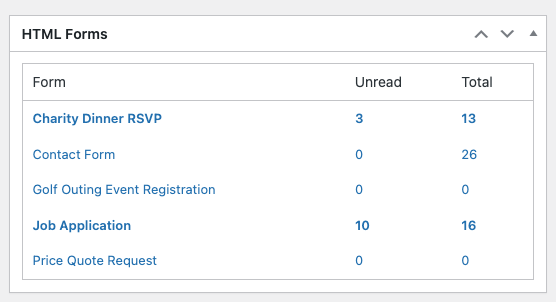
The dashboard widget is enabled by default. You, or your other admin users, can hide it manually if they choose by using the built-in Screen Options feature on the WordPress dashboard.
Related Posts from Our Knowledge Base
HTML Forms will store all of your form submissions directly inside the WordPress admin. You can access this from the Submissions tab when viewing a form. List View The Submissions tab shows all the submissions your form has received in chronological order. Each field in your form will have its own column, in addition to […]
HTML Forms Premium includes a visibility feature that lets you only show a form when a user is logged in to your site. This feature lets you have greater control over who can see, and submit data, to your website. Enabling the Require Users to Log In Feature You’ll need to install HTML Forms Premium […]
