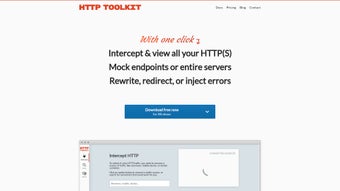

Download HTTP Toolkit – free, secure HTTP debugging tool for Windows
Overview: What HTTP Toolkit Brings to Your Digital Hobby Toolbox
HTTP Toolkit is a free, open‑source software application created by Tim Perry specifically for Windows users who want to gain deeper insight into the HTTP traffic generated by their browsers, desktop apps, or mobile emulators. Though it lives under the “Lifestyle – Hobbies” category, its practical value goes far beyond casual tinkering. The tool equips developers, QA engineers, hobbyist programmers, and even power users with an intuitive interface that captures, inspects, and modifies HTTP requests and responses in real time. By exposing the raw data that powers web services, HTTP Toolkit helps you troubleshoot connectivity issues, verify API contracts, and experiment with new web‑based projects without leaving your desktop. Its design philosophy emphasizes security and privacy—no data is sent to external servers unless you explicitly enable it—making it a trustworthy companion for anyone who cares about the integrity of their online activities. Whether you’re exploring a new hobby like building a personal home‑automation dashboard, learning how RESTful APIs work, or simply trying to speed up a sluggish website, HTTP Toolkit offers a seamless, low‑learning‑curve experience that scales with your skill level. The application’s modular architecture means you can start with basic request capture and later add advanced features such as automated mock servers, traffic rewriting, and integration with popular development environments. In short, HTTP Toolkit is a versatile, free software solution that bridges the gap between casual curiosity and professional-grade HTTP debugging, all while keeping the user experience friendly and secure.
Core Features & Capabilities
HTTP Toolkit packs a surprising amount of functionality into a lightweight Windows package. Its feature set is deliberately organized around three primary workflows: capture, inspect, and modify. Below is a curated list of the most impactful capabilities that make the tool indispensable for hobbyists and professionals alike.
- Automatic Traffic Capture: Detects and intercepts HTTP and HTTPS traffic from any local process without manual proxy configuration.
- Real‑Time Inspection: Displays request and response headers, bodies, and timing metrics in a clean, searchable UI.
- HTTPS Decryption: Generates a trusted root certificate on‑the‑fly, allowing you to view encrypted traffic safely.
- Request/Response Editing: Modify any part of a request or response on the fly and replay it to see immediate effects.
- Mock Server Generator: Create lightweight mock endpoints that return custom responses, perfect for testing APIs without a backend.
- Auto‑Generated Code Snippets: Export captured traffic as ready‑to‑run code in cURL, Node.js, Python, or other popular languages.
- Integration Plugins: Extend functionality with community‑built plugins for frameworks like React, Angular, and Vue.
- Performance Analytics: Visualize latency, size, and error trends across captured sessions to pinpoint bottlenecks.
- Secure, Local‑Only Operation: All data stays on your machine unless you explicitly enable cloud sync.
- Regular Updates & Open‑Source Transparency: Frequent releases on GitHub ensure bugs are patched quickly and new features are added based on community feedback.
Beyond the bullet‑point list, HTTP Toolkit’s UI is built with accessibility in mind. Dark and light themes, keyboard shortcuts, and scalable fonts make long debugging sessions comfortable. The tool also supports exporting entire sessions as HAR files, which can be shared with teammates or imported into other analysis platforms. For hobbyists, the built‑in tutorial walks you through capturing your first request within minutes, while power users can script complex workflows using the CLI component that ships with the application. This blend of simplicity and depth ensures that whether you are just getting started with web development or you are an experienced engineer, HTTP Toolkit adapts to your workflow without imposing unnecessary complexity.
Installation, Setup, and Compatibility
Getting HTTP Toolkit up and running on a Windows PC is intentionally straightforward, allowing you to focus on learning rather than wrestling with installers. Follow these steps for a smooth installation experience:
Step‑by‑Step Installation
- Download the Installer: Visit the official website and click the “Download for Windows” button. The file is a small
.exe(approximately 30 MB) and is digitally signed for authenticity. - Run as Administrator: Right‑click the installer and select “Run as administrator.” This grants the application permission to install the local root certificate required for HTTPS decryption.
- Follow the Wizard: The installer guides you through license acceptance, install location (default is
C:\Program Files\HTTP Toolkit), and optional desktop shortcuts. - Complete the Certificate Trust Process: After installation, the program will prompt you to add a trusted root certificate. Confirm the action; this step is essential for capturing encrypted traffic safely.
- Launch the Application: Once installed, start HTTP Toolkit from the Start menu or desktop shortcut. The first‑time wizard will help you select which applications to monitor (e.g., Chrome, Edge, custom executables).
System Requirements & Operating System Support
HTTP Toolkit officially supports Windows 10 (1809 and later) and Windows 11 (both 64‑bit editions). Minimum hardware requirements are modest: 2 GB RAM, 500 MB of free disk space, and a modern processor (Intel i3 or equivalent). The tool runs natively on x64 architecture; while there is no official 32‑bit build, the application can operate under Windows 10/11 on ARM devices via emulation.
Although the primary distribution targets Windows, the underlying codebase is cross‑platform and developers can compile it for macOS, Linux, or even Android. However, those builds are community‑maintained and not part of the official free download package. For Windows users, the application integrates seamlessly with the system’s network stack, meaning you do not need to configure proxy settings manually unless you have an existing corporate proxy.
Once the software is running, you can start capturing traffic with a single click. The UI offers a “Start Capture” button that automatically detects active network interfaces. If you encounter conflicts with existing VPN or firewall software, HTTP Toolkit provides a troubleshooting guide that outlines common port exclusions and how to whitelist the application. Overall, the installation process is designed to be frictionless, allowing hobbyists to dive straight into debugging without spending hours on configuration.
Pros, Cons, and Frequently Asked Questions
Pros & Cons
- Pros
- Completely free with no hidden fees or trial limitations.
- Intuitive UI that caters to beginners while offering depth for experts.
- Robust HTTPS decryption without requiring external tools.
- Built‑in mock server and code‑snippet export streamline development workflows.
- Open‑source transparency ensures security and rapid bug fixes.
- Regular updates keep the feature set fresh and compatible with modern browsers.
- Cons
- Official support limited to Windows; macOS/Linux users must rely on community builds.
- Advanced automation requires familiarity with the CLI component.
- Initial certificate installation may raise concerns for users unfamiliar with security concepts.
- Large capture sessions can consume significant disk space if not exported or cleared regularly.
FAQ – Your Most Common Questions Answered
Is HTTP Toolkit really free, or are there hidden costs?
HTTP Toolkit is 100 % free to download and use. There are no premium tiers, subscription fees, or usage limits. All features, including HTTPS decryption and mock server generation, are available without charge.
Can I use HTTP Toolkit to capture traffic from mobile devices?
Yes. By connecting your Android or iOS device to the same Wi‑Fi network and configuring the device to use your PC’s IP address as a proxy, HTTP Toolkit can intercept mobile traffic. The application provides step‑by‑step instructions for this setup in its documentation.
Is my captured data stored or sent to the cloud?
All captured data remains on your local machine. HTTP Toolkit does not upload any traffic unless you explicitly enable the optional cloud‑sync feature, which is disabled by default for privacy‑conscious users.
What browsers are supported out of the box?
The tool automatically detects and captures traffic from Chrome, Edge, Firefox, and any Chromium‑based browsers. It also works with custom executables if you manually add them to the capture list.
How often is HTTP Toolkit updated?
The development team releases a new stable version roughly every 4–6 weeks, with additional patch releases for critical bugs. Users receive in‑app notifications when updates are available.
Final Verdict & Call to Action
HTTP Toolkit stands out as a powerful, yet approachable, HTTP debugging suite that bridges the gap between casual hobbyists and seasoned developers. Its free price tag, combined with a feature set that rivals many commercial alternatives, makes it an excellent first‑stop tool for anyone looking to understand or manipulate web traffic on a Windows machine. The user‑friendly interface lowers the entry barrier, while advanced capabilities like mock servers and CLI automation provide room for growth as your projects become more sophisticated. Security is handled responsibly through local‑only data storage and an optional, transparent certificate system, ensuring that your debugging sessions remain private.
If you’re ready to explore APIs, troubleshoot slow‑loading sites, or simply satisfy a curiosity about how browsers communicate with servers, HTTP Toolkit is the right companion. Download the installer today, follow the quick setup wizard, and start capturing traffic within minutes. Remember, the tool is continuously improved by an active open‑source community, so you’ll always have access to the latest enhancements.
Take the next step now: Download HTTP Toolkit for Windows and unlock a world of insight into the invisible data that powers the internet.








