
Download iBank – Personal Finance Software for Mac, iPhone, and iPad
Overview
iBank has earned a reputation as the most polished and powerful alternative to Quicken for Mac. Since its first release, the application has evolved into a full‑featured personal finance suite that works seamlessly on macOS and iOS devices. Version 4 introduces a sleek, Cover‑Flow‑style interface that makes navigating transactions, budgets, and investment portfolios feel intuitive and visually engaging. Whether you are tracking daily expenses, planning a yearly budget, or managing a complex stock portfolio, iBank offers tools that rival desktop‑class financial software while keeping the user experience simple enough for beginners. Its integrated online banking feature lets you download statements directly from supported banks, eliminating the need for manual CSV imports. In addition, iBank supports bill payment, receipt scanning, and even offers a companion iPhone app, so you can capture expenses on the go and sync them instantly with your desktop library. While the migration from Quicken may require a short learning curve, iBank’s extensive documentation, tutorial videos, and active user forum make the transition smooth. Overall, iBank stands out for its professional‑grade reporting, robust investment tracking, and a design language that feels native to the Mac ecosystem.
Key Features That Set iBank Apart
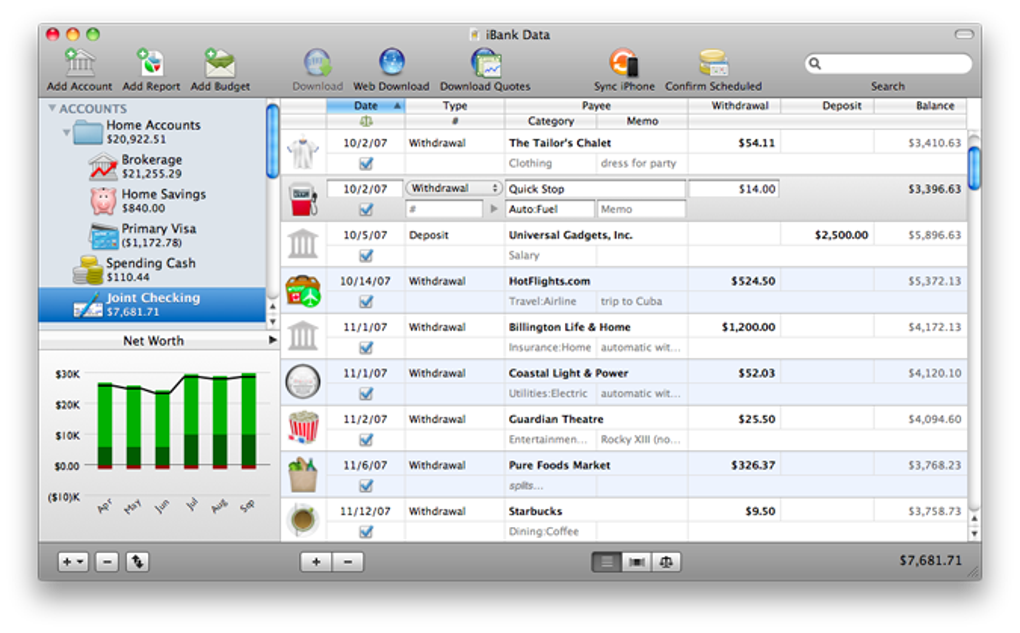
- Cover‑Flow Transaction Browser – An iTunes‑style visual display of transactions that lets you scroll through your financial history with a swipe.
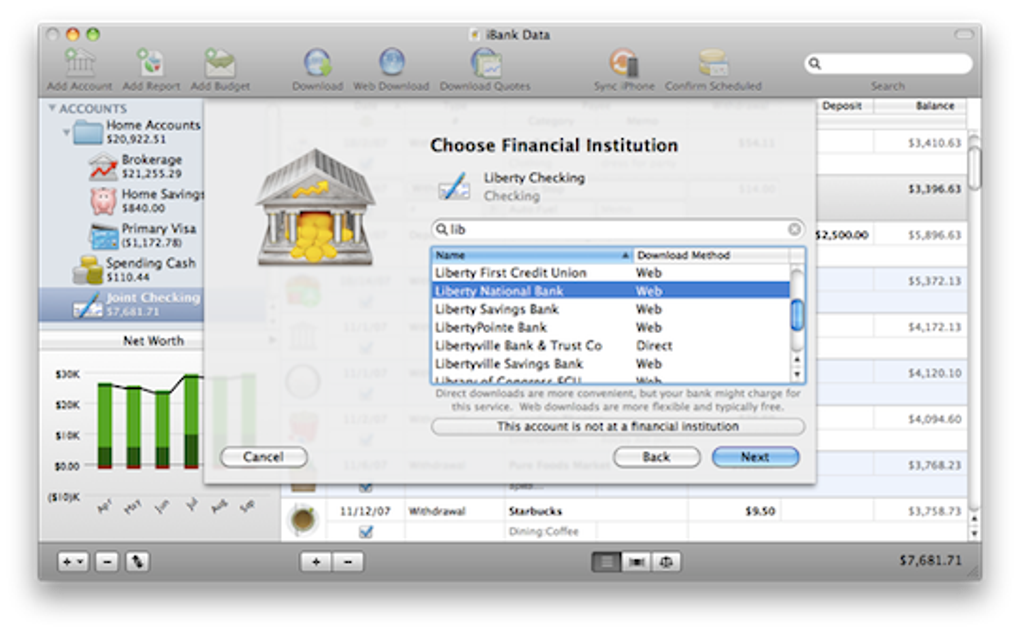
- Integrated Online Banking – Securely download and import bank statements from a growing list of supported financial institutions.
- Bill Payment & Reminders – Schedule recurring payments, set due‑date alerts, and keep a clear view of upcoming liabilities.
- Receipt Scanning & Document Attachment – Use your Mac’s camera or iPhone to capture receipts, then attach them directly to corresponding expenses for easy reference.
- Comprehensive Import/Export – Seamlessly import data from Quicken, Moneydance, and CSV files; export reports in PDF, CSV, or QIF formats.
- Investment Portfolio Management – Track stocks, mutual funds, and ETFs; download daily quotes; generate profit‑and‑loss statements and performance graphs.
- Advanced Reporting & Forecasting – Build custom reports, visualize cash‑flow trends, and forecast future balances based on historical data.
- iPhone & iPad Companion App – Capture expenses, view budgets, and check account balances from anywhere, with automatic sync to the desktop version.
- Secure Cloud Sync (Optional) – Enable iCloud or third‑party services to back up your data and keep it consistent across devices.
- Extensive Help Resources – Built‑in tutorial wizard, searchable manual, and an active user forum moderated by IGG Software developers.
Each of these features is designed with both security and usability in mind. For instance, online banking connections use industry‑standard encryption (TLS 1.2 or higher) to protect your credentials, while receipt scanning leverages OCR technology to extract relevant details without storing the original image on external servers unless you choose cloud sync. The investment module supports multiple currencies and automatically adjusts for corporate actions like splits and dividends, making it suitable for both casual investors and active traders. Moreover, iBank’s reporting engine can generate visualizations that are instantly exportable to presentations or tax‑preparation software, saving you hours of manual data manipulation each year.
Installation, Usage, and Compatibility
Getting started with iBank is straightforward. After purchasing the license, download the installer from the official IGG Software website. The macOS package is a standard .dmg file that supports macOS 10.9 (Mavericks) and later, including macOS 12 (Monterey) and macOS 13 (Ventura). Simply double‑click the installer, drag the iBank icon into your Applications folder, and launch the app. The first run launches a guided setup wizard that helps you import existing Quicken files, configure your bank accounts, and set up your initial budget categories.
For iOS users, the companion app is available on the App Store for iPhone and iPad. The iOS version requires iOS 13 or newer and syncs automatically with the desktop client via iCloud, Dropbox, or a direct Wi‑Fi connection. Once installed, you can start capturing receipts with the device’s camera, add quick expense entries, and view real‑time budget updates that reflect changes made on your Mac.
Supported Operating Systems:
- macOS 10.9 – 13 (all modern Intel and Apple Silicon Macs)
- iOS 13 – 17 (iPhone & iPad)
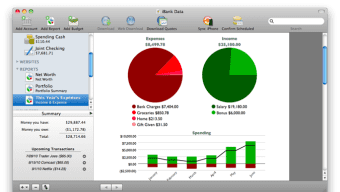
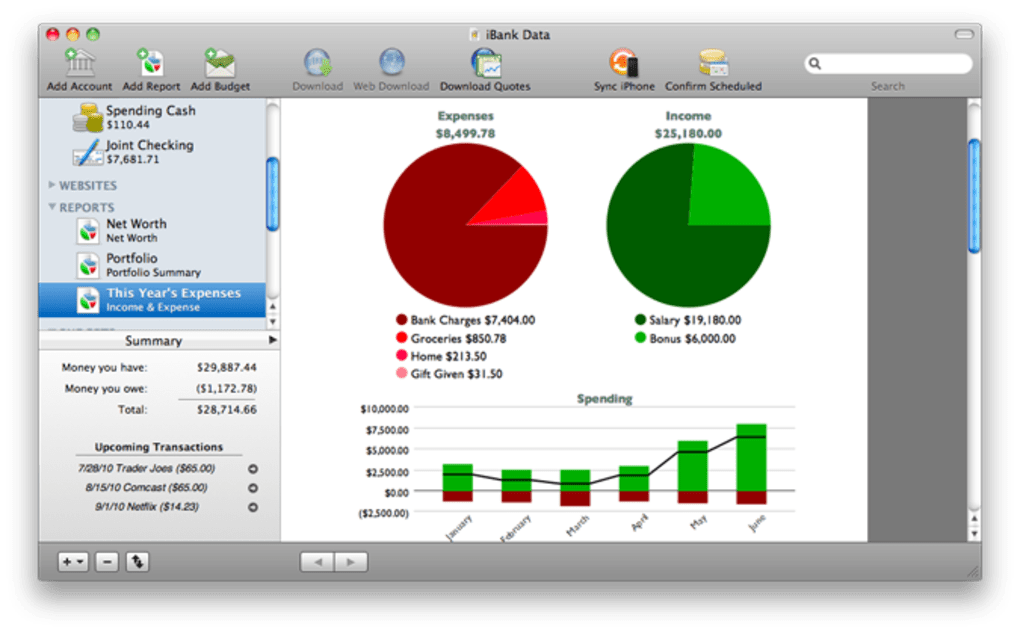
The user interface is designed around Apple’s Human Interface Guidelines, meaning you’ll find familiar gestures, dark‑mode support, and retina‑ready graphics throughout the application. When you first open iBank, the dashboard presents a high‑level snapshot of your net worth, upcoming bills, and recent transactions. From there, you can drill down into detailed reports, set budget limits for each category, or switch to the Cover‑Flow view for a quick visual scan. The software also includes a powerful search function that filters transactions by date, amount, payee, or tag, enabling you to locate any entry in seconds.
Regular updates are delivered automatically through the built‑in update manager, ensuring you receive the latest security patches and feature enhancements without manual intervention. If you encounter any issues, the support portal offers a ticketing system, and the active user forum provides community‑driven solutions that often resolve problems faster than official channels.
Pros and Cons
Pros
- Visually appealing Cover‑Flow interface makes transaction browsing enjoyable.
- Robust online banking integration with strong encryption.
- Comprehensive investment tracking, including real‑time quotes.
- Receipt scanning and document attachment keep records organized.
- Full Quicken import capability reduces migration friction.
- iPhone/iPad companion app for on‑the‑go expense capture.
- Extensive reporting suite with customizable charts and forecasts.
- Active developer support and responsive user forum.
- One‑time purchase model – no recurring subscription fees.
Cons
- Learning curve for users transitioning from traditional spreadsheet‑style finance apps.
- Limited native Windows support – macOS is the primary platform.
- Online banking connections are limited to a curated list of banks; some smaller institutions may require manual import.
- No built‑in tax‑filing integration; users must export data for third‑party tax software.
- Advanced investment features may be overwhelming for casual investors.
Frequently Asked Questions
Can I import my Quicken data directly into iBank?
Yes. iBank includes a built‑in Quicken importer that supports files from Quicken 2007 onward. The import wizard guides you through mapping accounts, categories, and transactions, and any minor discrepancies can be corrected using the post‑import cleanup tool.
Is my banking information stored securely?
All online banking credentials are encrypted using AES‑256 encryption and never leave your computer except during a secure TLS 1.2 (or higher) connection to your bank’s servers. iBank does not retain any password data on its own servers.
Does iBank offer a trial version?
Yes, a 30‑day free trial is available from the official website. The trial provides full access to all features, including the investment module and receipt scanner, so you can evaluate the software without any restrictions.
Can iBank sync data across multiple Macs?
Absolutely. By enabling iCloud Drive or a third‑party cloud service (such as Dropbox), you can keep your iBank library synchronized across any number of Macs signed into the same account. Changes made on one device appear instantly on the others.
What is the price of iBank and are there any hidden fees?
iBank is sold as a one‑time purchase for $49.99 USD. This includes the desktop application, the iOS companion app, and free updates for the current major version (4.x). There are no subscription fees or hidden charges, although optional cloud‑storage add‑ons may incur third‑party costs.
Conclusion & Call to Action
If you’re a Mac user searching for a reliable, feature‑rich personal finance solution, iBank delivers a compelling mix of aesthetics, security, and functionality that many users find superior to legacy tools like Quicken. Its modern Cover‑Flow interface, seamless online banking, and powerful investment tracking make it suitable for both everyday budgeting and more sophisticated financial planning. While the lack of a native Windows version may limit cross‑platform teams, the one‑time purchase model and ongoing developer support provide excellent value for the price. Ready to take control of your finances with a tool built specifically for the Apple ecosystem? Download iBank today and start your 30‑day free trial—experience the difference of a truly Mac‑optimized finance manager.








