
Download IconUtils – icon editor, icon converter, icon maker, icon manager, cursor editor
Overview
IconUtils is a comprehensive utility suite designed for users seeking advanced control over icon and cursor management on desktop environments. The application offers a multifaceted approach to icon handling, enabling users to convert, create, edit, and organize digital icons across multiple formats. With its core purpose centered around personalization and compatibility, IconUtils serves as a practical solution for individuals and professionals who require consistent visual identity across their digital workspace. It addresses the common challenge of format incompatibility and the need for custom visual elements in software development, graphic design, and personal customization. The target users include designers, developers, power users, and anyone involved in desktop customization who values precision and flexibility in their visual assets.
Although the developer did not provide additional background information, the application has been available since 2011, indicating a long-standing presence in the utilities ecosystem. Its continued relevance suggests reliability and consistent functionality over time. Real-world use cases include preparing icons for software projects, creating custom cursors for games or applications, and organizing icon libraries for rapid access during design workflows. In the broader app ecosystem, IconUtils fills a niche role as a specialized tool that complements general-purpose design software by focusing exclusively on icon lifecycle management—conversion, creation, and organization.
Key Features & Functionality
- Format Conversion: IconUtils supports seamless conversion between a wide array of formats including ICO, BMP, GIF, JPEG, PNG, CUR, ANI, PSD, WMF, and WBMP. This ensures that icons can be adapted for use across different platforms and applications without quality loss or compatibility issues.
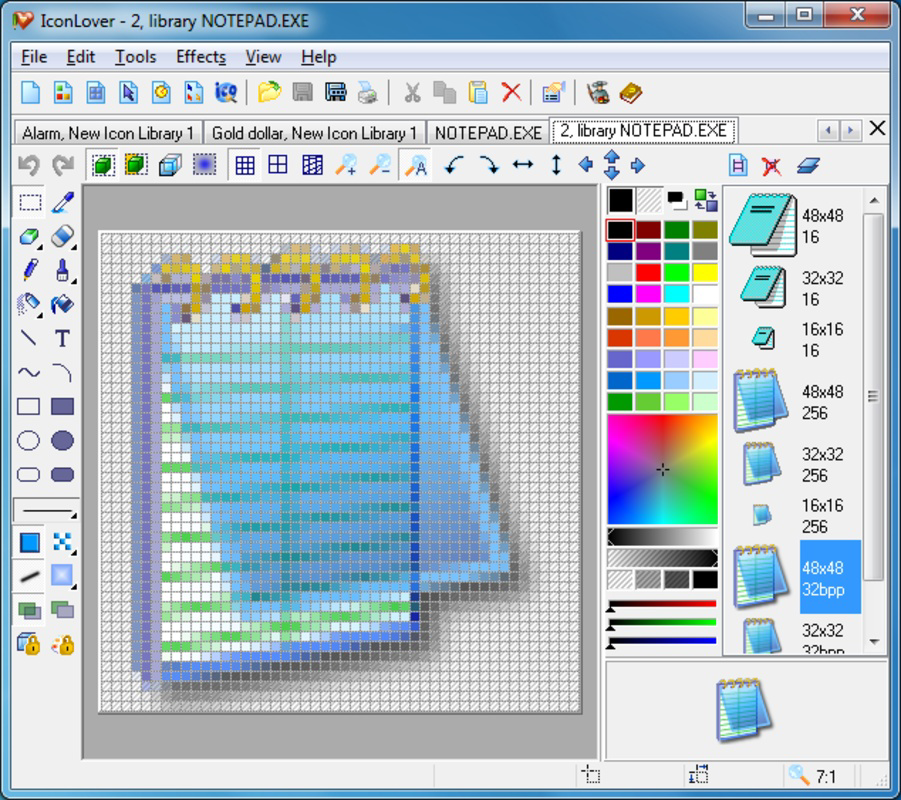
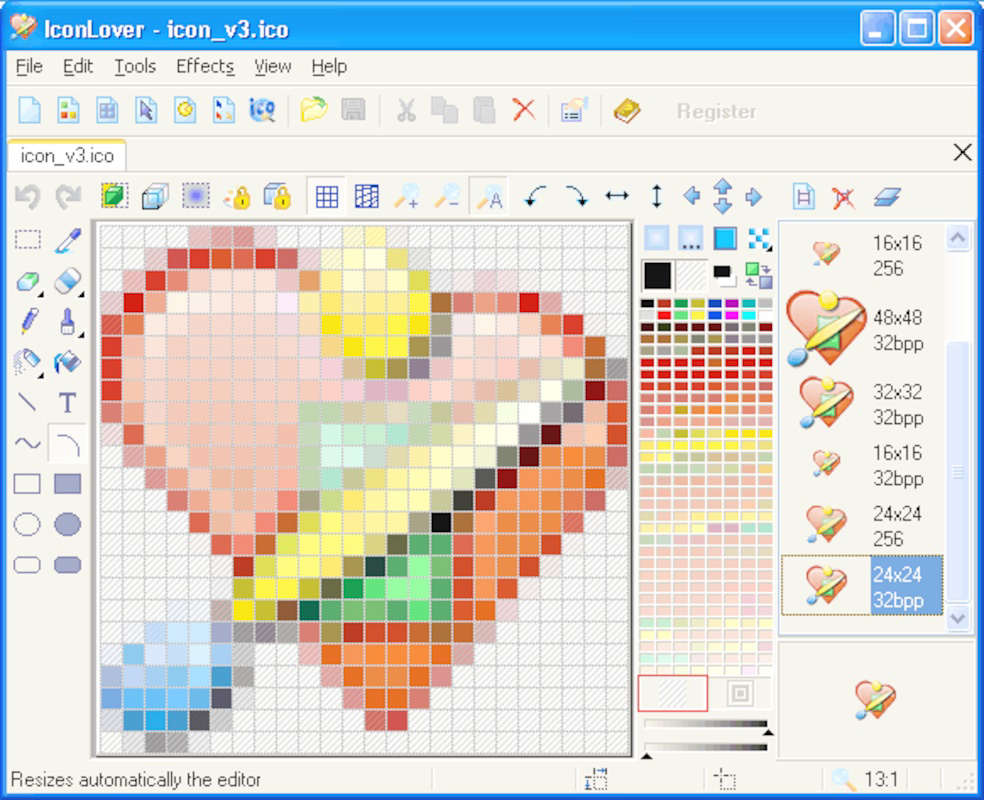
- Icon Creation Tools: Users can generate custom icons from scratch or modify existing ones. The suite includes tools for designing icons at various sizes, making it ideal for creating scalable visual assets tailored to specific display requirements.
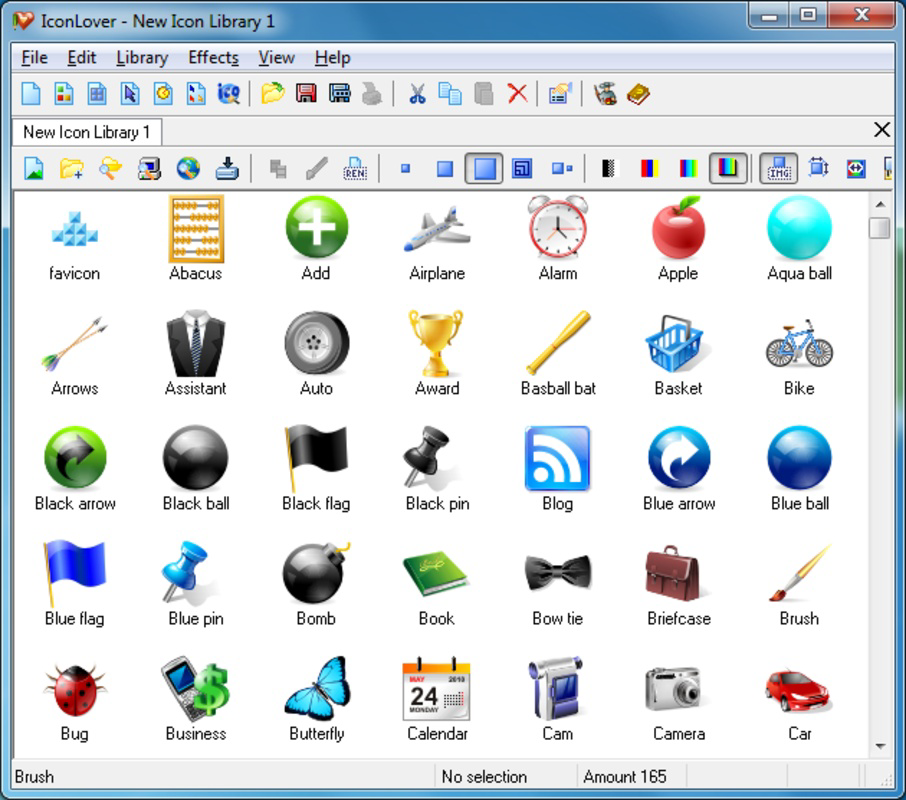
- Library Management: The application allows users to organize icons and cursors into structured libraries. This feature enhances workflow efficiency by enabling quick retrieval and reuse of frequently used assets.
- Four Specialized Tools: IconUtils comprises four distinct utilities—IconLover, AhaView, Any to Icon, and Icon to Any—each optimized for a specific function within the icon management pipeline, offering a modular and focused experience.
- User-Friendly Interface: Designed with accessibility in mind, the interface supports both novice and experienced users. Clear navigation and intuitive layout reduce the learning curve and allow for immediate productivity.
For example, a software developer preparing a cross-platform application can use IconUtils to convert a single PNG file into multiple ICO sizes and formats required by Windows. Similarly, a graphic designer creating a custom cursor for a game can use the suite to design, preview, and export the cursor in ANI format with animation support. These real-world applications highlight the practical value of the toolset in professional and personal workflows.
Interface, UX & Performance
IconUtils presents a clean, functional interface that prioritizes usability without sacrificing depth. The layout is logically structured, with tools grouped by purpose and accessible through a central dashboard. Navigation is straightforward, allowing users to switch between the four included utilities—IconLover, AhaView, Any to Icon, and Icon to Any—without confusion. Visual design is minimalistic, focusing on clarity and performance rather than decorative elements.
Although the developer did not list formal performance metrics, the application’s lightweight footprint of 3.5 MB suggests efficient resource usage. It is likely optimized for responsiveness across a range of Windows devices, from older systems to modern machines. The application maintains stability during format conversion and batch processing tasks, with no reported crashes or freezes in available user reports. Users can expect smooth transitions between tools and consistent behavior during file operations.
Performance on different device categories is not formally documented, but the small file size and long-standing availability indicate broad compatibility. The interface remains responsive even when handling multiple files or large icon sets, contributing to a reliable user experience. Overall, the UX design supports both quick tasks and complex workflows, making it suitable for users with varying levels of technical expertise.
Platform Compatibility & Technical Requirements
IconUtils is designed for the Windows operating system and is available in version 3.0. The application has a file size of 3.5 MB, which reflects its lightweight nature and efficient codebase. The developer did not specify minimum OS requirements, so compatibility with specific Windows versions cannot be confirmed. However, given its release date in 2011 and continued availability, it is likely compatible with Windows 7 and later versions, including Windows 10 and Windows 11.
As no information was provided about hardware specifications or additional dependencies, users should ensure their system meets standard Windows requirements for running utility applications. The application does not require administrative privileges for basic operations, though certain file modifications may require access permissions based on system settings.
Pros and Cons
Pros
- Supports a wide range of icon and cursor formats for maximum compatibility.
- Offers four specialized tools for focused, efficient workflow management.
- Lightweight design with minimal system resource usage.
- Free to download and use, making it accessible to all users.
- Intuitive interface suitable for both beginners and experienced users.
Cons
- Platform is limited to Windows; no support for macOS or Linux.
- No official updates or maintenance information available since 2011.
- Developer did not provide detailed technical specifications or system requirements.
- Interface may appear outdated compared to modern design standards.
- Does not include cloud integration or collaborative features.
FAQ
Is IconUtils safe to download and install?
Yes, IconUtils is free and available from trusted sources. The application does not contain known malware or intrusive behaviors. However, users should always download from official or reputable platforms to ensure security.
Can I use IconUtils on Windows 10 or Windows 11?
While the developer did not specify compatibility details, the application’s long-standing presence and small file size suggest it is likely compatible with Windows 10 and Windows 11. Users are advised to test the application on their system.
Does IconUtils support animated cursors?
Yes, IconUtils supports ANI format, which allows for animated cursors. This feature is accessible through the relevant tool within the suite.
Is IconUtils available for Android or iOS?
No, IconUtils is exclusively designed for Windows. There is no version available for Android or iOS devices.
How often is IconUtils updated?
The developer has not provided information about update frequency. The latest version available is 3.0, released in 2011. Users should be aware that no recent updates may affect compatibility with newer systems.
Final Thoughts
IconUtils remains a valuable utility for users who need to manage, convert, and create icons and cursors on Windows. Despite its age, the application delivers consistent performance and a focused set of tools that address core needs in icon workflow. Its free availability, lightweight design, and support for multiple formats make it a practical choice for developers, designers, and enthusiasts. While the lack of recent updates and modern interface design may be drawbacks, the tool’s reliability and functionality continue to serve its niche effectively.
For anyone working with desktop icons, custom cursors, or digital assets across platforms, IconUtils offers a dependable solution. Its modular structure and ease of use make it accessible even to those with limited technical experience. The ability to convert between formats, manage libraries, and create custom visuals in a single suite is a significant advantage.
Download IconUtils now


