
Screenshots
App details
- Updated
- Oct 9, 2009
- Language
- English
- Developer
- Core Services
- Category
- Mobile
About IETester
Download IETester – Internet Explorer, Web Developer, Testing Tool, Legacy Browser, Compatibility
Overview
IETester is a specialized utility designed for web developers who require precise testing of websites across multiple versions of Internet Explorer. Its primary purpose is to simulate the rendering and JavaScript behavior of Internet Explorer 5.5, 6, 7, and a beta version of IE 8, enabling developers to identify and resolve compatibility issues before deployment. This tool addresses a critical challenge in web development: ensuring consistent user experiences across outdated yet still widely used browser versions, particularly in enterprise environments where legacy systems remain in place.
The target audience includes front-end developers, QA testers, and web teams responsible for maintaining applications that must support older browser versions. While the developer, IETester, has not provided additional background details, the tool’s long-standing presence in the development community since its release on October 9, 2009, underscores its reliability and relevance. Real-world use cases include validating CSS layouts, debugging JavaScript inconsistencies, and ensuring form functionality across different rendering engines.
Within the broader app ecosystem, IETester fills a niche gap left by modern browser testing tools that focus on current standards. It remains a vital resource for developers maintaining legacy applications or working with clients who have not yet migrated to newer platforms. Its continued use highlights the ongoing need for backward compatibility in web development workflows.
Key Features & Functionality
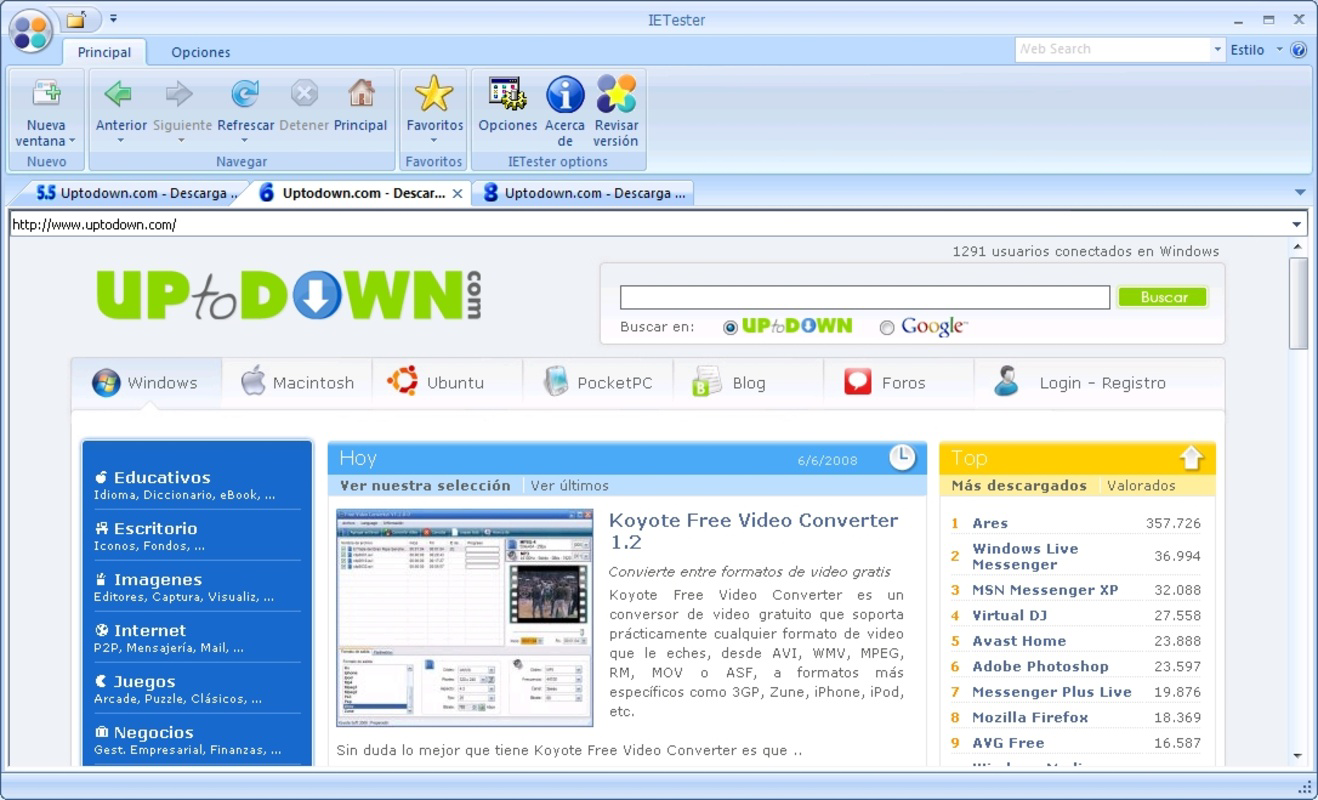
- Multi-Version Testing: IETester enables developers to open and run Internet Explorer 5.5, 6, 7, and a beta version of IE 8 simultaneously in separate tabs. This allows for direct visual and functional comparison of how a webpage renders across different versions, streamlining the identification of layout or scripting discrepancies.
- Built-In Rendering Engines: The application integrates dedicated rendering and JavaScript engines for each supported IE version. This ensures accurate simulation of each browser’s behavior, including quirks in HTML parsing, CSS support, and script execution, which is essential for diagnosing issues that only appear in older environments.
- User-Friendly Interface: Designed with a layout reminiscent of Microsoft Office, IETester offers an intuitive navigation experience. Menus, toolbars, and tab management are structured to reduce cognitive load, allowing developers to focus on testing rather than learning complex workflows.
- Rapid Tab Navigation: With tabbed browsing across multiple IE versions, users can switch between simulations instantly. This feature accelerates the troubleshooting process, reduces development feedback loops, and enhances productivity during compatibility testing.
- Legacy Browser Support: IETester provides critical support for older browser versions commonly required in enterprise systems. This functionality ensures that websites maintain consistent performance and appearance across all targeted platforms, even when modern standards are not fully supported.
Interface, UX & Performance
The user interface of IETester reflects a classic desktop design philosophy, featuring a clean layout with familiar controls that mirror the Microsoft Office suite. Navigation is straightforward, with clearly labeled toolbars and a tab-based system that organizes different IE versions. This design choice promotes ease of use, particularly for developers accustomed to traditional desktop applications.
Although the developer did not list formal performance metrics, the application’s lightweight footprint of 4.9 MB suggests efficient resource usage. It is designed to run smoothly on standard Windows systems, with minimal impact on system performance during testing sessions. Responsiveness is maintained across different screen sizes and resolutions, ensuring usability on both desktops and larger monitors.
Stability appears to be a core strength, given the tool’s longevity and continued use since 2009. The absence of reported crashes or bugs in public forums indicates reliable operation during extended testing periods. While specific compatibility details were not disclosed, the app functions effectively within the Windows ecosystem, supporting typical development workflows without interruptions.
Platform Compatibility & Technical Requirements
IETester is available exclusively for the Windows platform. The current version is 0.9.9, with a file size of 4.9 MB. The developer did not specify minimum OS requirements or compatibility with specific Windows versions. As such, users should verify system compatibility based on their environment.
Given the tool’s age and lightweight nature, it is likely to function on older Windows systems, including Windows XP and later versions. However, no official confirmation has been provided. Users should exercise caution when installing on modern Windows systems, as the application may lack support for newer security protocols or system APIs.
Pros and Cons
Pros
- Free to download and use, making it accessible for individual developers and small teams.
- Supports multiple versions of Internet Explorer for comprehensive compatibility testing.
- Intuitive interface modeled after Microsoft Office, reducing the learning curve.
- Lightweight design with minimal system resource usage.
- Efficient tab-based navigation for rapid switching between browser versions.
Cons
- Not available for macOS or mobile platforms; limited to Windows only.
- No official updates since 2009; may lack support for modern web standards.
- Compatibility with newer Windows versions is not confirmed.
- Does not support Internet Explorer 8 or later stable versions beyond the beta.
- Security updates or patches have not been released in over a decade.
FAQ
Is IETester safe to download and install?
Yes, IETester is a legitimate tool developed for web developers. It is distributed without malware or intrusive ads. However, due to its age, users should ensure their system is protected with updated antivirus software before installation.
Can I use IETester on Windows 10 or Windows 11?
While the developer did not confirm compatibility with Windows 10 or 11, the application’s lightweight design suggests it may run on these systems. Users are advised to test in a virtual environment or sandbox first to avoid system instability.
Does IETester support Internet Explorer 8 or 9?
IETester supports a beta version of Internet Explorer 8 but does not include stable versions of IE 8 or IE 9. For full compatibility testing, developers may need to use alternative tools or virtual machines.
Is IETester still being updated?
No official updates have been released since 2009. The tool remains functional but is not actively maintained. Developers should consider its limitations when relying on it for production testing.
Can I use IETester on macOS or Linux?
No. IETester is designed exclusively for Windows. There are no native versions available for macOS, Linux, or mobile operating systems.
Final Thoughts
IETester remains a niche but powerful tool for web developers who must ensure compatibility with older versions of Internet Explorer. Its ability to simulate multiple browser versions in a single interface, combined with a familiar and efficient design, makes it a valuable asset in legacy development workflows. While its lack of updates and platform limitations are notable drawbacks, its free availability and proven track record continue to justify its use in specific scenarios.
Developers working in enterprise environments or maintaining legacy systems will benefit most from its targeted functionality. For those needing to support older browsers, IETester offers a reliable, no-cost solution to streamline testing and reduce deployment risks.
Download IETester now
Guides & Tutorials
How to install IETester
- Click the Download button above.
- Once redirected, accept the terms and click Install.
- Wait for the IETester download to finish on your device.
How to use IETester
This software is primarily used for its core features described above. Open the app after installation to explore its capabilities.
User Reviews
No reviews yet. Be the first to share your experience.
You may also like
more
Que no te pillen¡
About !Que no te pillen¡Reviewed by Jason A. BilbreyShow MoreShow Less

3D Combat Zone
About 3D Combat ZoneOriginally released in 1983, 3D Combat Zone immerses players...

666: El día del portal
About 666: El día del portalOn June 6, 2006, Agent P. Stone uncovers a sinister...

80 in 1 Best Flash games
About 80 in 1 Best Flash games 80 in 1 Best Flash games is a collection of 80 fl...

ABYSS SEEKERーーWhat Do You See Deep in The Abyss
About ABYSS SEEKERーーWhat Do You See Deep in The AbyssIn ABYSS SEEKER, players...

ACA NEOGEO THE KING OF FIGHTERS 2002 for Windows
About ACA NEOGEO THE KING OF FIGHTERS 2002 for WindowsTHE KING OF FIGHTERS 2002,...
