
Download Image Forge – Image Editor, Photo Editor, Free Image Editing Software
Overview
Image Forge is a free digital image editing tool designed to empower users with essential photo enhancement and creative editing capabilities. Originally released on December 11, 2009, this software has remained a go-to solution for individuals seeking accessible and functional image editing without cost. Targeted at both beginners and intermediate users, Image Forge simplifies complex editing tasks through a straightforward interface and a range of built-in tools. It enables users to crop, resize, apply artistic effects, and manage multiple image formats—making it a practical utility for personal photo projects, social media content creation, and basic digital art work.
The app addresses common pain points such as limited access to professional-grade editing tools and high software costs. By offering a free alternative with robust features, Image Forge lowers the barrier to creative expression. Its support for a wide array of formats—including BMP, JPG, PNG, and AVI—ensures compatibility with most digital media files, including video frames that can be extracted and edited individually. This functionality adds value for users who need to repurpose visual content from various sources.
Although the developer, Image Forge Team, is not widely known in mainstream tech circles, the software’s longevity since 2009 suggests a stable and reliable core functionality. The app remains relevant in the productivity category by providing a lightweight, no-frills solution for users who prioritize functionality over flashy design. It is particularly useful for students, hobbyists, and small content creators who require consistent, secure editing without subscription fees.
Key Features & Functionality
- Extensive Format Support: Image Forge handles multiple image and video formats such as BMP, JPG, PNG, and AVI. This allows users to import, edit, and export files from various sources without format conversion hassles. Video frame extraction is a notable feature, enabling users to isolate and edit stills from video clips.
- User-Friendly Interface: While not visually modern, the interface is designed for quick access to core tools. Essential functions are organized logically, reducing the learning curve for new users and minimizing confusion during editing sessions.
- Comprehensive Editing Tools: The software includes standard features like cropping, resizing, and color correction. Advanced options such as layering and blending provide depth for users who want to experiment with composite images and visual effects.
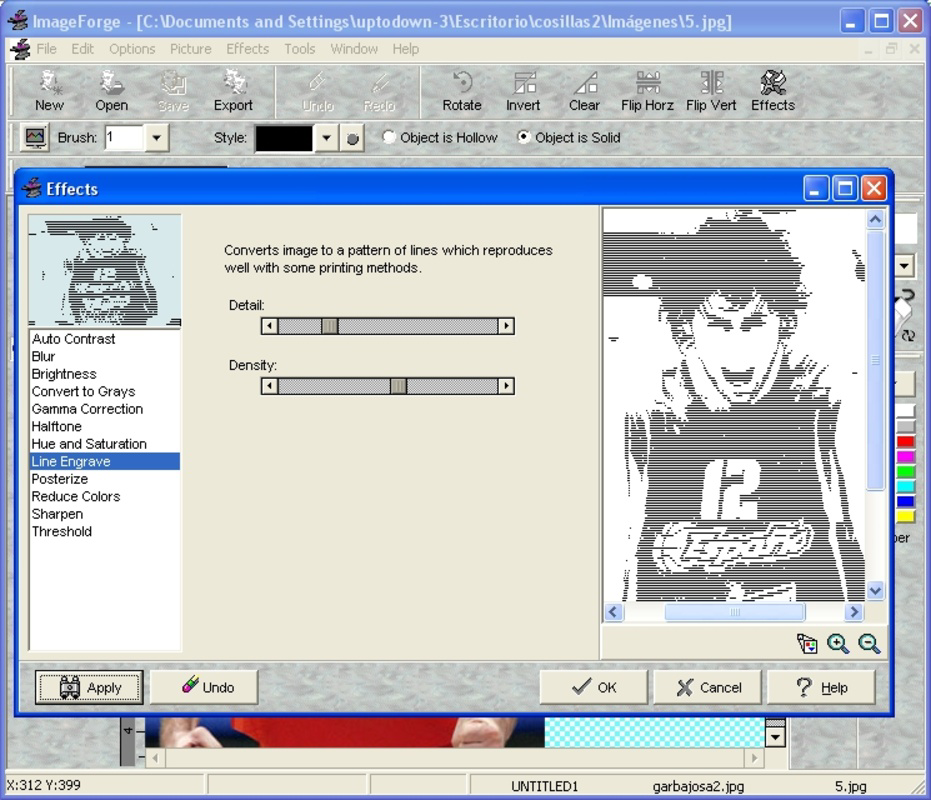
- Diverse Effects Application: Users can apply artistic transformations such as gradients, black and white conversion, and pointillism. These effects are easy to apply and can dramatically alter the mood and style of an image, supporting creative experimentation.
- Free to Use: Image Forge is entirely free of charge, with no hidden fees, in-app purchases, or watermarks. This makes it an ideal tool for individuals and educators seeking cost-effective solutions for digital image manipulation.
For example, a student preparing a presentation can use Image Forge to crop and enhance images from a video lecture, apply a sepia effect for a vintage look, and export them in PNG format—all within a single, lightweight application. Similarly, a social media content creator can extract frames from a short video, edit them for clarity and style, and publish them as posts without needing expensive software.
Interface, UX & Performance
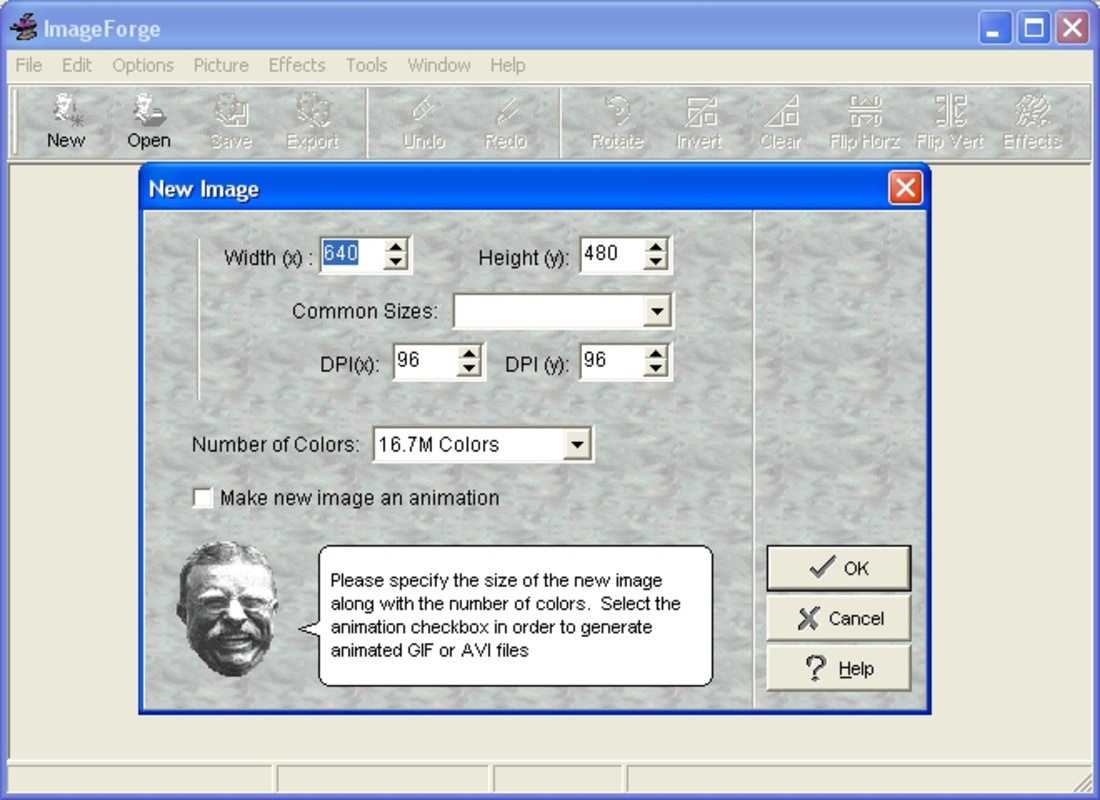
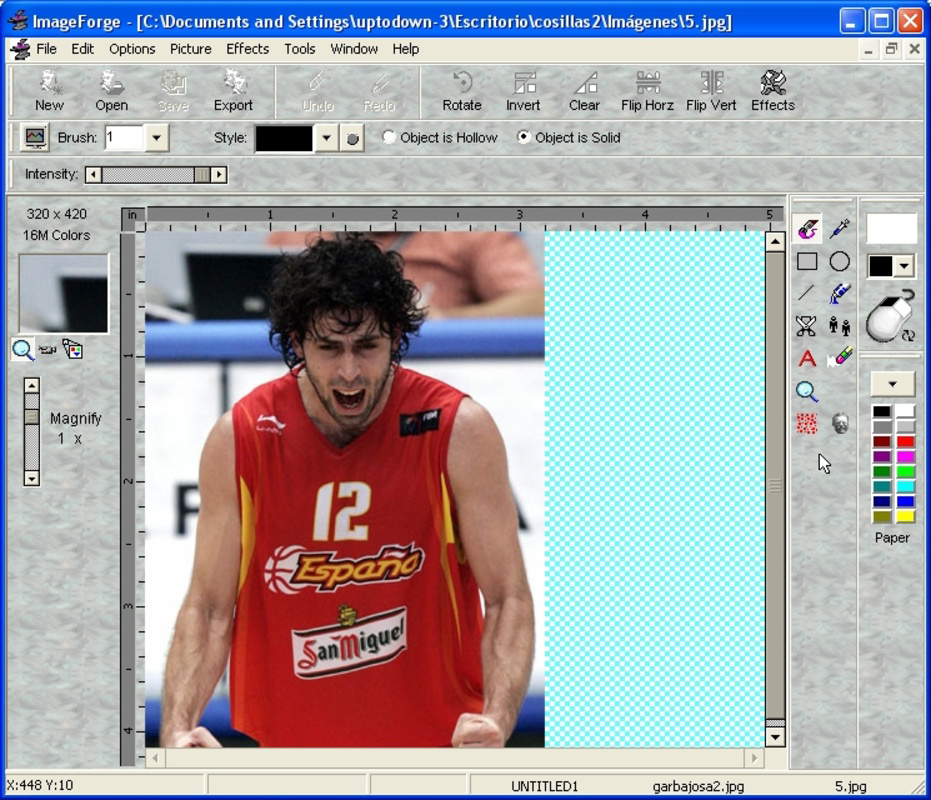
Image Forge features a functional interface that prioritizes tool accessibility over visual polish. The layout is organized with toolbars, menus, and a preview window, allowing users to navigate through editing steps efficiently. While the design may appear dated by modern standards, it remains intuitive for users familiar with traditional desktop editing software.
Navigating between tools is straightforward, with clearly labeled buttons and contextual menus. The workflow is linear—import, edit, apply effects, export—making it easy to follow even for those without prior editing experience. The software responds promptly to user inputs, and the overall performance is stable during basic to moderate editing tasks.
Although the developer did not list formal performance metrics, the app’s file size of 10.2 MB suggests a lightweight footprint, which contributes to fast loading times and minimal system resource usage. It is expected to run smoothly on older Windows systems and devices with limited processing power. Responsiveness is consistent across different screen resolutions, though no official compatibility details were provided for high-DPI displays or touch-enabled devices.
Stability appears reliable based on its long-standing presence in the market. However, users should be aware that the software has not seen recent updates, which may affect compatibility with newer operating systems over time. Despite this, the core functionality remains intact and usable for fundamental image editing needs.
Platform Compatibility & Technical Requirements
Image Forge is designed for the Windows platform and is compatible with Windows operating systems. The software version is 1.0.1, and the file size is 10.2 MB. It is distributed as a free application with no cost to download or use.
The developer did not specify minimum OS requirements, nor did they list supported Windows versions (e.g., Windows 7, 10, 11). As such, compatibility with newer systems cannot be confirmed. Users are advised to test the software on their specific environment before full deployment. The absence of mobile or macOS versions means the app is limited to Windows-based desktops and laptops.
Given its small file size and low resource demands, Image Forge is likely to function on older hardware. However, without official system specifications, users should proceed with caution when installing on systems with outdated drivers or security configurations.
Pros and Cons
Pros
- Completely free to use with no hidden costs or limitations.
- Supports a wide range of image and video formats, including AVI for frame extraction.
- Offers both basic and advanced editing tools suitable for diverse skill levels.
- Lightweight design with minimal system resource usage.
- Stable and reliable for core editing tasks, with a proven track record since 2009.
Cons
- No official updates or support since 2009; may not function optimally on modern Windows systems.
- Interface design is outdated and lacks modern visual appeal.
- Developer did not provide technical specifications or compatibility details.
- Not available on mobile platforms or macOS.
- No built-in cloud sync, collaboration tools, or export presets for social media.
FAQ
Is Image Forge safe to download and use?
Yes, Image Forge is free and available from official sources. As a long-standing desktop application, it does not contain known malware. However, users should always download from trusted websites to avoid bundled software.
Can I use Image Forge on Windows 10 or Windows 11?
While the developer did not specify compatibility, the software may run on Windows 10 and 11 due to its lightweight nature. However, no official support or testing has been confirmed for these systems.
Is Image Forge available for Android or iOS?
No, Image Forge is currently only available for Windows. There are no mobile versions for Android or iOS.
Does Image Forge support layering and blending?
Yes, the software includes layering and blending tools, allowing users to create composite images and apply advanced visual effects.
Can I extract frames from videos using Image Forge?
Yes, one of the key features is the ability to extract individual frames from AVI and other supported video files for editing as standalone images.
Final Thoughts
Image Forge stands out as a durable, free tool for users who need reliable image editing without the complexity or cost of professional software. Its ability to handle multiple formats, apply creative effects, and function on low-resource systems makes it a valuable asset in the productivity space. While its interface and lack of updates may deter users seeking modern design or advanced features, its core functionality remains effective for basic to intermediate editing tasks.
It is especially beneficial for students, educators, hobbyists, and individuals on a budget who prioritize accessibility and simplicity. The absence of licensing fees ensures that creative work is not restricted by financial constraints.
For those seeking a no-cost, straightforward solution for photo enhancement, frame extraction, and artistic effects, Image Forge delivers consistent value. Its long-standing presence in the digital editing landscape is a testament to its reliability and utility.
Download Image Forge now


