Screenshots
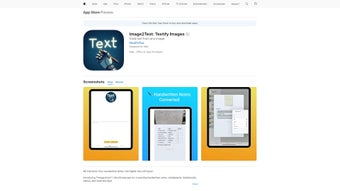
App details
- Updated
- April 7, 2025
- Requires
- Chrome
- License
- Subscription
- Developer
- apple
- Category
- Web Apps
About Image2Text
Download Image2Text – Efficient Handwritten Note Digitization Tool
Overview
Image2Text is a web‑based AI application that turns handwritten and printed text into clean, editable digital content. Whether you’re a student trying to capture lecture notes from a whiteboard, a professional digitizing meeting minutes, or anyone who needs to extract information from menus, receipts, or scanned documents, Image2Text delivers fast and accurate results. The tool works directly in the browser, meaning there’s no need for bulky installations or platform‑specific software. Users simply upload an image, and the AI engine instantly recognizes the characters, preserving layout, font style, and even fine print details that other OCR solutions often miss. Beyond basic conversion, Image2Text lets you save the original image alongside the extracted text, export the combined material as a well‑formatted PDF, and organize content into custom sections for easy retrieval. Privacy is a core principle: the service does not store any uploaded images or extracted data on its servers, ensuring that sensitive notes stay confidential. With its blend of speed, accuracy, and privacy‑first design, Image2Text has quickly become a go‑to solution for anyone who wants to digitize notes without compromising on quality or security.
Key Features
- Instant Text Recognition: AI‑driven OCR converts handwriting and printed text within seconds.
- Fine‑Print Accuracy: Specialized algorithms detect tiny characters, ensuring no detail is lost.
- Layout Preservation: Original formatting, bullet points, and indentation are retained in the output.
- Multi‑Source Input: Accepts images from smartphones, scanners, screenshots, whiteboards, and menus.
- PDF Export with Original Image: Generates a PDF that includes both the source image and editable text.
- Content Organization: Users can create custom sections, tags, and notes to keep digitized material structured.
- Zero Data Retention: No personal data or images are stored after processing, guaranteeing privacy.
- Cross‑Platform Accessibility: Works on any modern browser, compatible with Windows, macOS, Linux, Android, and iOS devices.
- Free Basic Plan: Core OCR and PDF export are available at no cost, with optional premium upgrades for batch processing.
Installation, Usage & Compatibility
Getting Started – No Installation Required
Image2Text is a fully cloud‑based solution, which means you can start using it immediately from any web browser. Simply visit the official website, click the “Upload Image” button, and select the file you wish to digitize. The interface is clean and intuitive: a preview pane shows the original image, while a side panel displays the recognized text in real time. Users can edit the extracted text directly in the browser before saving or exporting.
Step‑by‑Step Workflow
- Open image2text.example.com in Chrome, Firefox, Safari, or Edge.
- Drag and drop your image or use the “Choose File” button to upload from your device.
- Wait a few seconds while the AI processes the image; progress is shown via a subtle loading bar.
- Review the automatically generated text. Use the built‑in editor to correct any mis‑recognitions.
- Choose an export option: plain text, Word document, or PDF with the original image embedded.
- Click “Download” to save the file locally or share it via email directly from the platform.
Operating System Support
Image2Text runs on any device with a modern web browser, including Windows 10/11, macOS Ventura and later, Linux distributions with Chromium‑based browsers, Android 8.0+ devices, and iOS 13+. Because it is web‑based, there are no separate installers for each OS, eliminating compatibility headaches and ensuring a consistent experience across platforms.
Security and Updates
The service uses HTTPS encryption for all data transfers, and because no data is stored after processing, there’s no risk of lingering files on a server. Updates to the OCR engine are applied automatically on the back end, meaning users always benefit from the latest accuracy improvements without manual patches.
Pros, Cons & Frequently Asked Questions
Pros
- Fast, real‑time OCR with high accuracy for both handwriting and printed text.
- No software download required; works entirely in the browser.
- Preserves original layout and fine‑print details.
- Strong privacy stance – no data retention.
- Cross‑platform compatibility (Windows, macOS, Linux, Android, iOS).
- Free tier available for individual users.
Cons
- Batch processing is limited to premium users.
- Performance depends on internet speed and browser efficiency.
- Advanced formatting options (tables, complex graphics) may need manual adjustment.
FAQ
Is Image2Text completely free to use?
Image2Text offers a free basic plan that includes unlimited single‑image conversions and PDF export. Premium features such as batch uploads, priority processing, and advanced formatting are available through a subscription.
How secure is my uploaded image?
All uploads are transmitted over encrypted HTTPS connections. The service does not store images or extracted text after the conversion is complete, ensuring that your data remains private.
Can Image2Text handle languages other than English?
Yes. The AI engine supports multiple languages, including Spanish, French, German, and Chinese. Language selection can be set in the settings panel before uploading an image.
What file formats are accepted for upload?
Image2Text accepts common raster formats such as JPEG, PNG, BMP, and TIFF. For higher quality results, PNG or TIFF is recommended, especially for fine‑print documents.
Is there a mobile app for Image2Text?
While there is no native app, the web interface is fully responsive and works seamlessly on Android and iOS browsers, providing the same functionality as the desktop version.
Conclusion & Call to Action
Image2Text stands out as a versatile, privacy‑focused solution for anyone who needs to convert handwritten or printed notes into editable digital files. Its instant recognition, fine‑print accuracy, and layout preservation make it especially valuable for students, educators, and professionals who regularly deal with on‑the‑fly note taking. Because the service runs entirely in the browser, you avoid the hassle of installing and updating separate applications, and the free tier offers ample functionality for everyday use. If you often find yourself struggling with blurry photos of whiteboards or want a reliable way to archive meeting minutes, give Image2Text a try today. Click the download button below to start converting your notes instantly, and consider the premium plan if you need batch processing or advanced formatting options.
Download Image2Text NowGuides & Tutorials
How to install Image2Text
- Click the Download button above.
- Once redirected, accept the terms and click Install.
- Wait for the Image2Text download to finish on your device.
How to use Image2Text
This software is primarily used for its core features described above. Open the app after installation to explore its capabilities.
User Reviews
No reviews yet. Be the first to share your experience.
You may also like
more
3D AI Studio
3D AI Studio Overview 3D AI Studio is a web-based AI-powered tool developed by S...

3D textures by Polycam
Generate Realistic 3D Textures Effortlessly 3D Textures by Polycam is an innovat...

3DAiLY
Customizable 3D Modeling Tool: 3DAiLY 3DAiLY is an online platform that harnesse...

3DFY
Revolutionizing 3D Model Creation: 3DFY Review 3DFY is an AI-powered service, de...

AI Dungeon
AI Dungeon: Deep Learning Text Adventure AI Dungeon is an artificial intelligenc...

Alpha3D
A subscription-based program for Web apps, by alpha3d. Alpha3D is a subscription...
