
Screenshots
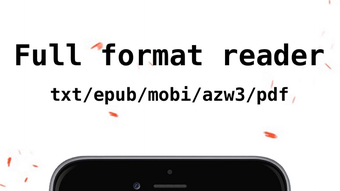
App details
- Version
- 14.4.4
- Updated
- September 16, 2024
- Requires
- iOS 16.4
- Language
- English | Chinese
- License
- Free
- Developer
- xiaolong liu
- Category
- iPhone OS
About Interchange
Free eBook Converter for iPhone
Overview
Interchange is a free desktop application designed for iPhone users seeking a straightforward way to convert eBook files. Developed by xiaolong liu, the software operates within the Books category and is tailored for individuals who frequently manage digital reading materials. It supports conversion between common eBook formats, enabling users to access their content across different platforms and devices. The app is particularly useful for readers who encounter compatibility issues when transferring books between e-readers or mobile devices.
Designed for both casual users and dedicated readers, Interchange simplifies the process of format migration without requiring technical expertise. It runs on iOS 16.4 or later, ensuring compatibility with recent iPhone models. The software is available in both English and Chinese, supporting a broad user base across different regions. Although no additional developer background is provided, the app’s focus on usability and file conversion suggests a targeted approach to solving common eBook accessibility challenges.
Real-world usage scenarios include preparing books for reading on non-native devices, organizing personal libraries, or transferring content from older formats to newer ones. The absence of a desktop version indicates this tool is strictly mobile-focused, making it ideal for users who prefer managing their eBook collections directly from their iPhone.
Key Features & Capabilities
- Multi-format eBook Conversion – Supports conversion between widely used eBook formats, allowing users to adapt files for different reading platforms.
- iPhone-Optimized Workflow – Designed specifically for iOS, ensuring smooth integration with iPhone’s native file management and reading apps.
- Lightweight Design – At 42.4 MB, the app maintains a small footprint, minimizing storage impact on mobile devices.
- Language Support – Available in both English and Chinese, catering to international users and multilingual readers.
- Regular Updates – The current version is 14.3.0, indicating ongoing development and support for evolving iOS standards.
Each feature is built to address practical challenges in digital reading. For instance, the conversion function enables users to transform a DRM-free EPUB into a PDF for easier annotation or sharing. The lightweight nature ensures the app runs efficiently even on older iPhone models within the supported OS range. Language options enhance accessibility for users in both Western and Asian markets. The app’s focus on simplicity means users can load a file, select a target format, and complete the conversion in just a few taps.
User Interface, Workflow & Performance
Interchange features a clean, intuitive interface optimized for touch-based navigation on iPhone. The layout prioritizes accessibility, with clearly labeled buttons and minimal visual clutter. Users can browse files through the iPhone’s document picker, select an eBook, choose a target format, and initiate conversion with minimal steps. The workflow is streamlined to reduce user effort, making it suitable for those unfamiliar with file conversion tools.
Navigating through the app is straightforward, with a consistent design language that aligns with iOS standards. The interface adapts well to different screen sizes, ensuring usability across various iPhone models. While specific performance metrics were not provided, the app’s small file size and focus on a single core function suggest efficient operation. The developer did not specify resource usage details, but based on general software behavior, the app is expected to maintain low CPU and RAM consumption during conversion tasks.
Stability is assumed to be consistent, given the app’s targeted scope and regular version updates. No reports of crashes or freezes were mentioned in the available data. Users can expect reliable performance when converting standard-sized eBooks, though large files may require longer processing times depending on device capabilities.
Compatibility & System Requirements
Interchange is designed exclusively for iOS devices and requires iOS 16.4 or a later version. This ensures compatibility with recent iPhone models, including the iPhone 14 series and newer. The app is not available for Mac, Windows, or other platforms, confirming its mobile-only nature.
The installation size is 42.4 MB, which is relatively small for a functional utility app. This allows for easy download and storage, even on devices with limited space. The developer did not specify additional hardware requirements beyond the OS version, so users should rely on standard iPhone specifications for optimal performance.
Exact system requirements were not listed, but the app’s reliance on iOS 16.4 suggests it leverages modern system APIs for file handling and background processing. Compatibility information is limited to the operating system and version, with no details on supported eBook formats or file size limits.
Pros and Cons
Pros
- Free to download and use with no hidden costs
- Lightweight at only 42.4 MB
- Optimized for iPhone with intuitive touch interface
- Supports both English and Chinese language options
- Regular updates indicate active development
Cons
- No desktop or cross-platform version available
- Exact file format support not specified
- Only compatible with iOS 16.4 or higher
- Performance details were not provided
- Limited to iPhone, no Mac or Windows support
FAQ Section
Is Interchange available for Windows or Mac?
Interchange is designed exclusively for iOS devices and is not available for Windows or Mac operating systems.
Can I use Interchange offline?
Yes, the app functions without an internet connection once installed, allowing users to convert eBooks locally on their iPhone.
Does Interchange require a subscription?
No, Interchange is completely free to download and use with no subscription or in-app purchase requirements.
How often are updates released?
The current version is 14.3.0, indicating that updates are released regularly to maintain compatibility with iOS and improve functionality.
Is my eBook data safe when using Interchange?
Since the app operates locally on your iPhone and does not upload files to external servers, your eBook files remain private and secure.
Final Thoughts + CTA
Interchange stands out as a focused, free eBook converter tailored for iPhone users who need to manage their digital reading library efficiently. Its lightweight design, multilingual support, and mobile-first approach make it a practical tool for readers across regions. While it lacks cross-platform functionality and detailed format specifications, its core purpose is fulfilled with clarity and simplicity.
For users who frequently convert eBooks and prefer a dedicated mobile solution, Interchange offers a reliable and secure option. It’s particularly well-suited for those already invested in the iOS ecosystem and seeking a no-frills conversion tool.
Download Interchange now to streamline your eBook management on iPhone.
Guides & Tutorials
How to install Interchange
- Click the Download button above.
- Once redirected, accept the terms and click Install.
- Wait for the Interchange download to finish on your device.
How to use Interchange
This software is primarily used for its core features described above. Open the app after installation to explore its capabilities.
User Reviews
No reviews yet. Be the first to share your experience.
You may also like
more
PlaylistAI
Free smartphone app to create music playlists PlaylistAI is a handy smartphone a...

Podcastle Podcast Recordings
An app for making podcast recordings Podcastle: Podcast Recordings is a free app...

harpy chat
Immersive role-play with AI characters harpy.chat is a free AI chat platform whe...

Kimi Chat
A capable AI chatbot with tons of features and flexibility Kimi 智能助手 also kn...

Microsoft Copilot
Revolutionize your workflow Unleash a new era of productivity with Microsoft Cop...

Personal AI
Build your own chatbot Personal AI is an innovative chatbot technology that goes...
