
Download Internxt – Private Secure Cloud Storage
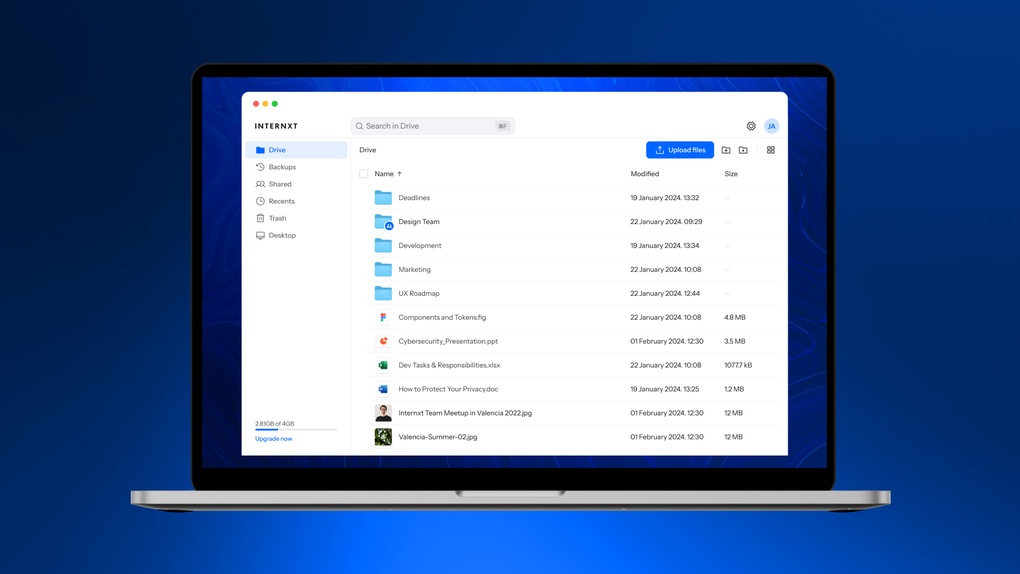
Internxt is a privacy‑first cloud storage service that blends the convenience of mainstream platforms like Google Drive with an ultra‑powerful encryption model that keeps your data out of the provider’s hands. Developed by Internxt Universal Technologies SL, this solution lets you store, sync, back up, and share files across Windows, macOS, Linux, Android, and iOS devices. Unlike traditional cloud giants, Internxt employs a zero‑knowledge encryption protocol that hides the encryption key from the server, meaning only you and the people you authorize can ever see your files. Whether you are a freelancer managing client assets, a small business needing collaborative document sharing, or an enterprise looking for a scalable, secure backup hub, Internxt offers a free tier with 1 GB of space and premium plans that scale up to 10 TB. The platform is open‑source, allowing anyone to audit the code on GitHub, and it has passed independent penetration testing, reinforcing its reputation as a trustworthy repository for sensitive data. With built‑in two‑factor authentication, password‑protected links, and optional link expiration, Internxt delivers a comprehensive security suite while maintaining a clean, intuitive interface that works seamlessly on desktop and mobile. This review dives into its core features, installation steps, system compatibility, strengths and weaknesses, and answers the most common questions, helping you decide if Internxt is the right secure cloud storage solution for your workflow.
Key Features of Internxt
- Zero‑knowledge encryption: Files are encrypted on‑device before they ever leave your computer, and the encryption key never touches Internxt’s servers.
- Cross‑platform sync: Real‑time syncing across Windows, macOS, Linux, Android, and iOS ensures your latest version is always available.
- Open‑source transparency: The entire codebase is publicly available on GitHub, allowing security experts to audit and verify the protection mechanisms.
- Two‑factor authentication (2FA): Optional 2FA adds an extra layer of security for account access.
- Password‑protected sharing & link expiration: Shared links can be locked with a password and set to expire after a defined period.
- WebDAV support: Connect Internxt to any WebDAV‑compatible client for flexible file management.
- Scalable storage plans: From a free 1 GB tier up to 10 TB for enterprises, you can increase capacity as your needs grow.
- Granular permission controls: Assign view, edit, or comment rights to collaborators on a per‑file basis.
- Automatic backup & version history: Keep previous versions of files for up to 30 days, protecting against accidental overwrites.
- Privacy‑first policy: Internxt’s privacy policy explicitly states that it never accesses or sells your data.
Installation & Usage Guide
Desktop Clients (Windows, macOS, Linux)
1. Download the installer: Visit the official Internxt website, click “Download for Windows,” “Download for macOS,” or “Download for Linux” to retrieve the appropriate installer file. The files are signed and scanned for malware, guaranteeing a secure download.
2. Run the installer: On Windows, double‑click the .exe file; on macOS, open the .dmg and drag the Internxt app to your Applications folder; on Linux, use the provided .deb or .rpm package, or run the AppImage for universal compatibility.
3. Create or log in to your account: The first launch prompts you to either create a new Internxt account (free 1 GB) or sign in with existing credentials. You’ll be asked to set a master password—this is the only password that encrypts your data locally.
4. Configure sync folders: Choose which local folders you want to sync to the cloud. Internxt creates a dedicated “Internxt Drive” folder that behaves like any regular directory; any file placed inside is automatically encrypted and uploaded.
5. Enable optional features: Turn on 2FA via the security settings, set default link expiration times, or enable version history for critical projects.
Mobile Apps (Android & iOS)
1. Install from the app store: Search for “Internxt” on Google Play or the Apple App Store and install the official app.
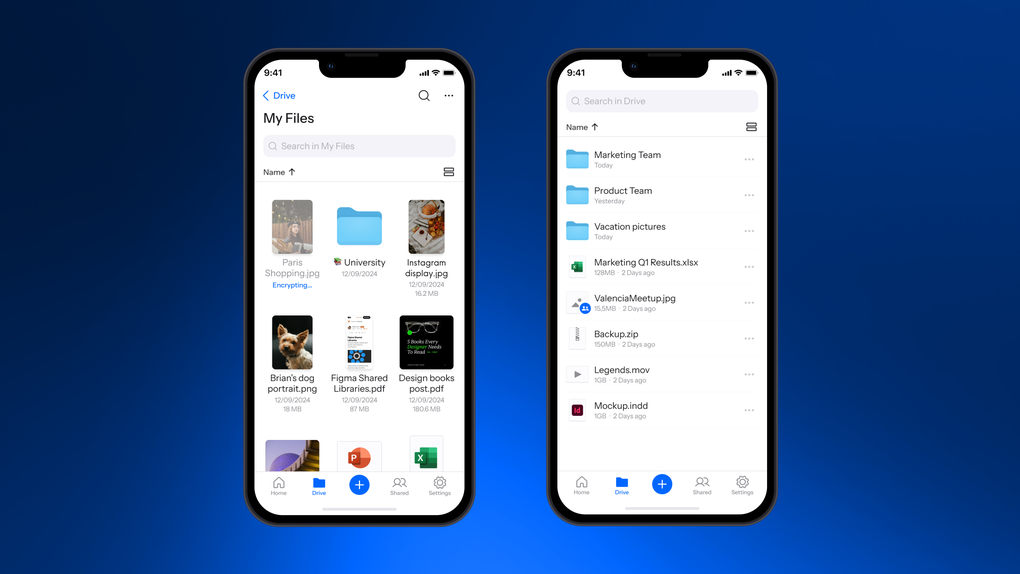
2. Sign in with your account: Use the same master password you created on desktop. The app instantly derives the encryption key locally, keeping your mobile data secure.
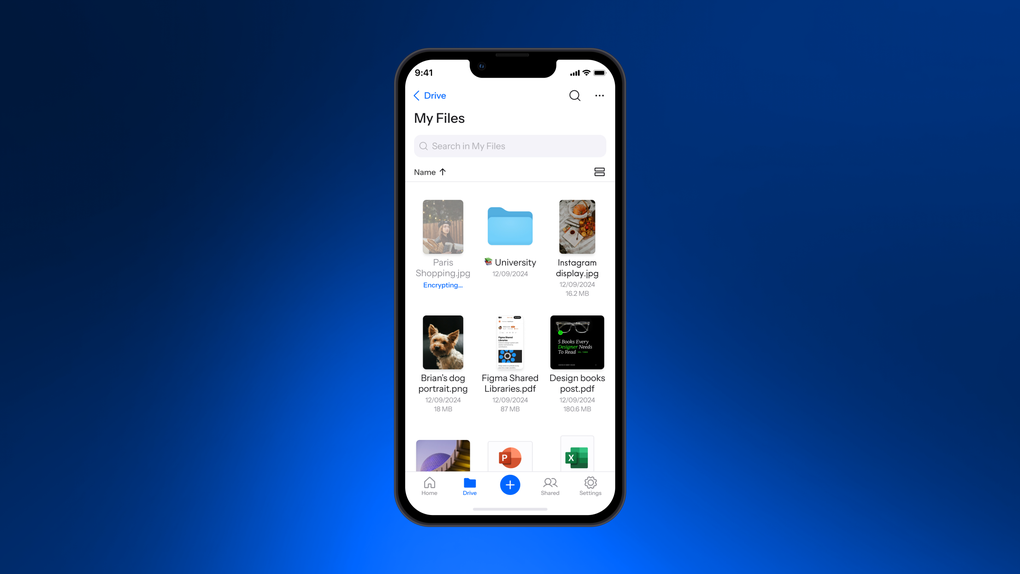
3. Upload and share: Tap the “+” button to add photos, documents, or videos. Files are encrypted before transmission, and you can generate shareable links with password protection and expiration dates directly from the app.
4. Offline access: Mark files for offline use; they stay decrypted only on your device and are removed when you choose “Remove offline copy.”
5. Sync settings: Adjust auto‑upload preferences for camera roll, documents, or specific folders to keep your mobile content in sync with the cloud.
Compatibility and System Requirements
Internxt is built to work on virtually every modern operating system. The desktop client supports:
- Windows 10 and Windows 11 (64‑bit)
- macOS 10.15 Catalina and later (Intel & Apple Silicon)
- Linux distributions with kernel 4.15+ (Ubuntu 18.04+, Fedora 30+, Debian, and others)
- Android 6.0 (Marshmallow) and newer, with Google Play Services
- iOS 13 and newer, compatible with iPhone, iPad, and iPod Touch
Pros and Cons
Pros
- True zero‑knowledge encryption ensures that only you can read your files.
- Open‑source code provides full transparency and community trust.
- Cross‑platform support with native apps for Windows, macOS, Linux, Android, and iOS.
- Generous free tier (1 GB) and flexible premium plans up to 10 TB.
- Built‑in 2FA, password‑protected sharing, and link expiration for extra security.
- WebDAV compatibility expands usage scenarios beyond the official apps.
- Automatic versioning and backup prevent accidental data loss.
- Independent penetration testing validates the security claims.
Cons
- Free tier storage (1 GB) is limited compared to other free cloud services.
- Sync speed can be slower on slower internet connections because of client‑side encryption.
- Some advanced collaboration features (e.g., real‑time document editing) are missing.
- No native integration with Microsoft Office or Google Workspace for live editing.
- Pricing for premium plans is higher than some competitors, though justified by security.
Overall Review: Internxt stands out as a highly secure, privacy‑focused cloud storage alternative. Its zero‑knowledge encryption, open‑source nature, and comprehensive security features make it ideal for users who prioritize data protection over sheer convenience. While the free tier is modest and some collaborative tools are absent, the trade‑off for privacy is worthwhile, especially for professionals handling confidential files. The premium plans are competitively priced for the level of security offered, and the seamless cross‑platform experience ensures that you can work from any device without compromising on safety.
Frequently Asked Questions
Is Internxt really free?
Yes. Internxt offers a free tier that provides 1 GB of encrypted cloud storage. This plan includes all core security features such as zero‑knowledge encryption, 2FA, and password‑protected sharing. It’s perfect for testing the service or storing a small amount of personal files.
How does zero‑knowledge encryption work?
When you upload a file, Internxt encrypts it locally on your device using a key derived from your master password. This key never leaves your device or is stored on Internxt’s servers, meaning the provider cannot decrypt or view your data. Even Internxt’s engineers cannot access your files without your password.
Can I use Internxt for business collaboration?
Absolutely. Internxt allows you to create shared folders, set granular permissions (view, edit, comment), and generate secure share links with expiration dates. While it doesn’t have real‑time document editing like Google Docs, it works well for exchanging large files, design assets, and backup copies within teams.
What happens if I forget my master password?
Because Internxt uses zero‑knowledge encryption, the master password cannot be recovered by the service. If you forget it, you will lose access to your encrypted files. Internxt recommends storing the password in a reputable password manager or a secure offline location.
Is Internxt’s code really open source?
Yes. All client‑side encryption libraries and the core application logic are publicly available on GitHub. This transparency allows security researchers to audit the code, verify the encryption implementation, and contribute improvements.
Conclusion & Call to Action
If you’re looking for a cloud storage solution that puts privacy above all else, Internxt delivers on its promises with a robust zero‑knowledge encryption engine, transparent open‑source code, and a suite of security features that rival the best‑in‑class services. While it may lack some of the real‑time collaboration tools of larger providers, its focus on data protection makes it an ideal choice for professionals, small businesses, and anyone who values control over their digital assets. Start with the free 1 GB plan to experience the seamless syncing and secure sharing, then upgrade to a premium tier when you need more space or advanced admin controls. Download Internxt today and enjoy a truly private cloud experience that safeguards your files from prying eyes while keeping them readily accessible wherever you go.








