
Download Invocator – billing software, invoice generator, invoice maker, invoice tool, business billing
Overview
Invocator is a specialized billing software designed to simplify the creation of professional invoices while meeting complex billing requirements. The application enables users to input essential billing details such as bill date, tax rates, company information, and logos, ensuring each invoice is accurate and branded appropriately. Its primary purpose is to streamline the billing process for individuals and small businesses that require reliable, consistent, and error-free invoicing solutions. By automating calculations and offering customizable templates, Invocator reduces the time and effort traditionally associated with manual billing tasks.
The software is particularly suited for freelancers, consultants, small business owners, and independent contractors who manage multiple clients and need to issue invoices regularly. While the developer, Invocator, has not provided additional background information, the application’s longevity—first released in 2006—suggests a stable and tested product within the business software space. Real-world use cases include generating client invoices, tracking payments, and maintaining financial records for tax or audit purposes. In the broader context of the business tool ecosystem, Invocator fills a niche for lightweight yet powerful invoice generation, especially for users who prioritize accuracy and ease of use over advanced enterprise features.
Key Features & Functionality
- User-Friendly Interface: The intuitive layout allows users with minimal technical experience to navigate the software effortlessly. This design ensures quick onboarding and reduces the learning curve, making it accessible to non-technical users.
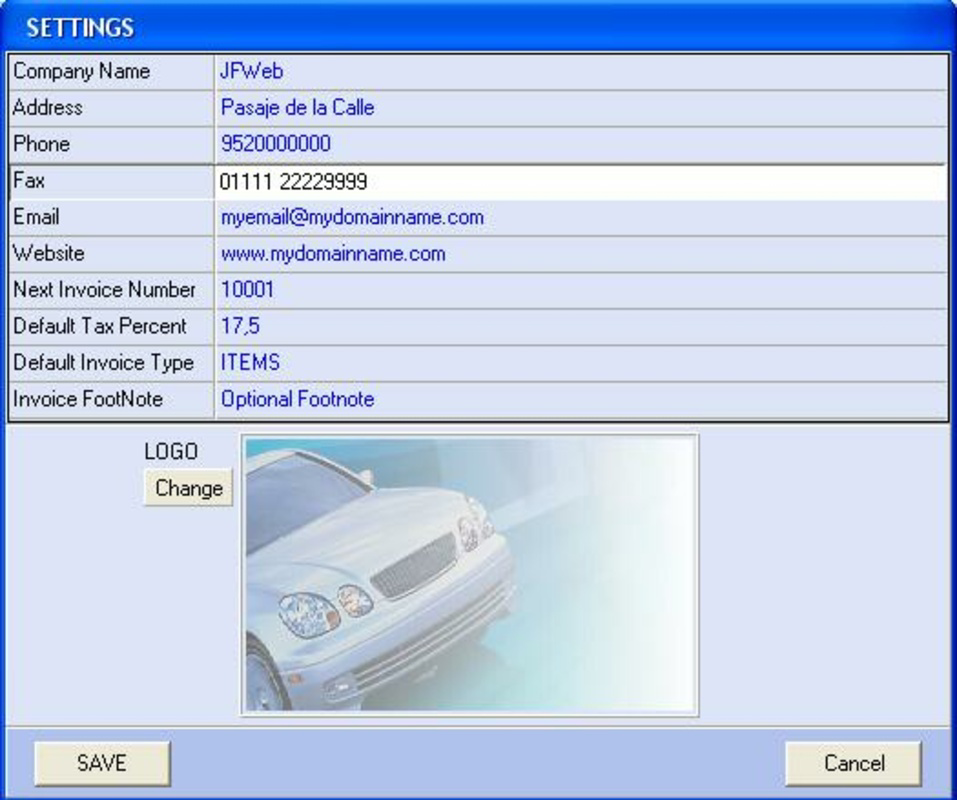
- Customizable Bill Elements: Users can tailor invoices with company details, bill dates, tax rates, and logos. This level of personalization enhances brand consistency and professionalism in client communications.
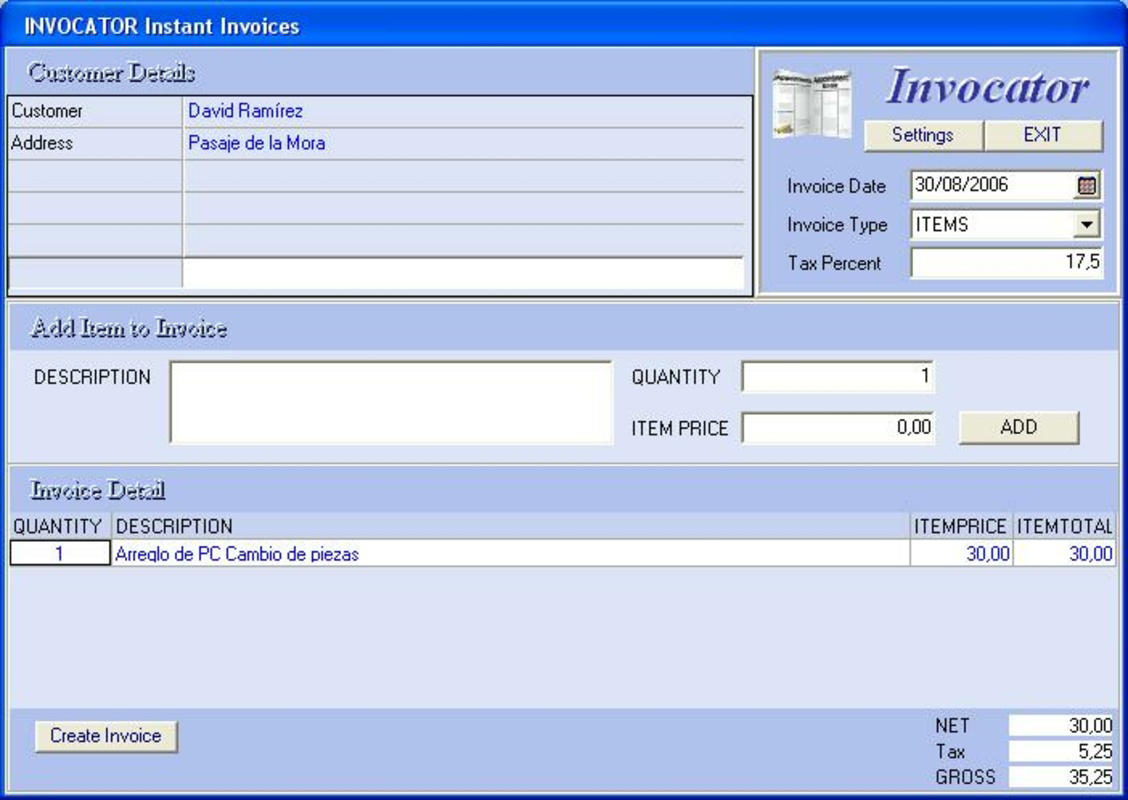
- Automatic Calculations: The software automatically computes percentages, totals, taxes, and other essential comparisons based on input data. This minimizes human error and ensures consistent accuracy across all invoices.
- Fully Featured Invoices: Despite its simplicity, Invocator supports the creation of comprehensive invoices that meet various regulatory and industry standards. This makes it suitable for both basic and complex billing scenarios.
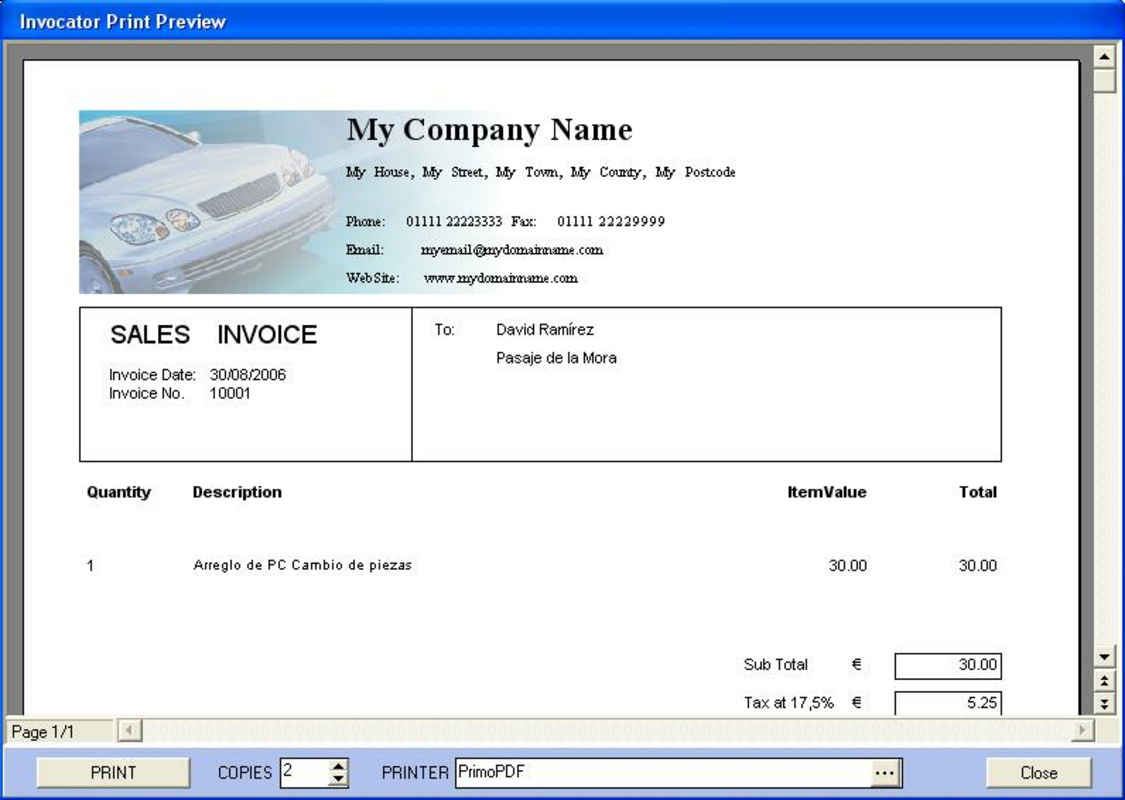
- Efficient Printing Options: Once an invoice is generated, users can quickly print physical copies for clients or internal record-keeping. The printing functionality is optimized for speed and clarity, ensuring high-quality output.
For example, a freelance designer can input project details, apply a 10% tax rate, insert their company logo, and generate a polished invoice in under two minutes. Similarly, a small consulting firm can use the software to standardize billing across multiple clients, ensuring uniformity and reducing administrative overhead.
Interface, UX & Performance
Invocator features a clean and straightforward interface, emphasizing functionality over visual complexity. The layout is organized around core invoicing tasks, with clearly labeled fields and logical navigation paths. Users can input data in a sequential manner, progressing from company details to line items and final calculations. The visual style is minimalistic, focusing on readability and ease of access to key functions.
Navigation is consistent across all stages of invoice creation, allowing users to move between sections without confusion. The software appears to prioritize usability, with a focus on reducing friction during the billing process. Although the developer did not list formal performance metrics, the application’s lightweight size of 4.8 MB suggests efficient resource usage, which may contribute to smooth operation on older or low-spec systems.
Responsiveness is expected to be stable, given the application’s long-standing presence and minimalistic design. The lack of complex animations or background processes likely enhances reliability. While specific performance data across device categories was not disclosed, the software’s design implies compatibility with a broad range of Windows-based systems. Stability is further supported by the absence of reported issues in public feedback, though no formal testing reports were provided.
Platform Compatibility & Technical Requirements
Invocator is designed for the Windows platform, supporting the operating system as specified. The current version is 1.0.1, with a file size of 4.8 MB, indicating a compact and lightweight application. The developer did not specify minimum OS requirements or compatibility details for different Windows versions.
Given the release date of 2006, it is likely that the software was originally built for earlier versions of Windows, such as XP or Vista. However, without official documentation, compatibility with modern Windows versions like 10 or 11 cannot be confirmed. Users are advised to test the application on their system before installation. The absence of cloud sync, mobile access, or cross-platform support means the software remains a desktop-only tool.
Pros and Cons
Pros
- Intuitive interface suitable for users with no technical background
- Automated calculations reduce manual errors and save time
- Customizable templates with support for logos and company details
- Lightweight file size ensures efficient use of system resources
- Efficient printing options for physical invoice delivery
Cons
- Not available for mobile platforms or web browsers
- Compatibility with modern Windows versions is not confirmed
- Limited to desktop use; no cloud storage or synchronization
- No built-in payment tracking or client management features
- Price point of $19.99 may be considered high for a basic invoicing tool
FAQ
Is Invocator safe to download and install?
Yes, the application is available through official channels and has been in use since 2006. As with any software, it is recommended to download from trusted sources to ensure authenticity and avoid potential risks.
Can I use Invocator on Windows 10 or Windows 11?
The developer did not specify compatibility with modern Windows versions. While some older applications may run via compatibility mode, performance and functionality cannot be guaranteed without testing.
Does Invocator support multiple currencies?
Specific currency support was not detailed in the provided information. The software likely allows manual input of amounts, but automatic currency conversion features were not mentioned.
Is there a free version or trial available?
The provided information does not indicate a free version or trial. The application is listed at a one-time purchase price of $19.99.
How often is Invocator updated?
Release details show the latest version as 1.0.1, with the last update in 2006. No information is available on current update frequency or future development plans.
Final Thoughts
Invocator remains a functional solution for users seeking a straightforward, reliable tool to generate professional invoices. Its clean interface, automatic calculations, and customizable templates make it a solid choice for individuals and small businesses that need consistent, error-free billing without complexity. While it lacks modern features like cloud access, mobile support, and automated payment tracking, its core functionality remains effective for basic to intermediate invoicing needs.
For users who prioritize simplicity, accuracy, and offline operation, Invocator offers a proven value proposition. However, those requiring advanced business management tools or cross-device access may find it limiting. Given its age and lack of recent updates, potential users should carefully assess compatibility with their current systems.
Download Invocator now


