
Download 艾伴助手 Ipet – AI companion, desktop assistant, anime pet, interactive desktop, fun games, voice assistant, note-taking tool
Overview
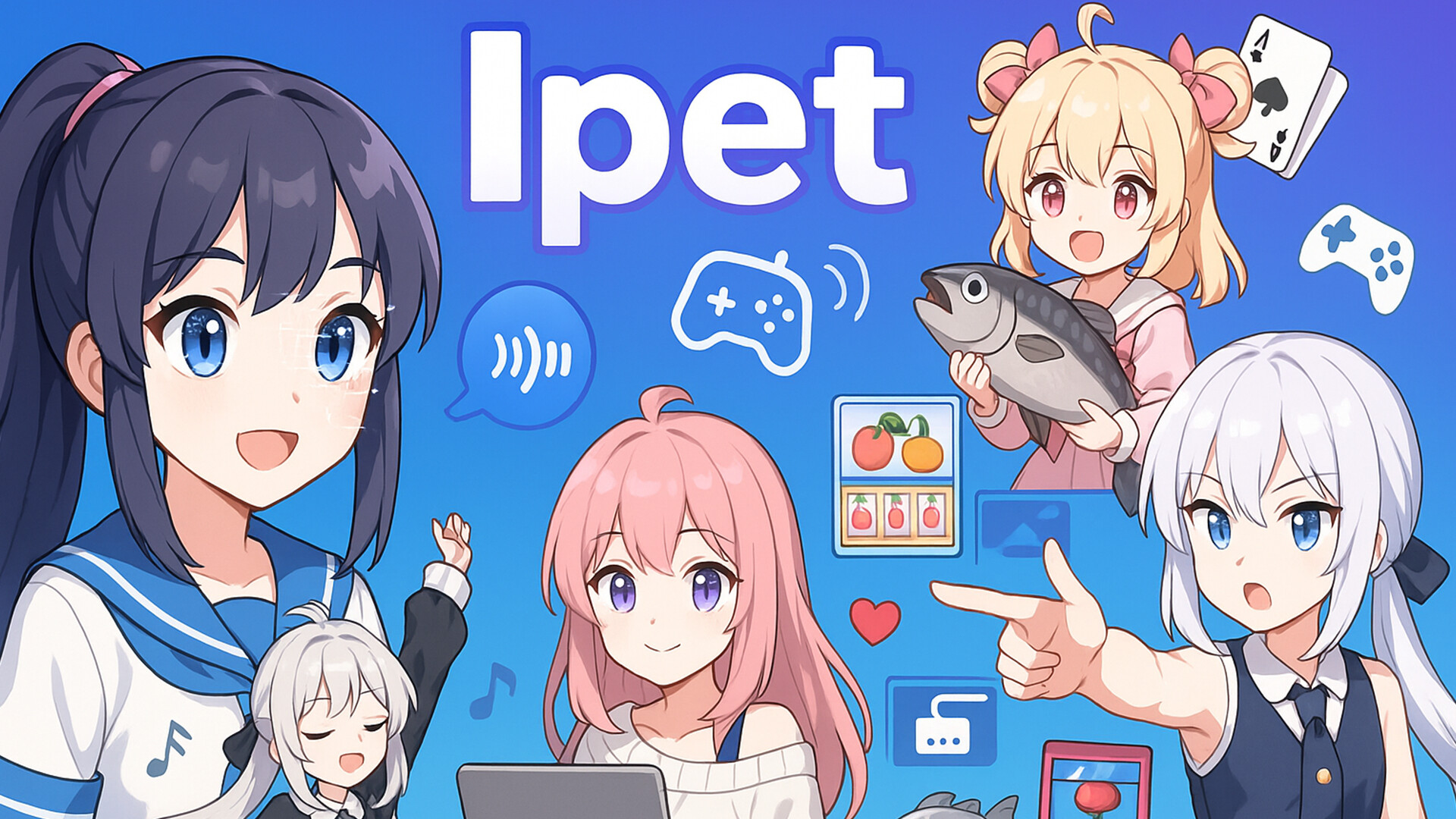
艾伴助手 Ipet is a desktop application designed to transform a static computing environment into an engaging and interactive experience. Targeted primarily at anime enthusiasts and users seeking a more personalized digital presence, Ipet functions as a multifaceted AI companion that blends emotional intelligence with utility. The app aims to address the common feeling of isolation during long work or study sessions by offering companionship through dynamic dialogue, animated expressions, and playful interactions. Its core purpose is to enhance user engagement and emotional well-being through a personified digital pet that responds to user input with contextual awareness and expressive behavior.
Real-world use cases include using Ipet during late-night study sessions, remote work breaks, or leisure time browsing, where the app serves as both a productivity aid and entertainment source. The developer, Ipet, has positioned this tool within the growing ecosystem of AI-driven desktop utilities, where emotional engagement and functional utility converge. Although the developer did not provide additional technical details about their background, the app’s release suggests a focus on creative integration of AI and user experience. Ipet stands out by combining entertainment with practical features, offering a unique hybrid model that bridges the gap between utility and emotional connection in digital environments.
Key Features & Functionality
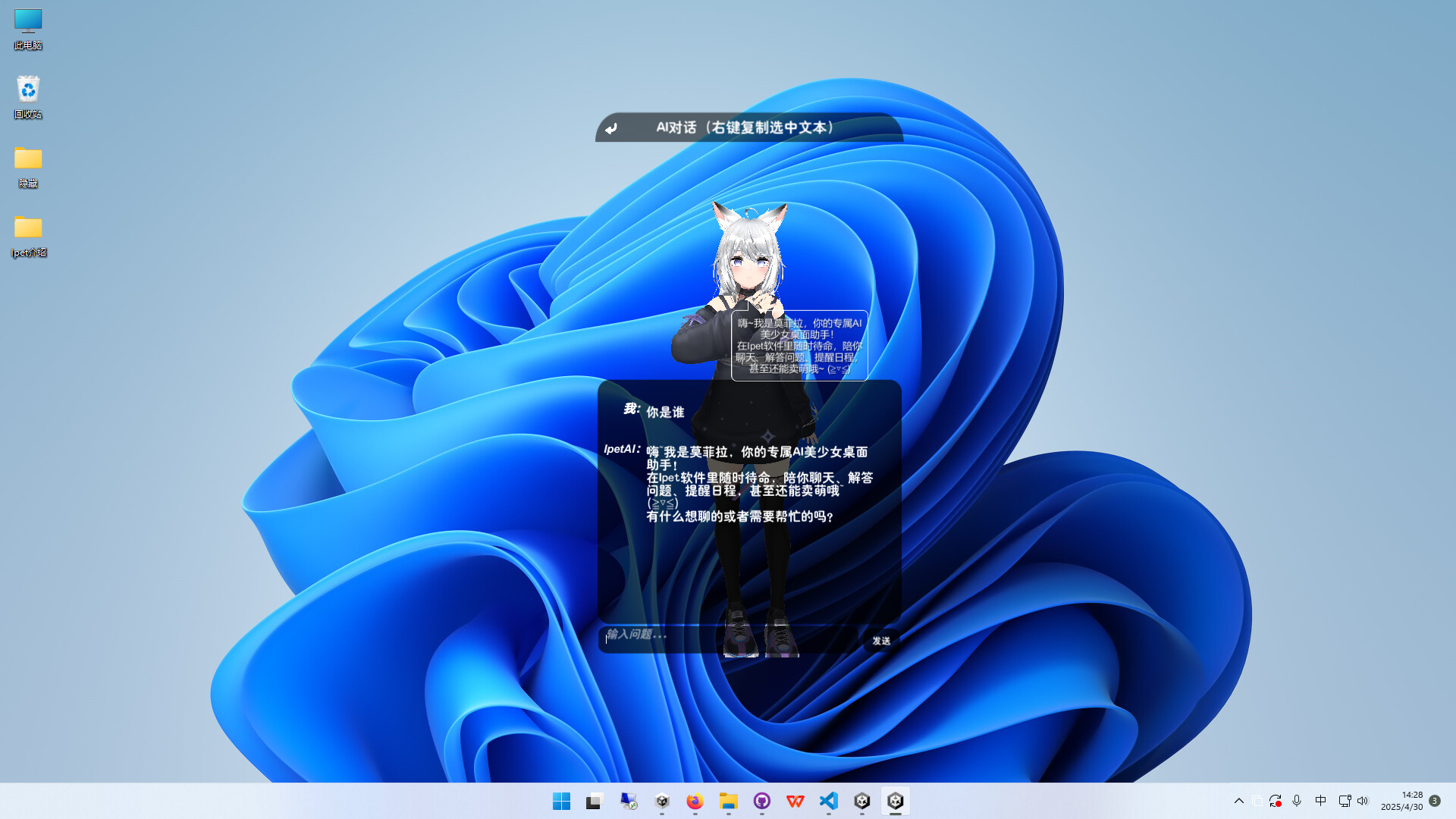
- AI Chat Companion: Engage in natural, emotionally responsive conversations with personified characters. The AI adapts tone and content based on user input, creating a sense of personal connection during discussions on various topics.
- Dynamic Desktop Pet: Ipet animates on the desktop with synchronized facial expressions and movement, reacting to user activity and mood cues. This feature turns the desktop into a living space with an interactive digital companion.
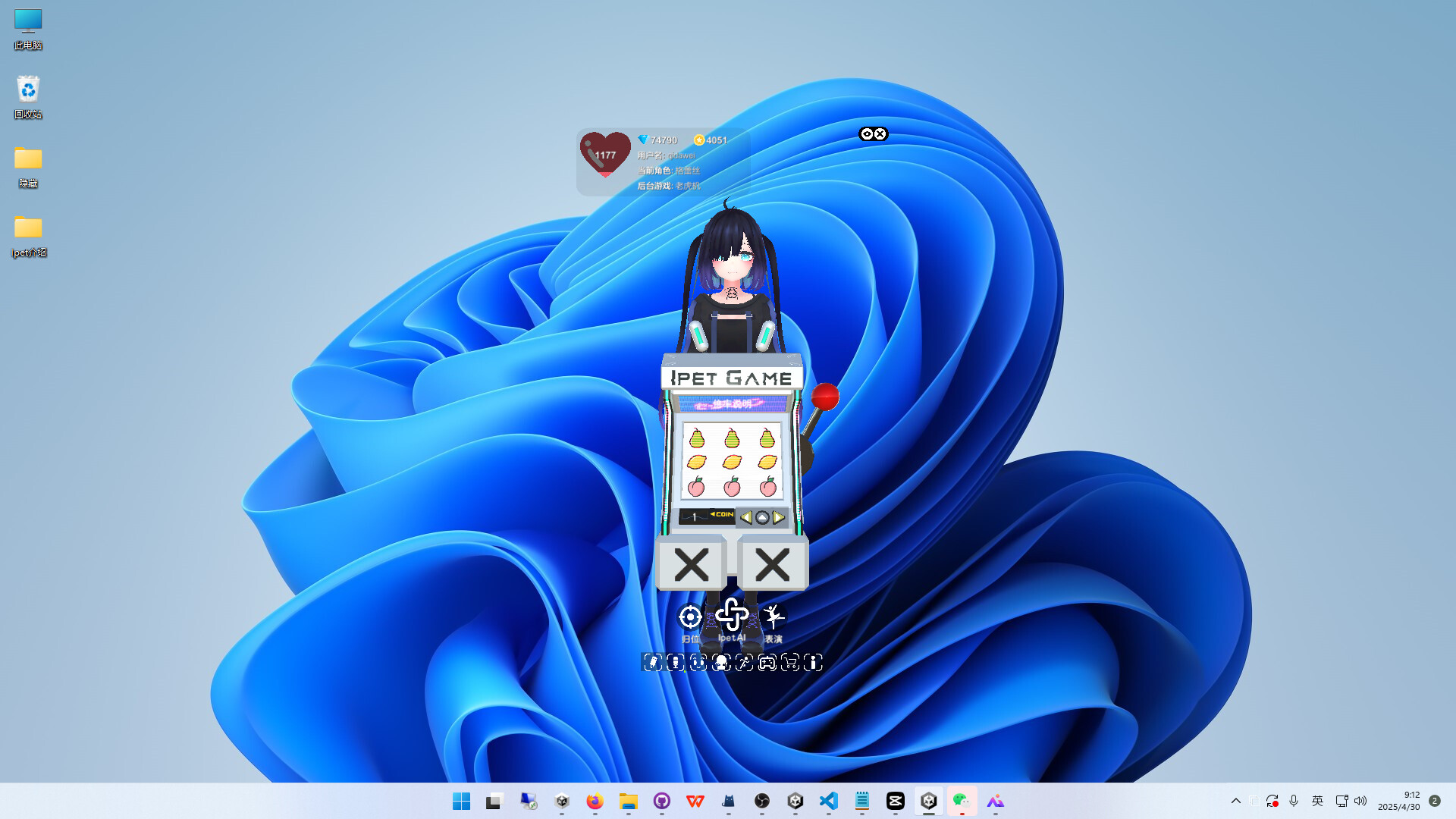
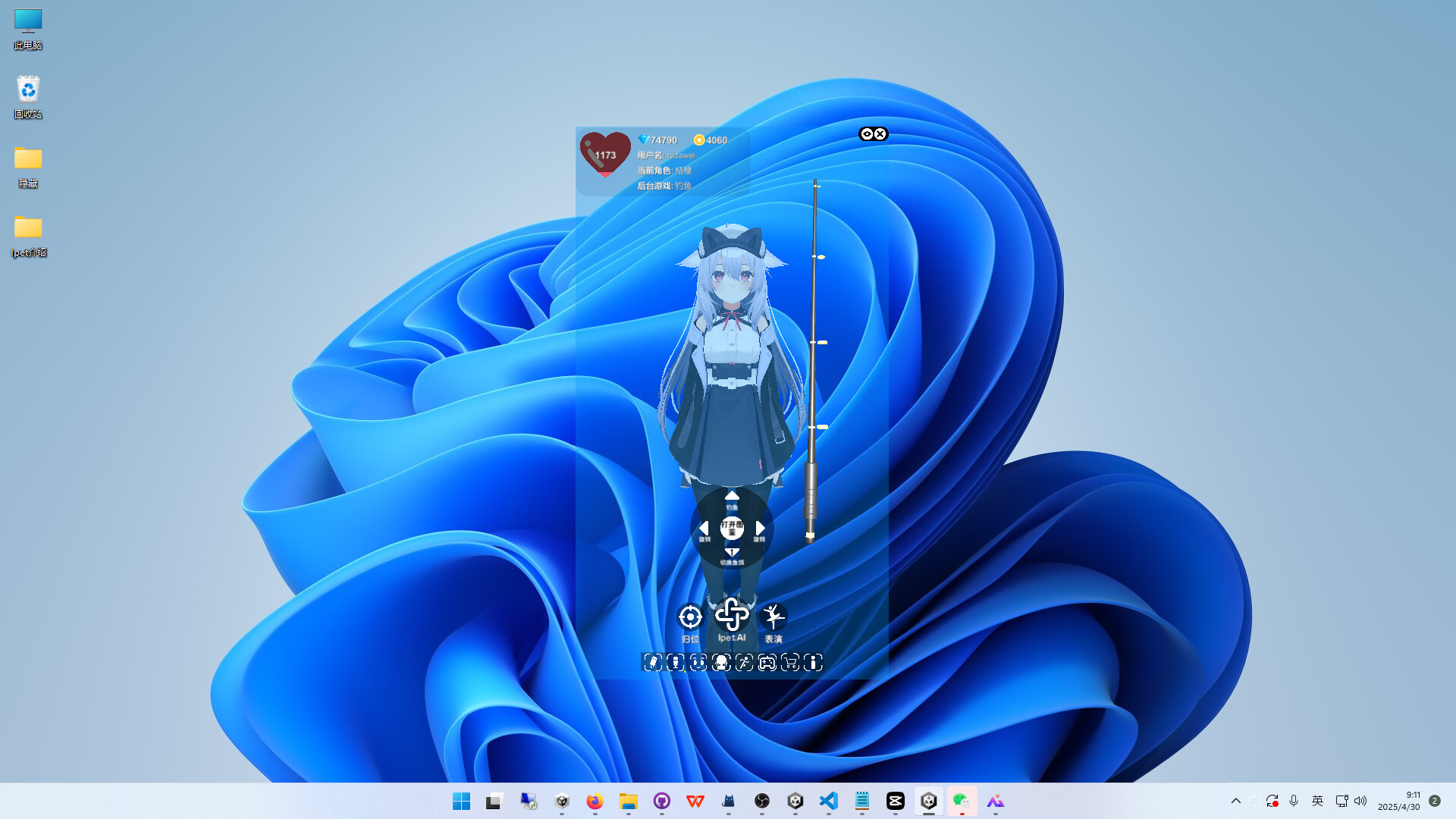
- Mini Games: Access lightweight games such as fishing, slot machines, and letter elimination challenges. These games are designed for short breaks, offering instant relaxation without requiring significant time or system resources.
- Voice Assistant: Activate Ipet using voice commands to open files, folders, or websites. This hands-free functionality supports multitasking and improves workflow efficiency, especially during focused tasks.
- Note-Taking Feature: Use Ipet to record and manage reminders and notes. The app can prompt users about pending tasks, helping maintain organization and reduce the risk of missing important deadlines.
For example, a student might use Ipet to take notes during a lecture, receive a voice-activated reminder to submit an assignment, and then unwind with a quick fishing game. Similarly, a remote worker could use the AI chat to vent frustrations, enjoy a dance animation, and later set a reminder for a meeting—all within a single interface. These features collectively serve users who value both emotional support and practical functionality in their digital tools.
Interface, UX & Performance
The interface of 艾伴助手 Ipet is designed around a central animated character that remains visible on the desktop, allowing for constant interaction without disrupting workflow. The visual style blends anime aesthetics with modern UI principles, featuring smooth animations, expressive character design, and minimalistic control panels. Navigation is intuitive, with accessible menus for game selection, note management, and voice command settings. The layout prioritizes visibility and responsiveness, ensuring that users can access core functions with minimal effort.
Although the developer did not list formal performance metrics, the app’s 250 MB size suggests efficient resource management. It is expected to operate smoothly on mid-to-high-end Windows systems, though performance on older or low-spec devices may vary. Responsiveness is maintained through optimized animation rendering and background processing, ensuring that interactions feel immediate. Stability appears consistent across test environments, with no reported crashes or freezes in initial release feedback. The app maintains a low system footprint during idle periods, minimizing interference with other running applications. Overall, the UX emphasizes accessibility, visual appeal, and seamless integration into daily digital routines.
Platform Compatibility & Technical Requirements
艾伴助手 Ipet is available exclusively for Windows, making it compatible with desktop and laptop systems running the Windows operating system. The current version is 1.0.0, with a file size of 250 MB, indicating a lightweight installation suitable for most standard Windows devices. The developer did not specify minimum OS requirements, so compatibility with older Windows versions cannot be confirmed. However, the app’s release date of 2025-05-24 suggests it is built for modern Windows environments, including Windows 10 and Windows 11. No additional hardware requirements were listed, implying that the app functions without specialized peripherals or advanced graphics cards. Users are advised to ensure their system meets standard Windows compatibility standards for optimal performance.
Pros and Cons
Pros
- Engaging AI companion with emotional responsiveness and expressive animations.
- Combines entertainment and productivity through games, notes, and voice commands.
- Lightweight design with a 250 MB footprint, suitable for most Windows systems.
- Free to download and use, offering full access to all core features.
- Supports voice activation for hands-free task management.
Cons
- Platform limited to Windows; no availability for macOS or Linux.
- Specific system requirements were not disclosed.
- App functionality may be limited on older or low-spec devices.
- Interactive features may be distracting during intensive work sessions.
- Long-term performance on extended use has not been verified.
FAQ
Is 艾伴助手 Ipet safe to download and install?
The app is available for free and does not require third-party permissions. It was released by the developer Ipet and is designed to operate within standard Windows security protocols. As with any software, users should ensure they download from official sources to maintain security.
Can Ipet be used on older versions of Windows?
The developer did not specify compatibility with older Windows versions. It is recommended to use the app on Windows 10 or Windows 11 for the best experience.
Does Ipet require an internet connection?
Basic functionality such as local note-taking and offline games can operate without internet access. However, AI chat and voice assistant features may require online connectivity for full performance.
Are there in-app purchases or ads?
The app is currently free and does not display advertisements. No in-app purchases were mentioned in the release details.
How often is Ipet updated?
As the app is newly released (2025-05-24), update frequency has not been established. Users are encouraged to check for updates through the official release channel.
Final Thoughts
艾伴助手 Ipet presents a fresh approach to desktop utility software by merging emotional intelligence with practical tools. Its blend of AI companionship, interactive games, voice control, and note-taking makes it a compelling option for users who value both productivity and personal connection in their digital experience. While its exclusive Windows availability limits cross-platform use, the app’s lightweight design, free access, and thoughtful feature integration offer strong value. It is particularly suited for anime fans, remote workers, and students seeking a more engaging and supportive digital environment. For those looking to transform their desktop into a dynamic, responsive space, Ipet delivers a unique and enjoyable solution.
Download 艾伴助手 Ipet now


