
IPVanish: Secure & Fast VPN for Privacy
Overview
IPVanish is a desktop and multi-platform virtual private network (VPN) application designed to protect users’ online privacy and secure internet activity. It provides AES 256-bit encryption, ensuring that sensitive data remains shielded from third parties, including ISPs and potential hackers. The software operates across 1,600 servers in 75 countries, enabling users to access geo-restricted content, stream media, and engage in torrenting with above-average speeds. Target users include privacy-conscious individuals, remote workers, digital nomads, and those seeking reliable access to international streaming platforms. The application is available on Windows, macOS, Linux, Android, iOS, Chrome OS, Amazon Fire TV, and Apple TV, making it suitable for a wide range of devices. IPVanish is developed by IPVanish, a company based in the United States. Despite past concerns related to its location and ownership changes, the provider now maintains a transparent no-logs policy, independently verified for compliance. Real-world use cases include securing public Wi-Fi connections, bypassing regional content blocks, and protecting torrenting activities. The software does not offer a free license, though a limited-time trial is available for iOS users. Users can choose between monthly or yearly subscription plans, with a money-back guarantee to support risk-free evaluation.
Key Features & Capabilities
- 256-bit AES Encryption: Ensures military-grade protection for all internet traffic, preventing data interception and identity theft.
- 1,600+ Global Servers: Distributed across 75 countries, enabling fast connections and access to region-locked content.
- No-Logs Policy: Independently verified to ensure no user activity, browsing history, or connection data is stored.
- DNS, IPv6, and WebRTC Leak Protection: Prevents accidental exposure of real IP addresses or location data.
- Multiple Tunneling Protocols: Supports IKEv2/IPSec, L2TP/IPSec, OpenVPN TCP/UDP, and PPTP for flexible connectivity.
- Free SOCKS5 Proxy: Offers an additional layer of IP masking without impacting connection speed.
- Split Tunneling (Android only): Allows selective routing of traffic—some apps use the VPN, others use the regular network.
- Kill Switch (Windows, macOS, Android): Automatically disconnects internet access if the VPN connection drops, preventing data leaks.
- Unlimited Device Connections: Supports up to 10 simultaneous connections across different devices.
- Streaming & Torrenting Support: Optimized for accessing major streaming services and secure torrenting on supported platforms.
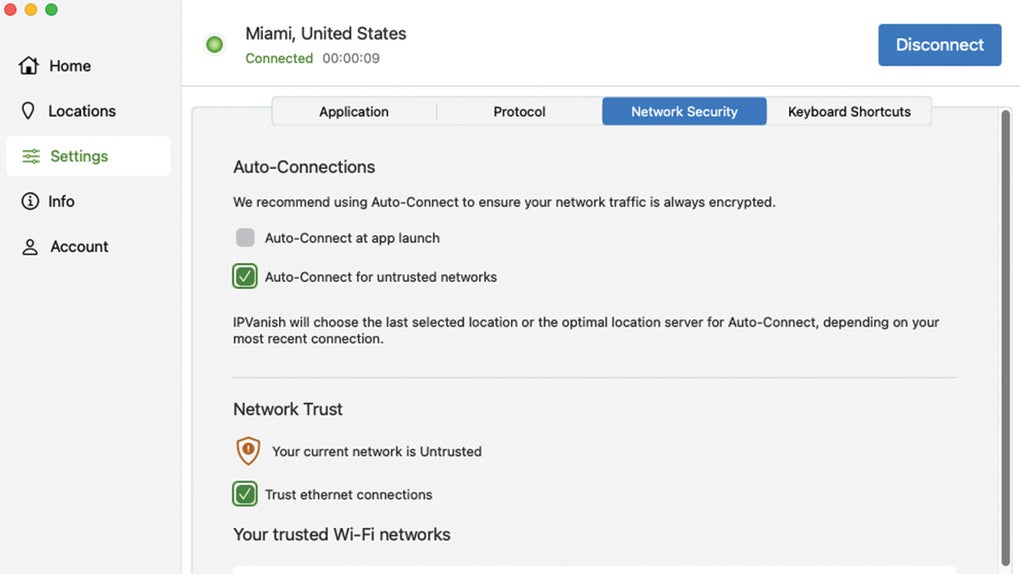
These features are especially beneficial for users who prioritize privacy while streaming, torrenting, or working remotely. For example, the kill switch helps maintain security during unstable connections, while the SOCKS5 proxy can be used solely for torrent traffic. The ability to connect multiple devices simultaneously is ideal for households or professionals managing several systems. The tabbed interface allows quick access to server locations, protocols, and settings, enhancing workflow efficiency. The integration with Apple TV and Fire TV devices further expands usability in home entertainment setups.
User Interface, Workflow & Performance
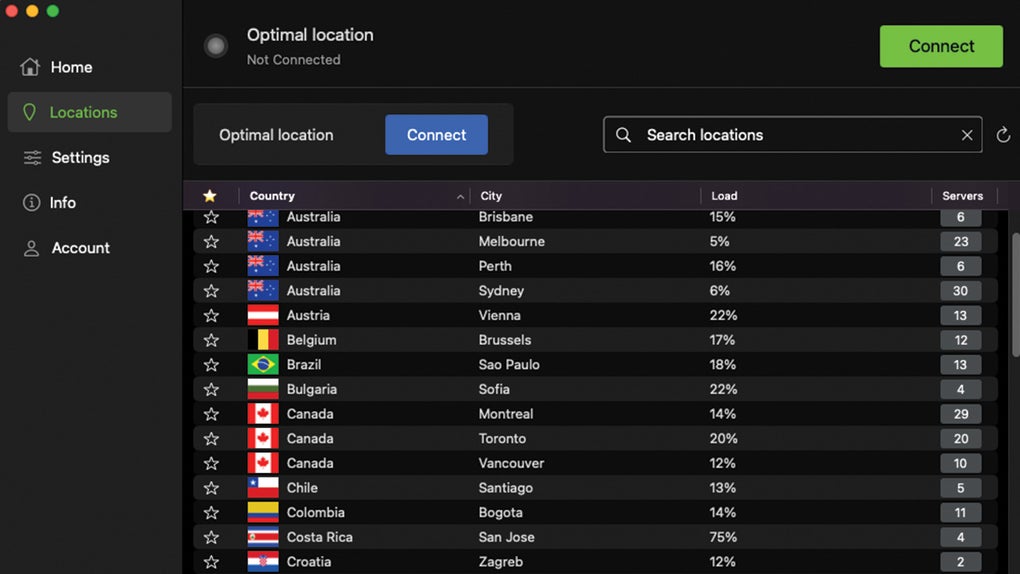
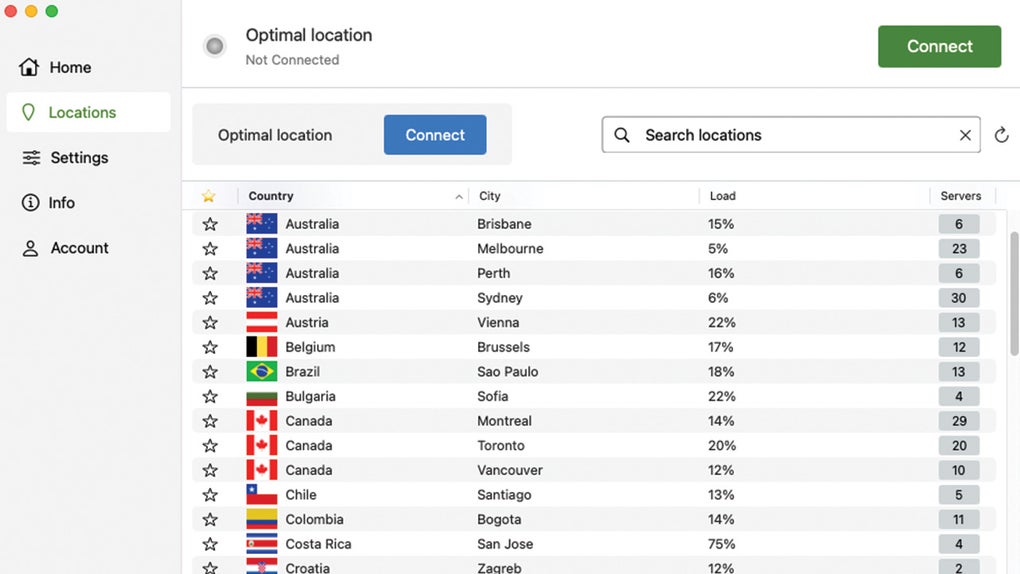
The IPVanish application features a clean, tabbed user interface with intuitive navigation. The main dashboard includes a “Quick Connect” tab that establishes a secure connection with a single click, automatically selecting the best server based on speed and location. Users can manually choose server locations by country, city, or specific server from the “Server List” tab. Connection protocols are displayed on the left side of the screen, offering transparency and control. The “Settings” menu allows customization of the kill switch, leak protection, and other privacy preferences. In-app customer support is accessible from the same menu, streamlining troubleshooting. Workflow efficiency is enhanced by the ability to manage multiple devices and connections through a unified account. The application is lightweight at 58.7 MB, which suggests minimal impact on system resources during operation. However, exact performance details such as CPU or RAM usage were not specified. The developer did not provide additional system requirements. General performance observations are based on standard software behavior patterns. Stability appears consistent, particularly on supported platforms like Windows, macOS, and Android. Users on iOS and Linux may face limitations in certain features, such as the absence of a kill switch or split tunneling. Overall, the interface is user-friendly and suitable for both beginners and advanced users.
Compatibility & System Requirements
IPVanish is compatible with a broad range of operating systems, including Windows, macOS, Linux, Android, iOS, Chrome OS, Amazon Fire TV, and Apple TV. The software is available as a desktop application and mobile app, supporting various devices such as laptops, tablets, smartphones, smart TVs, and routers. The current version is 2024.1.2, released on January 15, 2024. The installation size is 58.7 MB, which is relatively compact for a full-featured VPN client. The developer did not specify exact system requirements, including minimum CPU, RAM, or storage needs. Compatibility information was partially provided. While the application runs on modern systems, users should ensure their device meets standard software requirements for the respective OS. The lack of detailed technical specifications limits precise evaluation of hardware compatibility. Platform-specific limitations exist—such as the absence of a kill switch on iOS and Linux—indicating that full functionality may vary across devices. Users are advised to verify compatibility with their specific hardware and OS version before installation.
Pros and Cons
Pros
- Military-grade 256-bit AES encryption for strong data protection
- Extensive server network across 75 countries for fast and reliable connections
- Independently verified no-logs policy enhances privacy transparency
- Supports up to 10 simultaneous device connections
- Optimized for streaming and torrenting with minimal speed loss
- Free SOCKS5 proxy available for additional IP masking
- Tabbed interface with intuitive navigation and quick access to key features
- Available on diverse platforms including smart TVs and Fire TV devices
Cons
- Kill switch not available on iOS and Linux platforms
- Split tunneling limited to Android only
- Does not support the WireGuard protocol, which is known for superior performance
- PPTP protocol included, which is outdated and less secure
- Based in the United States, a country part of surveillance alliances (5, 9, and 14 Eyes)
- No free license available, only a limited iOS trial
FAQ Section
Is IPVanish available for free?
IPVanish does not offer a free license. However, iOS users can access a limited-time trial to test the service before subscribing.
Can I use IPVanish on multiple devices?
Yes, the subscription allows up to 10 simultaneous connections across different devices, including smartphones, tablets, computers, and smart TVs.
Is IPVanish safe to use?
Yes, IPVanish uses AES 256-bit encryption and has a no-logs policy independently verified. It also includes DNS, IPv6, and WebRTC leak protection for enhanced security.
Does IPVanish support streaming services?
Yes, IPVanish supports major streaming platforms in the United States, United Kingdom, Germany, France, and Japan, and is compatible with Apple TV and Amazon Fire TV devices.
How often is the software updated?
IPVanish releases new software versions regularly to address emerging threats and improve functionality. The latest version is 2024.1.2, released on January 15, 2024.
Final Thoughts + CTA
IPVanish delivers a robust and privacy-focused VPN experience with strong encryption, a wide server network, and solid performance for streaming and torrenting. Its transparent no-logs policy, multiple security features, and support for up to 10 devices make it a compelling choice for users seeking reliable protection across multiple platforms. While the absence of a kill switch on iOS and Linux, the lack of WireGuard support, and the U.S. jurisdiction may concern some privacy advocates, the overall security posture remains strong. The clean interface, fast speeds, and availability on smart TVs and Fire TV devices further enhance usability. For individuals who value speed, device flexibility, and comprehensive privacy tools, IPVanish offers excellent value. Download IPVanish now to secure your online activity with confidence.








