


Oh nice. I went ahead and and made a repo for the plug-in here https://github.com/Dn2/EditorDiscordRichPresence
If you want you can make a pull request or when i get some free time i can add your changes.
Oh nice. I went ahead and and made a repo for the plug-in here https://github.com/Dn2/EditorDiscordRichPresence
If you want you can make a pull request or when i get some free time i can add your changes.
Copy the 5.6 version of the plugin to YourProject\Plugins as you’d normally do. But it has to be be a C++ project and have visual studio installed. It will probably warn about the plugin version but still ask to compile.
And that’s it. (If it warns you about the plugin version everytime you start the project, you can open up the plugin’s uproject in a text editor and change the engine version to 5.7)
Dn2FauxRetro Content > Map folder and open up one of the two maps.
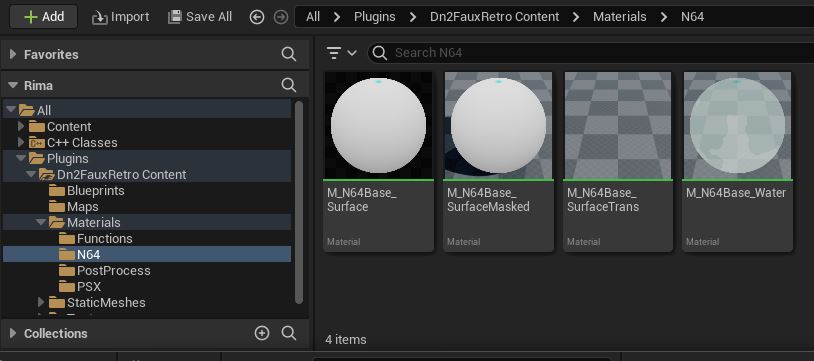
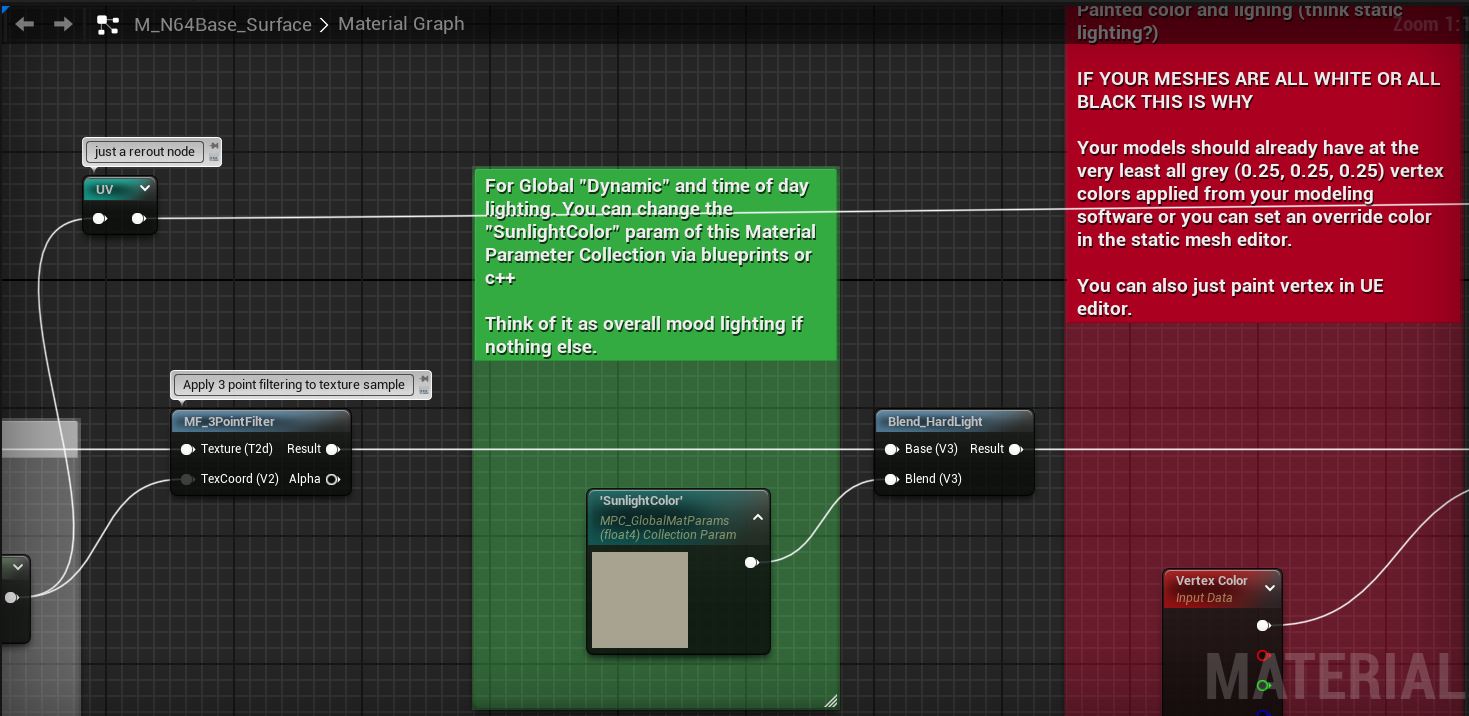
Check out the N64 & PSX Base materials in Dn2FauxRetroContent > Materials and the Material Functions in Dn2FauxRetroContent > Materials > Functions.
Materials > N64 or Materials > PSX
Dn2FauxRetroContent > Materials > PostProcess > PP_ScalelineBasePP_ScalelineBase by Right Clicking. (Or use the one included named: CRTScaleline_Inst)Texture’s Filter need to be set Nearest, Compression Settings to UserInterface2D (RGBA), Texture Group to 2D Pixels (unfiltered). An easy way to set all of these at once is to right click the texture in the content browser, Sprite Actions > Apply Paper2D Texture Settings. You and also open up the texture and set them manually.

I also recommend setting Mip Gen Settings to NoMipmaps.
Hey, its a plugin so the default ue5 plugin .gitignore should work. I’ll paste it here:
# Visual Studio 2015 user specific files
.vs/
# Compiled Object files
*.slo
*.lo
*.o
*.obj
# Precompiled Headers
*.gch
*.pch
# Compiled Dynamic libraries
*.so
*.dylib
*.dll
# Fortran module files
*.mod
# Compiled Static libraries
*.lai
*.la
*.a
*.lib
# Executables
*.exe
*.out
*.app
*.ipa
# These project files can be generated by the engine
*.xcodeproj
*.xcworkspace
*.sln
*.suo
*.opensdf
*.sdf
*.VC.db
*.VC.opendb
# Precompiled Assets
SourceArt/**/*.png
SourceArt/**/*.tga
# Binary Files
Binaries/*
Plugins/*/Binaries/*
# Builds
Build/*
# Whitelist PakBlacklist-<BuildConfiguration>.txt files
!Build/*/
Build/*/**
!Build/*/PakBlacklist*.txt
# Don't ignore icon files in Build
!Build/**/*.ico
# Built data for maps
*_BuiltData.uasset
# Configuration files generated by the Editor
Saved/*
# Compiled source files for the engine to use
Intermediate/*
Plugins/*/Intermediate/*
# Cache files for the editor to use
DerivedDataCache/*
Make sure that discord is opened before you open the project in unreal engine.
Also make sure that no other discord rich presence app is already running e.g. I use a visual studio extension for discord rich presence. If I open visual studio first, unreal engine won’t show up and vice versa.
If you only meant that it’s not updating what you’re currently doing in the editor, the “level editing” update only happens after selecting an actor.
5.1 is up now.
It comes with the source so you can do whatever with it. For now i dont wanna commit to maintaining/approving pull request etc but if i do need help testing in the future i’ll hit up those that have offered to :)
https://dn2.itch.io/editor-discord-rich-presence/devlog/491519/51
5.1 update with source. View update post here: https://dn2.itch.io/editor-discord-rich-presence/devlog/491519/51