
Indie game storeFree gamesFun gamesHorror games
Game developmentAssetsComics
SalesBundles
Jobs
TagsGame Engines

VectoRaith

52
Posts
353
Followers
9
Following
A member registered Apr 02, 2019 · View creator page →

Creator of

Recent community posts

(4 edits)

Thank you for the feedback!

Firstly, I'm sorry I'm not open for commission🙏

The Biomes are designed with simplicity of 16x16 px and color complexity in mind. Hence the best tileset use is as currently is. This is the example of current usage in Godot (2x2 autotile mode, combinable with the 3x3 autotile):Image
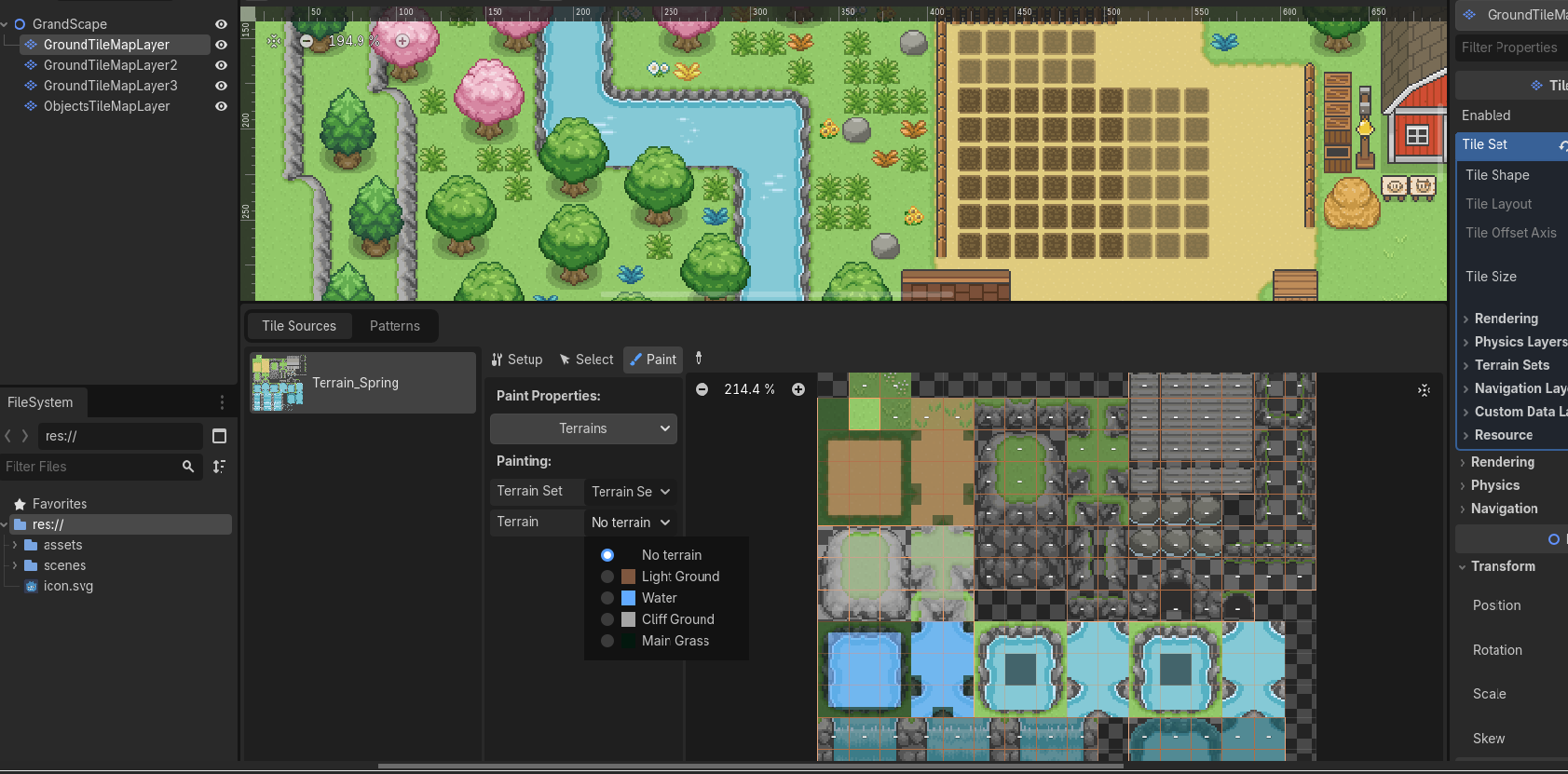
It is 100% possible to do such combined terrains as you mentioned. In fact several biomes already adopted that approach for 3x3 tileset. However, to fully implement it requires incredible amount of time to retextures and tests again since it must satisfy "n x (n-1)" formula. To illustrate, four different textures which may include light grass, dark grass, dirt, and water terrain will require 4x(4-1) = 4x3 = 12 different combinations, or 20 if including the animated waters. This means a single Biome with just 2 theme variants will have at least 4x(3+2)x2 = 40 separate 3x3 tilesets!

Another approach is by using "no-outlined tile" which eliminates the outline needs. It is more seamless and that way you only need 5 terrain tilesets instead of 40! But this move requires even more time since it requires color adjustments for a lot of terrain in this series.

I'm currently working an experimental version on it and if I succeed, I am planning to release the result in the next update.
Thanks!

Hi, I've re-checked the frames. It's not translucent, just the grey color being matched to the checkerboard background!

Ah, that's the 3x3 format! The land part of the terrain is already in that format!

Yes, all my assets support Godot 2x2 (16 tiles) and 3x3 (48 tiles) autotile format! Due to aesthetics reason, the water currently only use 2x2 format. 

For the 2x2 format, please see the preview and set up here.

Thank you!

You can find the Character/NPC sprites here.

Available too as bundle here and here.

I'm still working for monster concepts, it will take some times to finish.

Of course!
Please wait for the next update!

Thank you!

Hello! Thank you for the feedback!

You're not missing anything! Animated Sideview Sprite Pack is very niche. It is totally sideview, specifically designed for slow, Tamagotchi-style animation, hence it only has 2-frame animation (please see product description for more information)

During its development, I realized such sideview style won't work on top-down RPG setting when larger animals such as elephants are introduced, hence this assets pack exists as a standalone for Biome Tileset Packs.

What you mean is probably "[C] High Cliff, upperside". Tiled is only able to autotile the [C] part (see [Tileset Parts] and [Autotile] section). The rest of the high cliff, part "[D] High Cliff, cliffside", must be put manually.

This tutorial is using Tiled, hence you should follow exactly it as is to get the result. So please don't skip the [Tileset Parts] section for proper layering too (I know it's long and boring).

(1 edit)

No problem! This pack is focused on Buildings Sets, not grass sets, so I don't think everyone will like the grass anyway. If you need better grassy texture, you can go here

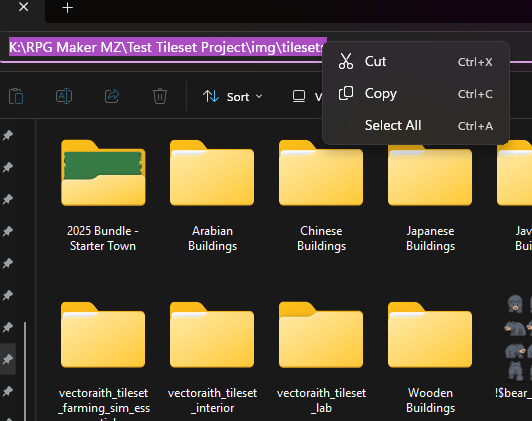
The error point out to input directory (the folder you want everything inside resized) being non-existent or typed incorrectly. 

Copy-pasting the filepath from the explorer just like below should help you avoid the problem.

Image

May I help you with the problem? Which part of it that doesn't work?

Thank you!

Flying/Swimming animals is certainly on my drawing list. I just need time since I have to draw them twice (thrice if the animal can do both swimming and flying)

No, I'm sorry, but you can't. I am a heavy Yanfly/Visustella scripts user since year-0 and I'm sorry I have to inform you that.  I also have discussed this matter in RPG Maker forum. Therefore I have to make it clear by explaining why.


RPG Maker may clip/cut the above part of a sprite taller than 1.25x of tile size, if an area of a sprite is colliding then interacting with a "star" tile. This is problematic for a user of big, tall sprite. To permanently fix that, you need to forget about "star" tile rule and do what non-RPG Maker game dev call as "Y-sort". It is impossible to do Y-sort in any RPG Maker iteration unless you rewrite the entire code for "O-X-star" tileset collision rule first.


And yes, expanding the collision width using plugin will certainly nudge sprite origin point, making large sprite able to avoid clipping when colliding to an event with shorter height. But it will also permanently nudge the collision for smaller sprites, making the new collision feels unnatural.

Thank you, I hope you like the tapirs 🙏

Here you go, it just released recently!

https://vectoraith.itch.io/interior-tileset-pack-dungeons

Got it! Thanks for the suggestion!

Actually I've made such bundle/pack. I guess my bad wording and marketing skill eclipsed that :p

To make gamedev easier, animals sprites are currently packed with their respective locale area and vegetations. Hence it is called "biome". That way one biome pack purchase will cover both the animals and the area tileset! 

And such bundle is already available, too! The bundle is available here, or in much larger scale here.

The only free animal sprite is available as component of Farming Sim Asset Pack, available here.

I have plan to release a specific, thematic animals pack in the future. But I guess I will prioritize to complete the one in the biome first.

Thanks a lot! I plan to add more to this pack because style-wise, it is still so lacking.

Thank you, and thank you again for the feedback!

I already made the far eastern structures I believe:  https://vectoraith.itch.io/medieval-chinese-buildings-tileset-pack and https://vectoraith.itch.io/traditional-japanese-buildings-tileset-pack

as well as (one of) the southeastern structures: https://vectoraith.itch.io/traditional-javanese-buildings-tileset-pack

Please kindly check it out!

It is updated now! You don't have to convert the wall autotile anymore! Please redownload the asset, then look at the set 0 for infrastructures!

Please freely DM me via Twitter/X/Bsky @VectoRaith for further question. I don't have Discord option.

There is no need to spread! For RPG Maker VX, try to use the tileset in the 32x32 folder. RPG Maker VX use 32x32 px tilesize, not 16x16 px.

Looks like an engine-specific problem rather than my error in my tileset.

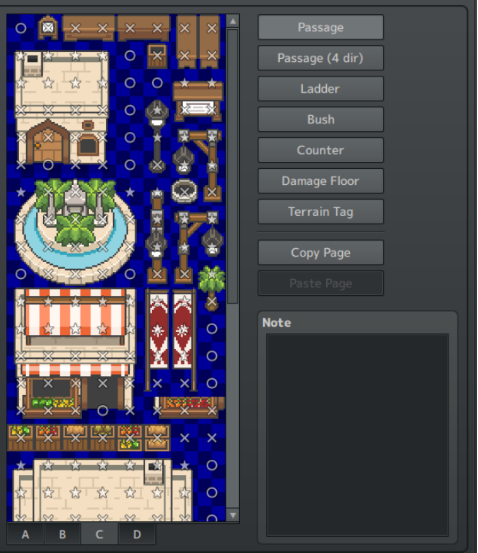
Since it is RPG Maker VX, I probably can help: Have you set the Tileset Passage like below before placing it in the map?

Image

What trouble is it?

UPDATE: There you go!

https://vectoraith.itch.io/16x16-rpg-icon-pack

(3 edits)

Hi, the 16x16 is not yet available for this pack. It is still in WIP due to circumstances, and will be available as free download for 32x32 owners. I'll let you know if it is available!

Sorry, currently only normal swamps. I'll take that as future project.

Thank you!

My essentials currently only have modern Japanese interior support (see their devlog screenshot). It includes tatami style flooring and shoji. The furniture however, is way more generic and not Japanese-themed.

(1 edit)

Yes, exactly like that! The high cliff needs to be put manually anyway. 

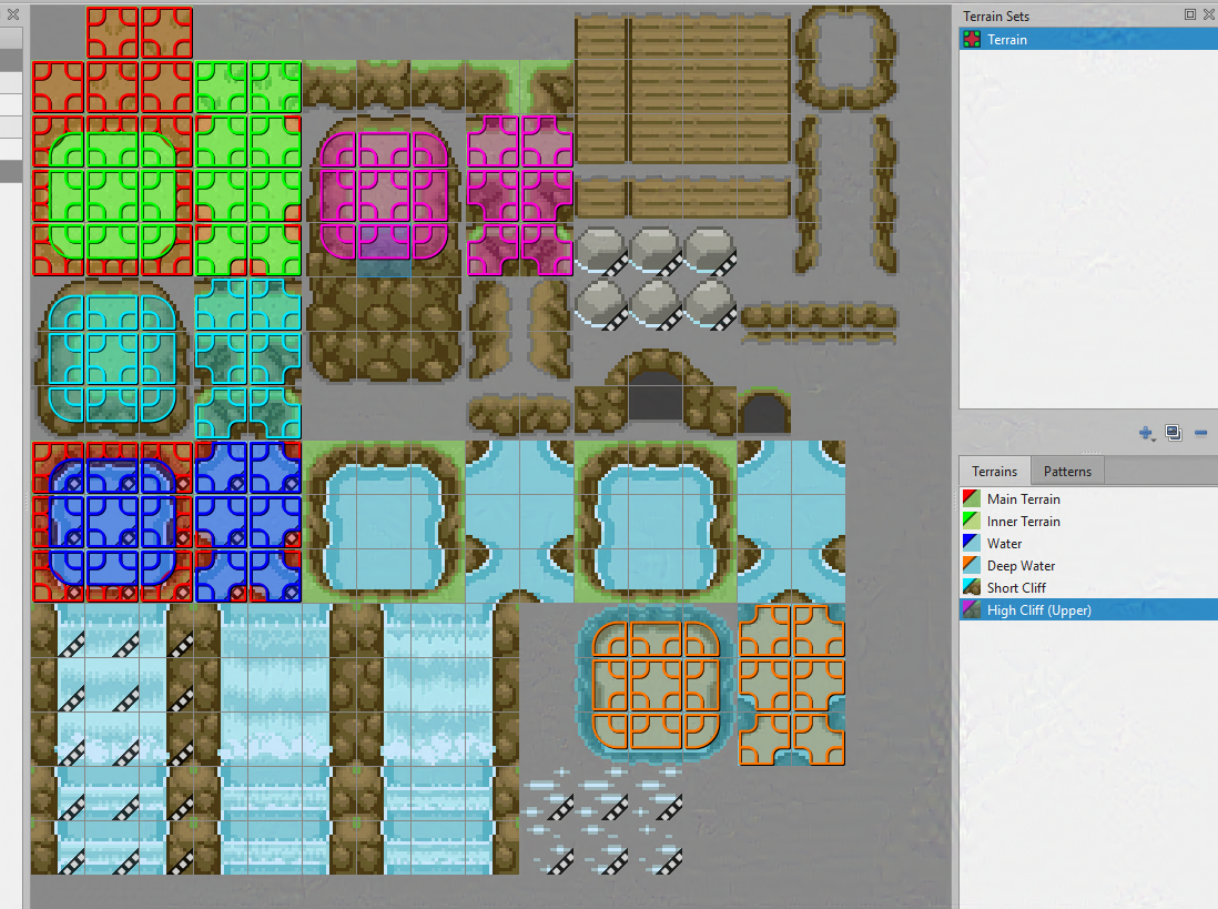
And I see you're using Godot, perhaps? The tileset you screenshotted is quite limited, and meant for RPG Maker. If you are not using RPG Maker, you better use the free placeholders available here now, because the v1.5 update with full modular autotile support is coming very near and will have the exact same layout and autotile setting as below.

Image

(1 edit)

Oh my god I just realized it :(

I have updated the pack , please redownload and let me know if you still have any problem!

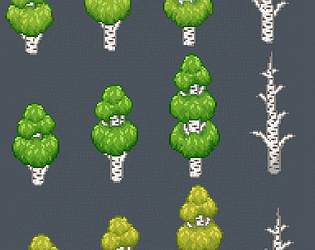
[EDIT} you can keep the birch tree files if you already downloaded it!

(1 edit)

Thank you, that means a lot!

(1 edit)

The wall is autotile for RPG Maker, hence not suitable for common engine use (see description). Hence I am planning to release infrastructures as future update (see the latest devlog in my Medieval Chinese Buildings set for example). 

But if you're in rush, for now please use this tool instead to convert the wall and roof section into more common engine format https://wareya.github.io/webtyler/


EDIT:

Per July 4th 2025, no need to do that! The wall is now available as Infrastructure set!

(1 edit)

Yes, the next big update after fauna sprites in the Biome Pack is about tile and autotile. This tileset pack will soon has its own share.

I have cave tileset pack! https://vectoraith.itch.io/biome-tileset-pack-d

For dungeons, I still need time to fill the tileset pack so it won't look very monotonous

(5 edits)

Ah, so it is not alignment issue, but rather because of cell size I see... If that's the issue I'll consider it for the next updates.

My suggestion for animated sprites is by not relying them to the certain tilesets size, but by height-weight division (row x height = 3 x 4), therefore you don't have to rely on fixed tilesizes (e.g must be multiplication of 16, 24, or 32, etc) when you get your assets from different people with different standards.

(1 edit)

Yes, while all tilesets are made with 16x16 px tile resolution in mind, there are 16x16, 24x24, and 32x32 sprite sizes to keep animals proportion as normal as possible. Larger animals such as moose and elephants of course have larger sprites (32x32) to comply with their natural size. Otherwise you will have strangely proportioned animals.

If you use RPG Maker, I don't think there are any issue on using those sprite sizes as long as you use always use 3x4 sprite layout (please see the animals screenshots, all of them are made with RPG Maker).

(6 edits)

Can you elaborate about the word "aligned", "chopping", and what you need? 

From your description, looks like it is a very engine-specific issue. Everything in my tilesets are already perfectly aligned in 16x16 px. The animals being sprites - not tileset, will always subject to so called "proportion". That means they may exceeds 16x16 px when considering body form and species.

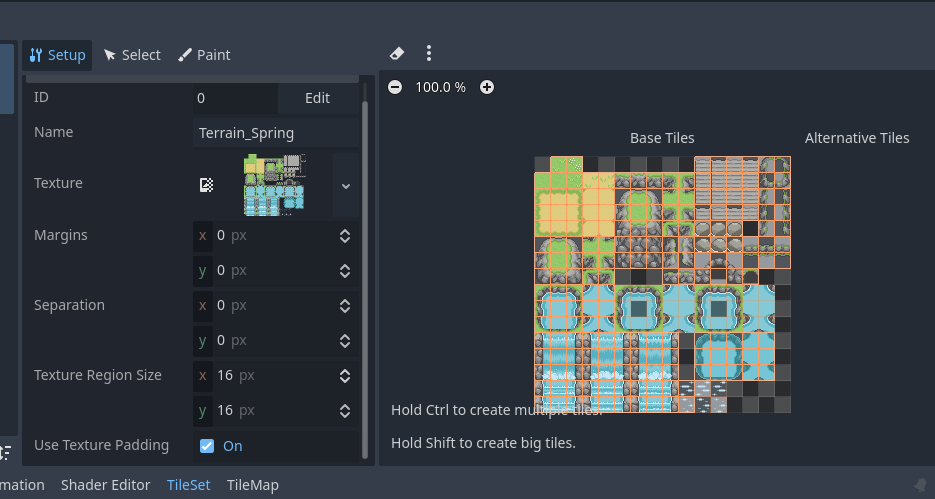
This is the example of how my tilesets should be set up for 16x16px tilesize, the engine used is Godot for this one:

Image

And as already written in the Contact Me, due to vast abundance of game engines available on planet Earth, I can't provide technical supports for each game engine. Please refer to the correspending tileset set up tutorial for each game engine you use.