
IZArc: All-in-One Archive Utility for Windows & Mac
Overview
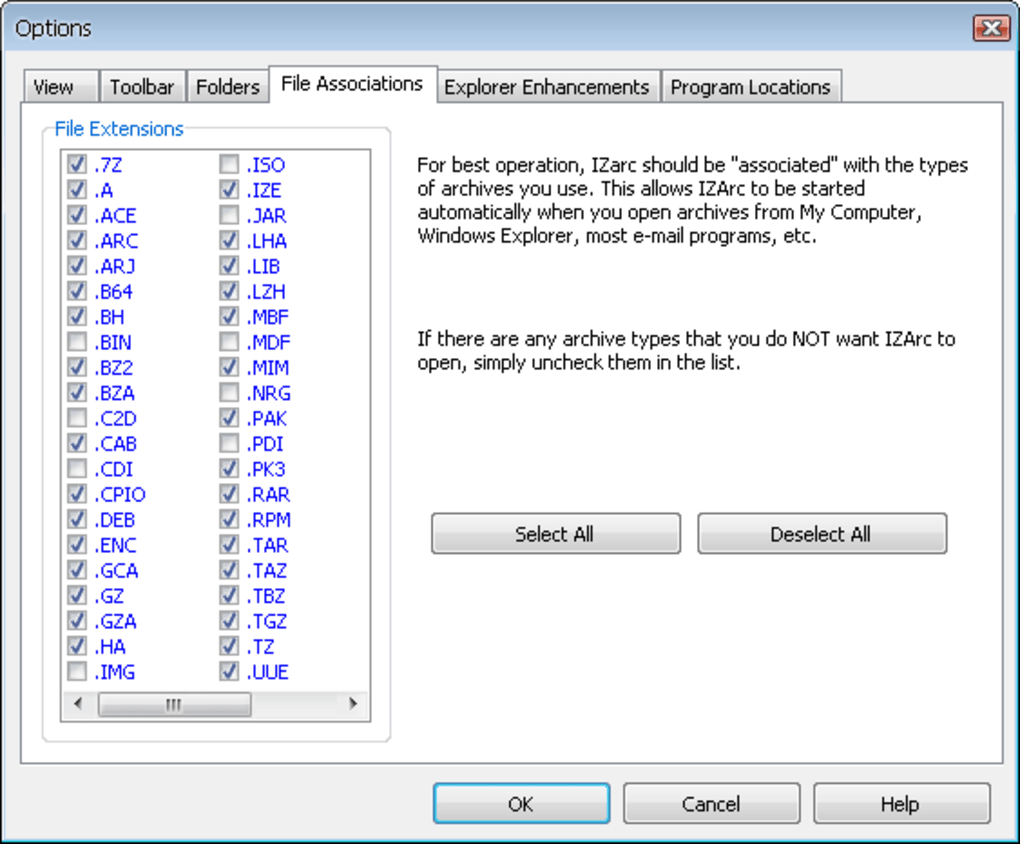
IZArc is a comprehensive archive utility designed to handle a wide range of compressed file formats, making it a reliable tool for users who frequently work with ZIP, RAR, 7-ZIP, TAR, ISO, ACE, LZH, and more. Its primary purpose is to simplify the process of compressing and decompressing files, offering seamless support for both common and less frequently used formats. This makes it particularly useful for professionals and everyday users who receive or share data in various archive types.
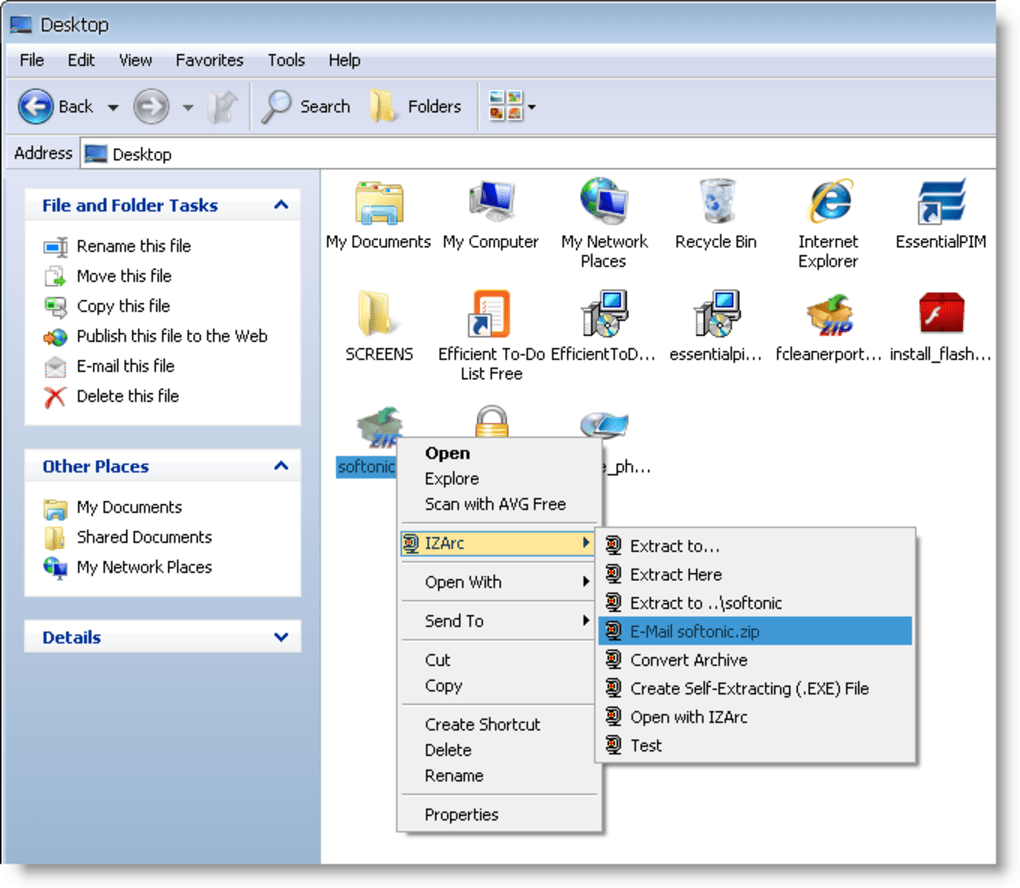
By supporting multiple compression algorithms and archive structures, IZArc eliminates the need for multiple tools, streamlining workflows across personal and professional environments. It is especially beneficial for users managing large volumes of data, such as developers, designers, or IT administrators, who rely on efficient file handling. The software integrates directly with Windows Explorer, enabling quick access to core functions without launching the main interface.
The developer did not provide additional details about the company or background. However, the software’s long-standing presence in the utility space suggests consistent development and user support. Real-world usage scenarios include extracting project files from email attachments, creating backup archives, or distributing software packages via compressed installers. IZArc’s ability to generate self-extracting EXE files adds value for users who need to share archives with recipients who may not have archive software installed.
Key Features & Capabilities
- Multi-format support: Handles over a dozen archive types including ZIP, RAR, 7-ZIP, TAR, ISO, ACE, LZH, and more.
- Explorer integration: Offers context menu access directly from Windows Explorer for quick compression and extraction.
- Drag-and-drop functionality: Allows users to drag files onto the interface for immediate processing.
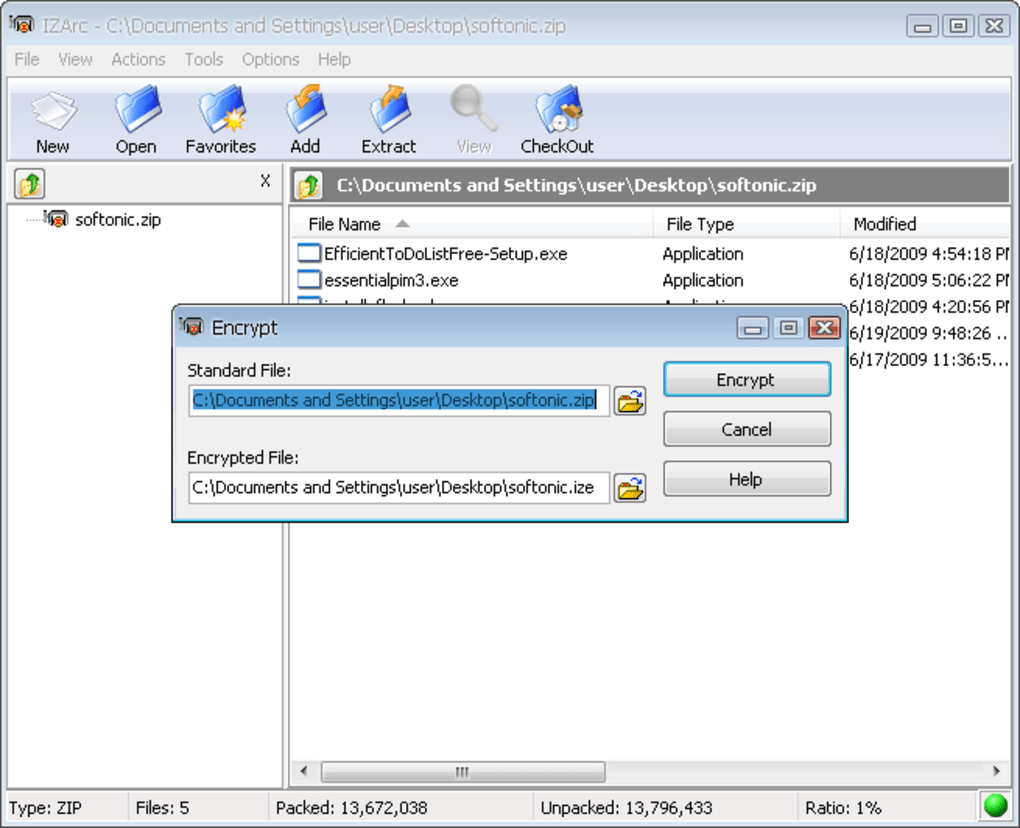
- Encryption and security: Supports password protection for archives to ensure data privacy.
- Multi-volume archives: Enables splitting large archives into smaller, manageable parts.
- Self-extracting EXE creation: Generates standalone executable files that extract content without requiring additional software.
- Batch processing: Facilitates the compression or extraction of multiple files simultaneously.
- Virus scanning integration: Includes the ability to scan archives for malware during extraction.
These features are particularly useful in professional workflows where data integrity and efficiency are critical. For example, a graphic designer can compress a project folder into a secure, password-protected archive before sharing it with a client. A system administrator might use the self-extracting EXE feature to distribute software updates to end users who lack archive tools. The drag-and-drop interface also reduces learning curves, making it accessible to non-technical users.
User Interface, Workflow & Performance
IZArc features a clean, straightforward interface that prioritizes functionality over visual flair. The main window provides clear access to core operations such as adding files to archives, extracting contents, and managing archive properties. Navigation is intuitive, with well-labeled buttons and a file list panel that displays contents in a structured manner.
Workflow efficiency is enhanced by the integration with Windows Explorer, allowing users to perform actions directly from the file manager. This eliminates the need to open a separate application for common tasks. The drag-and-drop feature further improves speed and ease of use, especially when dealing with multiple files or folders.
Performance observations are based on general software behavior patterns. The developer did not specify resource usage details. However, the software’s compact size of 2.1 MB suggests a lightweight footprint. Stability appears consistent, with recent updates addressing several bugs related to file handling and interface behavior. The program maintains responsiveness during routine operations, though exact performance under heavy loads was not specified.
Compatibility & System Requirements
IZArc is available for both Windows and Mac operating systems, making it accessible to a broad user base. The current version, 4.0 Beta 1, supports these platforms, though specific version requirements were not listed. The installation size is 2.1 MB, indicating a minimal disk footprint.
Exact system requirements were not listed. The developer did not provide details on CPU, RAM, or storage needs. Compatibility information is limited to the supported platforms. Users should ensure their system meets the baseline requirements for running desktop applications on Windows or Mac. The software does not require elevated permissions for standard operations.
Pros and Cons
Pros
- Supports a wide range of archive formats, including niche and legacy types.
- Seamless integration with Windows Explorer for quick access.
- Lightweight installation size at 2.1 MB.
- Free to use with no licensing restrictions.
- Includes advanced features like encryption and self-extracting EXE creation.
- Regular updates with bug fixes and feature improvements.
Cons
- Only available for Windows and Mac, with no support for Linux or other platforms.
- Exact system requirements were not specified.
- Limited documentation or user guides provided.
- Version 4.0 is still in beta, which may indicate instability for some users.
- UI lacks modern design elements compared to newer tools.
FAQ Section
Is IZArc compatible with both Windows and Mac?
Yes, IZArc is available for both Windows and Mac operating systems. The software supports these platforms, though specific version requirements were not provided.
Is IZArc safe to download and use?
IZArc is a free desktop utility developed for file compression and extraction. It does not contain known malware. However, users should always download from official sources and scan files with antivirus software when handling archives from untrusted sources.
Does IZArc require a license to use?
No, IZArc is free to use without any licensing fees. It is distributed as free software, allowing unrestricted personal and professional use.
Can I use IZArc to create self-extracting archives?
Yes, IZArc supports the creation of self-extracting EXE files. These standalone executables can extract compressed content without requiring the user to have archive software installed.
Is IZArc updated regularly?
Yes, the software receives regular updates. The latest version, 4.0 Beta 1, includes fixes for file handling, archive extraction, and interface behavior, indicating ongoing development and support.
Final Thoughts + CTA
IZArc stands out as a powerful, free archive utility that delivers broad format compatibility and essential features without the need for multiple tools. Its integration with Windows Explorer, support for encryption, and ability to generate self-extracting EXE files make it a practical choice for both casual users and professionals. While the interface lacks modern polish and the beta status of the latest version may concern some, the software remains stable and functional for everyday use.
For anyone who frequently deals with compressed files across different formats, IZArc offers a reliable, lightweight solution. Its free status and cross-platform availability further enhance its appeal. The tool is particularly valuable for users seeking a single application to manage diverse archive types without additional costs.
Download IZArc now








