

説明
WP Reset quickly resets the site’s database to the default installation values without modifying any files. It deletes all customizations and content, or just chosen parts like theme settings. WordPress Reset is fast and safe to use thanks to the built-in snapshots which provide 1-click restore functionality. It has multiple fail-safe mechanisms so you can never accidentally lose data. WP Reset is extremely helpful for plugin and theme developers. It speeds up testing & debugging by providing a quick way to reset settings and re-test code. It’s the only WP development tool for non-developers that enables advanced reset.
For support please use the official forum, and if you need more information visit wpreset.com and be sure to check out the roadmap for the list of upcoming features.
Access WP Reset admin page via the “Tools” menu.
Please read carefully before proceeding to understand what WP Reset does, and remember to always create a snapshot
リセットすると以下のデータが削除されます:
- all posts, pages, custom post types, comments, media entries, users
- all default WP database tables
- all custom database tables that have the same prefix table prefix as the one defined in wp-config.php and used by default tables
リセットしても以下の項目は削除または変更されません:
- media files – they remain in the wp-uploads folder untouched but will no longer be listed under Media in admin
- no files are touched; plugins, themes, uploads – everything stays
- site title, WordPress address, site address, site language and search engine visibility settings
- currently logged in user will be restored with the current username and password
What happens when I click the Reset button?
- remember to always create a snapshot first or a full backup
- you will have to confirm the action one more time because there is NO UNDO
- everything will be reset; see bullets above for details
- site title, WordPress address, site address, site language, search engine visibility settings as well as the current user will be restored
- you will be logged out, automatically logged in and taken to the admin dashboard
- WP Reset plugin will be reactivated if that option is chosen in the post-reset options
リセットの解除
Before doing a reset, create a snapshot. The button is located right next to the reset button and it takes less than 10 seconds to create a snapshot. After reset is done, if you need to undo it simply restore the snapshot and that’s it.
WP-CLI support
WP Reset comes with full WP-CLI support. Help on our WP-CLI commands is available via wp help reset. By default the commands have to be confirmed but you can use the --yes option to skip confirmation. Instead of the active user, the first user with admin privileges found in the database will be restored after reset. Please be careful when using WP Reset with WP-CLI – as with using the GUI always make a snapshot or backup first.
Currently supported WP-CLI commands:
wp reset リセットwp reset バージョンwp reset 削除wp reset スナップショット
データベースのスナップショット
Database snapshot is a copy of all WP database tables, standard and custom ones, saved in the currently used database (as set by wp-config.php). Files are not saved or included in snapshots in any way.
Snapshots are primarily a development tool. Although they can be used for backups (and downloaded as gzipped SQL dumps), we suggest finding a more suitable tool for doing backups of live sites. Use snapshots to find out what changes a plugin made to your database – what custom tables were created, modified, deleted or what changes were made to site’s settings. Or use it to quickly restore the development environment after testing database related changes.
Restoring a snapshot does not affect other snapshots, or WP Reset settings. Snapshots can be compared to current database tables, restored (by overwriting current tables), exported ad gzipped SQL dumps, or deleted. Creating a snapshot on an average WordPress installation takes 1-2 seconds.
Multisite (WP-MU) Support
WP Reset has yet to be completely tested with multisite! Please be careful when using it with multisite enabled. We don’t recommend to resetting the main site. Sub-sites should be OK. We’re working on making WP Reset fully compatible with WP-MU. Till then please be careful. Thank you for understanding.
部分リセットツール
- 一時データを削除 – 一時データに関連するすべてのデータベースエントリを削除します。期限切れおよび期限切れでない一時データ、ならびに孤立したタイムアウトエントリを含みます。
- アップロードの削除 – /uploads/ フォルダ内のすべてのファイルとフォルダを削除します。
- プラグインの削除 – WP Reset を除くすべてのプラグインを削除します。WP Reset は有効なまま残ります。
- テーマオプションのリセット – WP theme mods API を使用するすべてのテーマのオプションをリセットします。
- テーマの削除 – すべてのテーマを削除します。
- Empty or delete custom tables – empties (truncates) or deletes (drops) all custom database tables.
- Delete .htaccess file – deletes the .htaccess file. If you need to edit .htaccess without FTP use our free WP Htaccess Editor plugin.
GDPR準拠
当社は弁護士ではありません。以下の内容は法的助言として解釈しないでください。
WP Reset はフロントエンドでユーザーデータを追跡・収集・処理しません。いかなるデータも記録されず、第三者に送信されません。また、サードパーティサービスや CDN も使用していません。すべての操作は管理画面で実行され、ユーザーのリクエストによってのみ開始されます。プラグイン内でPROライセンスの有効化を選択した場合、一部のデータがWebFactory Ltdと共有されます。これはライセンス有効化フォームの下部に明記されています。この点に基づき、GDPRに準拠していると考えますが、繰り返しになりますが、これを法的助言と捉えないでください。
WP Resetの翻訳を手伝ってくれた仲間たち
- French – Jeff Inho
SSL や HTTPS で問題が発生している場合は、無料の WP Force SSL プラグインをお試しください。SSL を有効化またはインストールするのに最適なプラグインです。
スクリーンショット
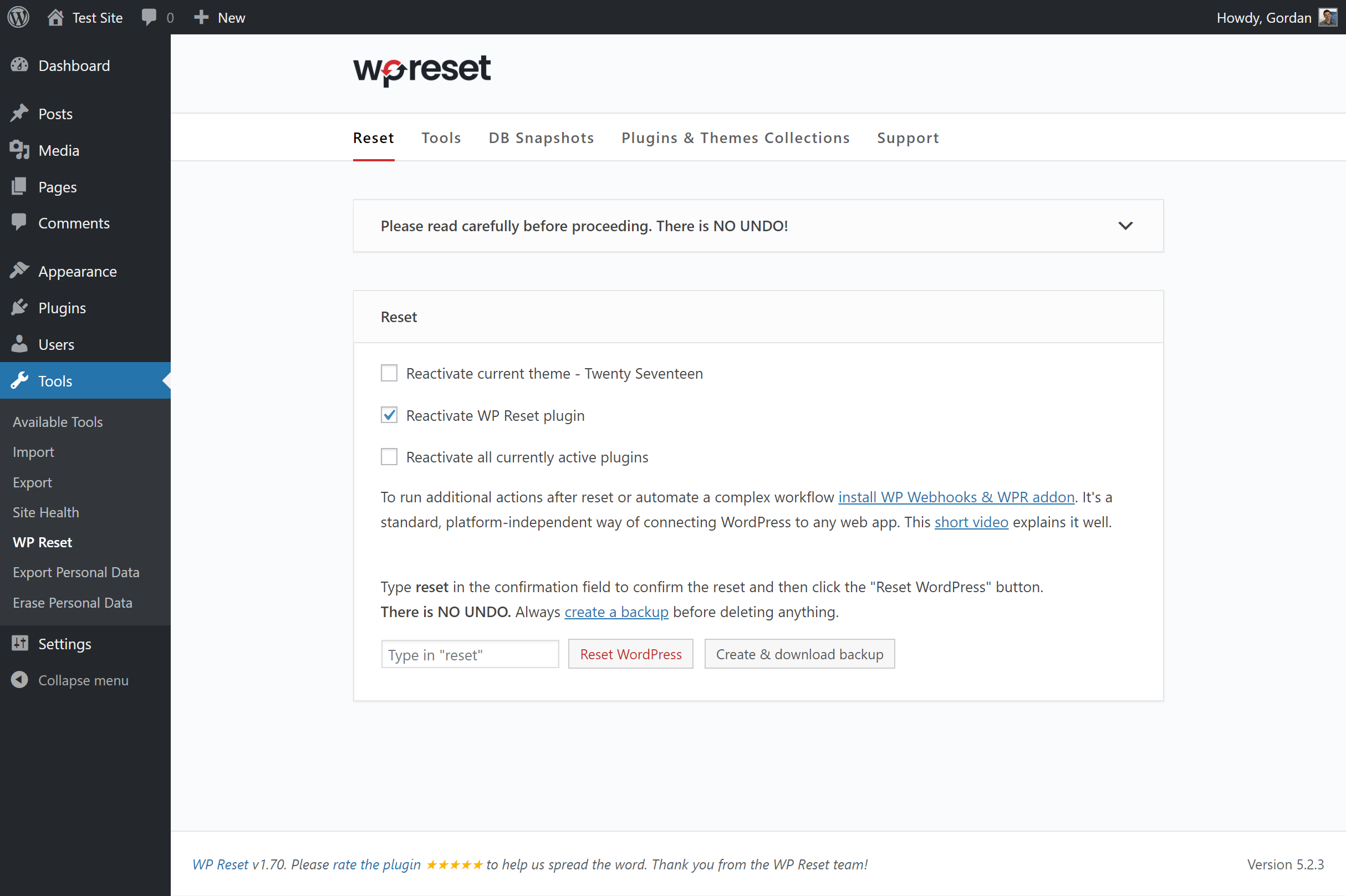
WP Reset – メインリセットページ 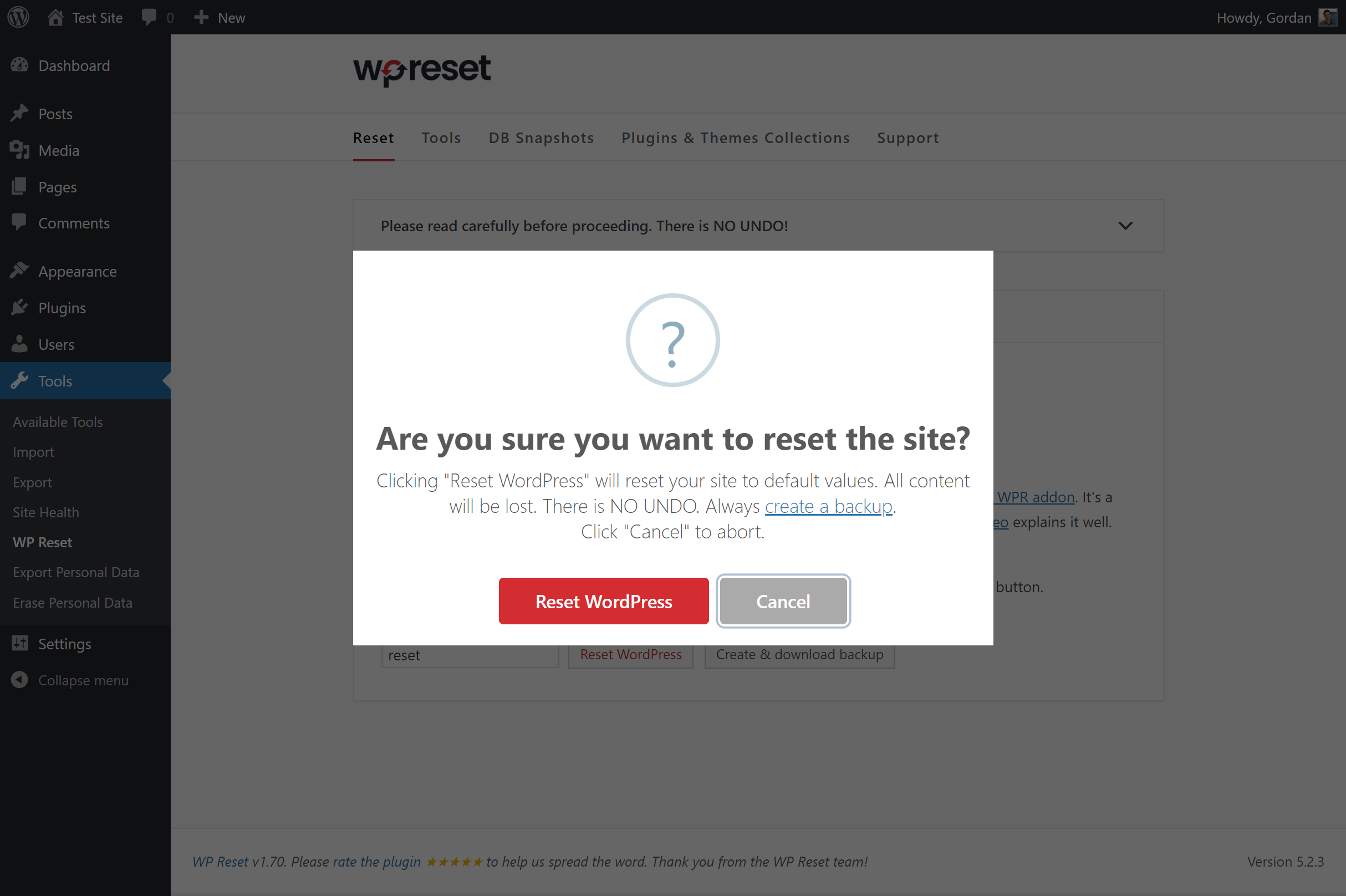
All reset actions have to be confirmed 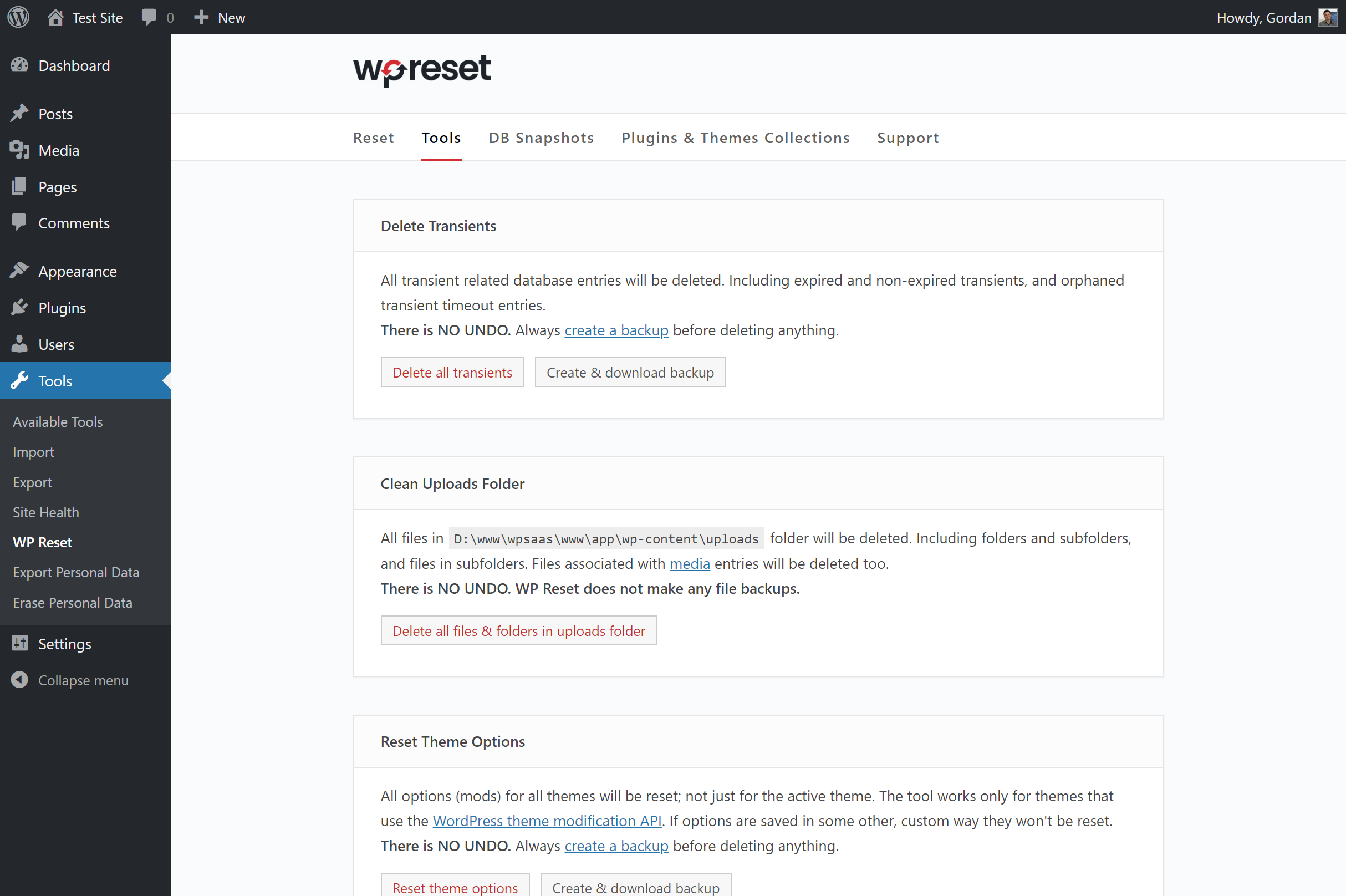
WordPress の各種オブジェクトのリセットと削除を行うための追加ツール 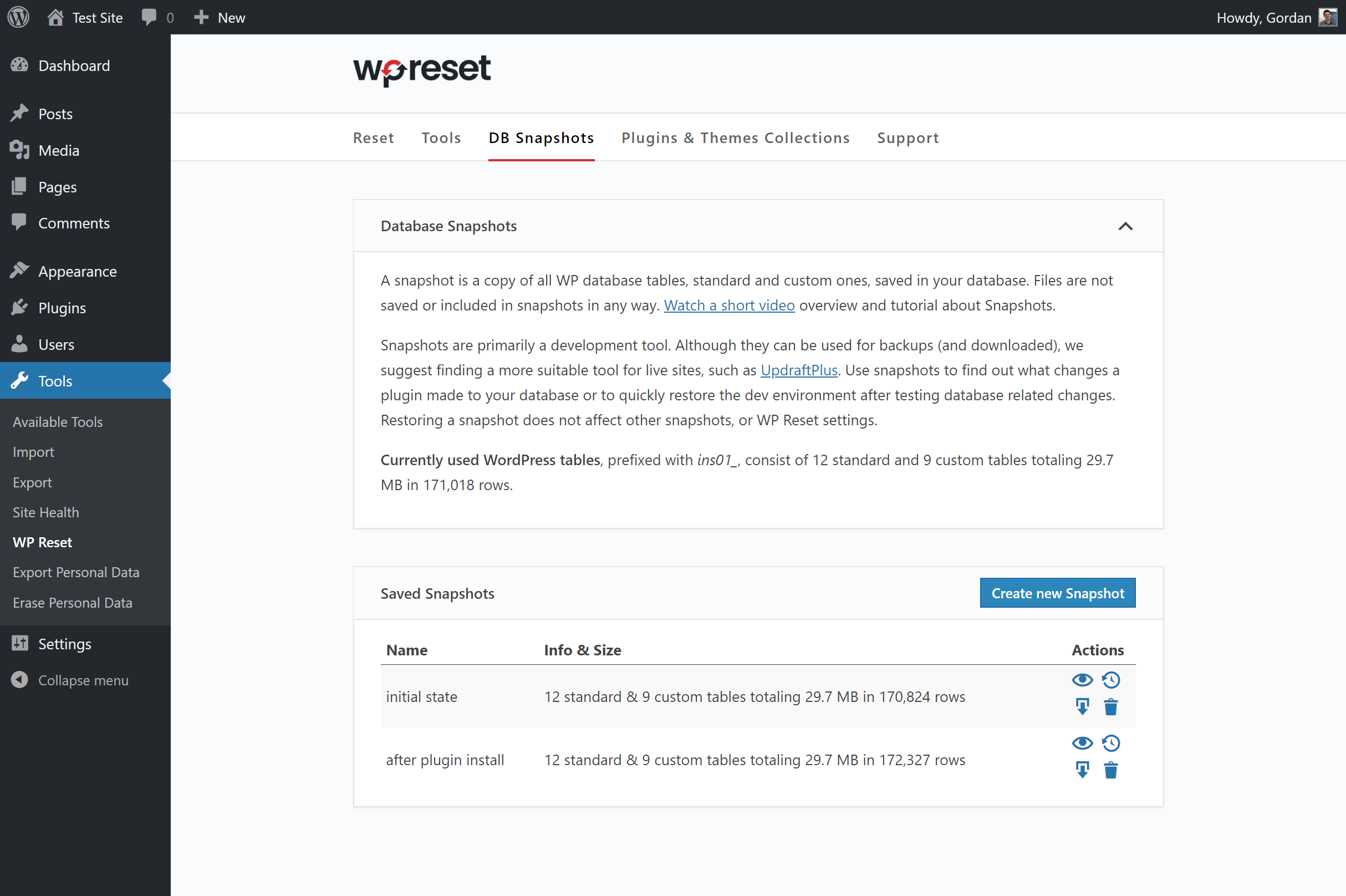
データベースのスナップショット enable 1-click restoring and testing 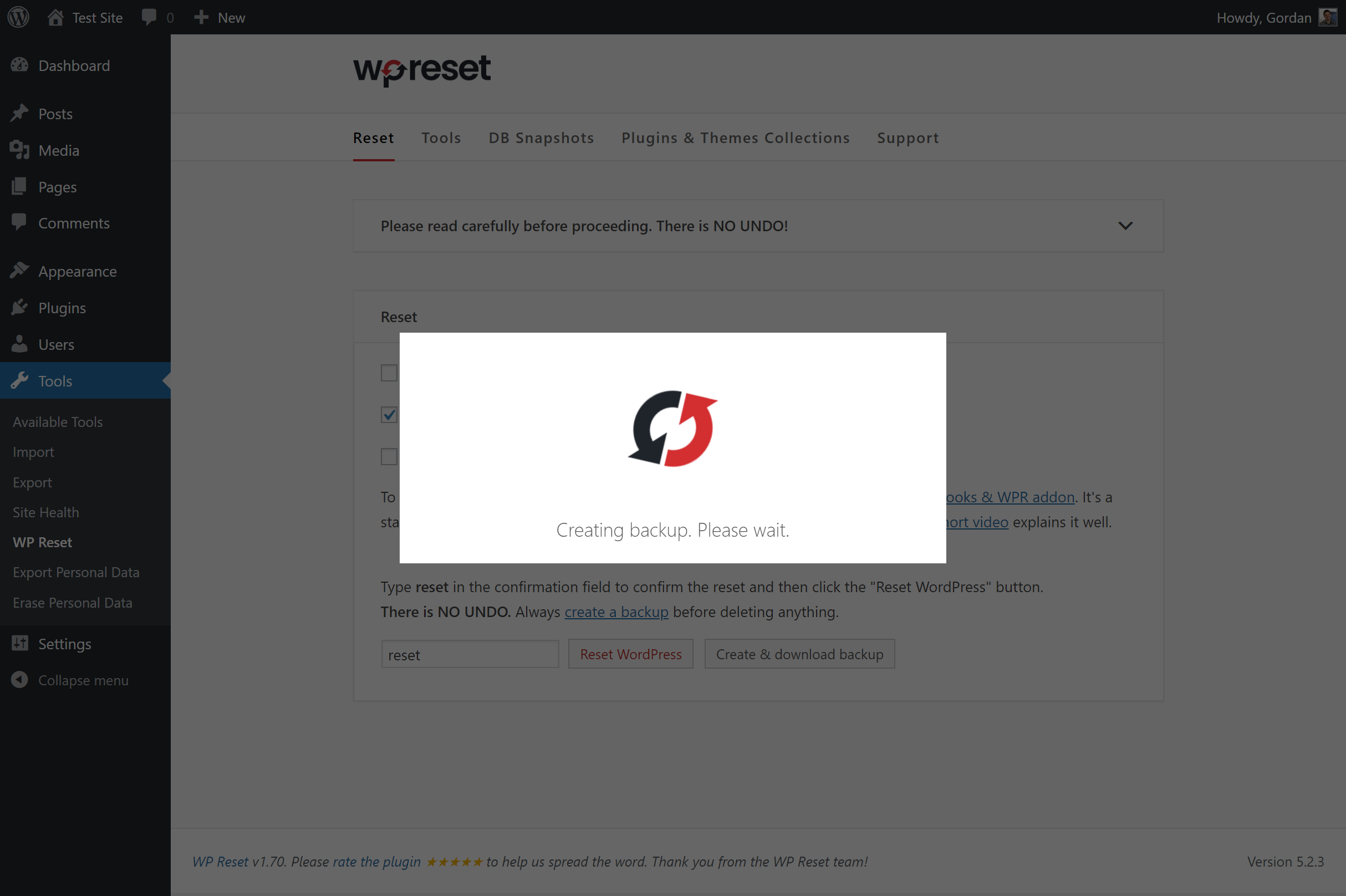
Use our 1-click backup feature before running any reset tools


インストール
Follow the usual routine;
- Open WordPress admin, go to Plugins, click Add New
- Enter “wp reset” in search and hit Enter
- Plugin will show up as the first on the list (look for our black&red round logo), click “Install Now”
- Activate & open plugin’s settings page located under the Tools menu
Or if needed, upload manually;
- Download the latest stable version from from downloads.wordpress.org/plugin/wp-reset.latest-stable.zip
- Unzip it and upload to /wp-content/plugins/
- Open WordPress admin – Plugins and click “Activate” next to “WP Reset”
- Open plugin’s admin page located under the Tools menu
FAQ
-
Does WP Reset make backups?
-
自動的には行われません。ただし、プラグイン内の各ツールの横に「バックアップをダウンロード」リンクが用意されていますので、ツールを実行する前に必ずバックアップをダウンロードしてください。バックアップにはデータベースのみが含まれ、ファイルは含まれません!
-
How can I log in after resetting?
-
Use the same username and password you used while doing the reset. Only one user will be restored after resetting. The one you used at that time.
-
サイトをリセットすると、ファイルは削除または変更されますか?
-
いいえ。完全リセットを実行しても、すべてのファイルはそのまま残ります。ただし、「テーマ削除」のようなツールはファイルを削除します。
-
Will I have to reconfigure wp-config.php?
-
Absolutely not. No reconfiguration is needed. No files are modified.
-
Do you support WP-CLI?
-
We sure do! Just type “wp reset” in your shell to see the list of available commands and options.
-
How long does it take for the reset operation to complete?
-
On most installations a second or two. If you have a huge amounts of data in tables then up to ten seconds.
-
セキュリティ上のバグを報告するにはどうすればよいですか?
-
セキュリティ上のバグは、Patchstack脆弱性開示プログラムを通じて報告できます。Patchstackチームは、セキュリティ脆弱性の検証、優先順位付け、対応を支援します。セキュリティ脆弱性を報告する。
評価


貢献者と開発者

変更履歴
v2.06
- 2025/09/18
- Disabled license log
v2.05
- 2025/07/31
- 軽微なバグ修正とコードの改善
v2.04
- 2024/10/24
- 軽微なバグ修正とコードの改善
v2.03
- 2024/06/04
- 翻訳可能な文字列における HTML エスケープの調整
- エスケープ処理されていない HTML の出力問題を修正しました
v2.02
- 2024/05/13
- 固定ライセンスの Ajax セキュリティ問題を修正しました
v2.01
- 2024/04/16
- Completely unnecessary update we were forced to do
v2.00
- 2024/03/25
- より安全なスナップショットエクスポートファイル名
v1.99
- 2024/03/13
- PHP 8.2 互換性修正
v1.98
- 2023/09/24
- RTL GUI 修正
v1.97
- 2023/01/10
- 軽微な GUI の変更
- 新価格
v1.96
- 2022/11/18
- セキュリティ修正
v1.95
- 2022/01/06
- セキュリティ修正
- fixed a CLI bug
- added ad for our WP Force SSL plugin
v1.93
- 2021/08/01
- reactivate plugins fix
v1.92
- 2021/07/28
- WP 5.8 でのパスワードリセット時の問題に対する追加修正
v1.91
- 2021/07/24
- WP 5.8 でのパスワードリセット時の固定パスワード問題
v1.90
- 2021/06/01
- セキュリティ修正
- 未使用コードを整理した
v1.86
- 2021/02/20
- fixed a small but nasty translation bug that prevented some users from resetting
v1.85
- 2021/01/30
- コードのクリーンアップ
v1.84
- 2021/01/21
- added quick links button
- fixed some tooltips
- removed support for WP Webhooks
v1.82
- 2020/10/27
- removed auto activation for PRO version
v1.81
- 2020/10/07
- started adding better tooltips to all objects
- added promo campaign for WP 301 Redirects
v1.80
- 2020/04/17
- new tool: Purge Cache
- new tool: Delete Local Data
- fixed “Delete all plugins” tool
- その他の軽微なバグ修正
- WP Reset PROの販売を開始しました
- 2020年3月7日に 20 万インストールを達成、累計ダウンロード数は 156 万件
v1.77
- 2019/12/25
- minor bug fixes
v1.75
- 2019/11/12
- バグ修正
- さらなる GUI の改善
- WP v5.3 の更新情報
- ワンクリックバックアップツールを廃止し、代わりにスナップショットを採用しました。混乱が少なく、最終結果は同じです
- @markwil lさんのおかげで、2つの重大なバグが修正されました
- 1,241,470 ダウンロード
v1.70
- 2019/09/27
- バグ修正
- completely new GUI
- スナップショットとバックアップフォルダを保護するため、.htaccess ファイルを追加しました
- ワンクリックバックアップ機能を追加しました
v1.65
- 2019/07/15
- バグ修正
v1.60
- 2019/04/15
- バグ修正
- new tool: Reset theme options
- added Product Hunt banner
- added actions (hooks) to all tools and snapshot actions; all action names start with “wp-reset-“
- removed features survey
- announced plugin & theme collections
v1.55
- 2019/03/25
- 100k users hit on 2019/01/15 with 560,300 downloads; 34 days for +10k & 71k downloads
- バグ修正
- support for WP Webhooks
- added features survey
v1.50
- 2019/01/08
- new tool: delete .htaccess file
- new WP-CLI command: wp reset delete htaccess
- 90k users hit on 2018/12/12 with 489,100 downloads; 27 days for +10k & 58k downloads
v1.45
- 2018/11/27
- new tool: truncate or drop custom DB tables
- truncate / drop tables tool added to WP-CLI
- all snapshot tools added to WP-CLI
- 2018年11月15日に 8 万ユーザーがアクセス、ダウンロード数は 430,800 件 30 日間で+1万ユーザー増加、ダウンロード数は 57,000 件
v1.40
- 2018/10/24
- new tool: DB Snapshots
- rewrote code documentation for most functions
- some parts of Snapshots need refactoring
- 70k users hit on 2018/10/16 with 373,300 downloads; 30 days for +10k & 50k downloads
v1.35
- 2018/09/18
- sponsorship by IP Geolocation
- 2018年9月16日に 6 万ユーザーを突破、ダウンロード数は 323,300 件;1万ユーザー増加まで 35 日
- added all tools to WP-CLI
- new tool: delete all files in uploads folder
v1.30
- 2018/08/27
- コードのさらなるクリーンアップ
- added new reset params to WP-CLI
- GUIの大幅な変更
- started adding various tools; delete transients, delete all plugins, delete all themes
- 2018年8月11日、インストール数が 50,000 件に達し、ダウンロード数は 274,000 件となりました
v1.25
- 2018/07/30
- コードのクリーンアップ
- post-reset options – reactivate plugin, themes & WP Reset
- added WP-MU warning till we make WP Reset fully compatible with it
- リポジトリの整理通知
- ボックスを折りたたむオプションを追加しました
- 改訂評価に関する通知
v1.20
- 2018/07/09
- 2018年6月26日にインストール数が4万件に達しました
- 「 wp reset 」コマンドによる WP-CLI サポート
- 新しいロゴ
- 評価依頼の通知
- GUI の改善
- コードのクリーンアップ
- さらなる発展と新機能に向けた準備
v1.10
- 2018/05/09
- WebFactory が開発を引き継いだ
- 多数のバグ修正と改善
- 30,000件のインストール;199,000回のダウンロード
v1.0
- 2016/05/16
- 初回リリース
