
Screenshots
App details
- Version
- 3.6.2
- Size
- 21.71 MB
- Updated
- July 20, 2021
- Requires
- Mac OS X
- Language
- English
- License
- Free
- Developer
- corrados
- Category
- Mac OS
About Jamulus
Download Jamulus – Free Low‑Latency Virtual Jam Session Software
Overview of Jamulus
Jamulus is a free, open‑source music utility that lets musicians rehearse, compose, or simply jam together over the internet in real time. Developed by a community of audio‑engineers and musicians, Jamulus focuses on delivering high‑quality, low‑latency audio streams so that each participant hears the others as if they were in the same room. The program is especially popular among Mac users, but versions exist for Windows and Linux as well, making it a cross‑platform solution for bands that are geographically dispersed.
Because latency is the biggest obstacle to remote music collaboration, Jamulus requires a wired broadband connection. Wi‑Fi can introduce jitter and packet loss that quickly degrade the listening experience, so users are encouraged to connect via Ethernet and to close any bandwidth‑heavy applications before starting a session. Jamulus also supports private servers, allowing bands to host their own dedicated rooms where only invited members can join. This adds a layer of security and control that is often missing from generic voice‑chat apps.
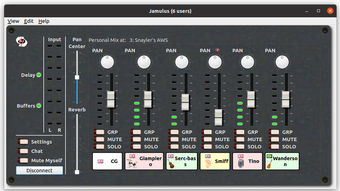
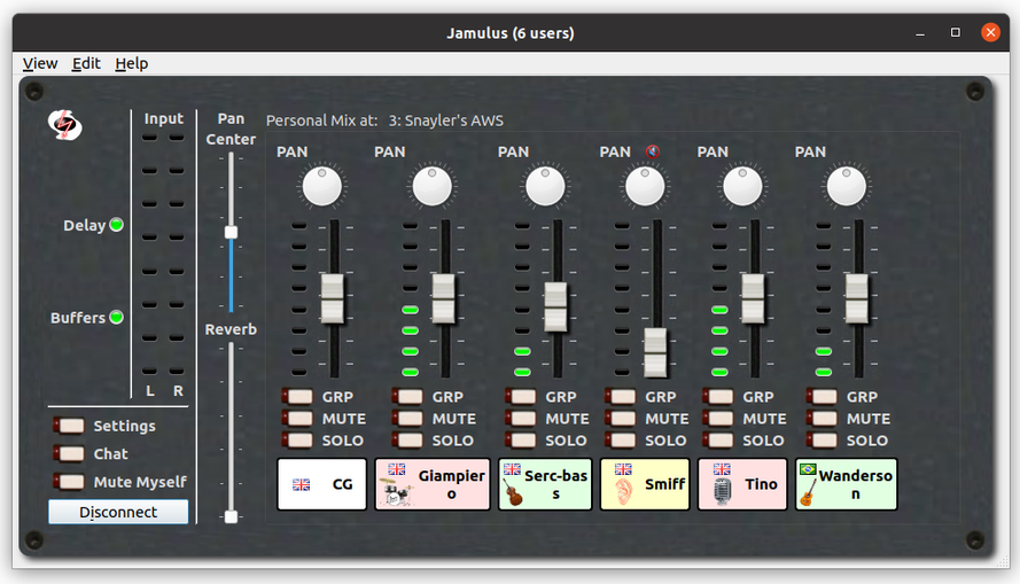
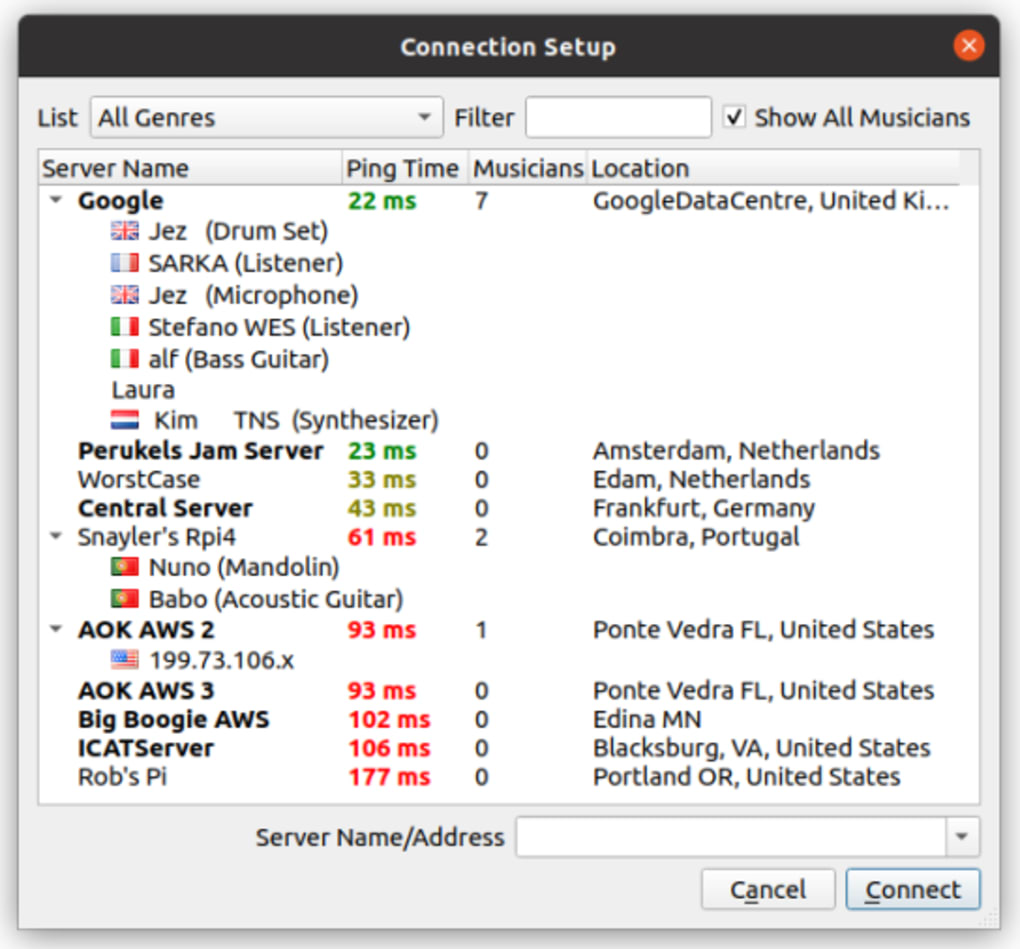
From a user‑experience perspective, Jamulus is intentionally minimalistic. The interface presents a simple list of available servers, a volume meter, and a “Connect” button. Once connected, the software automatically mixes the incoming audio streams and sends the mixed output back to each participant. The result is a seamless, near‑zero‑lag jam session that feels surprisingly natural, especially when the server latency stays under 15 ms.
Key Features & How Jamulus Works
- Low‑Latency Audio Engine: Utilises the Opus codec and adaptive jitter buffering to keep round‑trip delay under 30 ms on a good connection.
- Cross‑Platform Compatibility: Native clients for macOS, Windows, and Linux.
- Private Server Hosting: Users can run their own Jamulus server on a home PC or a cloud instance, granting exclusive access via password‑protected rooms.
- High‑Quality Audio: Supports 48 kHz, 16‑bit PCM audio, delivering studio‑grade fidelity.
- Open‑Source & Free: Licensed under the GPL, with a vibrant community that provides regular updates and bug fixes.
- Simple UI: No complex configuration files; a single click connects you to the chosen server.
- Audio Routing Flexibility: Works with ASIO, CoreAudio, and JACK drivers, allowing professional audio interfaces to be used.
The way Jamulus achieves its low latency is by sending raw audio packets directly between clients and the server, bypassing the need for intermediate transcoding steps that typical VoIP services employ. Each participant’s microphone feed is transmitted to the server, where it is mixed with the other streams and broadcast back. Because the mixing happens on a dedicated server, the computational load on each client remains minimal, allowing even modest laptops to participate without audio glitches.
Security is handled through optional password protection for private servers and the ability to whitelist IP addresses. While the traffic is not encrypted by default (to keep latency low), many users run Jamulus over a VPN when privacy is a concern. The open‑source nature also means that anyone can audit the code for vulnerabilities, providing an additional layer of trust for professional musicians who rely on the software for rehearsals and recordings.
Installation, Setup & Compatibility
macOS Installation: For Mac users, Jamulus is distributed as a ZIP archive. After downloading, double‑click the ZIP file to extract it, then locate the contained DMG file. Open the DMG and drag the Jamulus icon into the /Applications folder. macOS may ask you to confirm the app’s source; click “Open” to complete the installation. Once installed, launch Jamulus from the Applications folder, grant microphone access in System Preferences, and you’re ready to connect.
Windows Installation: Windows users receive an installer executable (.exe). Run the file, follow the on‑screen wizard, and choose the desired installation directory. After installation, you may need to allow Jamulus through the Windows Firewall to ensure incoming audio packets are not blocked.
Linux Installation: Jamulus is available in most distribution repositories. For Debian‑based systems, use sudo apt-get install jamulus. For Arch Linux, run sudo pacman -S jamulus. Advanced users can compile from source for the latest features.
Supported Operating Systems: macOS 10.13 or later, Windows 7/8/10/11 (64‑bit), and major Linux distributions (Ubuntu, Fedora, Arch, etc.). The software does not support iOS or Android directly, but a companion mobile client is under development.
Once the program is installed, the first step is to select a server with the lowest ping (displayed in milliseconds). Click “Connect,” adjust your input and output levels, and enable “Enable Monitoring” if you wish to hear yourself with a slight delay. For optimal performance, use a wired headset or studio monitor headphones, and disable any Bluetooth audio devices that might introduce additional latency.
Running a private server is straightforward on any platform. Download the server binary, open a terminal (or command prompt), and launch it with a command such as jamulus --server --port 22124 --directory /path/to/recordings. The server will then appear in the client list for all participants who know its IP address and optional password.
Pros, Cons and Frequently Asked Questions
Pros
- Completely free and open‑source – no hidden fees or subscription.
- Industry‑leading low latency, making real‑time jam feasible.
- Cross‑platform support ensures every band member can join.
- Private server option gives full control over who can access sessions.
- Lightweight UI keeps system resources low, ideal for older hardware.
Cons
- Requires a stable wired broadband connection; Wi‑Fi can cause issues.
- No built‑in video chat – you must use a separate app for visual cues.
- Limited to audio; no support for shared sheet music or score synchronization.
- Initial setup of private servers can be intimidating for non‑technical users.
- Encryption is optional; users must configure VPN or other measures for privacy.
FAQ
Is Jamulus really free?
Yes. Jamulus is released under the GNU GPL license, meaning you can download, use, and modify it at no cost.
What kind of internet connection do I need?
A wired Ethernet connection with at least 5 Mbps upload speed is recommended. The lower the ping (ideally <15 ms), the better the experience.
Can I use Jamulus on iPhone or iPad?
Not yet. The current version only supports desktop operating systems, but a mobile client is being planned by the community.
How do I host my own private server?
Download the server binary for your OS, run it with the --server flag, and optionally set a password using --password. Share the server’s IP address and port with your bandmates.
Is my audio encrypted during a session?
By default Jamulus does not encrypt audio to keep latency at a minimum. For secure sessions, run Jamulus inside a VPN or use an encrypted tunnel such as SSH.
Final Verdict and Call to Action
Jamulus stands out as the premier free solution for musicians who need real‑time collaboration without the expense of commercial DAWs or proprietary services. Its low‑latency engine, cross‑platform availability, and the ability to host private servers make it a versatile tool for everything from casual jam nights to professional rehearsals. While the requirement for a wired broadband connection and the absence of built‑in video may be drawbacks for some, the trade‑off is a level of audio fidelity and responsiveness that is hard to match.
If you’re ready to break down geographic barriers and start creating music together with friends or bandmates across the globe, there’s no better time to give Jamulus a try. Click the download button below, follow the simple installation steps, and you’ll be jamming in minutes.
Download Jamulus now – free, secure, and ready for your next session.
Guides & Tutorials
How to install Jamulus
- Click the Download button above.
- Once redirected, accept the terms and click Install.
- Wait for the Jamulus download to finish on your device.
How to use Jamulus
This software is primarily used for its core features described above. Open the app after installation to explore its capabilities.
User Reviews
No reviews yet. Be the first to share your experience.
You may also like
more
DiffusionBee
Generate unique art with this app DiffusionBee is a free and accessible artifici...

Excire Foto Light
Organize your snapshots Excire Foto Light is a free-to-download AI -powered phot...

Topaz Photo AI
Photo enhancement tool with AI Topaz Photo AI is a premium AI image editor for P...

anonymoX
Surf anonymously with Firefox anonymoX for Firefox is an add-on that gives you f...

DownThemAll
Download Them All! Downloading anything or everything on a webpage can be a labo...
.webp)
DuckDuckGo Privacy Essentials
A free program for Mac, by DuckDuckGo, Inc.. DuckDuckGo Privacy Essentials is a...
