



Download JetCast – internet radio, create radio station, audio broadcasting, microphone reverb, personalized radio, music streaming, online radio, audio tools
Overview
JetCast, developed by JetAudio and included within the JetAudio software suite, offers a streamlined solution for individuals interested in launching their own internet radio station. Designed to be accessible to users of all technical skill levels, the app enables both casual listeners and aspiring broadcasters to create and manage personalized audio streams. Its primary purpose lies in simplifying the process of audio broadcasting, removing technical barriers that often deter beginners from entering the world of online radio. By supporting a wide range of audio formats and offering intuitive controls, JetCast empowers users to share music, spoken word, podcasts, or creative audio content with a chosen audience.
The app serves as a valuable tool for content creators, hobbyists, and small community groups seeking to establish a digital presence through audio. Whether used for sharing music with friends, promoting local talent, or building a niche listening community, JetCast provides the foundational tools needed for real-time audio transmission. As part of the JetAudio ecosystem, it leverages established audio processing capabilities to deliver reliable broadcasting performance. Despite being released in 2014, the app continues to fulfill a niche role in the mobile audio landscape, particularly for users already invested in the JetAudio platform.
The developer did not provide additional technical details regarding updates or long-term support. Specific requirements were not listed. Compatibility information was not fully disclosed. Although the app is available on Android, the exact OS version range remains unspecified.
Key Features & Functionality
- User-Friendly Interface: JetCast features an intuitive layout designed to minimize the learning curve. Users can initiate broadcasting with minimal setup, making it ideal for those new to internet radio. The clean design allows quick access to core functions like start/stop transmission, audio source selection, and audience configuration.
- Customizable Audience Settings: Broadcasters can choose between public and private modes. Public stations are accessible to anyone with the stream link, while private stations allow users to invite specific listeners, enhancing control over who accesses the content.
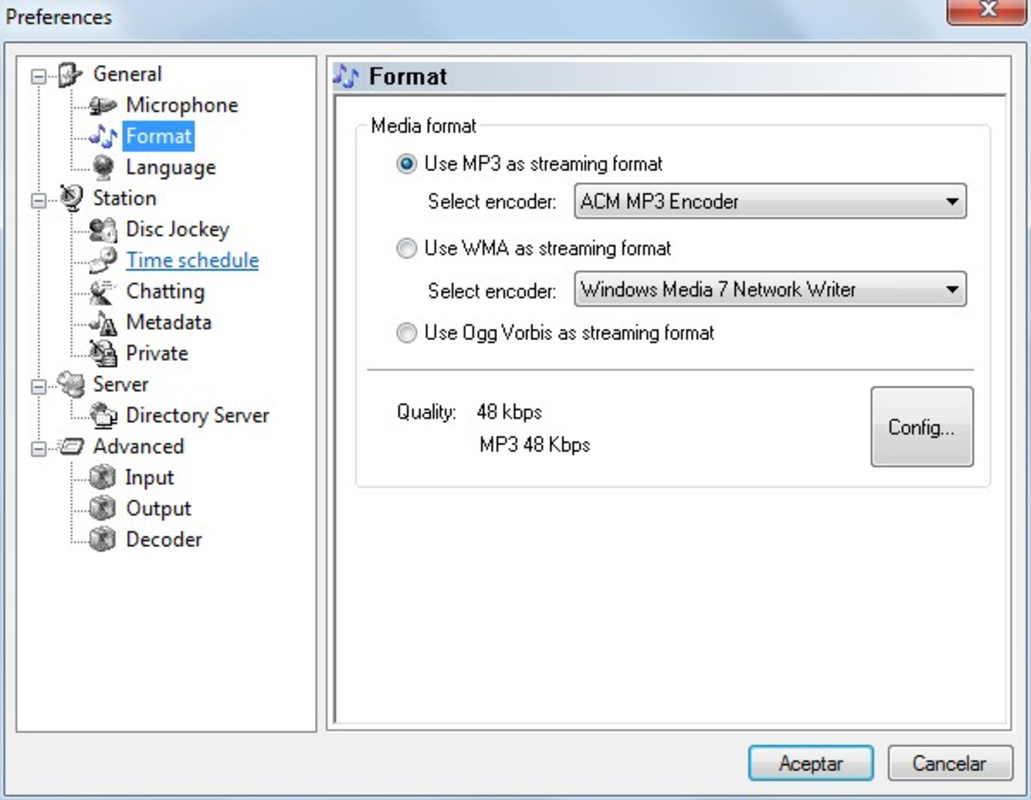
- High-Quality Audio Support: The app supports multiple audio formats including WAV, MPEG, WMA, MIDI, OGG, APE, and FLAC. This broad compatibility ensures users can broadcast content from various sources without format conversion, preserving audio fidelity.
- Microphone Reverb Control: A notable feature is the ability to adjust reverb levels on live microphone input. This helps refine vocal clarity by reducing echo and adding depth, improving the overall listening experience for remote audiences.
- Personalized Broadcasting Experience: JetCast allows users to tailor their station’s identity through customizable settings. This flexibility supports creative expression, enabling unique audio experiences ranging from casual chat streams to curated music broadcasts.
These features collectively support real-world use cases such as live podcasting, community radio initiatives, or sharing music with a close circle. The app’s design prioritizes functionality without overwhelming users with complex options.
Interface, UX & Performance
JetCast presents a minimalist interface focused on core broadcasting tasks. The layout emphasizes clarity, with buttons and controls logically arranged for quick navigation. Visual feedback during streaming is consistent, helping users monitor transmission status and audio input levels.
Navigation is straightforward, with a linear flow from setup to broadcast initiation. The app maintains responsiveness during active sessions, though the developer did not list formal performance metrics. Although the app is small in size at 11.8 MB, its performance may vary across older Android devices due to the lack of specified minimum requirements.
Stability appears reliable based on its long-standing presence, but no user reports or crash statistics were provided. The app does not require excessive permissions, suggesting a lightweight footprint. Users can expect consistent operation during standard broadcasting tasks, though extended sessions may be affected by device-specific limitations not disclosed by the developer.
Platform Compatibility & Technical Requirements
JetCast is available on the Android platform, with the current version listed as 2.1.2. The app has a file size of 11.8 MB, making it suitable for devices with limited storage. However, the developer did not specify minimum OS requirements or compatibility with specific Android versions.
While the app is free to download and install, no information was provided about future updates, security patches, or support timelines. Users should be aware that the app was first released in 2014, which may impact its compatibility with modern Android systems, especially those requiring updated API levels or security standards.
Compatibility with iOS or other platforms was not mentioned. The developer did not disclose whether the app supports tablets, wearables, or other device types.
Pros and Cons
Pros
- Free to download and use with no in-app purchases
- Supports a wide range of audio formats including FLAC and WAV
- Intuitive interface suitable for users of all experience levels
- Offers both public and private broadcasting options
- Includes microphone reverb control for enhanced audio quality
Cons
- Released in 2014; may lack support for modern Android security standards
- Developer did not provide OS version requirements or update history
- No official information on long-term maintenance or future development
- Limited visibility into technical performance on different devices
- Platform availability restricted to Android only
FAQ
Is JetCast available for iOS devices?
The developer did not specify whether JetCast is compatible with iOS. The app is confirmed to be available on Android.
Can I broadcast live music using JetCast?
Yes, JetCast supports live audio streaming from various sources, including music files and live microphone input, enabling users to broadcast music in real time.
Does JetCast require an internet connection?
Yes, a stable internet connection is required to stream audio content over the internet. The app cannot function offline.
Is JetCast safe to download and install?
JetCast is free and available through official channels. However, since the app has not been updated since 2014, users should ensure their device’s security settings allow installation from third-party sources.
How do I update JetCast?
As of now, no update mechanism or release history was provided by the developer. Users may need to manually check for newer versions through the developer’s website or related software packages.
Final Thoughts
JetCast remains a functional tool for users interested in creating personalized internet radio stations, particularly those already using the JetAudio ecosystem. Its support for multiple audio formats, intuitive interface, and microphone reverb control offer meaningful advantages for content creators seeking a lightweight broadcasting solution. While the app’s age raises concerns about compatibility and security on modern Android devices, its core features remain relevant for niche use cases.
For hobbyists, small community groups, or individuals exploring audio broadcasting without complex tools, JetCast provides a practical starting point. Its free model and straightforward setup make it accessible to a broad audience. However, users should approach it with awareness of its outdated release date and limited support.
Download JetCast now


