
Screenshots
App details
- Updated
- Mar 8, 2012
- Language
- English
- Developer
- JimiSoft
- Category
- Mobile
About JMreader
Download JMreader – reading app, text reader, book reader, document reader, e-book reader, .txt reader, .html reader, .zip reader, .rar reader
Overview
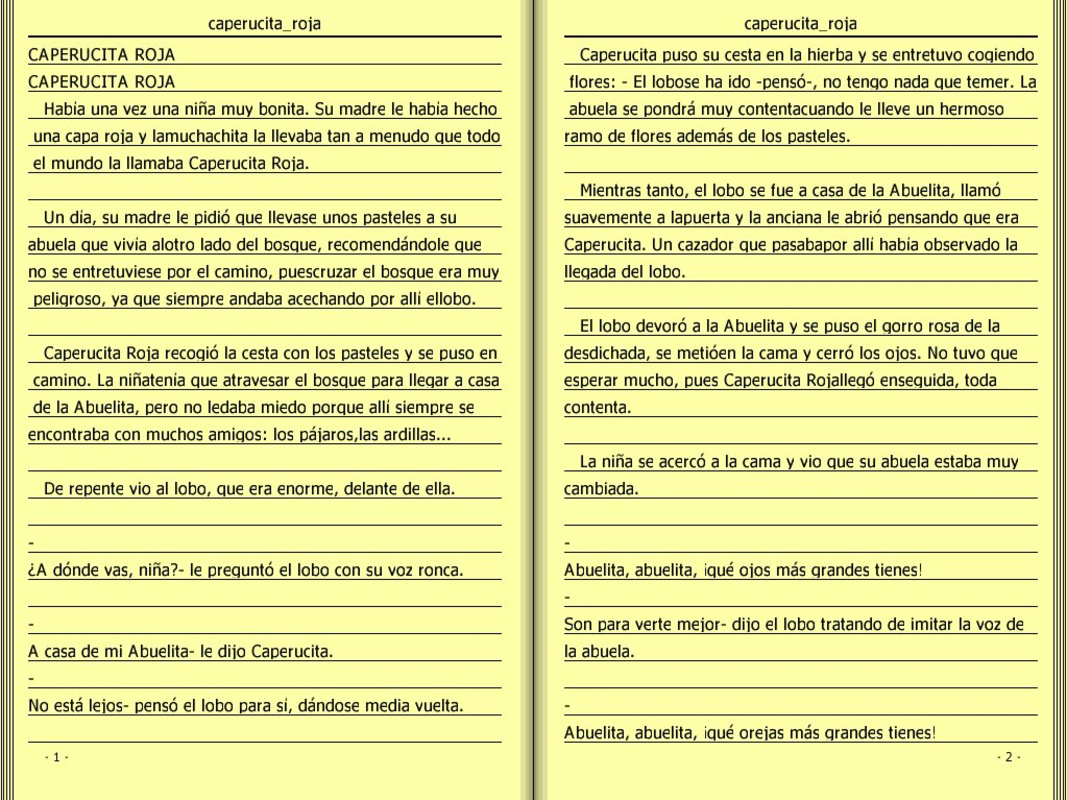
JMreader is a specialized mobile application designed to transform the way users interact with digital text files by simulating the tactile experience of reading a physical book. Targeted at individuals who frequently read plain text or HTML documents on their smartphones or tablets, the app aims to reduce eye strain and cognitive fatigue associated with continuous scrolling. By presenting content in a book-like layout, JMreader eliminates the need for constant vertical navigation, offering a more natural and immersive reading flow.
The app supports .txt and .html file formats, making it suitable for users who work with technical documentation, scripts, web content, or personal notes. Additionally, it can directly access documents stored within .zip and .rar archives without requiring prior extraction, streamlining access to compressed files. This functionality is particularly useful for users managing large collections of digital texts or downloading content in archive form.
Although the developer did not provide additional technical details, JMreader has been available since 2012, indicating a long-standing presence in the productivity space. Its continued availability suggests a stable core functionality, appealing to users seeking a minimalist, no-frills reading experience. The app’s focus on simplicity and usability positions it as a niche yet valuable tool within the broader ecosystem of mobile productivity applications.
Key Features & Functionality
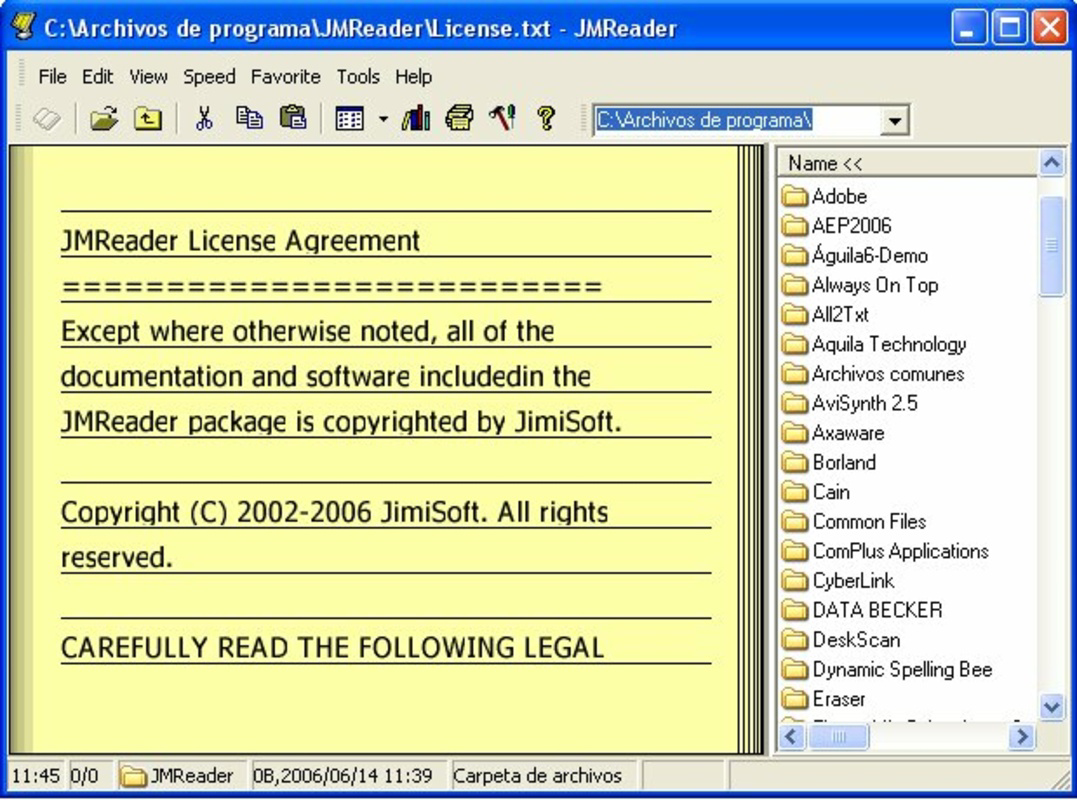
- Book-like Display: JMreader renders text files in a page-by-page format that mimics the layout of a physical book. This design allows users to navigate content by flipping pages, reducing the mental load associated with scrolling through long documents.
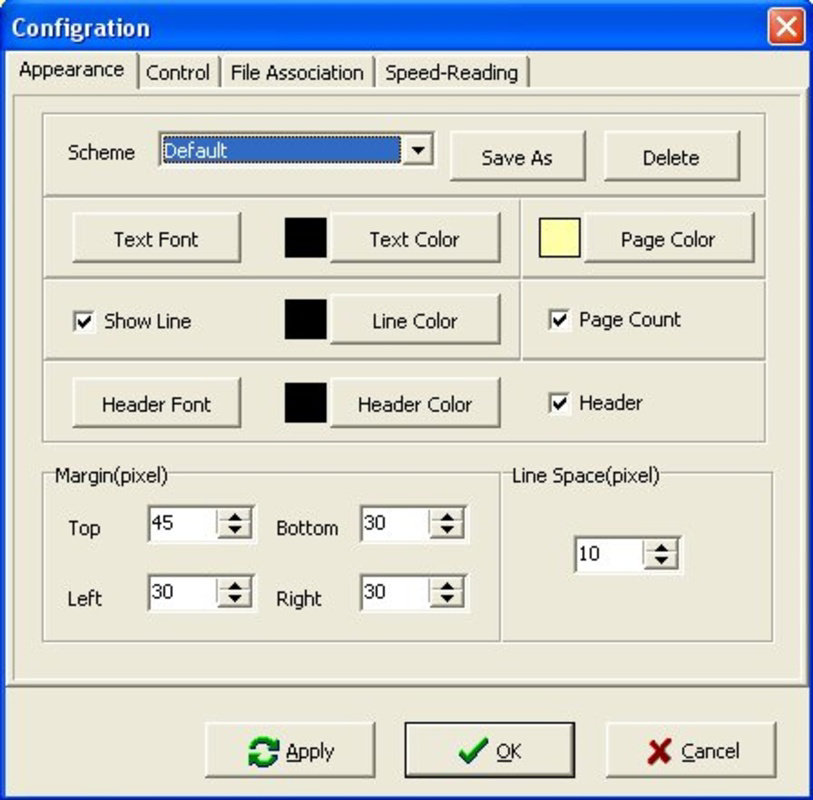
- Configurable Reading Settings: Users can adjust font size, background color, and text color to suit their visual preferences and reading environment. This customization enhances accessibility and comfort during extended reading sessions.
- Multi-format Support: The app natively reads .txt and .html files, preserving basic formatting for HTML content. It also supports direct reading of documents within .zip and .rar archives, enabling users to access compressed files without prior decompression.
- Seamless Navigation: Instead of relying on scroll bars or sidebars, JMreader enables intuitive page transitions. Users can tap or swipe to move forward or backward through content, creating a tactile and engaging reading experience.
For example, a user reading a lengthy technical manual stored in a .zip file can open it directly within JMreader and navigate through the document as if it were a bound book. Similarly, someone reviewing a web page saved as an .html file can experience it with clean, readable formatting without browser clutter. These features make the app ideal for students, researchers, and professionals who prioritize clarity and focus during text consumption.
Interface, UX & Performance
JMreader features a clean, minimalist interface centered around the reading experience. The layout emphasizes content visibility, with minimal on-screen controls to avoid distraction. Navigation is handled through simple tap or swipe gestures, allowing users to flip pages intuitively. The app’s visual style is designed to reduce eye strain, with a focus on legibility and readability.
Although the developer did not list formal performance metrics, the app’s lightweight nature—1.2 MB in size—suggests efficient resource usage. It is likely optimized for a wide range of Android devices, including lower-end models. The app’s responsiveness is expected to be consistent across different screen sizes, though specific performance data was not provided.
Stability appears to be a core strength, given the app’s long availability since 2012. While no official updates have been documented beyond version 2.1.1, the app’s continued functionality indicates a reliable foundation. Users should expect smooth transitions between pages and consistent rendering of supported file types, though detailed benchmarking was not available.
Platform Compatibility & Technical Requirements
JMreader is available exclusively on the Android platform. The current version is 2.1.1, with a file size of 1.2 MB. The developer did not specify minimum OS requirements, nor did they provide information on supported device architectures or screen resolutions.
Given its small footprint and long-standing presence, the app is likely compatible with a broad range of Android devices released over the past decade. However, without formal compatibility details, users are advised to test the app on their specific device to confirm functionality. The app is free to download and install, making it accessible to a wide audience seeking a lightweight reading tool.
Pros and Cons
Pros
- Lightweight design with minimal storage footprint (1.2 MB)
- Simulates a physical book reading experience, reducing scrolling fatigue
- Supports direct reading of .zip and .rar compressed files
- Offers customizable font and color settings for personalized reading
- Free to download and use with no in-app purchases
Cons
- No official information on minimum OS version or device compatibility
- No recent updates since version 2.1.1 (as of 2012)
- Limited to .txt, .html, .zip, and .rar file formats
- No support for advanced e-book formats like EPUB or MOBI
- Developer did not provide technical specifications or performance benchmarks
FAQ
Is JMreader safe to download and install?
Yes, JMreader is free and available through official Android channels. Its small size and long-standing presence suggest a low risk of malicious components. However, users should ensure downloads come from trusted sources.
Can I use JMreader on iOS devices?
Currently, the app is only available for Android. There is no official iOS version or release planned.
Does JMreader support EPUB or MOBI files?
No, the app does not support EPUB or MOBI formats. It is designed specifically for .txt, .html, .zip, and .rar files.
How do I open a compressed document in JMreader?
Simply navigate to the .zip or .rar file within your device’s file manager and open it using JMreader. The app will read the contained document directly without requiring decompression.
Is there a way to update JMreader?
The latest version available is 2.1.1, released in 2012. No official update channel has been documented. Users should check their device’s app store for any potential updates, though none are currently listed.
Final Thoughts
JMreader stands out as a focused, minimalist tool for users who value a distraction-free reading experience. Its book-like interface, combined with support for common text and compressed file formats, makes it a practical choice for those managing digital documents on Android. While the app lacks modern features and has not been updated in over a decade, its core functionality remains intact and effective.
It is particularly beneficial for students, researchers, and professionals who work with plain text or HTML files stored in archives. The ability to read compressed documents without extraction adds significant convenience. Despite its limitations in format support and lack of recent updates, JMreader delivers a unique value proposition in a crowded market.
For users seeking a secure, lightweight, and free reading app that prioritizes simplicity and usability, JMreader remains a viable option. Download JMreader now.
Guides & Tutorials
How to install JMreader
- Click the Download button above.
- Once redirected, accept the terms and click Install.
- Wait for the JMreader download to finish on your device.
How to use JMreader
This software is primarily used for its core features described above. Open the app after installation to explore its capabilities.
User Reviews
No reviews yet. Be the first to share your experience.
You may also like
more
Que no te pillen¡
About !Que no te pillen¡Reviewed by Jason A. BilbreyShow MoreShow Less

3D Combat Zone
About 3D Combat ZoneOriginally released in 1983, 3D Combat Zone immerses players...

666: El día del portal
About 666: El día del portalOn June 6, 2006, Agent P. Stone uncovers a sinister...

80 in 1 Best Flash games
About 80 in 1 Best Flash games 80 in 1 Best Flash games is a collection of 80 fl...

ABYSS SEEKERーーWhat Do You See Deep in The Abyss
About ABYSS SEEKERーーWhat Do You See Deep in The AbyssIn ABYSS SEEKER, players...

ACA NEOGEO THE KING OF FIGHTERS 2002 for Windows
About ACA NEOGEO THE KING OF FIGHTERS 2002 for WindowsTHE KING OF FIGHTERS 2002,...
