



Download KeepMouseSpeedOK – cursor speed, mouse sensitivity, Windows, utility, tool, productivity, fix, tweak, portable, no install, lightweight
Overview
KeepMouseSpeedOK is a lightweight, portable utility designed to address a common yet frustrating issue on Windows systems: inconsistent cursor speed settings. The application is specifically tailored for users who experience unexpected changes in mouse sensitivity, often triggered by system updates, driver resets, or application-specific configurations. By maintaining a fixed cursor speed, KeepMouseSpeedOK ensures consistent performance across tasks, from precise graphic design work to fast-paced gaming. The tool is ideal for both casual users and professionals who rely on stable input responsiveness. Developed by Joe C. Jones, the app reflects a focused approach to solving a niche but impactful problem in the Windows ecosystem. Its minimal footprint and lack of installation requirements make it accessible to users across different environments, including shared or restricted workstations. The app is particularly useful in scenarios where administrative access is limited or when users need to quickly adjust settings without leaving their workflow. As a productivity-enhancing tool, KeepMouseSpeedOK fits seamlessly into daily routines, offering a reliable solution to a recurring technical inconvenience. The developer did not provide additional technical details about the underlying mechanism, but the app’s functionality appears to operate at the system level to override default cursor speed resets.
Key Features & Functionality
- Portable Operation: KeepMouseSpeedOK requires no installation, allowing users to run it directly from any folder, USB drive, or local directory. This is especially beneficial in environments where software installation is restricted.
- Real-Time Cursor Speed Adjustment: A simple slider interface enables immediate tuning of mouse sensitivity, with changes applied instantly. Users can fine-tune speed for different tasks without restarting applications.
- System Tray Integration: Once launched, the app runs in the background and can be accessed via the system tray. This allows for quick access to settings without cluttering the desktop or interrupting active workflows.
- One-Touch Speed Reset: The app allows users to revert to a previously saved cursor speed with just two clicks, eliminating the need to manually reconfigure settings after system resets.
- Extremely Lightweight Design: At only 50 KB, KeepMouseSpeedOK consumes negligible system resources, ensuring it does not impact performance or storage on any device.
For example, a gamer using multiple applications may experience inconsistent mouse behavior when switching between games and productivity tools. KeepMouseSpeedOK allows them to lock in their preferred sensitivity and restore it instantly. Similarly, a designer working on detailed vector art can maintain precise control without sudden speed fluctuations. The app’s minimal interface ensures that users can make adjustments without distraction, making it a practical utility for both efficiency and consistency.
Interface, UX & Performance
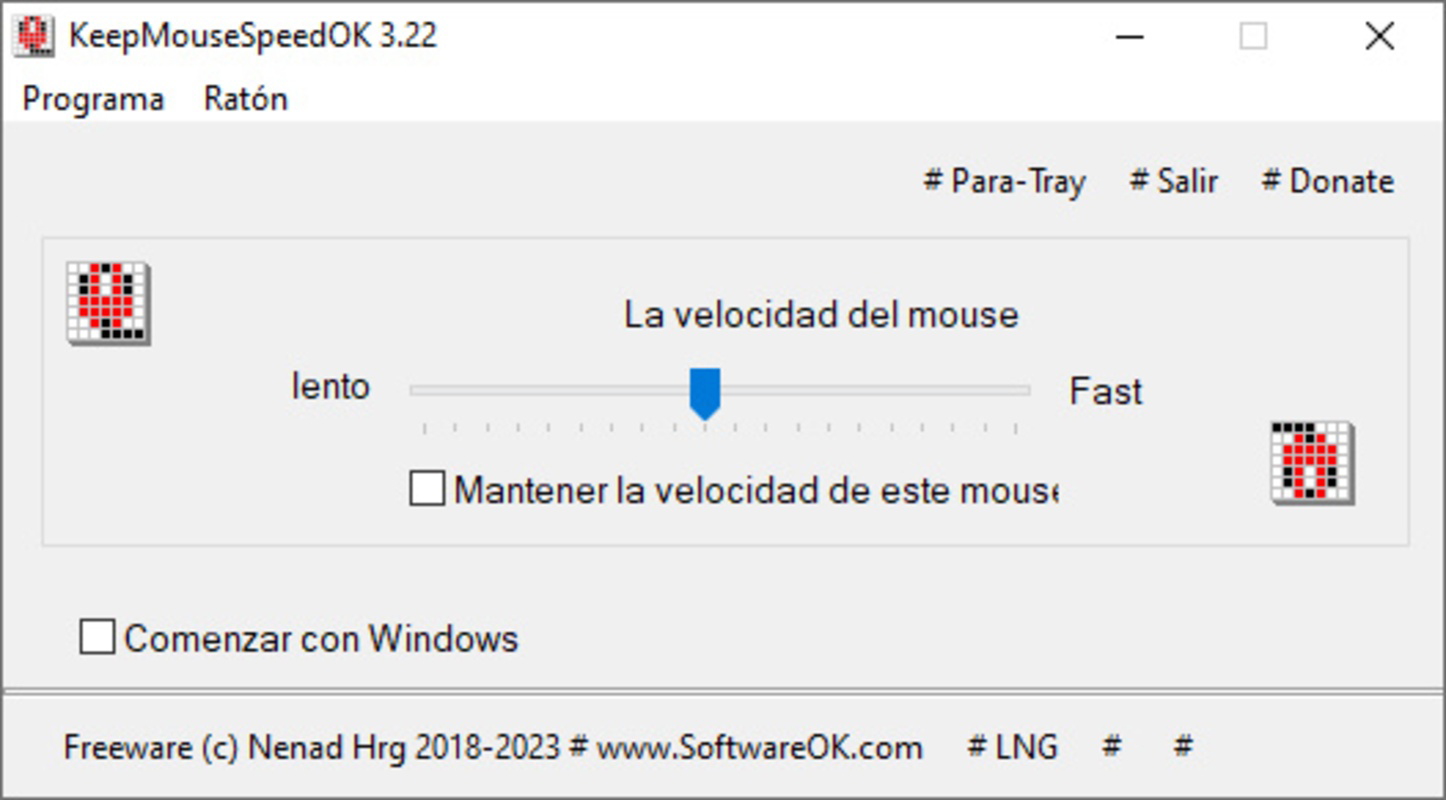
The user interface of KeepMouseSpeedOK is intentionally minimal, reflecting its utility-focused design. The application features a compact window with a single slider for adjusting cursor speed, accompanied by a small icon that appears in the system tray upon launch. Navigation is straightforward: users open the app, adjust the slider to their desired sensitivity, and minimize it to the background. The interface is clean and unobtrusive, avoiding unnecessary visual elements that could distract from its core function. Interaction is responsive, with changes to the slider taking effect immediately. Although the developer did not list formal performance metrics, the app’s lightweight nature suggests it operates efficiently across a range of Windows devices, including older or low-resource systems. The application remains stable during extended use and does not cause system lag or crashes. It runs silently in the background, consuming minimal CPU and memory. Responsiveness is consistent, with no noticeable delay between slider movement and cursor behavior. The system tray access ensures that users can quickly restore or adjust settings without navigating through multiple menus. Overall, the UX prioritizes speed, simplicity, and reliability—hallmarks of a well-designed utility tool.
Platform Compatibility & Technical Requirements
KeepMouseSpeedOK is designed exclusively for Windows platforms. The application is compatible with Windows operating systems, though specific version requirements were not listed. It is distributed as a standalone executable file with a file size of 50 KB, making it highly portable and easy to transfer between devices. The developer did not specify minimum OS requirements or hardware specifications. As a result, compatibility with older or newer Windows versions cannot be confirmed. However, given its small size and lack of dependencies, it is likely to function on most modern Windows systems. The app does not require administrative privileges to run, which enhances its usability in restricted environments. No additional software or drivers are needed for operation. The developer did not provide information on support for alternative platforms such as macOS or Linux. Users should ensure they are downloading the correct version from trusted sources to avoid security risks.
Pros and Cons
Pros
- Extremely lightweight at just 50 KB, minimizing system impact.
- Portable—no installation required, ideal for shared or restricted systems.
- Simple, intuitive interface with real-time adjustments via a slider.
- Runs in the background and is accessible through the system tray.
- Quick speed reset feature with minimal user input.
Cons
- Specific OS compatibility details were not provided.
- No official update notifications or version history disclosed.
- Limited to Windows platform; no support for other operating systems.
- Developer did not provide documentation or in-app help.
- Only one core function—cursor speed control—may limit broader utility.
FAQ
Is KeepMouseSpeedOK safe to download and use?
Yes, the app is free and designed to be a lightweight utility. However, users should only download it from trusted sources to ensure the file is unaltered and secure.
Can I use KeepMouseSpeedOK on older Windows versions?
While the developer did not specify compatibility, the app’s small size and lack of dependencies suggest it may work on older systems. Testing on your device is recommended.
Do I need admin rights to run this app?
No, KeepMouseSpeedOK is portable and does not require administrative privileges to operate.
Is KeepMouseSpeedOK available for macOS or Linux?
Currently, the app is only available for Windows. There is no official support for other operating systems.
How do I reset my cursor speed using KeepMouseSpeedOK?
Simply open the app from the system tray, adjust the slider to your preferred speed, or use the built-in reset function if available. The exact method may vary based on the current version.
Final Thoughts
KeepMouseSpeedOK delivers a focused, reliable solution to a persistent Windows issue—unwanted cursor speed changes. Its compact size, portability, and ease of use make it a valuable tool for anyone who values consistency in mouse responsiveness. While it lacks advanced features or multi-platform support, its simplicity is its strength. Users seeking a no-frills, secure way to maintain their preferred mouse sensitivity will find this utility effective and efficient. Whether you're a gamer, designer, or office worker, KeepMouseSpeedOK helps eliminate frustration caused by erratic input settings. It’s a smart, lightweight addition to any productivity toolkit. Download KeepMouseSpeedOK now.


