
Screenshots
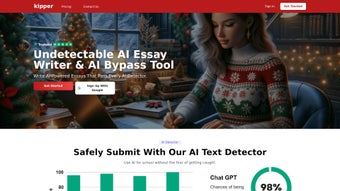
App details
- Updated
- June 14, 2025
- Requires
- Chrome
- License
- Subscription
- Developer
- kipper
- Category
- Web Apps
About Kipper
Download Kipper – AI‑Powered Essay Writing Tool for Students
Overview – Why Kipper Is the Student’s Best Ally in Academic Writing
In the modern classroom, the pressure to produce high‑quality essays while juggling lectures, labs, part‑time jobs, and extracurricular activities can feel overwhelming. Many students struggle to find the time to research, outline, write, and polish a paper that meets both academic standards and strict citation requirements. Kipper addresses this pain point by offering an AI‑driven, subscription‑based web application that automates the most labor‑intensive parts of essay creation. With a single click, the “Essay Writer” drafts a complete, plagiarism‑free manuscript that includes in‑text citations and a bibliography formatted in the style of the student’s choice. The platform also hosts an “AI Teacher” that answers subject‑specific questions in real time, a “Summarizer” that condenses lengthy articles into bite‑size overviews, and a “Text Enhancer” that polishes grammar, tone, and readability. All of these tools are wrapped in a secure cloud environment that complies with GDPR and FERPA, ensuring that personal data and intellectual property remain protected. For learners who value efficiency, accuracy, and academic integrity, Kipper transforms a daunting assignment into a manageable workflow, allowing them to focus on critical analysis and deeper learning rather than the mechanical aspects of writing. The result is a reliable partner that boosts productivity, reduces stress, and ultimately improves grades.
Features Deep Dive – What Kipper Brings to the Table
- Essay Writer: Generates a fully structured, plagiarism‑free essay in seconds, automatically inserting sources and formatting references in APA, MLA, Chicago, Harvard, or IEEE styles.
- AI Teacher: Provides instant, curriculum‑aligned explanations, step‑by‑step problem solving, and contextual examples across STEM, humanities, and social sciences.
- Summarizer: Converts long research papers, textbook chapters, or web articles into concise, bullet‑point summaries that highlight key arguments and data.
- Text Enhancer: Detects grammar mistakes, suggests style improvements, and expands vocabulary while preserving the writer’s unique voice.
- Anti‑Aid Detector: Scans every generated paragraph against multiple plagiarism databases, guaranteeing originality before the final download.
- Multi‑File Support: Accepts DOCX, PDF, TXT, and Markdown, enabling smooth import and export of drafts.
- Customizable Templates: Offers pre‑built essay structures—argumentative, analytical, reflective, case study—and lets students adapt them to specific assignment rubrics.
- Secure Cloud Storage: Saves all work in encrypted cloud folders, accessible from any device and protected by two‑factor authentication.
- Progressive Web App (PWA): Allows a lightweight “install” on desktops or mobile devices, providing offline caching for previously loaded resources and quick‑launch icons.
- Real‑Time Collaboration: Enables sharing of drafts with peers or instructors for instant feedback without leaving the platform.
Installation, Usage & Compatibility – Getting Started in Minutes
Kipper is a cloud‑native solution, which means there is no traditional software download or installation routine for Windows, macOS, or Linux. To begin, students visit Kipper’s official website, create a secure account, and select a subscription tier that fits their budget. The onboarding wizard walks users through a quick tutorial: setting citation preferences, choosing a writing template, and testing the AI Teacher with a sample question. Because the service runs entirely in modern browsers, it supports Windows 10/11, macOS 10.15+, Chrome OS, Android 8.0+, and iOS 13+. The responsive UI adjusts to laptops, tablets, and smartphones, ensuring a consistent experience across devices.
For students who prefer a more native feel, Kipper offers a Progressive Web App (PWA). By clicking “Add to Home Screen” in Chrome, Edge, or Safari, the app installs a shortcut that launches in a minimal window, caches static assets for faster loading, and even works offline for previously generated drafts. Security is baked in: all traffic is encrypted with TLS 1.3, passwords are hashed using bcrypt, and optional two‑factor authentication adds an extra layer of protection. After logging in, creating a new essay is as simple as selecting a template, typing a brief prompt, and hitting “Generate.” The AI produces an outline, expands it into a full manuscript, and then opens an editable view where the Text Enhancer and Summarizer can be applied instantly. Users can also upload existing documents for quick summarization or language polishing, making Kipper a versatile companion from research to final submission.
Pros & Cons – A Balanced Look at Kipper’s Strengths and Weaknesses
Pros
- Generates high‑quality, plagiarism‑free essays in seconds, saving countless hours.
- AI Teacher delivers subject‑specific help, reducing the need for expensive tutoring.
- Summarizer and Text Enhancer streamline research and improve writing polish.
- Works on any modern browser and offers a PWA for desktop‑like convenience.
- Secure cloud storage meets GDPR and FERPA standards, keeping student data safe.
- Flexible pricing with student discounts and a 7‑day free trial.
- Customizable templates and citation style options cover a wide range of academic disciplines.
- Collaboration tools enable real‑time feedback from peers or instructors.
Cons
- Full functionality requires a stable internet connection; offline mode is limited to cached drafts.
- Subscription cost, while reasonable, may be a barrier for students on very tight budgets.
- AI‑generated content still benefits from a final human review to ensure nuanced argumentation.
- Learning curve for new users unfamiliar with AI‑assisted writing tools.
- Advanced features such as real‑time collaboration are only available on higher‑tier plans.
FAQ & Conclusion – Your Last Questions Answered and the Next Step
Frequently Asked Questions
Is Kipper’s content truly plagiarism‑free?
Yes. Kipper’s built‑in Anti‑Aid Detector cross‑checks every generated paragraph against major plagiarism databases, ensuring originality before you download the final document.
Can I use Kipper on my mobile phone or tablet?
Absolutely. The responsive design and dedicated PWA work on Android 8.0+, iOS 13+, and any modern browser, delivering the same feature set as the desktop version.
Which citation styles does Kipper support?
Kipper supports APA, MLA, Chicago, Harvard, and IEEE formats. Users select their preferred style in the settings panel before generating the essay.
Is there a free trial available for new users?
Yes. Kipper offers a 7‑day free trial with unrestricted access to all core features. After the trial, a subscription is required to continue using the platform.
How does Kipper protect my documents and personal data?
All data transfers use TLS 1.3 encryption, files are stored encrypted in the cloud, passwords are hashed with bcrypt, and two‑factor authentication is optional for added security.
Conclusion & Call to Action
Kipper stands out as a comprehensive, AI‑driven solution that tackles the most time‑consuming aspects of academic writing. By automating essay creation, offering instant tutoring, and providing powerful editing tools, it empowers students to produce high‑quality work without compromising integrity. While a reliable internet connection and a modest subscription fee are required, the productivity gains, stress reduction, and confidence boost make Kipper a worthwhile investment for anyone serious about academic success. Ready to experience stress‑free essay writing? Start your free trial today and see how AI can transform your study routine.
Guides & Tutorials
How to install Kipper
- Click the Download button above.
- Once redirected, accept the terms and click Install.
- Wait for the Kipper download to finish on your device.
How to use Kipper
This software is primarily used for its core features described above. Open the app after installation to explore its capabilities.
User Reviews
No reviews yet. Be the first to share your experience.
You may also like
more
3D AI Studio
3D AI Studio Overview 3D AI Studio is a web-based AI-powered tool developed by S...

3D textures by Polycam
Generate Realistic 3D Textures Effortlessly 3D Textures by Polycam is an innovat...

3DAiLY
Customizable 3D Modeling Tool: 3DAiLY 3DAiLY is an online platform that harnesse...

3DFY
Revolutionizing 3D Model Creation: 3DFY Review 3DFY is an AI-powered service, de...

AI Dungeon
AI Dungeon: Deep Learning Text Adventure AI Dungeon is an artificial intelligenc...

Alpha3D
A subscription-based program for Web apps, by alpha3d. Alpha3D is a subscription...
