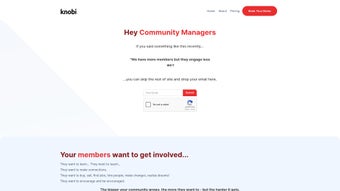

Download Knoby – AI‑Powered Community Management Tool
Overview of Knoby
Knoby is a cutting‑edge web application designed specifically for online community managers who want to harness the power of artificial intelligence without the need for extensive technical expertise. Built on a secure cloud infrastructure, Knoby centralises all community data—forums, FAQs, member profiles, and content libraries—into a single, searchable knowledge base. From the moment a new member joins, the platform’s AI‑driven onboarding engine analyses their interests, previous interactions, and preferred communication style, delivering a personalised welcome experience that feels native rather than scripted. This level of customisation not only reduces churn but also accelerates the learning curve for newcomers, allowing them to find relevant discussions, resources, or support tickets within seconds.
The real magic of Knoby lies in its ability to transform static community assets into dynamic, conversational agents. Community managers can create custom knowledge bots that draw on the entire repository of articles, past conversations, and even external APIs. These bots answer questions in natural language, provide step‑by‑step guides, and can even flag ambiguous queries for human review. The platform also automates content curation, identifying trending topics, drafting newsletter snippets, and scheduling posts based on member activity patterns. Real‑time alerts keep moderators informed of spikes in traffic, potential conflicts, or emerging trends, making proactive management a reality rather than a reaction.
In short, Knoby blends AI, automation, and intuitive design into a single SaaS solution that empowers both small hobby groups and large enterprise forums to scale their engagement, improve member satisfaction, and free up valuable admin time.
Key Features That Set Knoby Apart
- Custom Knowledge Bots: Build AI‑powered bots without coding. Bots pull from community archives, FAQs, and external data sources to answer member queries instantly.
- AI‑Driven Onboarding: Personalised welcome flows adapt to each member’s interests, ensuring they see the most relevant discussions from day one.
- Automated Content Curation: The system analyses posting trends, surfacing hot topics, and automatically drafts newsletter sections or summary posts.
- Real‑Time Activity Alerts: Receive instant notifications about spikes in traffic, potential conflicts, or trending keywords, enabling swift moderator action.
- Insightful Analytics Dashboard: Track engagement metrics, member growth, and content performance with visual reports that can be exported for deeper analysis.
- Seamless Integration: Connect Knoby with popular platforms such as Discord, Slack, WordPress, and custom APIs via webhooks and OAuth.
- Multi‑Language Support: AI models are trained on multilingual corpora, allowing bots to respond in the language of the user automatically.
- Secure Data Handling: End‑to‑end encryption, GDPR compliance, and role‑based access controls keep community data safe.
Each of these features is designed to reduce manual effort while boosting member interaction. For example, the content curation engine uses natural language processing to tag posts, recommend related threads, and even suggest titles that optimise click‑through rates. Meanwhile, the analytics suite offers heat‑maps of member activity, allowing admins to pinpoint the best times for live Q&A sessions or community events. The combination of proactive alerts and AI‑generated summaries ensures that moderators are never caught off‑guard by rapid shifts in conversation dynamics.
Knoby’s integration capabilities mean you can embed the knowledge bots directly into your existing forum or chat environment. Whether you run a niche hobby forum on Discourse or a large professional network on Microsoft Teams, the platform’s API layer abstracts the complexity, delivering a consistent experience across all touchpoints. This flexibility is especially valuable for organisations that manage multiple community channels and need a unified knowledge base that updates in real time.
Installation, Setup, and Compatibility
Getting started with Knoby is intentionally straightforward. As a cloud‑native SaaS product, there is no traditional installation on local machines—simply create an account, verify your email, and you’re ready to configure your community space. The onboarding wizard walks you through connecting your existing community platforms (e.g., Discord, Slack, WordPress, or custom forums) via OAuth or API keys. Once linked, Knoby begins indexing content automatically; the initial crawl may take a few minutes depending on the size of your archive, after which the AI engine starts learning from the data.
Step‑by‑step setup:
- Visit knobi.com and click “Start Free Trial”.
- Enter your organisation’s name, select a primary domain, and set a strong password.
- Choose the platforms you want to integrate. Use the provided OAuth flow for Discord/Slack or paste API endpoints for custom solutions.
- Run the initial content sync. Knoby will scan forums, knowledge bases, and attached files.
- Configure your first knowledge bot by selecting a name, defining the knowledge scope, and customizing the welcome message.
- Activate real‑time alerts and set notification preferences for moderators.
- Launch the community dashboard and start monitoring engagement metrics.
Because Knoby lives in the browser, it works on any modern operating system. The compatible operating systems include Windows 10/11, macOS Monterey and later, Linux distributions with recent browsers, as well as Android 9+ and iOS 14+ for mobile management. The responsive design ensures that both admins and members can interact with bots, view analytics, or receive alerts from smartphones, tablets, or desktops without losing functionality.
Security‑focused teams will appreciate the built‑in SSO support (Okta, Azure AD, Google Workspace) and the ability to enforce MFA for all admin accounts. For organisations with strict data residency requirements, Knoby offers regional data centers in North America, Europe, and Asia‑Pacific, selectable during account creation.
Pros and Cons – A Balanced Look at Knoby
Pros
- Intuitive, no‑code bot builder makes AI accessible to non‑technical users.
- Comprehensive automation (onboarding, content curation, alerts) reduces manual workload.
- Strong integration ecosystem with popular community platforms.
- Multi‑language support expands reach for global communities.
- Robust analytics and real‑time monitoring empower data‑driven decisions.
- Secure, GDPR‑compliant architecture with role‑based access control.
- Responsive web interface works across Windows, macOS, Linux, Android, and iOS.
Cons
- Initial content sync can be time‑consuming for very large archives.
- Advanced customisation of bot behaviour may require a learning curve.
- Pricing tiers above the free plan are subscription‑based, which may be a barrier for very small hobby groups.
- Some third‑party integrations (e.g., legacy forum software) might need manual API configuration.
- Real‑time alerts can generate notification fatigue if not properly tuned.
Overall, Knoby delivers a powerful blend of AI features and community‑centric tools that justify its price point for growing organisations. The few drawbacks are largely mitigated by thoughtful configuration and the platform’s flexible pricing options, which include a free tier for up to 2,000 active members.
Frequently Asked Questions & Final Thoughts
Is Knoby free to use for small communities?
Yes. Knoby offers a free tier that supports up to 2,000 active members, includes one knowledge bot, and provides basic analytics. This plan is ideal for hobby groups or startups testing the platform.
How secure is my community data on Knoby?
Knoby employs end‑to‑end encryption, regular security audits, and complies with GDPR, CCPA, and ISO 27001 standards. Administrators can enforce multi‑factor authentication and restrict access by role.
Can I integrate Knoby with my existing Discord server?
Absolutely. Knoby provides a native Discord integration that syncs channels, users, and messages. Once linked, bots can respond directly in Discord threads, and alerts appear as embedded messages.
What kind of support does Knoby offer?
All plans include email support, while paid tiers receive priority chat support, dedicated account managers, and access to a knowledge base with step‑by‑step tutorials.
How does the AI onboarding personalise the member experience?
When a new user signs up, Knoby analyses their profile, prior activity on linked platforms, and any stated interests. The AI then assembles a customised welcome message, suggests relevant threads, and can even schedule an introductory live chat with a moderator if needed.
Conclusion – Why You Should Download Knoby Today
In an era where community engagement directly impacts brand loyalty and user retention, having an intelligent assistant that can automate routine tasks while delivering personalised experiences is no longer a luxury—it’s a necessity. Knoby’s blend of AI‑driven bots, automated content curation, and real‑time alerts equips community managers with the tools they need to scale efficiently without sacrificing the human touch that members value.
Whether you’re running a tech forum, a fan club, or an enterprise‑grade support community, Knoby’s secure, cross‑platform design ensures you can manage interactions from any device, anywhere. The free tier provides a risk‑free entry point, while the paid plans unlock advanced analytics, multiple bots, and premium support—making the platform adaptable to any growth stage.
Ready to transform your community management workflow? Download Knobi now and experience a smarter, more engaged online space today.



.png)




