

설명
WordPress organizes media by upload date. That’s it. When you have thousands of files, finding the right image becomes a nightmare of endless scrolling.
👉 CatFolders gives you real organization. Drag and drop files into custom folders that match how you actually work. Problem solved!
Ready to organize by project, client, topic, or content type instead of random upload dates?
Organize your WordPress Media Library with an intuitive folder-based system:
- Create unlimited folders for your media files
- Drag and drop interface for easy organization
- Filter and search media by folder
- Clean, user-friendly interface integrated directly into WordPress
- Compatible with popular WP page builders and themes
🔗 Documentation | CatFolders Pro 🚀
🗂️ Ready to take your document management to a whole new level, literally?
✨ Explore the CatFolders Document Gallery plugin – now integrated with the power of multi-level folders!
⚡️ FEATURES
After installing and activating WP Media Folders, you will have an integrated folder tree right inside the WordPress media library.
Unlimited folders
With WP Media Folders – CatFolders Lite version, you will be able to create unlimited main folders and freely move them to the position you want.
Import categories from other WP media folders plugins
Are you considering migrating to CatFolders? We’ve got it covered! With CatFolders, importing your established folder structure is simple and takes only one click. You will then be able to find your familiar categories in CatFolders-fashion.
CatFolders supports easy folder import from these plugins:
- FileBird by NinjaTeam
- Enhanced Media Library by wpUXsolutions
- WordPress Media Library Folders by Max Foundry
- WordPress Real Media Library by Devowl
- WP Media Folder by JoomUnited
- HappyFiles by Thomas Ehrig
- Folders by Premio
- Wicked Folders
Works with Media Library Assistant
CatFolders enhances Media > Assistant admin submenu and supports the [mla_gallery] shortcode.
[mla_gallery mla_catf_folder=”120″]
[mla_gallery mla_catf_folder=”120″ attachment_category=mla-category]
Drag and drop multiple files
You can bulk select and drag & drop many files at once to put them in a destination folder. Folders can be bulk selected as well.
SVG support
Simply enable uploading SVG and other vector file types with sanitization included!
Remember recently opened folder
CatFolders comes with a variety of options to decide which folder to be opened on your first visit. You can choose to get back to your most recent folder, or always back to a specific folder, such as “Uncategorized” or “All files.”
Collapsible folder sidebar
The sidebar reserved for the folder tree can be collapsed so that you can have the full-screen view of the WP media library when needed.
Upload files to a specific folder
The enhanced media library uploader allows you to choose a folder first and then upload multiple files from your computer to that folder. You can also bulk-upload many folders from your storage to WordPress media library in a single drag-and-drop.
Works with Grid & List view
All files in a selected folder are sortable in list mode, which means you can easily sort your file list by file name, author, date, and custom post type to which they are uploaded.
In grid mode, CatFolders works great both in the media library and the page/post editor. This helps you choose the media files you need for the work-in-progress content much faster than working with an unorganized media library.
API for developers
REST APIs allow external plugins to perform specific actions, such as getting folder structure or triggering automated tasks.
😻 WHAT’S THERE IN WP MEDIA FOLDERS PRO?
Advanced sort options
Once upgraded, you can sort files by file name, created date, modified date, author, newest or oldest, etc. Whether you want to sort files and folders by default or temporarily, there’s always a sorting method for you.
Create subfolders
Each subfolder is a child of the parent folder above it. With CatFolders Pro, a main folder can hold unlimited subfolders. The parent/child analogy helps you organize your files more efficiently. It’s very easy to hide or show all folders below the selected folder.
Folder access permissions
Enable global folder structure where everyone sees the same categorization, or set folder permissions based on user roles. Access permissions include adding new, viewing, and editing folders. Recommended for multi-author blogs, multi-vendor marketplace websites, and ecommerce businesses.
Third-party themes and page builders
Not every theme and plugin has the same way of building, we work hard to deliver extra compatibility. So WP Media Folders will work with these builders throughout your website building stage:
- Gutenberg: The built-in, block-based editor for WordPress.
- Elementor: Drag-and-drop interface for robust page design.
- WPBakery: The all-in-one page builder for custom layouts.
- Visual Composer: Create professional-looking sites and grow your web creation business in minutes.
- Themify: The ultimate theme and page builder combo.
- Divi Builder by Elegant Themes: Various theme templates with a drag-and-drop interface.
- Thrive Architect: Full web kit with optimized page design.
- Beaver Builder: Build beautiful websites, fast and easy.
- Oxygen: Flexible and powerful WordPress builder.
- Cornerstone Page Builder: Build websites with pixel-perfect precision.
- Tatsu Builder: The next-generation builder for modern WordPress sites.
- Bricks: Visual site builder for WordPress with flexibility and control.
- Brizy WordPress Builder: Fast, intuitive, and designed for speed.
- Fusion Page Builder: The ultimate tool for unlimited design possibilities.
- Zion Builder: Easy to use page builder for Kallyas theme.
- And many more!
👋 WHY USE CATFOLDERS?
CatFolders turns WordPress categories into virtual folders, giving you a real file manager for your media library. Locate any file, document, or image instantly.
Built with ReactJS and modern coding standards, CatFolders creates lightweight virtual folders with minimal load impact. It delivers a smooth and blazing-fast media management experience.
What truly sets CatFolders apart is speed. Install the free version, import a hundred folders, and see the performance for yourself 😉
스크린샷
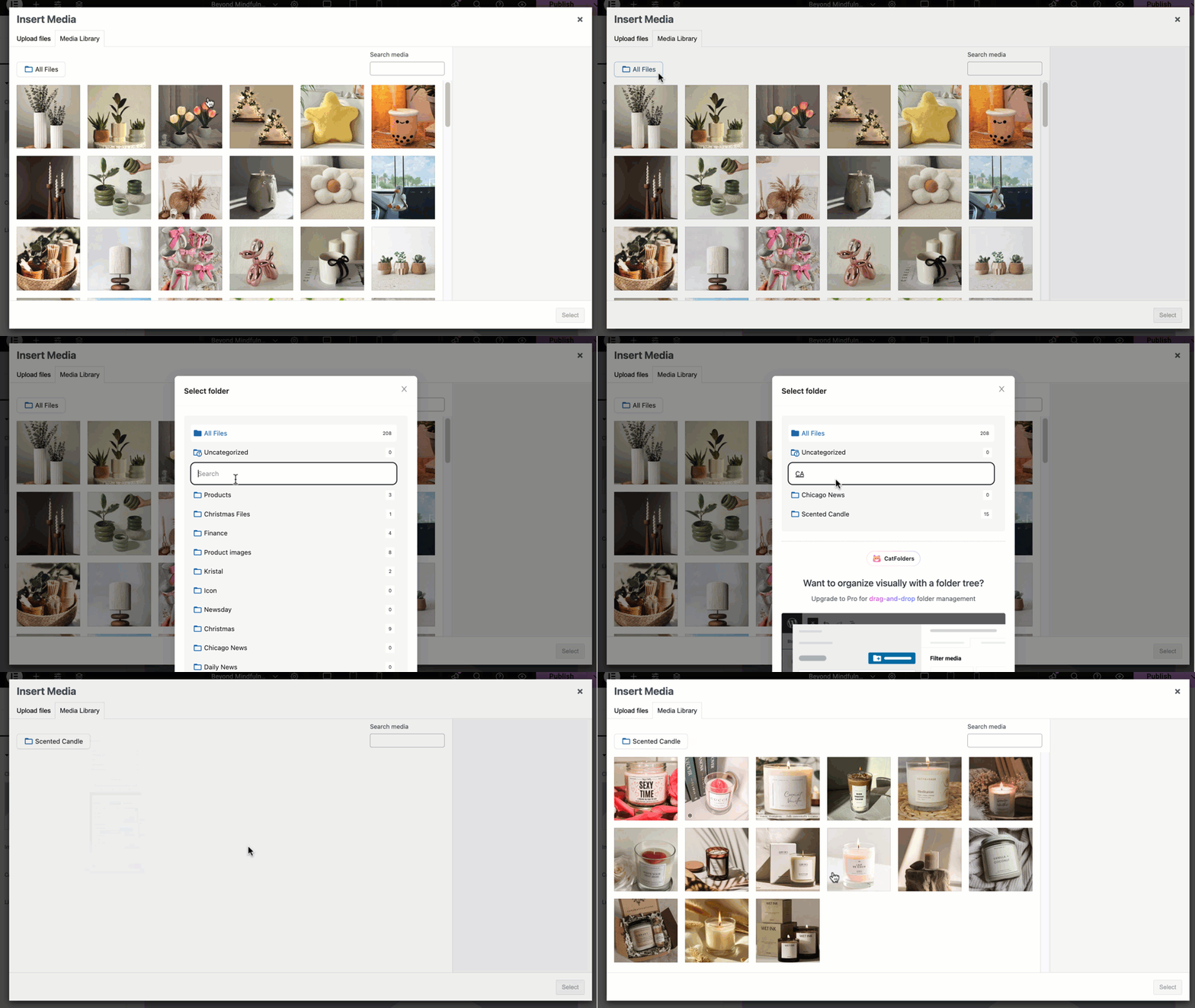
Quickly search folder names in the Upload and Insert Media modal 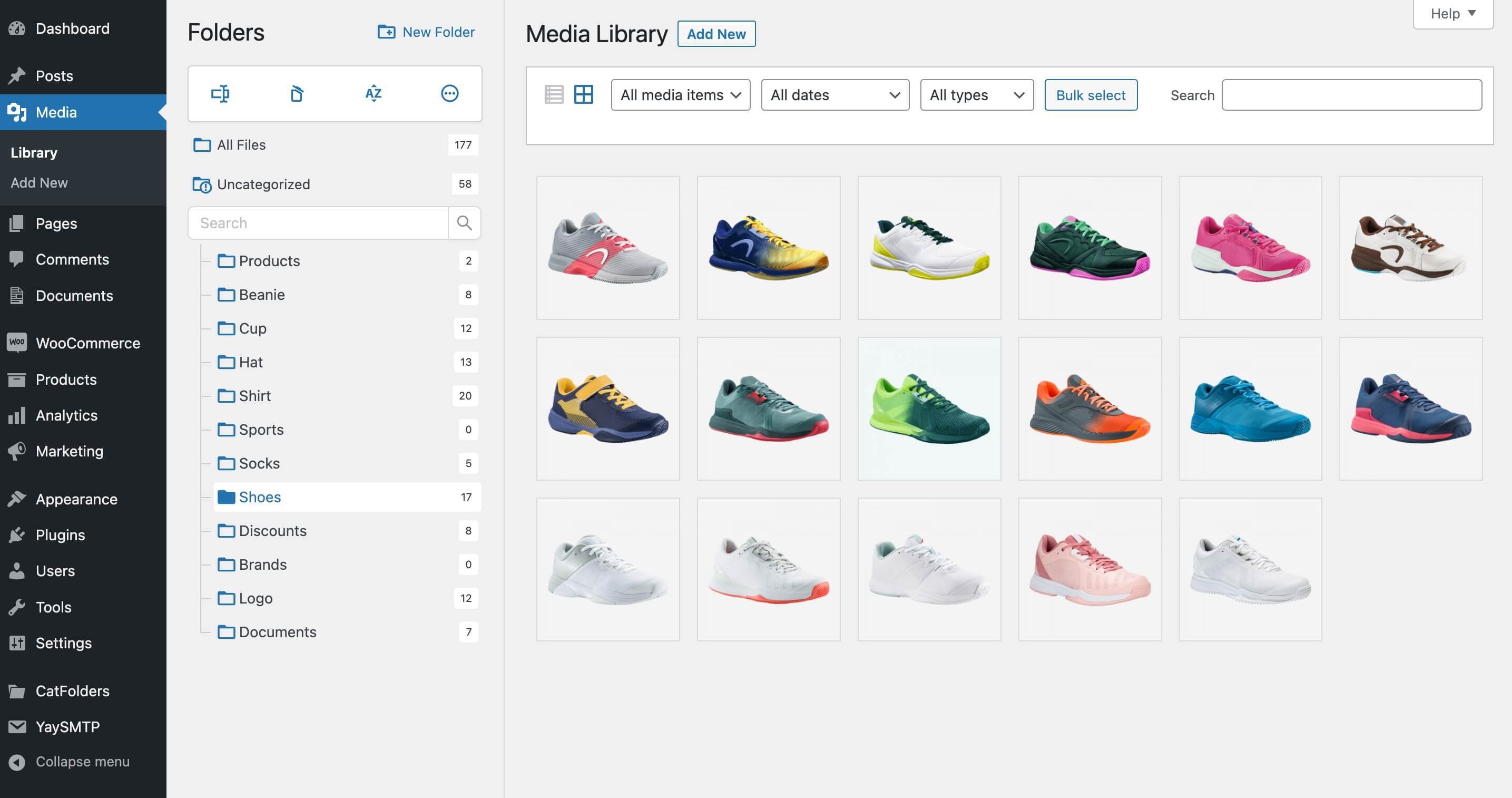
Organize your media library into folders, ideal for eCommerce sites 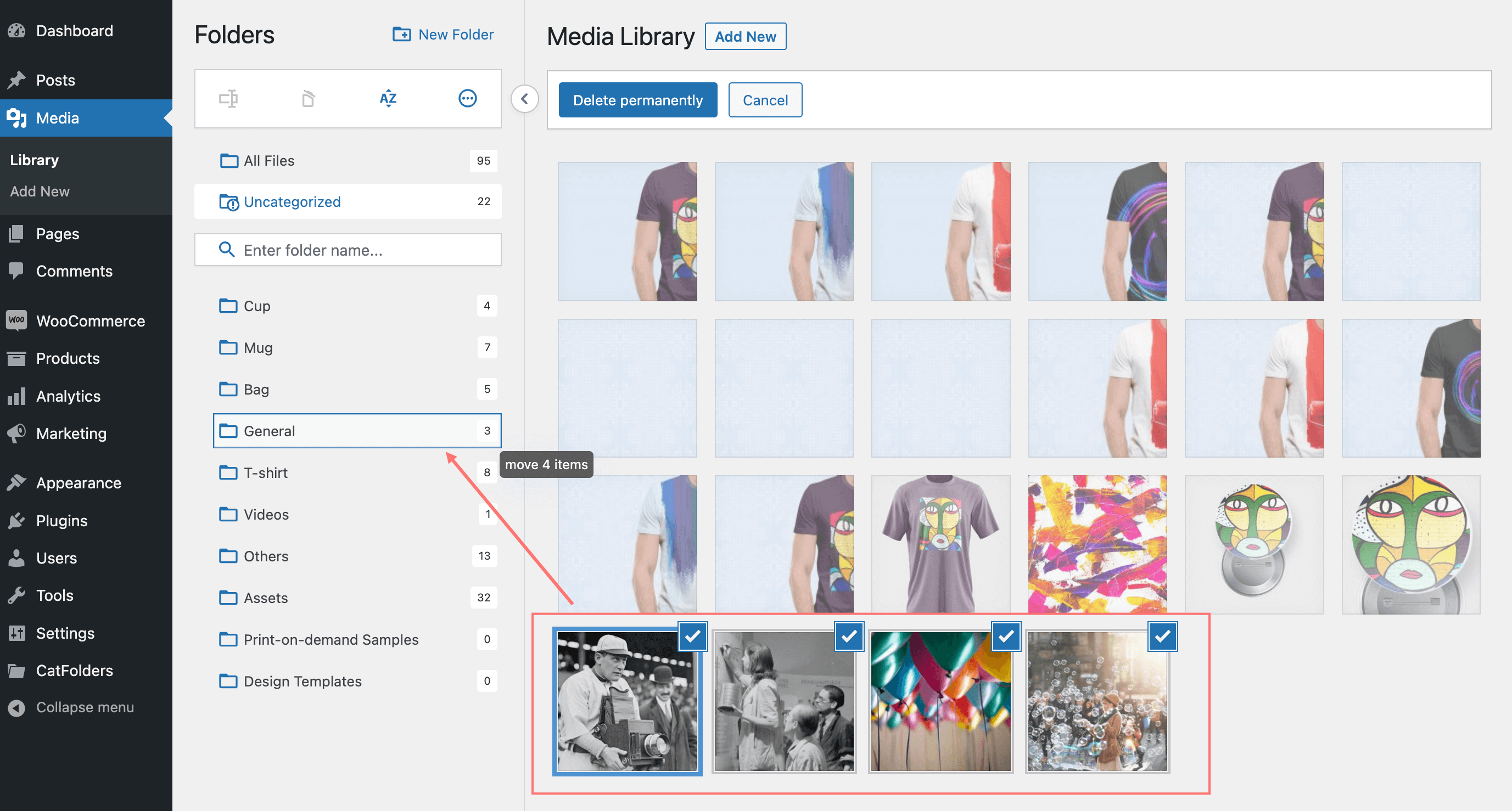
Bulk select and drag & drop files into WP media folders with ease 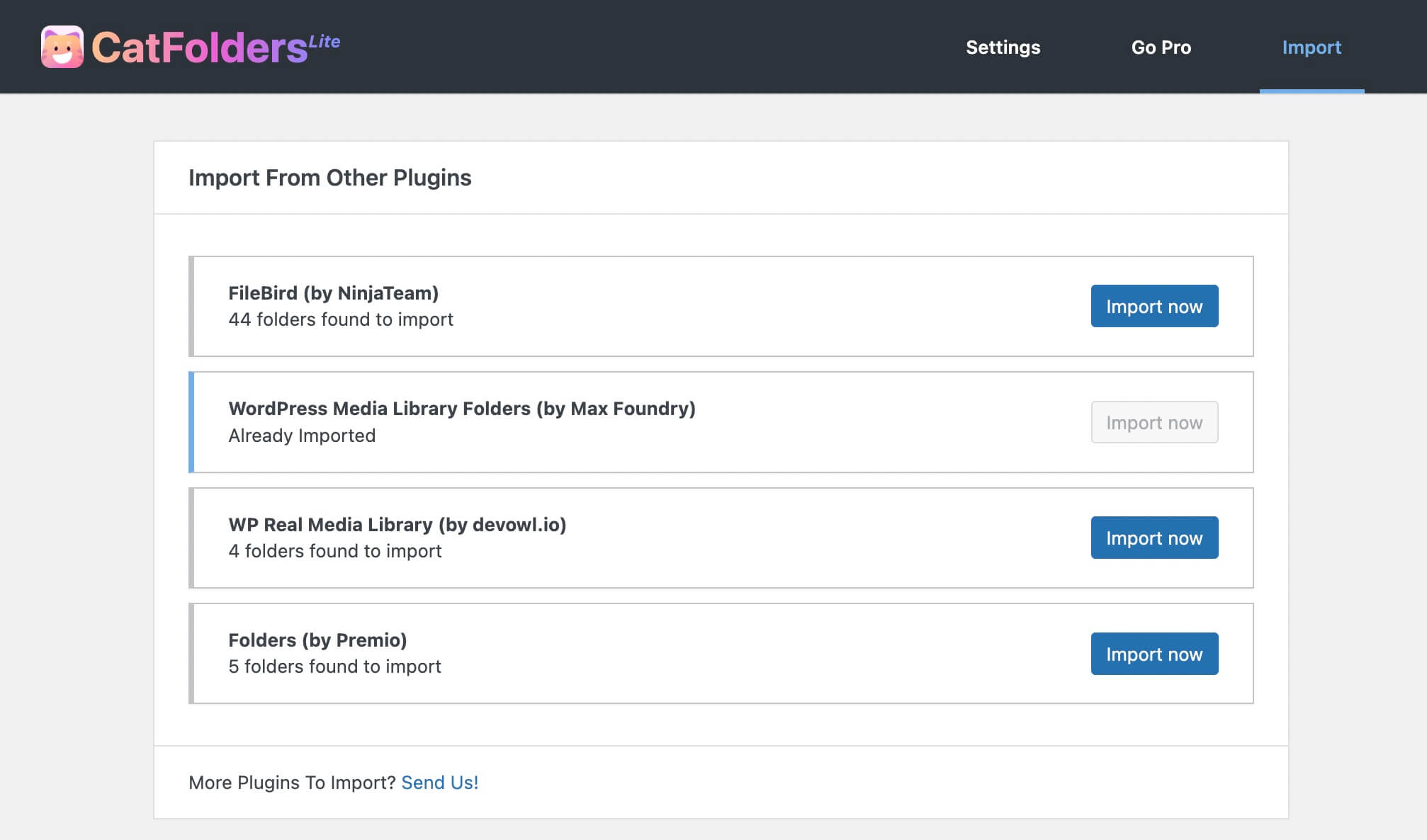
Import folders from other WordPress file manager plugins in one click 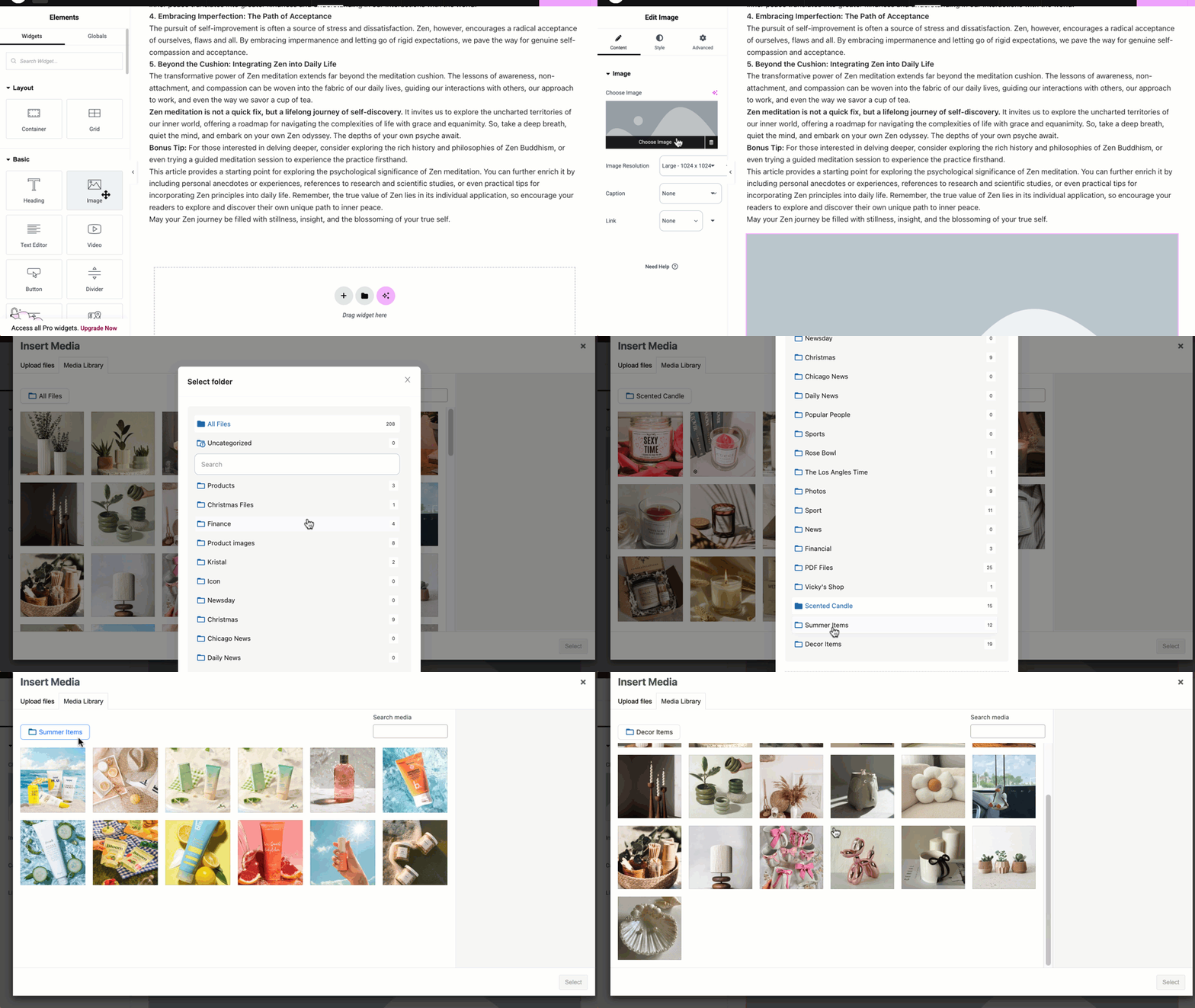
Browse files in Elementor easily with the folder-based media list 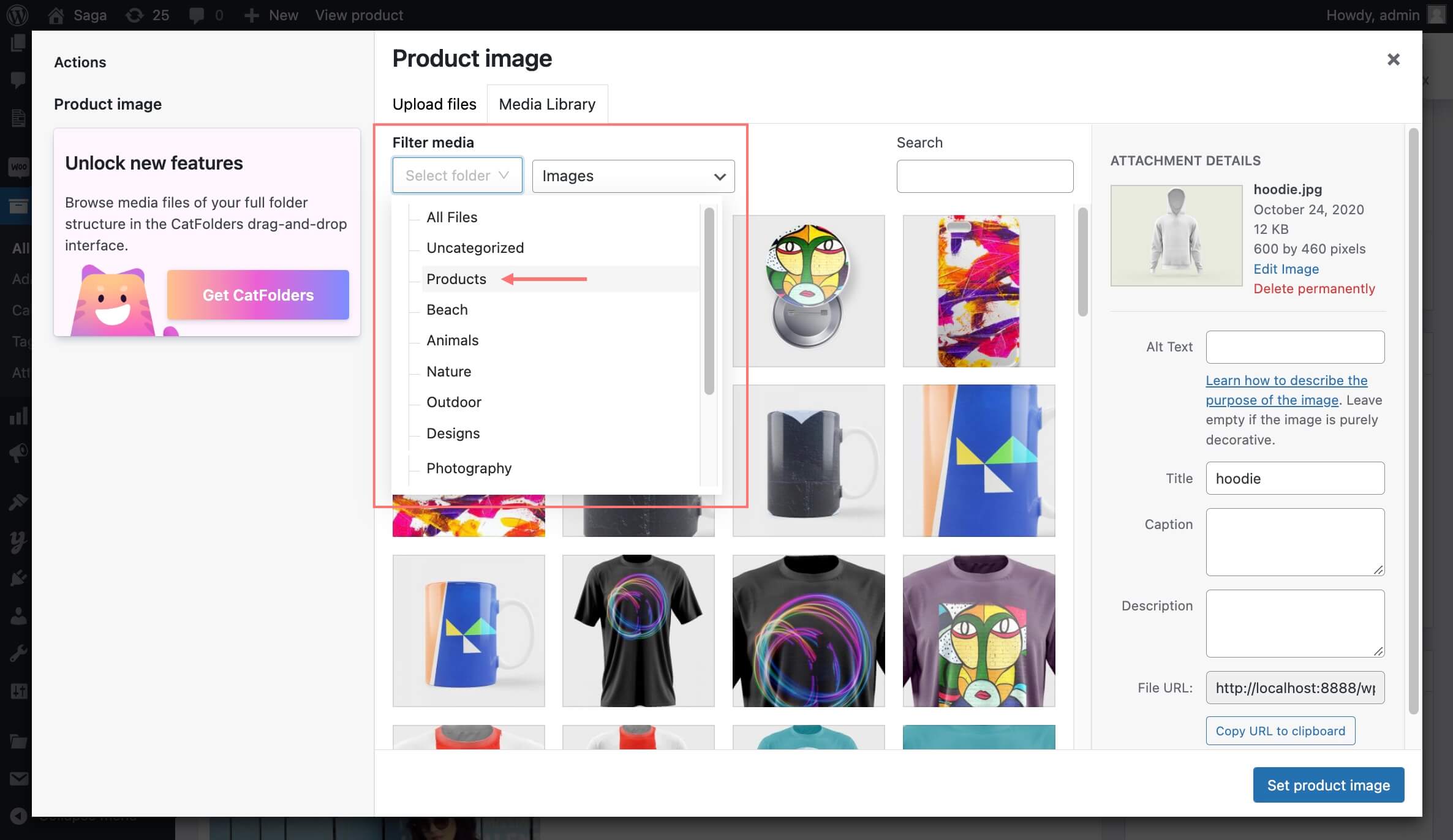
CatFolders Free version supports unlimited top-level folders 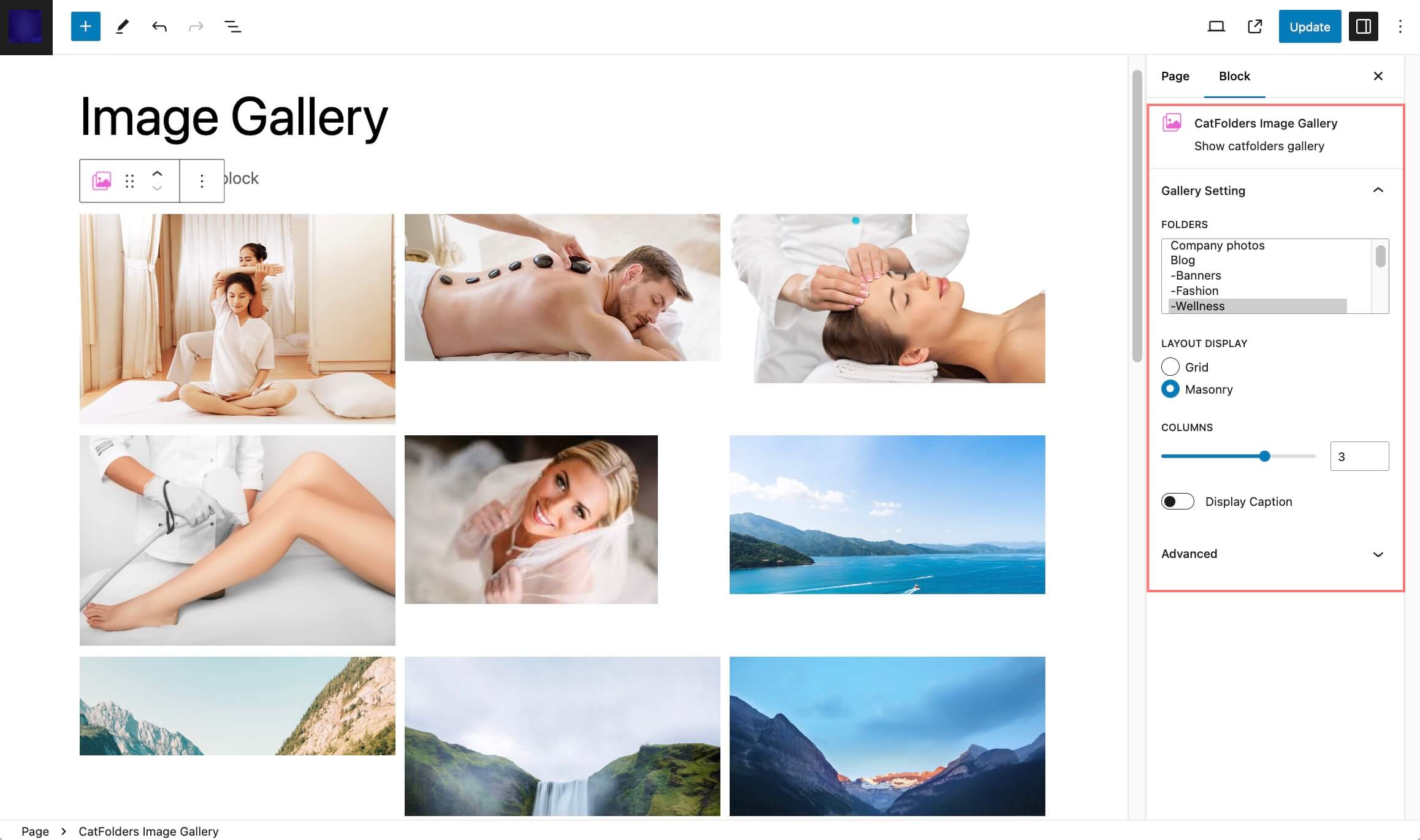
Customizable image gallery block built for Gutenberg 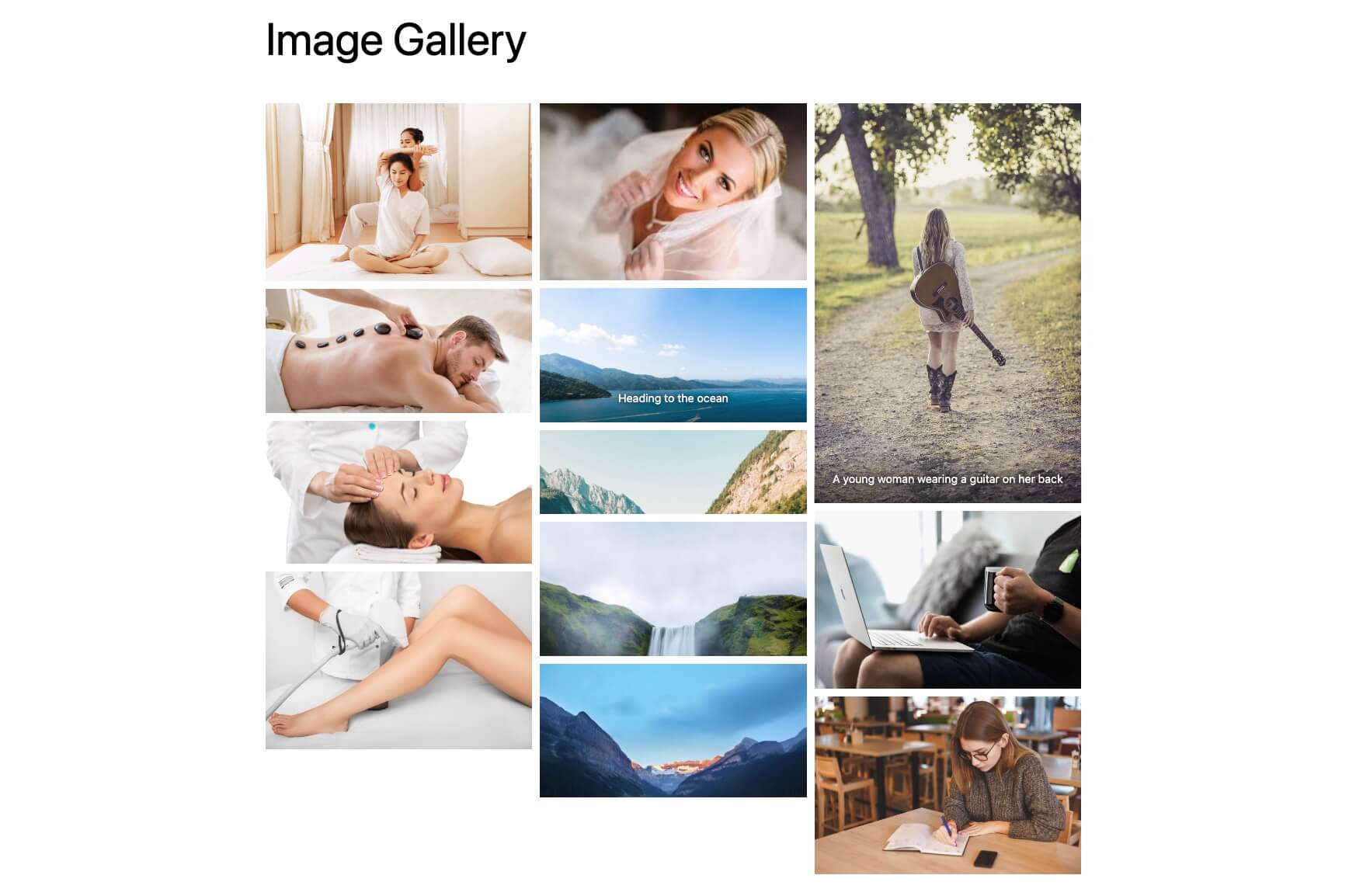
Display dynamic image galleries from selected folders beautifully


블록
이 플러그인은 1개의 블록을 제공합니다.
- CatFolders Image Gallery Show catfolders gallery
설치
- Download the plugin from wordpress.org
- From your WordPress admin dashboard, go to Plugins > Add New, and upload the catfolders.zip file
- Install and activate it
- After activating, just go to WordPress Media > Library to create your first folder/category.
FAQ
-
Will organizing files into folders affect my existing media files or posts?
-
No, CatFolders doesn’t move or alter your actual media files. It simply adds organizational categories to help you manage them better. All existing media links in your posts and pages will continue to work normally.
-
What happens to my folders if I deactivate the plugin?
-
Your media files will remain intact and accessible in the standard WordPress Media Library. The folder structure (categories) will be preserved in your database and will reappear if you reactivate the plugin.
-
Does CatFolders work with page builders like Elementor, Divi, or Gutenberg?
-
Yes, CatFolders is designed to work seamlessly with popular page builders and the WordPress block editor. You’ll see your folder structure when selecting media in these tools.
-
Can I move files between folders?
-
Yes, you can easily move files by dragging and dropping them between folders or by editing the media file and changing its folder assignment.
-
Is there a limit to how many folders I can create?
-
No, you can create as many folders as you need to organize your media library effectively.
-
Will this plugin slow down my website?
-
CatFolders is optimized for performance and only affects the admin area where you manage media. It has no impact on your website’s front-end loading speed.
-
Can multiple users see and use the same folder structure?
-
Yes, the folder structure is site-wide and available to all users with appropriate media library permissions based on their WordPress role.
후기


기여자 & 개발자
“CatFolders – WordPress Media Library Folders & Categories”(은)는 오픈 소스 소프트웨어입니다. 다음의 사람들이 이 플러그인에 기여하였습니다.
기여자
변경이력
Jan 8, 2026 – Version 2.5.4
- Improved: Security
Sep 8, 2025 – Version 2.5.3
- Improved: Security
Aug 27, 2025 – Version 2.5.2
- Added: Flex Layout
- Added: Lightbox
Jul 12, 2025 – Version 2.5.1
- Fixed: Folder dropdown select in the “Select or Upload Media” modal
- Improved: Change settings menu name
Jun 24, 2025 – Version 2.5.0
- New: Add thumbnail link
- Added: Download folder as ZIP (Pro version)
- Added: Sort folder name by default (Pro version)
- Fixed: Issue with DiviBuilder
May 29, 2025 – Version 2.4.9
- Added: Folder browser in popup
- Added: Instant folder name search function in “Select or Upload Media” modal
- Improved: User experience
Feb 24, 2025 – Version 2.4.8
- Added: File location
Feb 12, 2025 – Version 2.4.7
- Fixed: Request handling (compatible with JobBoardWP plugin)
May 23, 2024 – Version 2.4.5
- Added: Rest API for developers
Mar 25, 2024 – Version 2.4.4
- Updated: Remove user-based folder mode
- Updated: Force to merge user folders (View announcement post) – Applied to those sites with user-based folder view enabled
- Improved: “Folder for post types” settings
Feb 9, 2024 – Version 2.3.2
- Added: New translation text
- Improved: Display folder merge notice (because user-folder mode will be sunset soon)
Sep 5, 2023 – Version 2.3.1
- Fixed: Missing .css asset
Aug 31, 2023 – Version 2.3
- Fixed: Conflict with Yoast SEO plugin
Jul 28, 2023 – Version 2.2
- Updated: Beaver Builder supported (PRO)
- Added: Import Wicked Folders
Jul 25, 2023 – Version 2.1
- Improved: Folder name live search
Jun 29, 2023 – Version 2.0
- Fixed: Conflict with WooCommerce layout
- Fixed: Small bugs
Jun 28, 2023 – Version 1.9
- Added: Block for image gallery (Gutenberg)
- Added: Generate attachment size
- Fixed: Some bugs
Jun 14, 2023 – Version 1.8
- Added: First folder notice
- Added: Dashboard Widget
- Updated: AntDesign v5
- Improved: Optimise Tree render
- Improved: Disable bulk select after moving files
- Improved: Replace ‘…Loading’ to Spinner
- Fixed: Prevent detach attachment when moving file in All Categorized Folder
- Fixed: Prevent create sub-folder in context menu
- Fixed: Prevent create empty folder name
Jan 13, 2023 – Version 1.7
- Added: Folder permissions
- Added: Search bar
- Improved: Layout, UI and CSS
- Improved: Performance
- Improved: Translation
- Improved: Context menu
- Changed: Text domain from ‘catf’ into ‘catfolders’
- Updated: Pot file
Dec 17, 2022 – Version 1.6.1
- Added: German translation
Dec 5, 2022 – Version 1.6
- Added: Translation ready
Sep 26, 2022 – Version 1.5
- Added: Support WPML, Polylang
- Added: Right-click menu
- Fixed: Startup folder in modal
- Fixed: Some bugs
Sep 16, 2022 – Version 1.4
- Fixed: Delete folder in modal
- Fixed: Upload file in modal
- Fixed: Small bugs
Sep 12, 2022 – Version 1.3
- Fixed: License activation
Sep 9, 2022 – Version 1.2
- Added: Auto update
- Fixed: UI
Aug 30, 2022 – Version 1.1
- Added: Support page builders
Aug 20, 2022 – Version 1.0
Initial Release
