

설명
Cookie Bricks allows you to create dynamic tags in Bricks Builder that fetch cookie values.
Perfect for personalization based on user behavior or preferences stored in cookies.
스크린샷
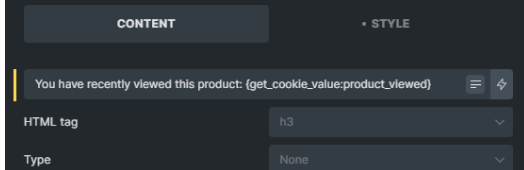
Example of how to insert a cookie value into a text field. 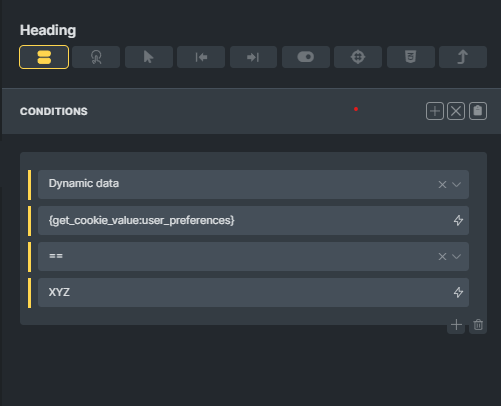
Example of conditional display based on cookie value. 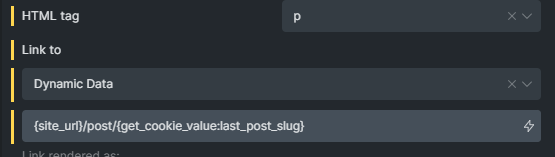
Example of a dynamic URL created with a cookie value. 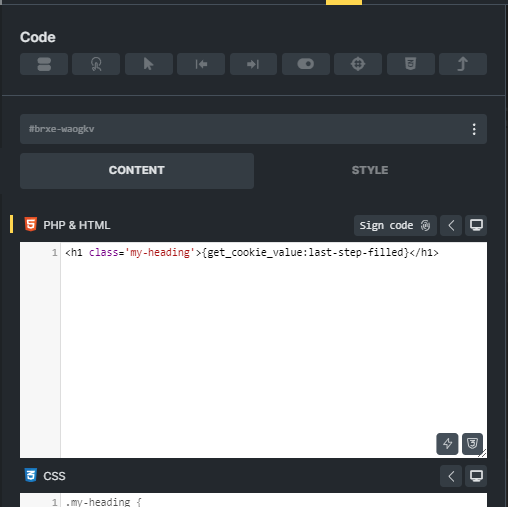
Example of how to insert a cookie value into a code block.


설치
- Upload the
cookie-bricks.zipfolder to the/wp-content/plugins/directory. - Activate the plugin through the “Plugins” menu in WordPress.
- Use the dynamic tag
{get_cookie_value:cookie_name}in Bricks Builder.
FAQ
-
How do I use the plugin?
-
Simply use the dynamic tag
{get_cookie_value:cookie_name}in Bricks Builder, replacingcookie_namewith the key of your desired cookie.You can insert it in any field that supports dynamic tags, such as Heading, Text elements (basic, rich and variants), conditions, custom URLs, code blocks, etc.
For example, to obtain the value of a cookie named
"liked_posts", write{get_cookie_value:liked_posts}. -
Why not simply use values in custom fields (ACF, Metabox…) ?
-
Custom fields are very useful for storing manually entered values. But sometimes you need to use values that are dynamically generated according to user behavior, automatically calculated, or retrieved from other sources. This is where cookies come in.
Examples of use :
Recently consulted articles or products, date of last visit, time spent on a page, last page visited, filter parameters applied to a search, last step completed in a form, last button clicked, choice of theme (dark/light), and many others.For each of these situations, it’s possible to use the value directly in a text field, or to use it for conditional display (e.g. for A/B testing).
-
The tag will return “Cookie not found” by default.
-
On your page, open the browser console with F12 (or CTRL+SHIFT+I), go to the “Applications” tab –> “Cookies” –> yourwebsite.com
⚠️ Currently, Cookie Bricks 1.0 can read the value of a cookie, but cannot create it. Make sure that the cookies you want to retrieve exist in the browser.
후기


기여자 & 개발자

변경이력
See changelog.txt for details.
