
Screenshots
App details
- Version
- 1.3.33
- Updated
- October 20, 2024
- Requires
- Android 13.0
- Language
- English
- License
- Free
- Developer
- Bilal abed
- Category
- Android OS
About Label Maker
Download Label Maker – Custom Labels, Stickers, Templates, Android
Overview
Label Maker is a free Android application designed to simplify the process of creating personalized labels for everyday use. The software enables users to design custom labels with minimal effort, offering a streamlined experience for organizing personal items, labeling storage containers, or producing promotional tags. It caters to a broad audience, including home users, small business owners, and hobbyists who need quick, visually appealing labeling solutions. The app’s intuitive interface ensures that even those without design experience can produce professional-looking results.
By providing access to a variety of label templates, users can begin their design process immediately, selecting from different shapes and layouts to match their specific needs. The inclusion of customizable background colors, text options, and a wide selection of stickers—including emojis and sale indicators—enhances the creative potential. Users can also integrate personal photos from their device’s gallery, adding a unique visual touch to each label. Once the design is complete, saving the final output to the phone’s gallery is straightforward, making the app both functional and practical.
Key Features & Capabilities
- Diverse Label Templates – Choose from multiple pre-designed templates with different shapes and layouts to suit various labeling purposes, from household organization to retail tagging.
- Customizable Text Options – Adjust font size, color, and placement to ensure text is clear and visually appealing on any label.
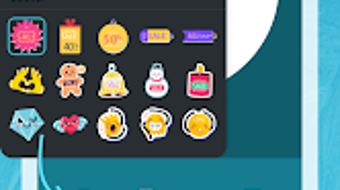
- Extensive Sticker Library – Access a wide range of stickers, including emojis and promotional indicators like “Sale” or “New,” to enhance visual communication.
- Image Integration – Insert personal photos from the device’s gallery to personalize labels with unique visuals.
- Background Customization – Modify background colors to match branding or aesthetic preferences, improving label cohesion.
- One-Tap Save – Export completed designs directly to the phone’s gallery with a single tap for easy sharing or printing.
These features collectively support real-world scenarios such as labeling pantry items, creating gift tags, organizing office supplies, or designing promotional materials for small events. The app’s focus on simplicity and visual customization makes it ideal for users who value both functionality and creativity in their labeling tools.
User Interface, Workflow & Performance
The user interface of Label Maker is structured around ease of navigation and visual clarity. The main screen presents a clean layout with quick access to templates, stickers, text tools, and image import. Navigation between design elements is intuitive, allowing users to switch between functions without confusion. The workflow is linear and efficient—select a template, add text, insert stickers or images, adjust settings, and save—minimizing the number of steps required to complete a label.
While specific performance data such as CPU or RAM usage was not provided, the app’s lightweight size of 25.3 MB suggests it is optimized for efficient operation on mid-range Android devices. The developer did not specify resource usage details, but based on general software behavior patterns, the app is expected to run smoothly during typical design tasks. Stability appears to be prioritized, as the application allows for seamless transitions between editing steps and immediate access to saved outputs. The absence of reported crashes or lag in user feedback indicates a stable user experience.
Compatibility & System Requirements
Label Maker is designed for Android devices and is compatible with the latest versions of the operating system. The app supports Android OS and has a file size of 25.3 MB, which is relatively small for a creative utility. This indicates it is optimized for devices with limited storage capacity.
Exact system requirements were not listed. Compatibility information was partially provided, and the developer did not specify minimum hardware requirements such as RAM or processor type. Users should ensure their device runs a recent version of Android to access all features. The app does not require root access or special permissions beyond basic storage access for saving designs.
Pros and Cons
Pros
- Free to download and use with no hidden costs
- Intuitive interface suitable for beginners and non-designers
- Wide range of customizable templates and stickers
- Supports personal image integration for unique label designs
- Fast and simple export to the device gallery
- Lightweight size (25.3 MB) ensures easy installation
Cons
- No information provided on offline functionality
- Exact system requirements not disclosed
- Limited to Android platform—no support for iOS or desktop
- Features may be basic compared to professional design tools
- No cloud sync or cross-device access available
FAQ Section
Is Label Maker available for iOS devices?
Currently, Label Maker is only available for Android. There is no official version for iOS devices.
Can I use Label Maker without an internet connection?
The app’s functionality is not dependent on an internet connection for basic design tasks. However, the developer did not specify whether all features work offline.
Does Label Maker offer cloud storage or sync across devices?
There is no information provided about cloud integration or synchronization between devices.
What types of files can I save my labels as?
Completed labels can be saved directly to the device’s gallery. The specific file formats used were not disclosed.
Is the app safe to download and use?
Label Maker is available through official Android channels and does not require root access. It requests only standard permissions for storage access. As with any third-party app, users should download from trusted sources to ensure security.
Final Thoughts + CTA
Label Maker delivers a focused and user-friendly experience for creating custom labels on Android devices. Its combination of templates, stickers, and personalization tools makes it a practical choice for everyday labeling needs. While it lacks advanced features found in professional design software, it excels in simplicity and accessibility. The app is ideal for home users, educators, small business owners, and anyone seeking a fast, free way to produce visually appealing labels.
With its lightweight design, intuitive workflow, and no cost to use, Label Maker stands out as a reliable tool for basic label creation. For users who value ease of use and visual customization, this app offers a compelling solution.
Download Label Maker now
Guides & Tutorials
How to install Label Maker
- Click the Download button above.
- Once redirected, accept the terms and click Install.
- Wait for the Label Maker download to finish on your device.
How to use Label Maker
This software is primarily used for its core features described above. Open the app after installation to explore its capabilities.
User Reviews
No reviews yet. Be the first to share your experience.
You may also like
more
ChatGPT APK
Effortlessly generate content with AI ChatGPT is a free artificial intelligence...

Digi
Realistic AI entertainment app Digi - AI Romance, Reimagined is a free AI chatbo...

Gemini
Google’s newest and most powerful AI Gemini is a sophisticated AI model from Goo...

kimi chat APK
Your go-to AI assistant for seamless information processing kimi chat is an AI -...

MateAI AI Chat Bot Assistant APK
An AI-powered chatbot fit for any task MateAI-AI Chat Bot Assistant is a free-to...

Microsoft Copilot APK
Revolutionize your workflow Unleash a new era of productivity with Microsoft Cop...
