
Download LangWatch – AI Model Optimization, Prompt Tuning, Secure Web‑Based Tool
Overview
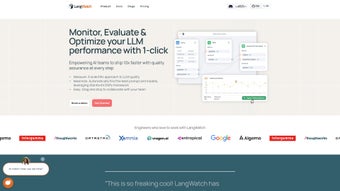
LangWatch is a web‑based platform that empowers teams to squeeze the most out of large language models (LLMs). Built on Stanford’s DSPy framework, the service automatically discovers the best prompts, model versions, and deployment parameters for any AI‑driven use case. Whether you are a data scientist, a legal analyst, a sales strategist, or a healthcare professional, LangWatch provides a visual, drag‑and‑drop workspace that bridges the gap between developers and domain experts. The platform’s analytics dashboard surfaces real‑time metrics on quality, latency, and cost, allowing organizations to monitor the ROI of each experiment. Versioned experiments and full dataset management give you a reproducible workflow, while the DSPy Visualizer lets you watch the optimization journey unfold in a clear, graphical format.
In addition to its core optimization engine, LangWatch offers robust collaboration features such as comment threads, role‑based permissions, and exportable reports. These tools enable cross‑functional teams to work together without the usual friction of sharing notebooks or code snippets. Security is baked in: all data is encrypted at rest and in transit, and the platform complies with ISO‑27001 and GDPR standards, making it suitable for highly regulated industries. The web‑based nature means you can access the full suite from any modern browser, eliminating the need for costly on‑premise installations. By turning complex prompt engineering into a data‑driven, collaborative process, LangWatch shortens the time‑to‑value for AI projects and helps businesses stay competitive in a rapidly evolving market.
Key Features & Analytics Dashboard
- Automatic Prompt & Model Selection: Leveraging DSPy, LangWatch runs thousands of candidate prompts and model configurations in the background, surfacing the top‑performing combos without manual trial‑and‑error.
- Drag‑and‑Drop Experiment Builder: A visual canvas lets users assemble pipelines, attach datasets, and define evaluation metrics with simple blocks.
- Versioned Experiments: Every run is stored as a versioned experiment, making it easy to roll back, compare, or share results across teams.
- Full Dataset Management: Upload, tag, and version your training and test data directly inside the platform, ensuring data provenance.
- DSPy Visualizer: Real‑time charts illustrate convergence, cost curves, and latency trends, helping stakeholders understand trade‑offs instantly.
- Analytics Dashboard: Consolidated view of quality scores (BLEU, ROUGE, custom metrics), latency breakdowns, and cost per token, all filterable by experiment.
- Collaboration Tools: Comment threads, role‑based permissions, and exportable reports foster cross‑functional teamwork.
- Secure Cloud Hosting: End‑to‑end encryption, ISO‑27001 compliance, and role‑based access control keep your data safe.
- Multi‑Industry Templates: Pre‑built pipelines for legal contract review, sales outreach generation, and clinical note summarization reduce onboarding time.
- API & Webhook Integration: Push optimized prompts directly into production services via RESTful endpoints.
Beyond the feature list, the analytics dashboard is the beating heart of LangWatch. It aggregates key performance indicators (KPIs) across all experiments, enabling decision‑makers to spot bottlenecks early. For example, a spike in latency can be traced back to a specific model version, while cost dashboards reveal whether a cheaper model meets the same quality threshold. The dashboard also supports custom widgets, so teams can inject domain‑specific metrics such as legal compliance scores or sales conversion rates. This level of insight is rare in LLM tooling and makes LangWatch a strategic asset for any organization looking to scale AI responsibly.
The dashboard’s UI is designed for both technical and non‑technical users. Interactive heat maps illustrate the relationship between prompt length, token cost, and output quality, while drill‑down tables let power users explore raw experiment logs. Alerts can be configured to notify stakeholders when a metric crosses a predefined threshold, ensuring that performance regressions are caught before they affect production. Combined with the versioned experiment repository, the analytics suite provides a transparent audit trail that satisfies internal governance and external compliance audits.
Installation, Usage & Compatibility
Getting Started – No Local Install Required
Since LangWatch is fully web‑based, there is no traditional software installation on your workstation. Users simply create an account at langwatch.com, verify their email, and are greeted with the onboarding wizard. The wizard guides you through connecting your preferred cloud provider (AWS, Azure, GCP) or selecting the hosted inference option. After linking your account, you can import datasets from local files, cloud storage buckets, or directly from popular data versioning platforms like DVC and Weights & Biases.
Workflow Overview
1. Create a Project: Choose an industry template or start from scratch.
2. Upload Data: Drag‑and‑drop CSV, JSON, or Parquet files; LangWatch auto‑detects columns and suggests preprocessing steps.
3. Define Objectives: Select evaluation metrics (e.g., ROUGE‑L for summarization, F1 for classification) and cost constraints.
4. Run DSPy Optimization: Click “Start Optimization” – the platform launches a distributed search across multiple model endpoints.
5. Review Results: Use the DSPy Visualizer and analytics dashboard to compare experiments, then export the best prompt‑model pair.
6. Deploy: Push the chosen configuration to production via API key or webhook.
Operating System Compatibility
LangWatch runs in any modern web browser, making it compatible with Windows 10/11, macOS Monterey and later, Linux distributions (Ubuntu, Fedora, etc.), as well as Chrome OS. The platform is optimized for Chrome, Edge, and Safari, and it supports mobile browsers on iOS and Android for quick status checks, though full experiment design is best performed on a desktop environment.
Security & Updates
All communications between your browser and LangWatch’s servers are encrypted with TLS 1.3. The platform receives weekly feature updates automatically; there is no need for manual patches. For enterprises, a private‑cloud deployment option is available, allowing you to host the application behind your own firewall while still leveraging the DSPy engine. Role‑based access control, audit logging, and optional single‑sign‑on (SSO) integration with SAML or Azure AD further strengthen the security posture for large organizations.
Pricing and Licensing
LangWatch follows a subscription‑based model with a free 14‑day trial that includes up to 50 optimization runs. After the trial, plans are tiered by the number of monthly experiments and the compute resources you consume. Pay‑as‑you‑go options are also available for teams that prefer variable billing. All plans include access to the analytics dashboard, collaboration suite, and regular security updates.
Pros, Cons & Frequently Asked Questions
Before diving into the detailed pros and cons, it’s worth noting that LangWatch aims to be a one‑stop solution for LLM optimization. The platform’s design balances automation with transparency, giving users both speed and insight. Below you’ll find a concise summary of strengths and weaknesses, followed by a curated FAQ that addresses the most common concerns from both technical and business perspectives.
Pros
- Zero‑install, browser‑based interface accelerates onboarding.
- Automatic prompt and model selection reduces time‑to‑value dramatically.
- Rich analytics dashboard provides transparent cost and performance insights.
- Versioned experiments ensure reproducibility and auditability.
- Industry‑specific templates lower the learning curve for non‑technical users.
- Secure, ISO‑27001‑compliant hosting meets enterprise compliance needs.
- Customizable alerts and widgets let teams monitor KPIs in real time.
- API and webhook support enable seamless integration into existing CI/CD pipelines.
Cons
- Relies on internet connectivity; offline work is not supported.
- Advanced customization of DSPy search strategies may require scripting knowledge.
- Pricing can increase with large‑scale optimization runs on high‑cost models.
- Mobile browsers provide limited UI functionality compared to desktop.
- Learning curve for power users who want to fine‑tune the underlying DSPy engine.
Frequently Asked Questions
Can LangWatch be used with proprietary LLMs?
Yes. LangWatch supports any model that exposes an OpenAI‑compatible API endpoint, including on‑premise or private‑cloud LLMs. You simply register the endpoint in the integration settings, and the DSPy engine will treat it like any other model.
How does LangWatch handle data privacy?
All uploaded datasets are encrypted at rest using AES‑256. Access is controlled by role‑based permissions, and you can enable audit logging to track who accessed which data. For regulated industries, a dedicated VPC deployment is available.
Is there a free tier or trial period?
LangWatch offers a 14‑day free trial with full feature access, allowing you to run up to 50 optimization experiments. After the trial, you can switch to a pay‑as‑you‑go plan or an enterprise subscription.
What kind of support is available?
Standard users receive email support with a 24‑hour response SLA. Enterprise customers get a dedicated account manager, priority ticket handling, and optional on‑site training.
Can I export the optimized prompt and model configuration?
Absolutely. LangWatch provides JSON and YAML export options, as well as a one‑click “Deploy to Production” button that pushes the configuration to your chosen endpoint via a secure webhook.
Conclusion & Call to Action
LangWatch stands out as a purpose‑built optimization suite for language model applications. By automating prompt discovery, delivering transparent analytics, and fostering collaboration between developers and domain experts, it shortens the development cycle from weeks to days. The web‑based design eliminates installation friction, while robust security and version control make it suitable for highly regulated sectors. Although the platform requires an internet connection and can become costly for massive workloads, the productivity gains and risk mitigation usually outweigh these considerations.
If you’re looking to accelerate AI deployment, improve model quality, and keep costs under control, LangWatch is worth a test run. Its blend of automation, visual tooling, and enterprise‑grade security positions it as a strategic investment for any organization that relies on large language models.
Ready to supercharge your LLM projects? Start your free 14‑day trial today and experience the power of automated prompt optimization.



.png)




