
Screenshots
App details
- Updated
- Jan 15, 2013
- Language
- English
- Developer
- LANVisor.com
- Category
- Mobile
About LanVisor
Download LanVisor – Screen Monitoring, Network Supervision, Remote Support, LAN Monitoring, RealVNC Integration
Overview
LanVisor is a specialized mobile application developed for network administrators, office supervisors, and educators seeking to maintain oversight of users connected to a local area network (LAN). Designed with a focus on real-time visibility and administrative control, the app enables the discreet monitoring of other users’ screens, supporting productivity tracking and timely technical intervention. Its core purpose lies in helping organizations ensure efficient workflow, prevent unauthorized usage, and provide remote assistance when needed. The app is particularly useful in environments where consistent digital behavior and system reliability are critical, such as corporate offices, educational institutions, and IT support centers.
Although the developer did not provide additional background on the LanVisor Team, the app’s functionality suggests a focus on enterprise-grade network management tools. The release date of January 15, 2013, indicates a long-standing presence in the productivity software space, suggesting stability and iterative refinement over time. Real-world use cases include monitoring employee activity during work hours, assisting students during remote exams, or diagnosing technical issues across multiple devices. LanVisor’s integration with RealVNC enhances its value as a troubleshooting solution, positioning it as a versatile tool within the broader ecosystem of network management utilities. Its presence underscores the growing demand for secure, efficient, and unobtrusive oversight tools in modern digital workspaces.
Key Features & Functionality
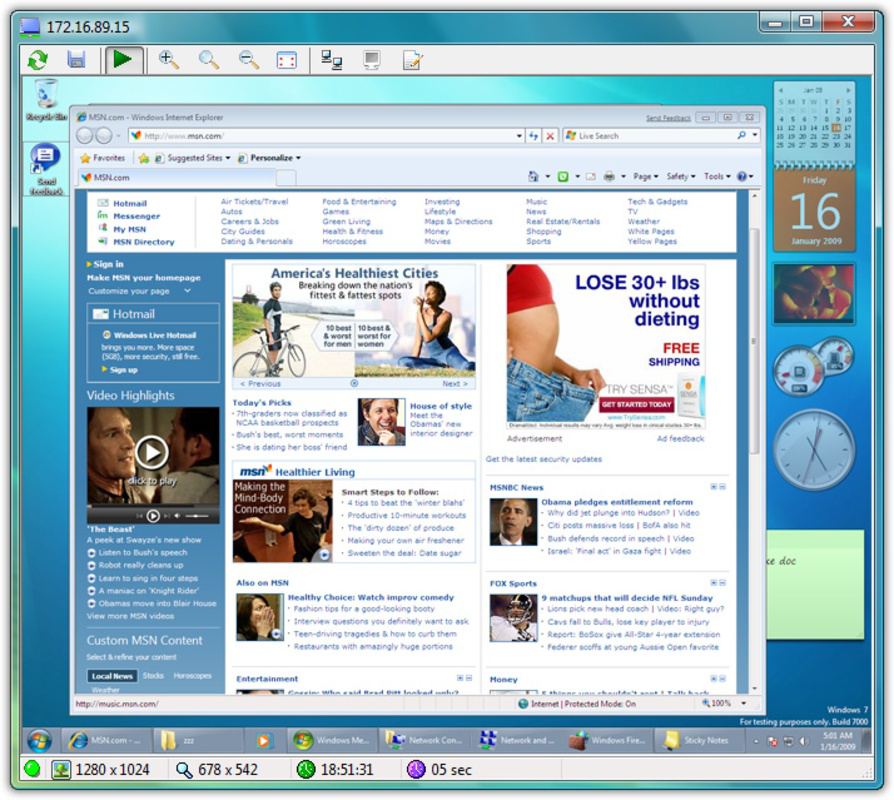
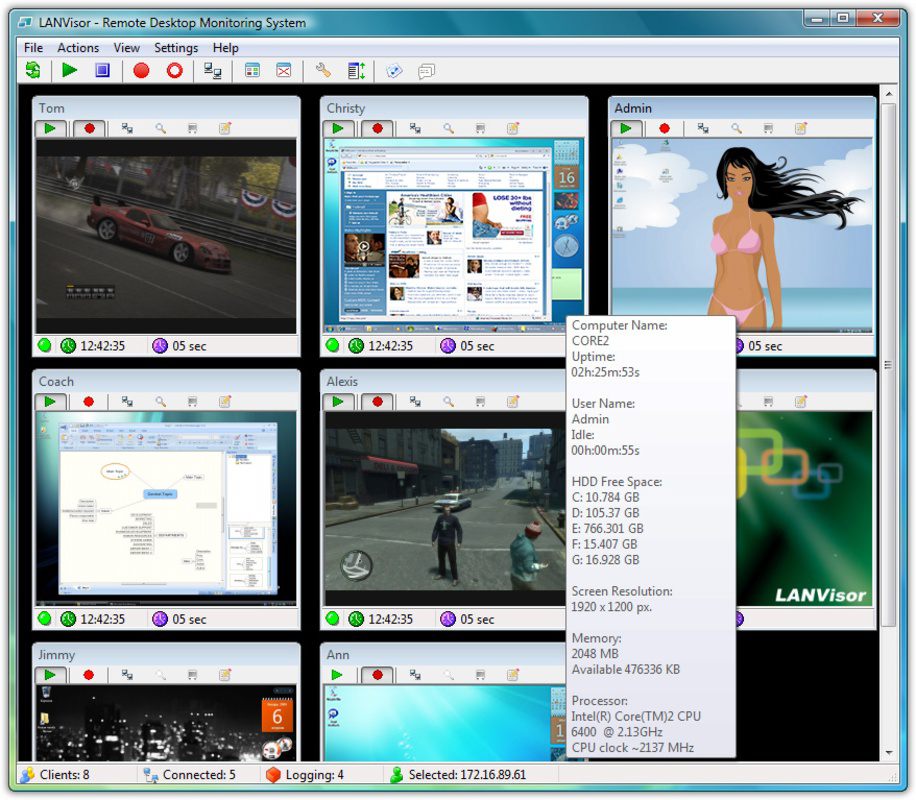
- Screen Monitoring: LanVisor delivers real-time screenshots of connected computers, enabling administrators to observe user activity without interruption. This feature is ideal for identifying productivity gaps, such as excessive web browsing or non-work-related applications, allowing supervisors to intervene promptly.
- Client-Server Architecture: The app operates on a client-server model, where a client installed on target machines captures screen data and sends it to a central server. This design minimizes performance impact on individual devices while ensuring rapid access to monitored screens from a single dashboard.
- Stealth Mode: LanVisor includes a hidden client installation option, allowing administrators to monitor screens without alerting users. This feature supports unobtrusive supervision, particularly useful in environments where overt monitoring could disrupt workflow or create tension.
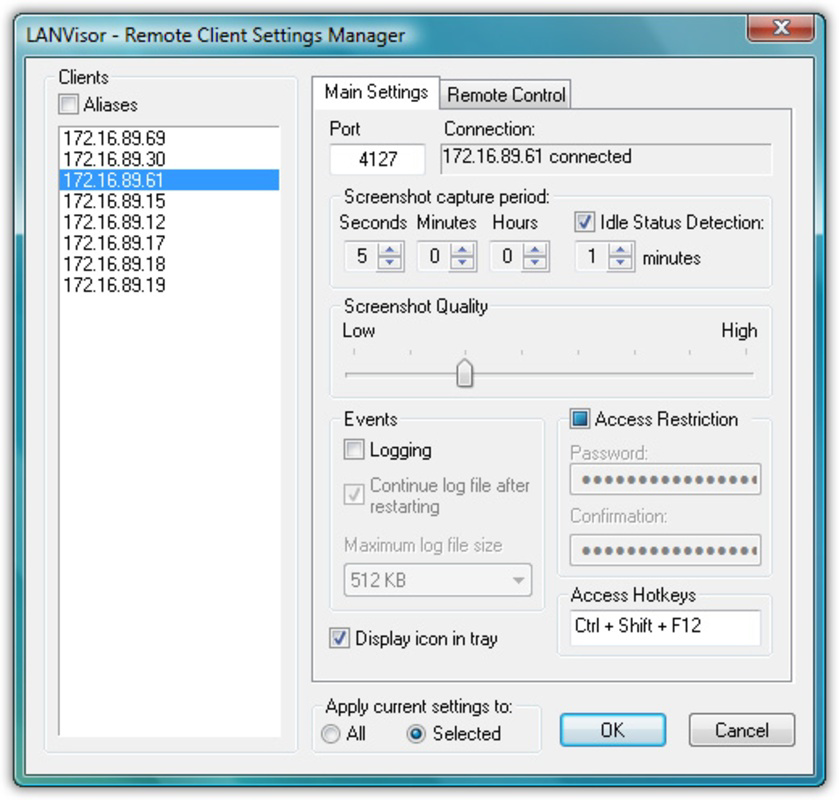
- Password Protection: To safeguard sensitive data, the app requires a password to access the client interface. This ensures that only authorized personnel can view monitored content, reinforcing security and compliance with internal policies.
- RealVNC Compatibility: The application integrates with RealVNC, enabling remote desktop access and technical support. This compatibility allows administrators to not only observe but also control or troubleshoot remote systems, enhancing the app’s utility in IT management.
Practical Use Cases
For office supervisors, LanVisor can be used to verify that employees are adhering to work schedules and minimizing non-productive activities. In educational settings, it supports exam integrity by allowing instructors to monitor student screens during online assessments. IT teams can leverage the RealVNC integration to resolve technical issues remotely, reducing downtime and improving service delivery. The client-server model ensures that monitoring remains scalable across multiple devices without overwhelming network bandwidth.
Interface, UX & Performance
The interface of LanVisor is designed with functionality and efficiency in mind, prioritizing clear access to monitoring data. The mobile app likely presents a streamlined dashboard displaying connected devices and their current screen snapshots, enabling quick navigation between users. Visual design appears minimalistic, focusing on usability rather than aesthetic flair, which aligns with its professional use case. Navigation is expected to be intuitive, with logical menu structures and direct access to key functions such as screen viewing, password management, and RealVNC connections.
Although the developer did not list formal performance metrics, the client-server architecture suggests optimized data transmission, minimizing lag during screen updates. The app’s lightweight size of 15.7 MB indicates efficient resource usage, making it suitable for a range of Android devices. Responsiveness is likely consistent across mid-tier and high-end smartphones, though performance on older models may vary without official confirmation. Stability is presumed to be reliable, given the app’s long release history, but no user reports or crash statistics were provided. Overall, the UX prioritizes task completion over novelty, fitting the needs of technical users who value precision and speed.
Platform Compatibility & Technical Requirements
LanVisor is available exclusively on the Android platform, targeting mobile users who manage networked environments from handheld devices. The current version is 1.5.1, with a file size of 15.7 MB, indicating a compact footprint that supports quick installation and minimal storage usage. The developer did not specify minimum OS requirements, leaving compatibility with older Android versions uncertain. Users should verify device compatibility before installation, especially if operating on legacy systems.
Given the app’s nature as a network monitoring tool, its functionality depends on the presence of compatible client software installed on target computers. While RealVNC integration is confirmed, no details were provided about supported operating systems for the client side. The lack of detailed technical specifications means users must rely on trial or external documentation for full setup guidance. Despite this, the app’s long-standing presence suggests robust cross-device functionality within typical enterprise networks.
Pros and Cons
Pros
- Enables real-time screen monitoring across a LAN for enhanced productivity oversight.
- Client-server architecture ensures efficient performance and low device impact.
- Stealth mode allows unobtrusive monitoring without user awareness.
- Includes password protection for secure access control.
- Compatibility with RealVNC enhances remote support and troubleshooting capabilities.
Cons
- Developer did not provide detailed system requirements or OS compatibility.
- App size and version information may not reflect current device optimization.
- Stealth functionality may raise privacy concerns depending on organizational policies.
- No public information on update frequency or long-term maintenance.
- Price of $15.99 may be considered high for a niche tool with limited public visibility.
FAQ
Is LanVisor safe to use on a corporate network?
LanVisor is designed for authorized network administrators and can be used safely when deployed in compliance with organizational policies and privacy regulations. Its password protection and client-server model help ensure that only approved personnel can access monitored data.
Can I monitor multiple devices simultaneously?
Yes, the app supports monitoring multiple connected devices through its client-server architecture, allowing administrators to view screen snapshots from several computers at once via the Android interface.
Is LanVisor compatible with iOS devices?
The app is currently available only on Android. No iOS version has been released or confirmed by the developer.
How does the stealth mode work?
Stealth mode allows the client software to run in the background without visible icons or notifications, enabling monitoring without alerting the user whose screen is being viewed.
What should I do if the app stops updating screen snapshots?
Ensure that the client software is properly installed on target machines and that network connectivity is stable. Check firewall settings and verify that RealVNC integration is correctly configured.
Final Thoughts
LanVisor stands out as a focused and powerful tool for network oversight, particularly suited for IT professionals, office managers, and educators who require real-time visibility into user activity. Its blend of screen monitoring, stealth functionality, and RealVNC integration delivers a comprehensive solution for maintaining productivity and providing remote support. While the app’s niche purpose and pricing may limit its appeal to casual users, it offers tangible value in controlled, professional environments where accountability and technical efficiency are paramount.
Despite the lack of detailed technical documentation and limited public visibility, LanVisor’s long-standing presence and core features suggest reliability and purpose-built design. For organizations committed to digital discipline and seamless IT operations, the app represents a practical investment in network governance.
Download LanVisor now
Guides & Tutorials
How to install LanVisor
- Click the Download button above.
- Once redirected, accept the terms and click Install.
- Wait for the LanVisor download to finish on your device.
How to use LanVisor
This software is primarily used for its core features described above. Open the app after installation to explore its capabilities.
User Reviews
No reviews yet. Be the first to share your experience.
You may also like
more
Que no te pillen¡
About !Que no te pillen¡Reviewed by Jason A. BilbreyShow MoreShow Less

3D Combat Zone
About 3D Combat ZoneOriginally released in 1983, 3D Combat Zone immerses players...

666: El día del portal
About 666: El día del portalOn June 6, 2006, Agent P. Stone uncovers a sinister...

80 in 1 Best Flash games
About 80 in 1 Best Flash games 80 in 1 Best Flash games is a collection of 80 fl...

ABYSS SEEKERーーWhat Do You See Deep in The Abyss
About ABYSS SEEKERーーWhat Do You See Deep in The AbyssIn ABYSS SEEKER, players...

ACA NEOGEO THE KING OF FIGHTERS 2002 for Windows
About ACA NEOGEO THE KING OF FIGHTERS 2002 for WindowsTHE KING OF FIGHTERS 2002,...
