
Download LastApply – AI‑Powered Job Application Assistant for Faster, Smarter Job Hunting
Overview
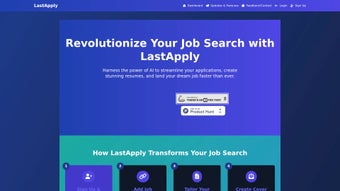
LastApply is a next‑generation job‑search companion that leverages artificial intelligence to turn the often‑tedious application process into a streamlined, data‑driven workflow. After creating a free account, users can upload one or multiple resumes, paste job posting URLs, and let the platform’s AI extract key requirements such as required skills, experience level, and company culture cues. The extracted data fuels two core engines: a resume‑tailoring module that reshapes the uploaded CV to match each specific vacancy, and a cover‑letter generator that crafts personalized, compelling letters aligned with the target role and organization. In addition, LastApply offers real‑time market insights—including salary benchmarks, hiring trends, and skill demand—so candidates can adjust their strategies on the fly. The tool is offered in a free tier that covers basic tracking and limited tailoring, while the premium subscription unlocks unlimited application tracking, deep analytics, and an AI‑driven interview‑prep coach that simulates common questions and provides feedback on tone and structure. With a clean, responsive UI that works across desktop and mobile browsers, LastApply aims to reduce the time spent on repetitive copy‑and‑paste tasks, improve the relevance of each submission, and ultimately increase the odds of landing an interview.
Key Features & Benefits
- AI Resume Tailoring: Automatically rewrites sections of your CV to highlight the exact skills and experiences a posting asks for, while preserving your original voice.
- Dynamic Cover Letter Generator: Produces a custom cover letter for every job link you add, integrating company‑specific language and aligning with the role’s responsibilities.
- Job Market Insights Dashboard: Delivers up‑to‑date data on salary ranges, hiring spikes, and in‑demand competencies for the role you’re targeting.
- Unlimited Application Tracker (Premium): Keeps a searchable log of every application, status updates, and follow‑up reminders.
- AI Interview Coach (Premium): Generates mock interview questions, evaluates your answers, and suggests improvements in phrasing and confidence.
- Advanced Analytics (Premium): Shows conversion rates from application to interview, highlights which resume tweaks yielded the best results, and suggests next steps.
- Cross‑Platform Accessibility: Works on any modern browser, with responsive design for Windows, macOS, Android, and iOS devices.
- Secure Data Handling: End‑to‑end encryption for uploaded resumes and personal information, complying with GDPR and CCPA standards.
Why These Features Matter
Job seekers often waste hours reformatting their CVs and manually drafting cover letters for each posting. By automating these repetitive tasks, LastApply frees up valuable time that can be redirected toward networking, skill development, or interview preparation. The market‑insight dashboard adds a strategic layer, allowing candidates to target roles where demand is highest and compensation aligns with expectations. Premium analytics turn the application process into a measurable experiment: users can see which resume versions generate callbacks and refine their approach continuously. Finally, the AI interview coach serves as a confidence booster, turning nervous candidates into polished storytellers who can articulate their value proposition succinctly.
Installation, Usage & Compatibility
Step‑by‑Step Installation
- Visit LastApply.com and click the “Sign Up – Free” button.
- Enter your email address, create a strong password, and verify your account through the confirmation link.
- Once logged in, navigate to the “My Profile” tab and upload your most recent resume in PDF or DOCX format.
- Optional: Import additional resumes if you maintain multiple versions for different industries.
- Go to the “Add Application” page, paste the URL of the job posting, and let the AI scan the page.
- Review the auto‑generated resume tweaks and cover letter, make any manual adjustments, then click “Submit” to send directly to the employer or download for personal use.
Using the Dashboard Effectively
The central dashboard displays a tile for each tracked application, showing status (e.g., “Submitted,” “Under Review,” “Interview Scheduled”). Clicking a tile opens a detailed view where you can edit the tailored resume, regenerate the cover letter, or launch the interview‑coach module. The “Insights” tab aggregates data across all applications, presenting graphs of response rates, average time‑to‑interview, and skill‑gap analyses. Premium users can set custom alerts—such as “Notify me when a company opens a new senior‑level role in my field”—which are delivered via email or push notification.
Compatibility Details
LastApply is a web‑based SaaS solution, meaning it runs natively on any modern operating system with a supported browser. Tested browsers include Chrome (v90+), Firefox (v88+), Safari (v14+), and Edge (v90+). The responsive design adapts to desktop monitors, tablets, and smartphones, offering a consistent experience on Windows, macOS, Linux, Android, and iOS devices. No additional downloads or installations are required, which simplifies onboarding for teams that enforce strict IT policies.
Pros, Cons, FAQ & Conclusion
Pros & Cons
- Pros:
- Highly accurate AI tailoring reduces manual editing time.
- Free tier sufficient for occasional job seekers.
- Comprehensive analytics turn applications into actionable data.
- Secure, GDPR‑compliant handling of personal documents.
- Interview‑coach adds value beyond resume creation.
- Cons:
- Premium subscription required for unlimited tracking and advanced analytics.
- AI suggestions may need human review to ensure tone matches personal brand.
- Dependent on internet connectivity; no offline mode.
- Occasional parsing errors on highly customized job boards.
Frequently Asked Questions
-
Is LastApply safe for uploading my resume?
Yes. All documents are encrypted in transit (TLS 1.3) and at rest (AES‑256). The platform complies with GDPR and CCPA, and does not share your data with third parties without explicit consent.
-
Can I use LastApply on my mobile phone?
Absolutely. The web app is fully responsive and works on Android and iOS browsers. All core features—including resume tailoring and cover‑letter generation—are accessible on mobile.
-
What happens if a job posting is behind a login wall?
The AI can still parse the visible portion of the posting, but for full extraction you’ll need to paste the job description manually into the “Custom Text” field.
-
How does the premium pricing work?
Premium costs $14.99 per month or $149 per year. The subscription unlocks unlimited application tracking, advanced analytics, and the AI interview coach.
-
Can I cancel my subscription at any time?
Yes. Subscriptions are month‑to‑month or annual with automatic renewal. Cancel through your account settings; you’ll retain access until the end of the current billing cycle.
Conclusion & Call to Action
LastApply stands out as a practical, AI‑enhanced companion for anyone serious about optimizing their job search. By automating the most repetitive aspects—resume customization, cover‑letter drafting, and interview rehearsal—it lets candidates focus on building relationships and sharpening their interview skills. The free tier offers enough functionality for occasional users, while the premium plan delivers the depth needed for power users who track dozens of applications each month. If you’re ready to reduce the time spent on each application from hours to minutes and increase your interview‑call rate, click the button below to start your free account today.
Start Your Free AccountReview Summary: LastApply delivers a solid AI‑driven workflow that significantly cuts down manual effort. The premium analytics and interview coach are especially valuable for high‑volume job seekers. Minor drawbacks include occasional parsing glitches on niche job boards, but overall the platform earns a 4.5‑star rating.



.png)




