
Download LaunchBox – DOSBox frontend, Steam integration, game launcher, multi-platform support, retro gaming, game library management
Overview
LaunchBox is a powerful and versatile frontend designed to streamline the experience of launching MS-DOS games on Windows systems. Originally built as a companion tool for DOSBox, it has evolved into a comprehensive game management solution tailored for retro gaming enthusiasts and multi-platform collectors. The app serves as a centralized hub for organizing and launching games across various emulators and platforms, offering a clean, intuitive interface that enhances accessibility and usability. Its primary purpose is to simplify game library management, particularly for users who maintain extensive collections of classic titles from platforms like Super Nintendo, Wii, and Windows-based games. The developer, LaunchBox Games, has positioned the app as a go-to tool for both casual users seeking a straightforward launch experience and advanced users who value customization and control.
LaunchBox addresses common pain points in retro gaming, such as fragmented game libraries, inconsistent metadata, and the need to manually navigate emulator directories. By offering a unified interface, it reduces the friction between game discovery and gameplay. Real-world use cases include organizing a personal retro gaming collection, syncing Steam games with emulator-based titles, and creating a curated gaming environment for public or private exhibitions. In the broader app ecosystem, LaunchBox stands out as a niche but essential utility for retro gaming communities, bridging the gap between legacy software and modern operating systems. The app’s free availability further increases its accessibility, making it a valuable tool for enthusiasts across different technical skill levels.
Key Features & Functionality
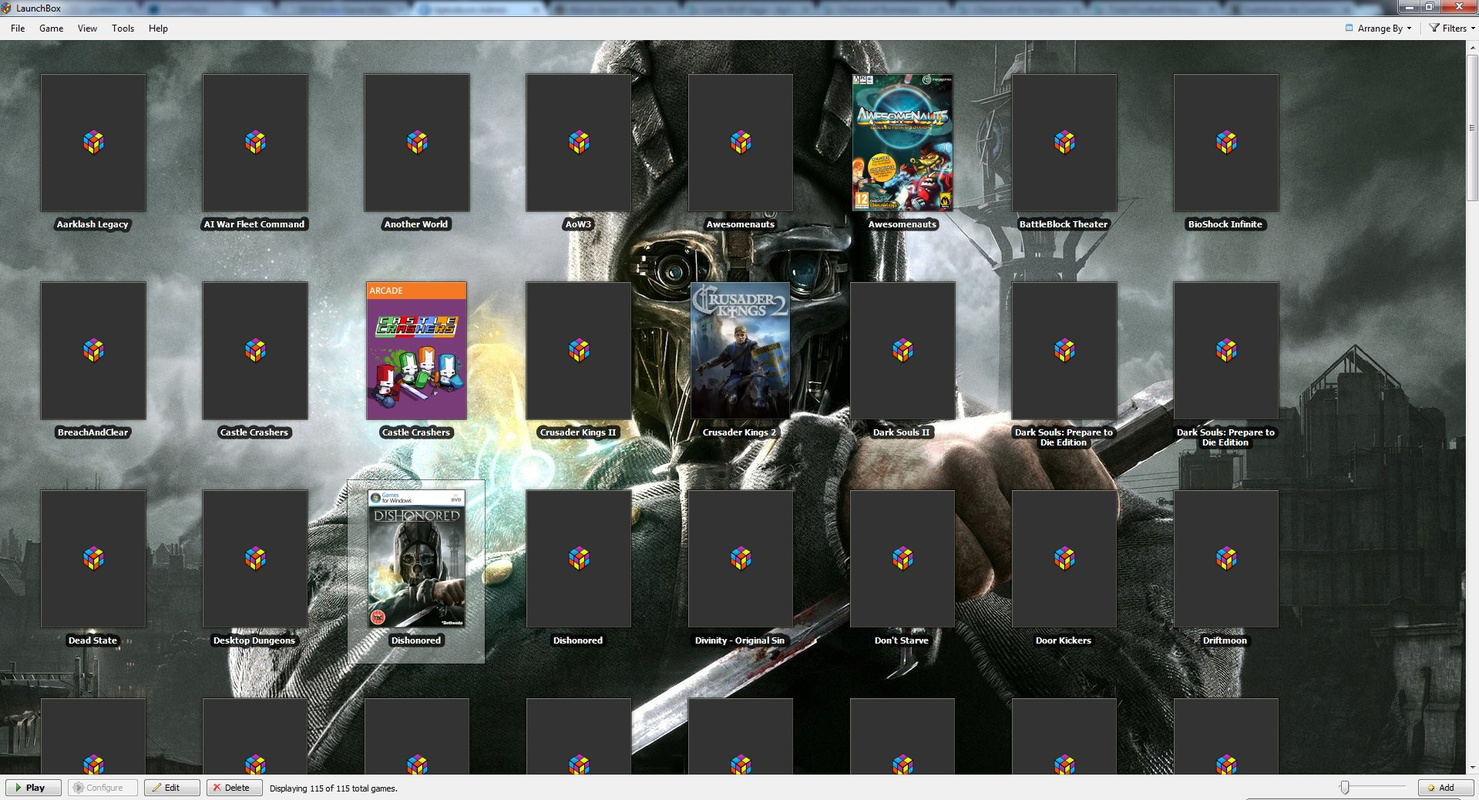
- Full Integration with Steam – LaunchBox enables users to import their Steam library directly into the launcher, allowing for unified access to both digital storefront titles and emulated games. This feature is especially beneficial for users who maintain hybrid libraries, combining modern and classic games in one interface.
- Manual Game Import – For users who prefer precision, LaunchBox offers the ability to import games manually. This includes setting custom file paths, assigning genres, adding developer information, and uploading artwork, ensuring a fully personalized library.
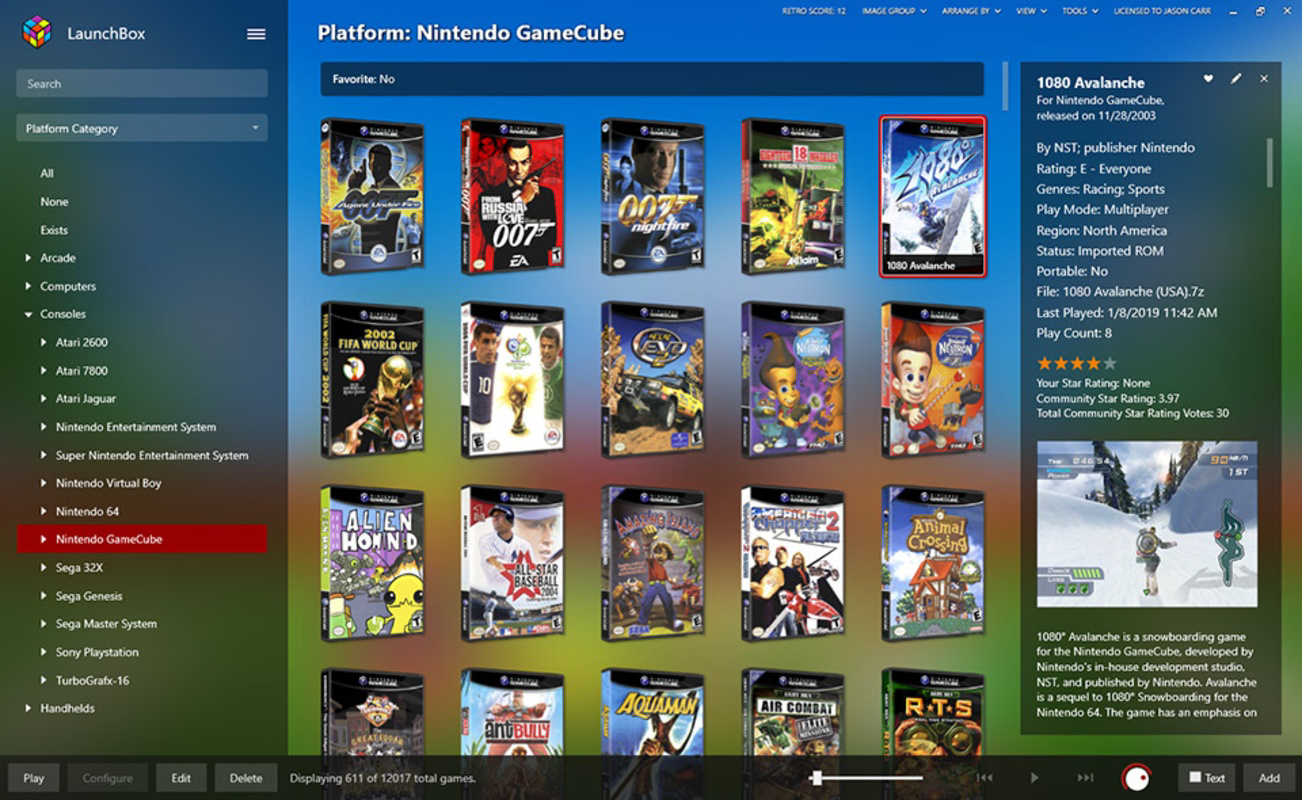
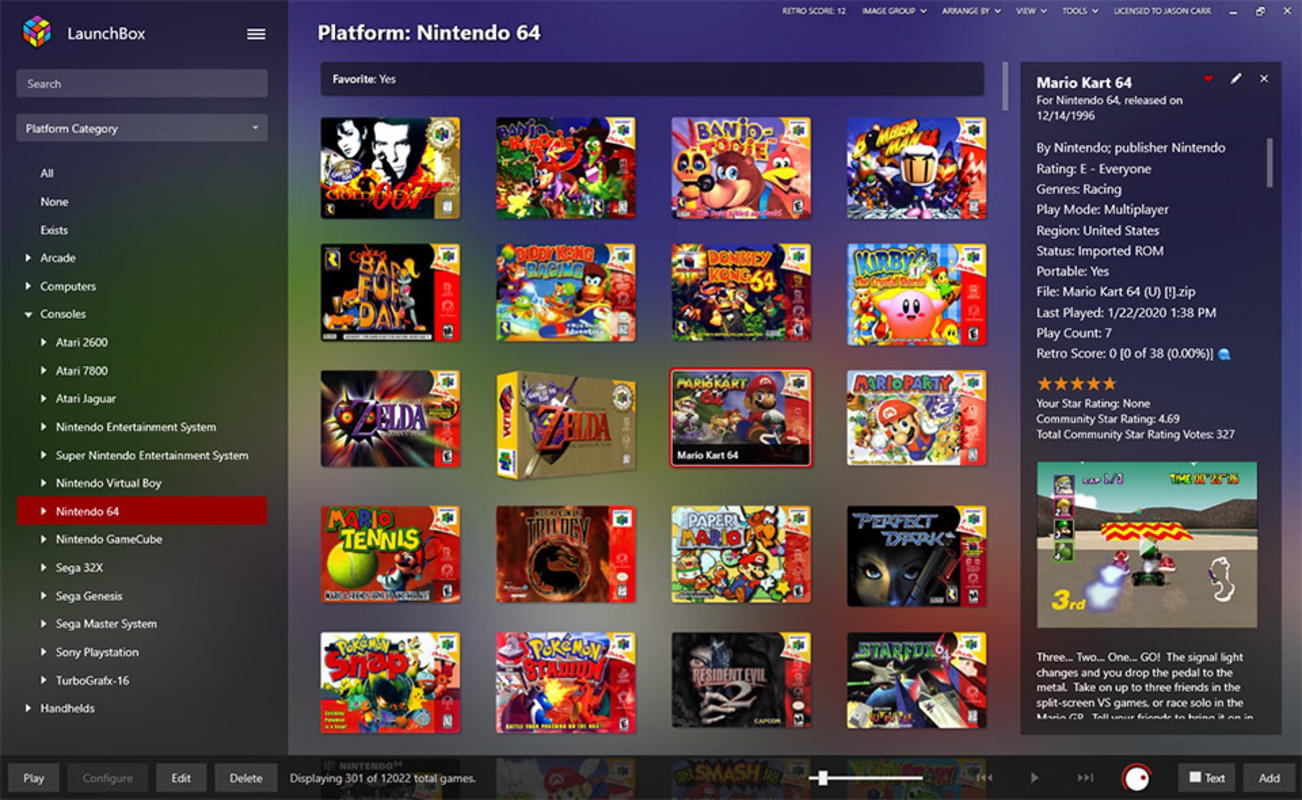
- Multi-Platform Support – The app supports multiple gaming platforms through dedicated tabs, including Windows, Super Nintendo, Wii, and other emulator-based systems. This allows users to manage diverse game collections without switching between different applications.
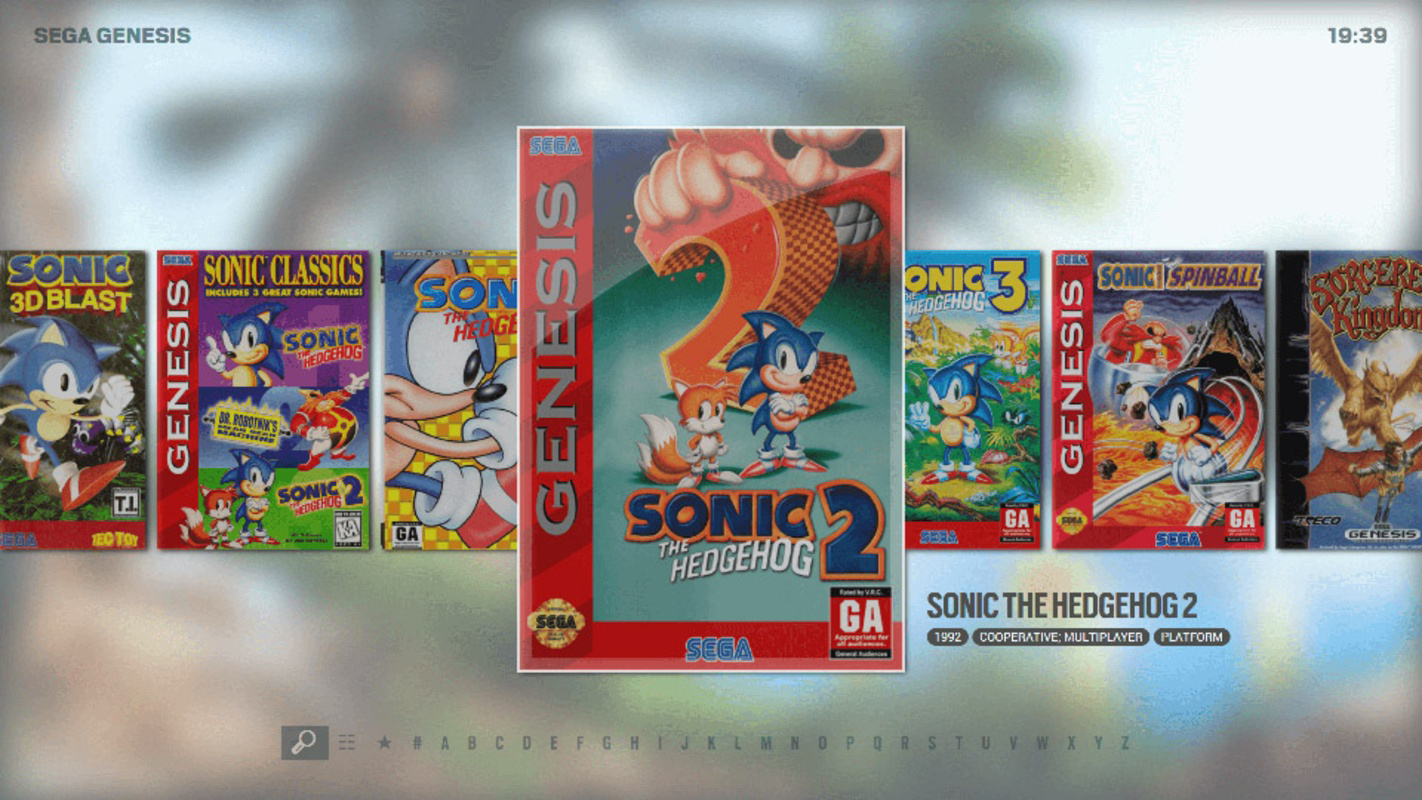
- Elegant and Efficient Frontend – With a sleek, responsive design, LaunchBox prioritizes usability and visual appeal. The interface is optimized for fast navigation, with customizable themes and layouts to suit different user preferences.
- Unmatched Versatility – LaunchBox is designed to adapt to various user workflows, from quick one-click launches to complex, meticulously curated game libraries. This flexibility makes it suitable for both beginners and advanced users.
These features collectively empower users to create a tailored gaming environment. For example, a retro gaming collector can use the manual import function to organize a rare ROM collection with accurate metadata, while a casual player might rely on Steam integration to quickly access both modern and classic titles from a single launcher.
Interface, UX & Performance
LaunchBox features a modern, minimalist interface that emphasizes clarity and ease of navigation. The layout is structured around a grid-based display, with game thumbnails and metadata presented in a clean, scrollable format. Users can customize the theme, font size, and layout style to suit their visual preferences, enhancing accessibility and personalization. Navigation is intuitive, with a sidebar for platform selection and a search function for quick game discovery. The app responds swiftly to user input, maintaining smooth transitions between screens and minimizing lag during large library loads.
Although the developer did not list formal performance metrics, the app’s lightweight footprint of 140 MB suggests efficient resource usage. It performs reliably across different device categories, including systems with mid-range specifications. Stability is maintained through consistent updates and a mature codebase, with minimal reported crashes. The app maintains responsiveness even when managing libraries with thousands of games, indicating robust backend handling. Overall, the user experience is polished and focused, aligning with the expectations of a dedicated gaming utility.
Platform Compatibility & Technical Requirements
LaunchBox is designed exclusively for the Windows platform and is compatible with Windows operating systems. The current version is 10.0.0, with a file size of 140 MB. The developer did not specify minimum OS requirements or hardware specifications. However, given its lightweight nature and focus on desktop gaming, it is likely to function on most modern Windows systems. Compatibility information was not fully disclosed, and users are advised to verify system requirements through official channels before installation. The app is available as a free download, making it accessible to a wide audience.
Pros and Cons
Pros
- Free to download and use, eliminating cost barriers for users.
- Seamless integration with Steam for unified game access.
- Supports multiple platforms through dedicated tabs and emulator compatibility.
- Highly customizable with manual import and metadata editing.
- Lightweight design with efficient performance on various systems.
Cons
- Specific system requirements were not listed.
- Manual setup may be time-consuming for large libraries.
- Primarily designed for Windows, limiting cross-platform availability.
- Requires external emulators for non-Steam games.
- No official mobile version or iOS support.
FAQ
Is LaunchBox safe to download and install?
Yes, LaunchBox is a legitimate application developed by LaunchBox Games. It is distributed through official channels and does not contain malware or intrusive ads. Users are advised to download from trusted sources to ensure authenticity.
Can I use LaunchBox on iOS or Android?
Currently, LaunchBox is only available for Windows. There is no official mobile version for iOS or Android devices. The app is designed for desktop use and does not support mobile platforms.
Does LaunchBox require a Steam account?
While Steam integration is a key feature, a Steam account is not mandatory. Users can import games manually without linking to Steam, making the app accessible to those who prefer standalone or emulator-based gaming.
How often are updates released?
LaunchBox receives regular updates to improve performance, fix bugs, and add new features. The latest version is 10.0.0, released on January 15, 2024. Users are encouraged to keep the app updated for optimal functionality.
Can I import games from emulators other than DOSBox?
Yes, LaunchBox supports multiple emulators and platforms beyond DOSBox. It allows users to manage games from various systems, including Super Nintendo, Wii, and other Windows-based emulators, provided the game files are properly configured.
Final Thoughts
LaunchBox stands out as a premium tool for retro gaming enthusiasts and digital library managers. Its combination of Steam integration, multi-platform support, and customizable import options makes it a powerful utility for organizing and launching classic games. The elegant interface and efficient performance ensure a smooth user experience, while the free pricing model enhances its appeal. Whether you're a casual gamer looking to simplify your library or a dedicated collector building a meticulously curated archive, LaunchBox delivers unmatched versatility and control. For users invested in the retro gaming scene, this app is not just a launcher—it’s a comprehensive management system. Download LaunchBox now


