
Screenshots
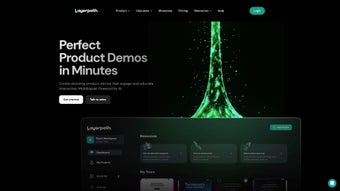
App details
- Updated
- September 5, 2025
- Requires
- Chrome
- License
- Subscription
- Developer
- layerpath
- Category
- Web Apps
About Layerpath
Download Layerpath – Interactive Demo Builder, Screen Recording, AI‑Powered Product Tours
Overview
Layerpath is a cloud‑based web application designed to simplify the creation of engaging product demos, step‑by‑step guides, and interactive tours. By combining a robust screen‑recording engine with AI‑assisted voice‑over and text‑enhancement tools, Layerpath lets marketers, sales teams, and product managers turn raw recordings into polished, conversion‑focused experiences. The platform’s drag‑and‑drop editor makes it possible to customize colors, layouts, and interactive hotspots without any coding knowledge. In addition, Layerpath offers built‑in lead‑capture forms, playlist organization, and detailed analytics that reveal how viewers interact with each demo. Whether you’re showcasing a SaaS dashboard, a mobile app, or a physical product, Layerpath helps accelerate the buyer’s journey by delivering clear, visual explanations that reduce friction and boost adoption rates. The service operates on a subscription model with tiered plans for solo entrepreneurs, small businesses, and enterprise teams, ensuring that the right feature set is available at a price that matches the scale of your operation.
Core Features & AI Enhancements
- High‑definition screen recording with unlimited length.
- AI‑generated voiceovers in multiple languages and accents.
- Smart text augmentation that suggests captions, call‑outs, and highlights.
- Customizable themes, color palettes, and layout templates.
- Interactive hotspots, clickable links, and embedded forms.
- Playlist creation for multi‑step product journeys.
- Real‑time analytics dashboard (views, drop‑off points, engagement time).
- Lead capture forms with CRM integrations (HubSpot, Salesforce, Zoho).
- Team collaboration tools (role‑based access, version history).
- Secure cloud storage with GDPR‑compliant data handling.
Beyond the standard recording capabilities, Layerpath’s AI engine distinguishes itself by automatically generating natural‑sounding voiceovers from plain text scripts. Users simply type the narration they want, select a voice profile, and the platform produces a studio‑quality audio track that syncs perfectly with the visual timeline. This feature eliminates the need for external voice talent or expensive audio‑editing software. The AI also analyses the recorded footage to suggest optimal moments for adding call‑outs or highlighting UI elements, speeding up the editing process by up to 40 % for experienced users.
Another standout is the “Dynamic Lead Form” widget. When a viewer reaches a critical step—such as a pricing page or a feature showcase—Layerpath can trigger a form that captures name, email, and company details without interrupting the flow. The form data is instantly pushed to the connected CRM, enabling sales teams to follow up while the prospect’s interest is still warm. For teams that need to track performance, the analytics module offers heatmaps of click activity, average watch time per segment, and conversion rates tied directly to each demo. These insights help marketers iterate on content, test different messaging, and demonstrate ROI to stakeholders.
Installation, Usage & Compatibility
Because Layerpath is a web‑native solution, there is no traditional “installation” process. Users simply visit layerpath.com, create an account, and start recording from within the browser. The platform supports the latest versions of Chrome, Edge, and Firefox, with WebRTC‑based recording that works on Windows, macOS, Linux, as well as mobile browsers on Android and iOS. For teams that prefer a desktop shortcut, Layerpath offers optional Progressive Web App (PWA) wrappers for Windows and macOS, allowing the application to launch from the start menu or dock just like native software.
Getting started is straightforward: after signing up, users are guided through an onboarding wizard that asks for the type of product they wish to demo, the preferred output format (video, interactive tour, or PDF guide), and any branding preferences. The wizard then creates a blank project with the appropriate canvas size and default theme. From there, the “Record” button activates the screen‑capture module, which can capture the entire screen, a specific application window, or a custom browser tab. Once the raw footage is captured, the AI assistant appears on the right‑hand side, offering to generate a voiceover script, suggest call‑outs, and automatically insert navigation arrows.
Layerpath’s compatibility extends to integration with popular collaboration suites. Users can export finished demos directly to YouTube, Vimeo, or embed them into websites via an iframe code. For internal knowledge bases, the platform provides a one‑click export to Confluence, Notion, or SharePoint. The service also supports Single Sign‑On (SSO) via SAML, OAuth (Google, Microsoft), and LDAP for enterprise environments, ensuring that access control aligns with existing IT policies.
Supported operating systems: Windows 10/11, macOS 12 and higher, Linux (Ubuntu 20.04 +), Android 9 +, iOS 13 +
Overall, the absence of a heavyweight installer means that new users can begin creating demos within minutes, while IT departments appreciate the minimal footprint and cloud‑first security model.
Pros, Cons, FAQ & Conclusion
Pros
- AI‑generated voiceovers eliminate the need for external talent.
- All‑in‑one platform: recording, editing, analytics, and lead capture.
- Browser‑based, no heavy software download required.
- Robust integrations with CRMs, CMSs, and collaboration tools.
- GDPR‑compliant storage and enterprise‑grade security.
- Flexible pricing plans for individuals and large teams.
Cons
- Full feature set requires a paid subscription; free tier is limited to 5‑minute demos.
- Advanced AI voice options are only available on higher‑tier plans.
- Internet connection quality directly impacts recording stability.
- While mobile browsers are supported, the editing experience is optimized for desktop.
Frequently Asked Questions
Can I use Layerpath to create demos for mobile apps?
Yes. Layerpath’s screen recorder works on Android and iOS browsers, allowing you to capture mobile app interactions directly from the device and then edit them on a desktop for a polished final product.
Is there a free version of Layerpath?
Layerpath offers a 14‑day free trial with access to all premium features. After the trial, a limited free tier remains, which allows recordings up to 5 minutes but does not include AI voiceovers or analytics.
How does Layerpath handle data privacy?
All recordings and analytics data are stored on encrypted servers that comply with GDPR, CCPA, and ISO 27001 standards. Users can also enable SSO and enforce password policies for added security.
Can I embed a Layerpath demo on my website?
Absolutely. Each demo generates an embed code (iframe) that can be placed on any webpage, blog, or landing page. The embed is responsive and works on all major browsers.
What integrations are available for lead capture?
Layerpath integrates with HubSpot, Salesforce, Zoho CRM, Pipedrive, and also supports Zapier for custom workflows. Captured leads are pushed in real‑time to the selected platform.
Conclusion & Call to Action
Layerpath stands out as a comprehensive solution for anyone who needs to transform raw screen recordings into persuasive, data‑driven product demos. Its AI‑enhanced voiceovers, intuitive editing canvas, and built‑in analytics make it a valuable asset for marketing teams aiming to shorten sales cycles and improve user onboarding. While the premium tiers come at a cost, the efficiency gains and professional polish often justify the investment, especially for SaaS and B2B companies that rely heavily on visual explanations.
Ready to see how an interactive demo can boost your conversion rates? Start your free trial today and experience the seamless workflow that only Layerpath can deliver.
Guides & Tutorials
How to install Layerpath
- Click the Download button above.
- Once redirected, accept the terms and click Install.
- Wait for the Layerpath download to finish on your device.
How to use Layerpath
This software is primarily used for its core features described above. Open the app after installation to explore its capabilities.
User Reviews
No reviews yet. Be the first to share your experience.
You may also like
more
3D AI Studio
3D AI Studio Overview 3D AI Studio is a web-based AI-powered tool developed by S...

3D textures by Polycam
Generate Realistic 3D Textures Effortlessly 3D Textures by Polycam is an innovat...

3DAiLY
Customizable 3D Modeling Tool: 3DAiLY 3DAiLY is an online platform that harnesse...

3DFY
Revolutionizing 3D Model Creation: 3DFY Review 3DFY is an AI-powered service, de...

AI Dungeon
AI Dungeon: Deep Learning Text Adventure AI Dungeon is an artificial intelligenc...

Alpha3D
A subscription-based program for Web apps, by alpha3d. Alpha3D is a subscription...
