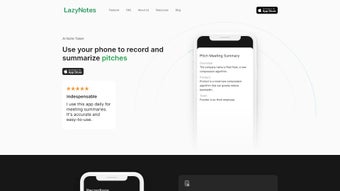

Download LazyNotes – AI‑Powered Meeting Summaries & Note‑Taking Tool
Overview of LazyNotes
LazyNotes is a web‑based, AI‑driven note‑taking application that eliminates the tedious task of manual transcription during meetings. Built for professionals who value time and clarity, the platform captures spoken content, generates accurate transcripts, and instantly creates concise email‑ready summaries. By leveraging advanced natural language processing, LazyNotes delivers human‑like phrasing that preserves the nuance of discussions while stripping away filler. The tool’s privacy‑first approach ensures that raw audio files are deleted once the transcript is produced, giving users confidence that sensitive information stays secure. Although it operates exclusively in a browser environment, LazyNotes integrates smoothly with popular CRM systems, enabling seamless sharing of meeting insights across sales, support, and project management workflows. A 7‑day free trial lets teams experience the full feature set before committing to a monthly subscription, making it an attractive option for startups and established enterprises alike.
Key Features That Set LazyNotes Apart
- Real‑time AI Transcription: Captures speech with high accuracy and automatically timestamps each speaker.
- One‑Click Summary Generation: Produces a polished email draft that highlights decisions, action items, and next steps.
- Custom Prompt Builder: Allows users to define specific questions or focus areas, ensuring the AI extracts the most relevant information.
- CRM Integration: Directly pushes meeting notes to Salesforce, HubSpot, and other major platforms.
- Privacy‑Centric Architecture: Audio files are permanently deleted after transcription, complying with GDPR and other data‑protection standards.
- Cross‑Browser Compatibility: Works on Chrome, Edge, Safari, and Firefox without the need for plugins.
- Collaboration Links: Share live transcript links with teammates who can add comments in real time.
- Export Options: Download notes as PDF, DOCX, or plain text for offline archiving.
Beyond the core capabilities, LazyNotes continuously learns from user feedback, refining its summarization logic to better match industry‑specific jargon. The platform’s modular design means new integrations—such as Slack notifications or Microsoft Teams bots—can be added without disrupting existing workflows. For teams that conduct frequent video conferences, the tool’s ability to auto‑detect speaker changes and tag action items dramatically reduces post‑meeting administrative overhead.
Because LazyNotes runs entirely in the cloud, updates are delivered instantly, ensuring that users always have access to the latest AI models and security patches. This “always‑up‑to‑date” promise eliminates the traditional hassle of manual software upgrades, aligning perfectly with modern remote‑work environments where every minute counts.
Installation, Usage & Compatibility Details
Getting started with LazyNotes is intentionally frictionless. Since the application is web‑only, there is no download required—simply navigate to lazynotes.com, create an account, and you’re ready to record. The onboarding wizard walks new users through microphone permissions, preferred language settings, and optional integration keys for CRM systems. For teams that already use Google Workspace or Microsoft 365, single‑sign‑on (SSO) can be configured to streamline user management.
Step‑by‑step usage guide:
- Open the LazyNotes dashboard in your preferred browser.
- Click “Start New Session” and grant microphone access.
- During the meeting, the AI runs in the background, capturing speech and labeling speakers.
- When the discussion ends, press “Generate Summary.” Within seconds, a polished email draft appears.
- Review, edit if needed, and click “Send” or export to your CRM.
LazyNotes is designed for any operating system that supports modern browsers—Windows, macOS, Linux, ChromeOS, and even iOS or iPadOS browsers. However, the platform does not currently offer a native Android app, which may be a consideration for teams that rely heavily on Android tablets for meetings.
Because the service runs on secure HTTPS connections and utilizes end‑to‑end encryption for data in transit, organizations can trust that meeting content remains confidential. The subscription model starts after the 7‑day trial, with a monthly fee of $9.99 per user, which includes unlimited transcription minutes, premium AI models, and priority support.
Overall, the lack of a downloadable client is offset by the universal accessibility of a web app—users can join a meeting from any device with a browser, ensuring that remote participants are never left out.
Pros, Cons and Frequently Asked Questions
Pros
- Zero manual note‑taking – AI handles transcription and summarization.
- Secure, privacy‑first architecture – audio files are deleted after processing.
- Seamless CRM integration for instant knowledge sharing.
- Customizable prompts let teams focus on specific discussion points.
- Web‑only delivery eliminates the need for installations or updates.
Cons
- No native Android app – Android‑only users must rely on a browser.
- Requires a stable internet connection for real‑time transcription.
- Subscription pricing may be a barrier for very small teams.
Frequently Asked Questions
Does LazyNotes store my meeting audio after transcription?
No. LazyNotes automatically deletes the raw audio file once the transcript is generated, ensuring that only text data remains on the server.
Can I use LazyNotes on a MacBook?
Absolutely. Since LazyNotes runs in a web browser, it works flawlessly on macOS browsers such as Safari, Chrome, and Firefox.
What happens after the 7‑day free trial?
Your account transitions to a paid subscription at $9.99 per user per month. You can cancel anytime before the next billing cycle.
Is there a limit on transcription minutes during the trial?
The trial offers unlimited minutes, allowing you to fully evaluate the AI’s accuracy across different meeting lengths.
How does LazyNotes integrate with my CRM?
Through API keys or OAuth, LazyNotes can push summaries directly into Salesforce, HubSpot, or custom CRMs, creating a new activity record for each meeting.
Conclusion & Call to Action
LazyNotes delivers a compelling blend of AI‑powered transcription, instant summarization, and secure, cloud‑first delivery that aligns perfectly with modern, distributed workforces. By removing the distraction of manual note‑taking, the tool empowers participants to stay fully engaged, while managers receive concise, actionable minutes ready for distribution. The privacy‑first design—deleting audio files after use—addresses common compliance concerns, and the seamless CRM connectors turn meeting insights into measurable business outcomes.
While the absence of a native Android app may be a drawback for some, the universal browser experience ensures that the vast majority of users—whether on Windows, macOS, or iOS—can access the service without any additional downloads. The modest monthly fee, combined with a generous free trial, makes LazyNotes a low‑risk investment for teams looking to boost productivity and improve knowledge sharing.
Ready to experience meeting efficiency like never before? Start your 7‑day free trial of LazyNotes today and let the AI handle the heavy lifting while you focus on what really matters—making decisions and driving results.



.png)




