
Screenshots
App details
- Updated
- May 4, 2025
- Requires
- Chrome
- License
- Full
- Developer
- learniverse
- Category
- Web Apps
About Learniverse
Download Learniverse – AI‑Powered Personalized Learning Platform
Introduction
Learniverse is a next‑generation educational platform that leverages artificial intelligence to design a learning journey that is truly unique to each user. In a market saturated with static curricula and one‑size‑fits‑all MOOCs, Learniverse distinguishes itself by asking learners to define their own goals—whether mastering a new programming language, preparing for a professional certification, or simply exploring a hobby—and then instantly generating a step‑by‑step curriculum that adapts as progress is made. The AI engine evaluates a wide range of factors, including the learner’s prior knowledge, preferred learning style, and performance metrics, to curate content that is both relevant and challenging. This dynamic approach means that every minute spent on Learniverse contributes directly to measurable skill growth, removing the guesswork that often plagues self‑directed study. The platform also prioritises data security, employing end‑to‑end encryption and compliance with GDPR and CCPA to keep personal information safe. With a free core offering that includes the full AI‑personalization engine and a library of high‑quality resources, Learniverse lowers the barrier to entry for anyone interested in lifelong learning. Premium add‑ons such as one‑on‑one tutoring or exclusive masterclasses are optional, ensuring that the base product remains accessible while still providing a clear upgrade path for power users. Whether you are a college student seeking supplemental material, a professional aiming to stay ahead of industry trends, or a hobbyist curious about a new skill, Learniverse promises a secure, adaptive, and engaging learning experience that grows with you.
Key Features of Learniverse
- AI‑Generated Personalized Curriculum – Automatically creates a step‑by‑step learning path based on your input goals.
- Dynamic Content Curation – Continuously selects the most relevant tutorials, videos, and articles from vetted sources.
- Progress‑Tracking Dashboard – Visualizes milestones, skill mastery, and time spent on each module.
- Adaptive Difficulty Adjustment – The system raises or lowers the complexity of material in real time as you improve.
- Cross‑Platform Accessibility – Available on Windows, macOS, Android, and iOS with seamless cloud sync.
- Community‑Driven Q&A – Integrated forum where learners can ask questions and receive AI‑assisted answers.
- Offline Mode – Download lessons for study without an internet connection.
- Secure Data Handling – End‑to‑end encryption ensures personal learning data remains private.
- Free Core Access – No subscription required for the core AI‑personalization engine; premium add‑ons optional.
- Regular Updates – Weekly AI model refinements keep the curriculum aligned with emerging trends.
Each of these capabilities works together to eliminate the friction that typically hinders independent study. The AI‑generated curriculum removes the need to manually sift through countless courses, while dynamic content curation guarantees that you always learn from the most authoritative and up‑to‑date sources. The progress‑tracking dashboard provides a clear visual representation of your achievements, helping you stay motivated and focused on the next milestone. Adaptive difficulty ensures that the material remains challenging without becoming overwhelming, fostering a state of flow that enhances retention. Because Learniverse syncs across Windows, macOS, Android, and iOS, you can pick up exactly where you left off, whether you’re on a desktop at home or a smartphone on the go. The community Q&A adds a human touch, allowing you to clarify concepts without leaving the app, and the offline mode makes commuting or travel interruptions a thing of the past. Security is baked into the platform: all user data is encrypted in transit and at rest, and the service adheres to strict privacy regulations. Finally, the free core version ensures that anyone can experience the power of AI‑driven personalization, while optional premium features provide an upgrade path for those who want additional support or exclusive content. This comprehensive suite of features positions Learniverse as a future‑proof learning ecosystem suitable for learners at any stage.
Installation, Usage & Compatibility
Getting started with Learniverse is intentionally simple. Visit the official website or your device’s app store—Google Play for Android, Apple App Store for iOS—to download the appropriate installer. Desktop users can download a signed .exe for Windows 10+ (64‑bit) or a .dmg for macOS 11+ (Big Sur). After the installer finishes, launch the application and create a free account using either an email address or a single‑sign‑on option such as Google or Apple ID. Once you verify your email, the onboarding wizard walks you through a quick questionnaire where you select or type in the subjects you wish to master. Based on these inputs, the AI immediately generates a draft curriculum that you can preview, rearrange, or supplement with your own resources. All changes are saved in real time, and the system re‑evaluates the curriculum to keep recommendations aligned with your evolving goals.
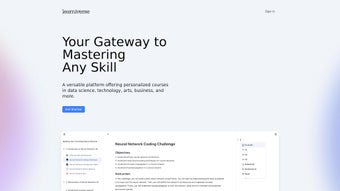
The user interface is built around a clean home screen that displays your active modules, upcoming lessons, and a prominent “Start Learning” button. Selecting a lesson opens a responsive multimedia view that may contain video lectures, interactive code editors, reading material, or quizzes—all optimized for the device you’re using. A built‑in note‑taking tool lets you annotate directly within each lesson, and a progress bar automatically updates as you complete activities. For deeper insights, the “Analytics” tab breaks down time spent per topic, mastery scores, and suggested next steps, providing a data‑driven roadmap for continuous improvement. If you ever need assistance, the “Help Center” offers an AI‑powered search that pulls relevant articles from the knowledge base, ensuring you get fast answers without leaving the platform.
Learniverse supports the following operating systems:
- Windows 10 or later (64‑bit)
- macOS 11 (Big Sur) or later
- Android 8.0 (Oreo) and above
- iOS 13 and above
Pros, Cons, FAQ & Conclusion
Pros
- Instantly generated, highly personalized curriculum powered by AI.
- Free core version eliminates entry barriers for all learners.
- Cross‑platform availability with reliable cloud sync.
- Dynamic content curation ensures up‑to‑date, high‑quality resources.
- Adaptive difficulty maintains optimal challenge level.
- Robust analytics and progress tracking for data‑driven improvement.
- End‑to‑end encryption protects personal learning data.
- Offline mode enables study without an internet connection.
Cons
- Premium add‑ons (e.g., one‑on‑one tutoring) require a subscription.
- AI may prioritize popular resources over highly niche topics.
- Initial curriculum can feel generic until enough user data is collected.
- Stable internet connection needed for cloud sync and AI processing.
Frequently Asked Questions
Is Learniverse really free to use?
Yes, the core AI‑personalized learning engine and basic content library are completely free. Optional premium add‑ons, such as personalized coaching or exclusive masterclass content, are offered on a subscription basis.
Can I use Learniverse on multiple devices simultaneously?
Absolutely. Learniverse syncs your progress, notes, and preferences across Windows, macOS, Android, and iOS via secure cloud storage, so you can switch between a laptop and a phone without losing your place.
How does the AI decide which resources to recommend?
The AI evaluates multiple signals, including content relevance to your learning objectives, source credibility, user ratings, and recency. It then ranks resources to deliver the most effective material for each step of your curriculum.
Is my personal data safe on Learniverse?
Learniverse employs end‑to‑end encryption for all user data, adheres to GDPR and CCPA standards, and stores information on secure, regularly audited servers. Your learning history is never sold to third parties.
What if I’m not satisfied with the generated curriculum?
You can manually edit any part of the curriculum, swap out suggested lessons, or add your own resources. The AI will re‑evaluate your changes and adjust future recommendations accordingly.
Conclusion & Call to Action
Learniverse sets a new benchmark for adaptive education by marrying sophisticated AI with a user‑centric design. Its free core offering provides enough power to launch a personalized study routine, while premium upgrades deliver additional depth for those who need extra guidance. Robust cross‑platform support, secure data handling, and offline capabilities ensure that learning can happen anytime, anywhere. If you’re ready to replace static, one‑size‑fits‑all courses with a curriculum that evolves as you do, now is the perfect moment to give Learniverse a try. Download Learniverse today and experience a learning path that truly adapts to your ambitions.
Guides & Tutorials
How to install Learniverse
- Click the Download button above.
- Once redirected, accept the terms and click Install.
- Wait for the Learniverse download to finish on your device.
How to use Learniverse
This software is primarily used for its core features described above. Open the app after installation to explore its capabilities.
User Reviews
No reviews yet. Be the first to share your experience.
You may also like
more
3D AI Studio
3D AI Studio Overview 3D AI Studio is a web-based AI-powered tool developed by S...

3D textures by Polycam
Generate Realistic 3D Textures Effortlessly 3D Textures by Polycam is an innovat...

3DAiLY
Customizable 3D Modeling Tool: 3DAiLY 3DAiLY is an online platform that harnesse...

3DFY
Revolutionizing 3D Model Creation: 3DFY Review 3DFY is an AI-powered service, de...

AI Dungeon
AI Dungeon: Deep Learning Text Adventure AI Dungeon is an artificial intelligenc...

Alpha3D
A subscription-based program for Web apps, by alpha3d. Alpha3D is a subscription...
