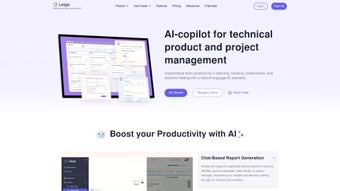

Download Leiga – AI‑Driven Project Management Tool for Developers
Overview
Leiga is a modern, AI‑assisted project management platform built from the ground up for software development teams, product managers, and technical project leaders. In a landscape where traditional task trackers often feel detached from the coding workflow, Leiga bridges the gap by embedding itself directly into popular Integrated Development Environments (IDEs) and offering a web‑first experience that feels native to developers. The core promise of Leiga is to reduce context‑switching, automate mundane updates, and deliver real‑time insights that help teams stay on schedule while keeping the technical depth of each task visible. Whether you’re coordinating a small Scrum sprint or orchestrating a multi‑quarter product roadmap, Leiga’s AI engine continuously analyses ticket histories, commit messages, and team workload patterns to suggest next steps, flag potential risks, and generate concise status reports with a single chat command. This means project managers spend less time chasing updates and more time making strategic decisions. In addition to intelligent automation, Leiga includes a robust collaboration suite—screen recording, AI‑driven transcription, and a shared document hub—making it ideal for remote or distributed teams. The platform also offers risk identification dashboards that surface blockers before they become crises, empowering teams to act proactively. Overall, Leiga positions itself as a comprehensive, secure, and highly customizable solution that blends the rigor of traditional project management with the agility developers need in a fast‑moving software environment.
Key Features That Set Leiga Apart
Leiga’s feature set is purpose‑crafted for the nuances of software development. While many project tools focus on generic task lists, Leiga layers AI intelligence, IDE integration, and real‑time collaboration into a single, cohesive workflow. Below is a curated list of the most impactful capabilities that make Leiga a compelling choice for tech‑centric teams.
- AI‑Powered Reminders & Alerts: The system learns each team member’s typical work rhythm and automatically sends nudges for upcoming deadlines, overdue items, or sudden workload spikes.
- Chat‑Based Report Generation: Using natural language commands inside the integrated chat, users can generate sprint summaries, burn‑down charts, or risk overviews in seconds.
- IDE Plug‑ins (VS Code, JetBrains, Eclipse): Manage tickets, update statuses, and add comments without leaving the code editor, preserving focus and reducing context switches.
- AI Info Hub: A centralized knowledge base that pulls data from project boards, commit logs, and documentation to answer “What’s the status of Feature X?” instantly.
- Risk Identification Engine: By correlating issue trends, commit frequency, and test failures, Leiga highlights high‑risk areas before they impact delivery.
- Real‑Time Data Analysis: Interactive dashboards visualize velocity, cycle time, and team capacity, enabling data‑driven planning.
- Document Creation & Versioning: Built‑in markdown editor with automatic version control, perfect for design specs, API contracts, or meeting notes.
- Screen Recording & AI Transcription: Capture demos or walkthroughs; the AI converts speech to searchable text, linking it back to relevant tickets.
- Secure, Role‑Based Access: Granular permissions ensure that developers, QA, and stakeholders only see information pertinent to their role.
- Cross‑Platform Web App: Accessible from any modern browser, with responsive design for tablets and laptops.
Each feature is built with extensibility in mind. Leiga offers a public API and webhook system, allowing organizations to connect the platform with CI/CD pipelines, bug trackers, or custom analytics tools. The AI components continuously improve through anonymized usage data, meaning the tool becomes smarter the longer you use it. Security is also a priority; all data is encrypted at rest and in transit, and the platform complies with GDPR and SOC 2 standards, making it safe for enterprise environments.
Installation, Usage & Compatibility
Getting Started – A Step‑by‑Step Guide
Leiga is delivered as a cloud‑hosted SaaS solution, which means there’s no heavy client installation required on most machines. To begin, visit the official Leiga website, click the “Get Started for Free” button, and complete the short registration form. After confirming your email, you’ll be taken to a wizard that helps you:
- Create your first workspace: Choose a name, define your project methodology (Scrum, Kanban, or custom), and invite team members.
- Connect your code repository: Leiga integrates with GitHub, GitLab, and Bitbucket. Authorize the connection, select the repositories you want to monitor, and the AI will start ingesting commit data.
- Install IDE plug‑ins: For VS Code, open the Extensions marketplace, search for “Leiga,” and click install. Similar steps apply for JetBrains and Eclipse. After installation, sign in with your Leiga credentials; the plug‑in will appear as a sidebar panel.
- Configure notification preferences: Choose email, Slack, or in‑app alerts for reminders, risk flags, and daily summaries.
- Run the onboarding tutorial: An interactive walkthrough demonstrates how to create tasks, assign them, and generate a chat‑based report.
Once set up, you can start using Leiga immediately. The web dashboard offers a drag‑and‑drop board view, while the AI chat (located at the bottom right) accepts natural language commands such as “Show me the open bugs for the mobile module” or “Create a task for refactoring the authentication service.” The IDE plug‑in mirrors these capabilities: right‑click a line of code, select “Create Leiga task,” and the ticket will be linked to that code snippet automatically.
Supported Operating Systems
Leiga’s web interface runs on any modern browser (Chrome, Edge, Firefox, Safari) across Windows 10/11, macOS 12+, Linux distributions, and Chrome OS. The IDE plug‑ins are compatible with:
- Visual Studio Code (Windows, macOS, Linux)
- JetBrains suite (IntelliJ IDEA, PyCharm, WebStorm – all OSes)
- Eclipse (Windows, macOS, Linux)
Because the core platform lives in the cloud, there is no need for on‑premise server installations unless an organization opts for the enterprise self‑hosted package (available on request). This architecture ensures that updates—including AI model improvements—are delivered automatically, keeping the tool secure and current without manual patches.
Pros, Cons, and Frequently Asked Questions
Pros & Cons
- Pros:
- Deep IDE integration eliminates context switching.
- AI‑driven insights reduce manual reporting effort.
- Real‑time risk detection helps prevent schedule overruns.
- Built‑in screen recording and transcription improve remote collaboration.
- Secure, GDPR‑compliant architecture suitable for enterprise use.
- Free tier available with essential features.
- Cons:
- Advanced AI features require a paid subscription.
- Initial onboarding can be time‑consuming for large legacy projects.
- Heavy reliance on internet connectivity; offline mode is limited.
- Custom integrations may need developer resources.
FAQ – Answers You Need Before You Download
Is Leiga really free to use?
Leiga offers a free tier that includes unlimited users, basic task boards, and AI‑assisted reminders. Premium plans unlock advanced AI analytics, risk detection, and priority support.
Can I integrate Leiga with my existing CI/CD pipeline?
Yes. Leiga provides webhooks and a RESTful API that can be triggered from Jenkins, GitHub Actions, GitLab CI, or Azure DevOps to automatically update task status based on build outcomes.
What security certifications does Leiga hold?
Leiga is ISO 27001 certified, complies with GDPR, and follows SOC 2 Type II controls. All data is encrypted at rest (AES‑256) and in transit (TLS 1.3).
Does Leiga support mobile devices?
A responsive web app works on iOS and Android browsers. Additionally, a native mobile app is currently in beta and will be released later this year.
How does the AI transcription feature work?
Leiga uses a cloud‑based speech‑to‑text engine that processes recorded audio in real time, producing searchable transcripts that are automatically linked to the relevant project tickets.
Leiga delivers a fresh, AI‑enhanced experience that feels tailor‑made for development teams. Its IDE plug‑ins and real‑time risk analytics set it apart from generic project tools, while the free tier is generous enough for startups to experiment. The primary downside is the reliance on a stable internet connection and the learning curve associated with configuring AI‑driven alerts. Overall, Leiga earns a solid 4.5 out of 5 stars for its innovation, security, and collaborative features.
Conclusion – Why You Should Download Leiga Today
In today’s fast‑paced software landscape, teams need a project management solution that speaks the same language as developers. Leiga does exactly that by embedding AI intelligence into everyday workflows, offering IDE‑level integration, and providing transparent, data‑driven insights that keep projects on track. Whether you’re a solo developer juggling multiple tickets or a large product organization coordinating dozens of cross‑functional squads, Leiga scales to meet those demands while preserving security and compliance standards. The free tier lets you explore core functionalities without commitment, and the premium plans unlock powerful AI analytics that can shave days off a release cycle. By reducing manual status updates, surfacing risks early, and enabling seamless remote collaboration through screen recording and transcription, Leiga helps teams focus on building code rather than chasing paperwork. Ready to experience a smarter way to manage software projects? Download Leiga now and start your free trial—no credit card required. Boost productivity, improve visibility, and keep your development pipelines flowing with the AI‑driven edge that only Leiga can provide.



.png)




