
Screenshots
App details
- Updated
- January 8, 2025
- Requires
- Chrome
- License
- Full
- Developer
- lemony
- Category
- Web Apps
About Lemony
Download Lemony – Secure On‑Premise AI for Teams, Private Generative AI, Enterprise Collaboration
Overview
Lemony is an innovative on‑premise generative AI platform that puts data security and team collaboration at the forefront of modern enterprise workflows. Unlike cloud‑based AI services that transmit sensitive information across public networks, Lemony lives inside your own data center—or even inside a dedicated “Lemony Box” that ships pre‑configured with a suite of powerful language models and a hardened software layer. This design eliminates the need for external connectivity, dramatically reducing the risk of data breaches, compliance violations, and service interruptions. Tailored for regulated sectors such as legal, healthcare, and private equity, Lemony delivers instant, near‑real‑time insights while preserving full data ownership. Its scalable architecture lets organizations start with a single device and expand to a multi‑node deployment as team sizes and AI workloads grow. By embedding ethical AI guidelines into its core, Lemony ensures that generated content remains transparent, auditable, and aligned with corporate governance policies. Whether you need to draft contracts, summarize clinical notes, or analyze market trends, Lemony provides a private, high‑performance AI engine that works seamlessly alongside existing tools, empowering teams to make smarter decisions without sacrificing security.
Key Features That Differentiate Lemony
- On‑Premise Deployment: Runs entirely within your firewall, removing reliance on external cloud providers.
- Pre‑Loaded Multi‑Model Suite: Includes industry‑tuned language models for legal, healthcare, finance, and generic business use.
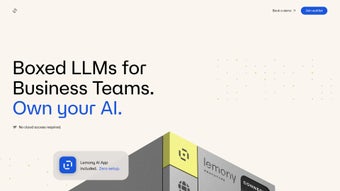
- Secure Lemony Box: A hardened hardware appliance that combines compute, storage, and networking in a tamper‑proof enclosure.
- Scalable Architecture: Seamlessly adds nodes to accommodate growing teams and increasing AI workloads.
- Compliance‑Ready: Built‑in audit logs, role‑based access control, and data residency controls meet GDPR, HIPAA, and other regulations.
- Ethical AI Engine: Enforces transparency, bias mitigation, and traceability of generated content.
- Zero‑Latency Insight Delivery: Proximity to data sources enables real‑time analytics and rapid response to queries.
- Integrated Collaboration Layer: Allows multiple users to interact with AI outputs through shared workspaces, comments, and version history.
- Automatic Updates & Patches: Secure, offline firmware and model updates delivered via encrypted USB or internal network.
- Extensible API: RESTful endpoints let developers embed Lemony’s capabilities into existing enterprise applications.
Installation & Usage Instructions
Getting Lemony up and running is designed to be straightforward, even for organizations without deep AI expertise. Follow these steps for a smooth deployment:
- Unbox the Lemony Appliance: Place the device in a secure rack, connect power, Ethernet, and optional redundant network links.
- Network Configuration: Access the built‑in web console via a secure HTTPS connection (default IP 192.168.0.10). Assign a static IP address that aligns with your internal subnet and configure firewall rules to restrict inbound traffic.
- Initialize the System: Run the first‑time setup wizard. You’ll create an admin account, define encryption keys for data at rest, and select the compliance profile that matches your industry (e.g., HIPAA, GDPR).
- Load Additional Models (Optional): If you need custom domain‑specific models, use the “Model Manager” to import encrypted model packages via USB or secure internal file share.
- Integrate with Existing Tools: Use the provided API keys to connect Lemony with collaboration platforms like Microsoft Teams, Slack, or proprietary intranet portals. The API documentation includes sample code snippets for Python, Java, and .NET.
- Assign User Permissions: Through the admin console, create role‑based groups (e.g., “Legal Drafting”, “Clinical Review”) and assign granular read/write privileges to AI workspaces.
- Start a Session: Users log in via the web UI or native client, select a workspace, and type natural‑language prompts. Lemony returns generated drafts, summaries, or data insights within seconds.
- Review & Iterate: All AI outputs are version‑controlled. Team members can comment, suggest edits, and approve final documents, ensuring a clear audit trail.
- Maintain & Update: Schedule offline updates through the “Update Manager”. The system verifies signatures before applying patches, guaranteeing a secure upgrade path without exposing the appliance to the internet.
Because Lemony operates behind your firewall, you retain complete control over data flow. The installation process typically takes 2‑4 hours for a single appliance, and scaling out to a multi‑node cluster adds roughly 30 minutes per additional unit.
Compatibility, Pros & Cons
Lemony is engineered to run on industry‑standard server hardware running Linux (Ubuntu 20.04 LTS or CentOS 8) within the appliance. It also supports virtualization platforms such as VMware ESXi and Microsoft Hyper‑V, allowing you to host the solution on existing data‑center infrastructure if a physical box isn’t preferred. For remote management, Lemony offers a responsive web interface compatible with modern browsers on Windows 10/11, macOS Ventura+, Chrome OS, and mobile browsers on Android 9+ and iOS 14+. The RESTful API can be accessed from any platform that supports HTTPS, making integration with custom applications seamless.
Pros
- Full data residency – no data leaves your premises.
- Regulatory‑ready compliance out‑of‑the‑box.
- Scalable from a single box to enterprise‑wide clusters.
- Zero‑trust architecture with encrypted storage and communication.
- Ethical AI controls ensure transparent, bias‑aware output.
- Rapid, low‑latency responses due to proximity to data sources.
- Extensible API for deep integration with existing workflows.
Cons
- Higher upfront capital expense compared to SaaS AI services.
- Requires on‑site IT expertise for initial deployment and hardware maintenance.
- Limited to on‑premise environments; not ideal for fully remote teams without VPN access.
- Model updates depend on scheduled offline patches, which may introduce slight delays.
Frequently Asked Questions
Is Lemony compatible with existing AI frameworks like TensorFlow or PyTorch?
Lemony’s core models are pre‑trained and optimized for on‑premise execution, but the platform provides a plug‑in architecture that can import TensorFlow or PyTorch models packaged as ONNX. This allows data scientists to extend Lemony’s capabilities with custom models while preserving the secure runtime environment.
How does Lemony ensure compliance with GDPR and HIPAA?
Lemony includes built‑in audit logging, role‑based access control, and data encryption at rest and in transit. Administrators can configure data residency policies, enforce consent management, and generate compliance reports that satisfy GDPR’s right‑to‑access and HIPAA’s security rule requirements.
Can Lemony operate in a multi‑site environment with separate data centers?
Yes. Lemony supports federated deployment where each site runs its own appliance, and a central management console orchestrates model synchronization and policy enforcement across locations, ensuring consistent AI behavior while keeping data localized.
What is the licensing model for Lemony?
Lemony is offered under a perpetual license with an optional annual maintenance subscription that covers software updates, security patches, and premium support. Volume discounts are available for multi‑node deployments.
How does Lemony handle model updates without internet connectivity?
Updates are delivered as encrypted packages that can be transferred via secure USB sticks or internal file shares. The appliance verifies digital signatures before applying the update, ensuring integrity without requiring external network access.
Professional Review Summary
Rating: 4.6/5
Lemony stands out as a robust, security‑first AI solution for enterprises that cannot compromise on data sovereignty. Its on‑premise architecture, comprehensive compliance features, and scalable design make it a compelling choice for regulated industries. While the initial cost and need for on‑site expertise may deter smaller firms, the long‑term risk mitigation and performance benefits justify the investment for organizations where data protection is paramount.
Pros: Private deployment, regulatory compliance, low latency, ethical AI controls.
Cons: Higher upfront cost, requires internal IT resources, offline update cadence.
Conclusion – Secure AI for Today’s Collaborative Teams
In an era where generative AI is reshaping how teams create, analyze, and decide, Lemony offers a uniquely secure pathway to harness that power without exposing sensitive information to the public cloud. By delivering a self‑contained AI engine that lives inside your own walls, Lemony removes the trade‑off between innovation and compliance, letting legal departments draft contracts, clinicians summarize patient notes, and investment analysts generate market insights—all under the watchful eye of your organization’s security policies. If your priority is to keep data ownership, meet strict regulatory standards, and still benefit from cutting‑edge AI capabilities, Lemony is the solution to download and deploy now. Take the next step: request a live demo, evaluate the Lemony Box for your environment, and future‑proof your team’s collaboration with a private AI that scales alongside your business.
Download Lemony today and experience secure, on‑premise generative AI built for enterprise teams.
Guides & Tutorials
How to install Lemony
- Click the Download button above.
- Once redirected, accept the terms and click Install.
- Wait for the Lemony download to finish on your device.
How to use Lemony
This software is primarily used for its core features described above. Open the app after installation to explore its capabilities.
User Reviews
No reviews yet. Be the first to share your experience.
You may also like
more
3D AI Studio
3D AI Studio Overview 3D AI Studio is a web-based AI-powered tool developed by S...

3D textures by Polycam
Generate Realistic 3D Textures Effortlessly 3D Textures by Polycam is an innovat...

3DAiLY
Customizable 3D Modeling Tool: 3DAiLY 3DAiLY is an online platform that harnesse...

3DFY
Revolutionizing 3D Model Creation: 3DFY Review 3DFY is an AI-powered service, de...

AI Dungeon
AI Dungeon: Deep Learning Text Adventure AI Dungeon is an artificial intelligenc...

Alpha3D
A subscription-based program for Web apps, by alpha3d. Alpha3D is a subscription...
