
Download Lingoes – Free Multilingual Dictionary & Translator Tool
Overview
Lingoes is a compact yet surprisingly versatile language‑assistance suite that bundles a multilingual dictionary, a Google‑powered translator, and a collection of handy utilities such as a periodic table, abbreviation chart, irregular‑verb list, time‑zone converter, dialing‑code directory, measurement converter, and currency converter. Designed for Windows users, the interface feels familiar to anyone who has tried Babylon or similar reference programs, yet Lingoes distinguishes itself with a few clever shortcuts. By pressing CTRL + right‑click on any word displayed on the screen, a pop‑up appears offering a quick definition, a deeper search link, and an audio pronunciation. While the concept is elegant, the implementation can be inconsistent: many words that exist in Lingoes’ internal database fail to trigger the pop‑up, which undermines the “always‑available” promise. The translation engine relies on Google, delivering fast results for common phrases but occasionally stumbling on niche terminology or idiomatic expressions. Performance quirks, especially in older browsers or when running alongside other heavy applications, can cause lag or occasional crashes. Despite these drawbacks, the suite’s auxiliary tools—particularly the currency and measurement converters—are polished and useful for everyday tasks. For users who need a portable reference without paying for premium services, Lingoes offers a respectable free alternative, provided they are aware of its occasional bugs and the need for occasional manual updates.
Key Features and Built‑in Tools
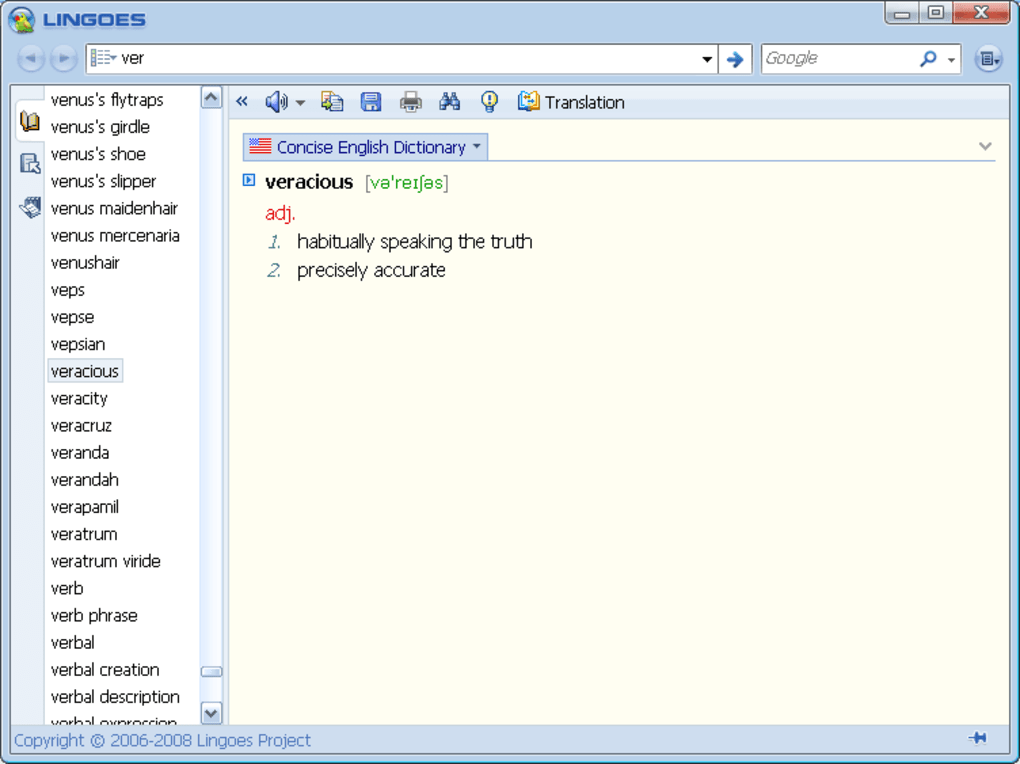
- Multilingual Dictionary: Over 60 language packs, searchable offline, with audio pronunciation for many entries.
- Instant Pop‑up Translator: CTRL + right‑click on any screen word brings up a definition window and a link to a deeper search.
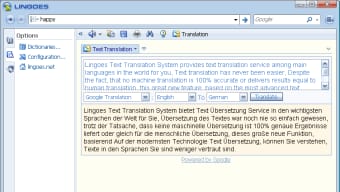
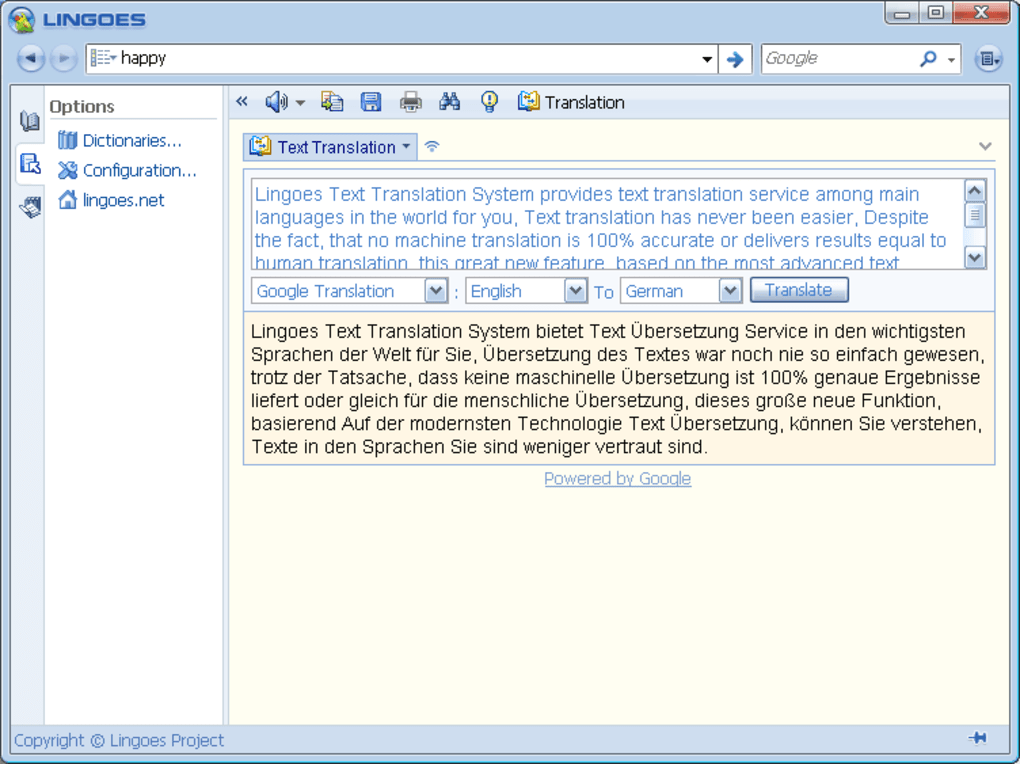
- Google‑Based Translator: Supports up to 23 source languages, translating text into your native language or another selected language.
- Periodic Table & Scientific Data: Quick lookup of element symbols, atomic numbers, and properties.
- Abbreviation & Irregular Verb Charts: Handy references for writers, students, and professionals.
- International Time‑Zone Converter: Convert between any world time zones with a single click.
- Dialing Codes Directory: Find country and city phone prefixes instantly.
- Weights & Measures Converter: Convert metric and imperial units for length, mass, volume, and more.
- Currency Converter: Real‑time exchange rates for dozens of currencies, refreshed automatically.
- Browser Integration: Plugins for Internet Explorer, Firefox, and (in older versions) Chrome, allowing on‑the‑fly translation without leaving the page.
- Adobe Acrobat Pro Plugin: Enables dictionary lookup directly within PDF documents.
- Customizable UI: Skins and layout options let users tailor the look and feel to personal preferences.
Installation, Setup, and System Compatibility
Installing Lingoes is a straightforward process that takes less than five minutes on a typical Windows PC. Follow these steps for a smooth setup:
- Download the Installer: Visit the official Lingoes website and click the “Download for Windows” button. The file size is under 15 MB, making it suitable even for slower connections.
- Run the Installer: Double‑click the
LingoesSetup.exefile. Windows SmartScreen may prompt you to confirm the download; click “Run” to continue. - Accept the License Agreement: Read the terms, then select “I accept” to proceed.
- Choose Installation Path: The default location (
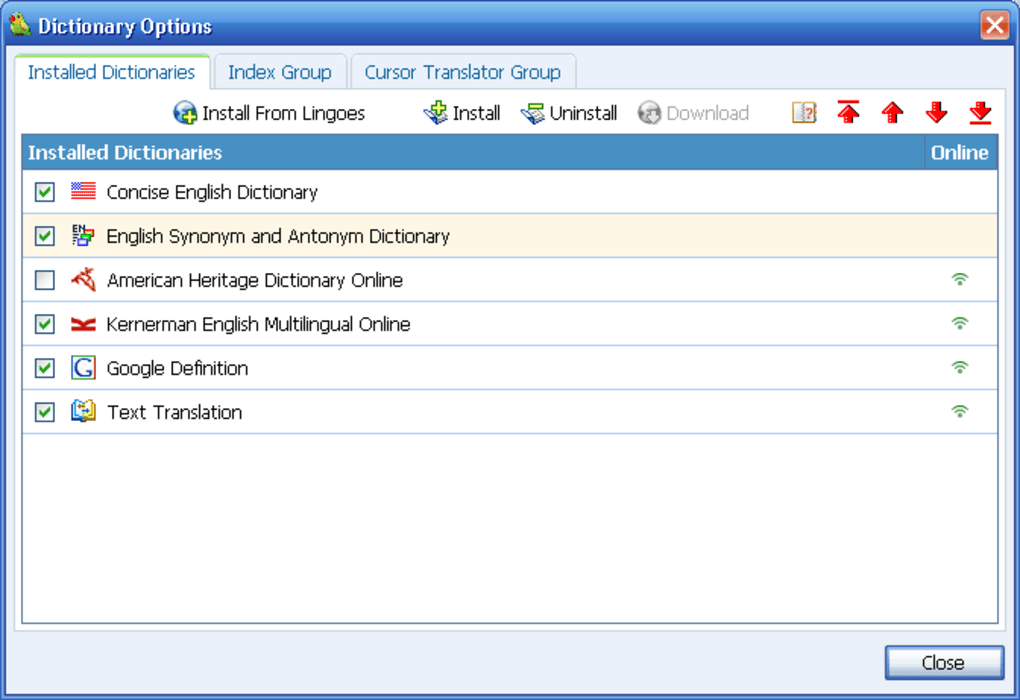
C:\Program Files\Lingoes) works for most users, but you can customize it if you prefer a different drive. - Select Language Packs: During installation you can pick the primary dictionaries you need. Additional packs are available later via the built‑in “Language Pack Manager.”
- Complete the Setup: Click “Install” and wait while the files are copied. Once finished, launch Lingoes from the Start menu or desktop shortcut.
- Configure Quick‑Lookup Shortcut: In the Settings menu, ensure the “CTRL + Right‑Click” option is enabled. Test it on a sample document to verify the pop‑up works.
Compatibility: Lingoes is officially supported on Windows 7, 8, 8.1, 10, and 11 (both 32‑bit and 64‑bit). The application runs on Windows Server editions as well, though some UI elements may appear slightly different due to server themes. Earlier versions of Windows (XP, Vista) may install, but users may experience reduced stability and missing features, particularly with the newer Google‑based translation engine. Lingoes does not have native macOS, Linux, Android, or iOS builds, but a portable version can be run on Windows emulators or through Wine on Linux/macOS, albeit with limited integration for the pop‑up translator.
After installation, it is advisable to check for updates within the “Help → Check for Updates” menu. Lingoes frequently releases language‑pack updates and bug‑fix patches that improve dictionary coverage and resolve the occasional pop‑up failure. For power users, the “Advanced Settings” panel allows you to adjust cache size, enable/disable automatic online lookups, and configure proxy settings for corporate environments.
Pros, Cons, and Real‑World Performance
Pros
- Free core application with optional paid language packs for specialized fields.
- All‑in‑one toolbox eliminates the need for multiple separate converters.
- Audio pronunciation for many entries helps language learners improve listening skills.
- Browser plugins streamline translation without leaving the current tab.
- Lightweight installer (under 15 MB) and modest RAM usage (≈30 MB when idle).
Cons
- CTRL + right‑click pop‑up does not work reliably for many dictionary entries.
- Google‑based translation can misinterpret context, especially with technical jargon.
- No native support for macOS, Linux, Android, or iOS.
- Occasional UI freezes when loading large language packs or performing batch conversions.
- Outdated UI design compared with modern competitors; lacks dark‑mode option.
In everyday use, Lingoes shines as a reference hub for students and professionals who need quick conversions and occasional word lookups. The most compelling advantage is the breadth of built‑in tools—all accessible from a single executable—saving users from juggling separate apps for currency, measurement, and scientific data. However, the core promise of an “always‑on” dictionary is diluted by the inconsistent pop‑up functionality. Users who rely heavily on the quick‑lookup feature may find themselves switching to alternative extensions like Power Thesaurus or dedicated translation apps. Performance on modern Windows 10/11 machines is generally smooth, but older hardware may experience lag during large dictionary searches. Overall, Lingoes offers a solid free foundation, but prospective users should weigh the convenience of bundled tools against the occasional bugs and limited platform reach.
FAQ & Conclusion – Should You Download Lingoes?
Is Lingoes completely free or are there hidden costs?
The core application is free to download and use. Optional language packs for specialized fields (e.g., medical, legal) may require a small one‑time purchase, but the standard dictionaries for major languages are included at no charge.
Can I use Lingoes on macOS or Linux?
Lingoes does not offer native macOS or Linux binaries. However, you can run the Windows version through Wine on Linux or a virtual machine on macOS, though some integration features (like the pop‑up translator) may not work perfectly.
Why does the CTRL + right‑click dictionary pop‑up sometimes fail?
The pop‑up relies on a local index that can become out‑of‑sync after language‑pack updates or when the application is run with limited permissions. Re‑building the index via the Settings → Advanced menu or reinstalling the affected language pack usually resolves the issue.
How accurate is the Google‑based translation in Lingoes?
For everyday phrases and common vocabulary, the translation is fast and reasonably accurate. Complex sentences, idioms, or industry‑specific terminology may be mistranslated, so it’s best to double‑check critical content with a dedicated translation service.
Is Lingoes safe to download and install?
Yes. The official website provides a signed installer free from adware or malware. As with any software, download only from the official source and keep the application updated to benefit from security patches.
Final Verdict
Lingoes delivers an impressive suite of reference tools at no cost, making it an attractive option for students, travelers, and professionals who need quick access to dictionaries, converters, and basic translation. Its greatest strength lies in the breadth of utilities bundled together, which can replace several standalone apps. However, the inconsistency of the on‑screen pop‑up dictionary and the occasional inaccuracies in Google translation mean that power users may still need supplementary tools. If you primarily work on Windows, value an all‑in‑one offline dictionary, and can tolerate occasional glitches, Lingoes is worth the download. For mission‑critical translation or cross‑platform needs, consider pairing it with a dedicated translation API or a modern cross‑platform app.
Download Lingoes now and start exploring its multilingual capabilities for free.








