
Download Linkedly – AI‑Driven LinkedIn Outreach Tool for Secure, Scalable Lead Generation
Overview
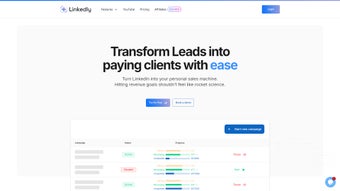
Linkedly is an AI‑powered automation platform built specifically for LinkedIn outreach, helping professionals, agencies, and sales teams turn connections into qualified leads with minimal manual effort. By centralising multiple LinkedIn profiles in a single dashboard, Linkedly lets users design, launch, and monitor highly personalised campaigns while maintaining compliance with LinkedIn’s usage policies. The web‑based app extracts relevant data from every interaction—profile views, message replies, and post engagements—and translates it into a structured prospect database that can be filtered, segmented, and enriched with additional insights. Whether you are a solo entrepreneur seeking to grow your network or a large agency managing dozens of client accounts, Linkedly provides a secure, scalable environment that automates repetitive tasks, reduces human error, and delivers data‑driven recommendations for optimal outreach timing and content. Its collaborative workspace lets team members assign leads, share notes, and track performance metrics in real time, turning LinkedIn from a passive networking site into an active, revenue‑generating engine.
Key Features & Capabilities
- Multi‑Profile Management: Seamlessly switch between up to 20 LinkedIn accounts without logging out, keeping each campaign isolated and secure.
- AI‑Powered Personalisation: Natural language generation creates custom connection requests and follow‑up messages based on prospect data and interaction history.
- Intelligent Data Extraction: Automatic scraping of public profile information, recent activity, and shared content to build a rich prospect database.
- Dynamic Segmentation: Filter leads by industry, seniority, location, or engagement score, then export lists to CRM tools like HubSpot or Salesforce.
- Automated Campaign Scheduling: Define outreach cadence, time‑zones, and conditional triggers so the system sends messages at the most effective moments.
- Team Collaboration Hub: Assign leads, add internal notes, and monitor each teammate’s activity through a shared analytics dashboard.
- Compliance Guardrails: Built‑in limits on connection requests per day and automated pause mechanisms to avoid LinkedIn bans.
- Performance Analytics: Real‑time KPI tracking (acceptance rate, reply ratio, pipeline creation) with visual charts and downloadable reports.
- Integration Ecosystem: Connectors for Zapier, Google Sheets, and popular email marketing platforms enable end‑to‑end workflow automation.
- Secure Cloud Architecture: End‑to‑end encryption, two‑factor authentication, and GDPR‑compliant data storage keep your prospect information safe.
These features work together to turn LinkedIn outreach from a time‑consuming manual process into a repeatable, data‑rich system. The AI engine analyses past campaign performance to suggest optimal message tone, subject lines, and send times, while the compliance guardrails ensure you stay within LinkedIn’s usage limits, protecting both your accounts and your brand reputation.
Installation, Setup & Compatibility
Linkedly is a cloud‑native web application, which means there is no traditional “installation” required on your local machine. Getting started is as simple as visiting the official website, creating an account, and linking your LinkedIn profiles through OAuth authentication. The step‑by‑step setup process typically takes under ten minutes:
- Sign Up: Register with a corporate email address. Choose between a free trial (14 days) or a paid plan starting at $49 per month.
- Connect LinkedIn Accounts: Click “Add Profile,” log into LinkedIn, and grant Linkedly the necessary permissions. The platform supports up to 20 accounts per workspace.
- Configure Outreach Rules: Define target criteria (industry, role, location), set daily connection limits, and choose AI‑generated or custom message templates.
- Team Onboarding: Invite teammates, assign roles (Admin, Manager, Analyst), and configure notification preferences.
- Launch Campaign: Activate the workflow, monitor the real‑time dashboard, and let the AI optimise each interaction.
Because Linkedly runs entirely in the browser, it is compatible with any modern operating system—Windows 10/11, macOS Ventura and later, Linux distributions, as well as mobile browsers on Android 9+ and iOS 14+. The responsive UI adapts to desktop, tablet, and smartphone screens, allowing you to review campaign performance on the go. For power users, a Chrome extension is available to inject Linkedly’s outreach shortcuts directly into the LinkedIn interface, further streamlining workflow without leaving the LinkedIn site.
All data is stored securely in AWS data centers with automatic backups and encryption at rest. Two‑factor authentication (2FA) is mandatory for admin accounts, and role‑based access control ensures each team member only sees the information they need.
Pros & Cons
What Users Love
- Highly accurate AI personalisation reduces manual copy‑pasting.
- Multi‑profile handling eliminates the need for separate browsers or VPNs.
- Compliance features protect against LinkedIn account restrictions.
- Robust analytics give clear insight into ROI and pipeline health.
- Seamless integration with popular CRMs and automation tools.
Areas for Improvement
- Learning curve for advanced segmentation can be steep for beginners.
- Pricing may be high for solo freelancers without a team discount.
- Limited customisation of AI‑generated messages for niche industries.
- No native desktop client; reliance on web browser may affect offline work.
- Occasional latency when handling very large prospect lists (10k+).
Frequently Asked Questions
Is Linkedly safe to use with my LinkedIn accounts?
Yes. Linkedly follows LinkedIn’s API usage policies and includes built‑in limits on daily connection requests. The platform also uses OAuth, so your credentials are never stored on Linkedly’s servers.
Can I run Linkedly on a Mac or Linux machine?
Absolutely. Since Linkedly is a web‑based SaaS solution, it works on any modern browser—Chrome, Firefox, Safari, or Edge—regardless of the underlying operating system.
How does the AI generate personalised messages?
The AI analyses the prospect’s public profile data, recent posts, and interaction history. It then combines this context with proven outreach templates to craft a message that feels genuine and relevant.
What integration options are available?
Linkedly integrates with Zapier, HubSpot, Salesforce, Google Sheets, and major email marketing platforms. You can also export CSV files of your prospect database for use in any external tool.
Is there a free version or trial?
A 14‑day free trial is offered with full feature access. After the trial, plans start at $49/month per workspace, with volume discounts for agencies managing more than five workspaces.
Overall Rating: 4.5 / 5
The combination of AI‑driven personalisation, robust compliance safeguards, and deep analytics makes Linkedly a standout choice for anyone serious about scaling LinkedIn outreach. While pricing could be more flexible for freelancers, the productivity gains typically offset the cost.
Conclusion & Call to Action
Linkedly transforms LinkedIn from a passive networking platform into a high‑performance lead‑generation engine. By automating repetitive tasks, delivering AI‑crafted messages, and providing real‑time insights, it empowers sales teams, recruiters, and marketers to focus on what truly matters—building relationships and closing deals. The secure, cloud‑native architecture ensures you can operate from any device, while built‑in compliance features protect your accounts from accidental bans. If you’re ready to accelerate your outreach, increase connection acceptance rates, and gain a data‑driven view of your LinkedIn pipeline, download Linkedly today and start your free trial.
Take advantage of the 14‑day risk‑free period, explore the AI personalisation suite, and see measurable improvements in your outreach metrics within the first week. Your next high‑quality lead is just a click away.



.png)




