

Description
ທ່ານກຳລັງຊອກຫາເວທີສົນທະນາທີ່ທັນສະໄໝ, ສວຍງາມ ແລະ ລຽບງ່າຍຢູ່ບໍ? bbPress ສາມາດເຊື່ອມຕໍ່ໄດ້ງ່າຍ, ໃຊ້ງານງ່າຍ ແລະ ຖືກສ້າງຂຶ້ນເພື່ອຮອງຮັບການເຕີບໂຕຂອງຊຸມຊົນຂອງທ່ານ.
bbPress ແມ່ນຊອບແວເວທີສົນທະນາທີ່ຕັ້ງໃຈອອກແບບມາໃຫ້ລຽບງ່າຍ ແຕ່ມີປະສິດທິພາບສູງ, ສ້າງຂຶ້ນໂດຍຜູ້ປະກອບສ່ວນໃຫ້ກັບ WordPress.
Screenshots
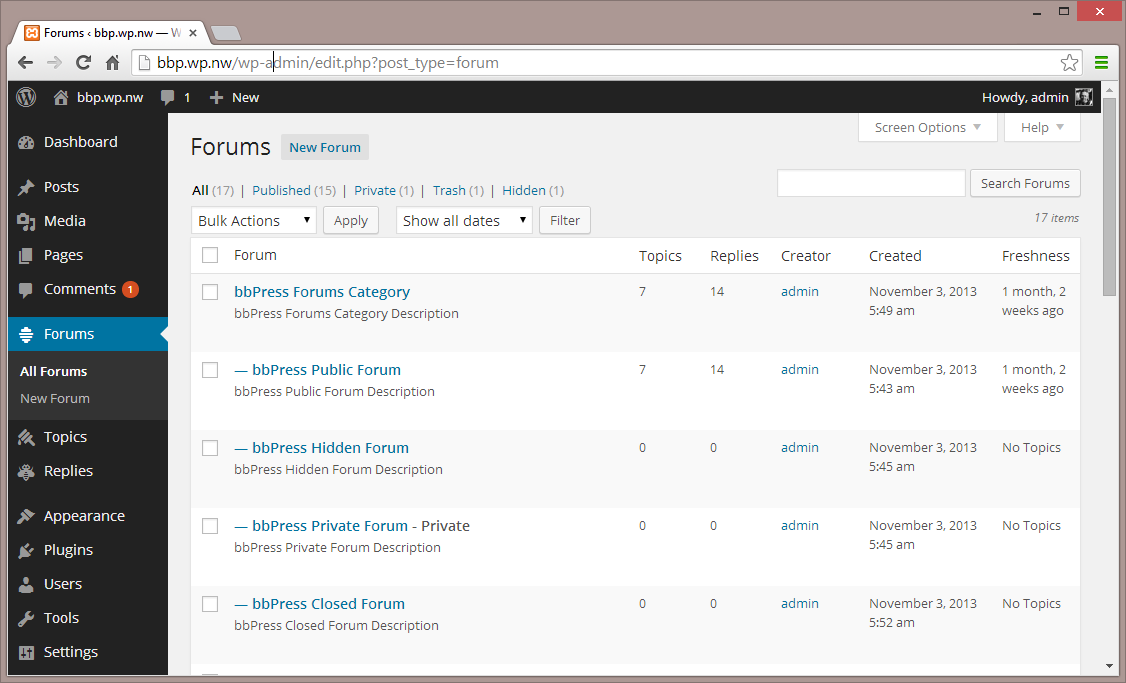
ເວທີສົນທະນາ – ສ່ວນຕິດຕໍ່ຜູ້ໃຊ້ສຳລັບຜູ້ດູແລ 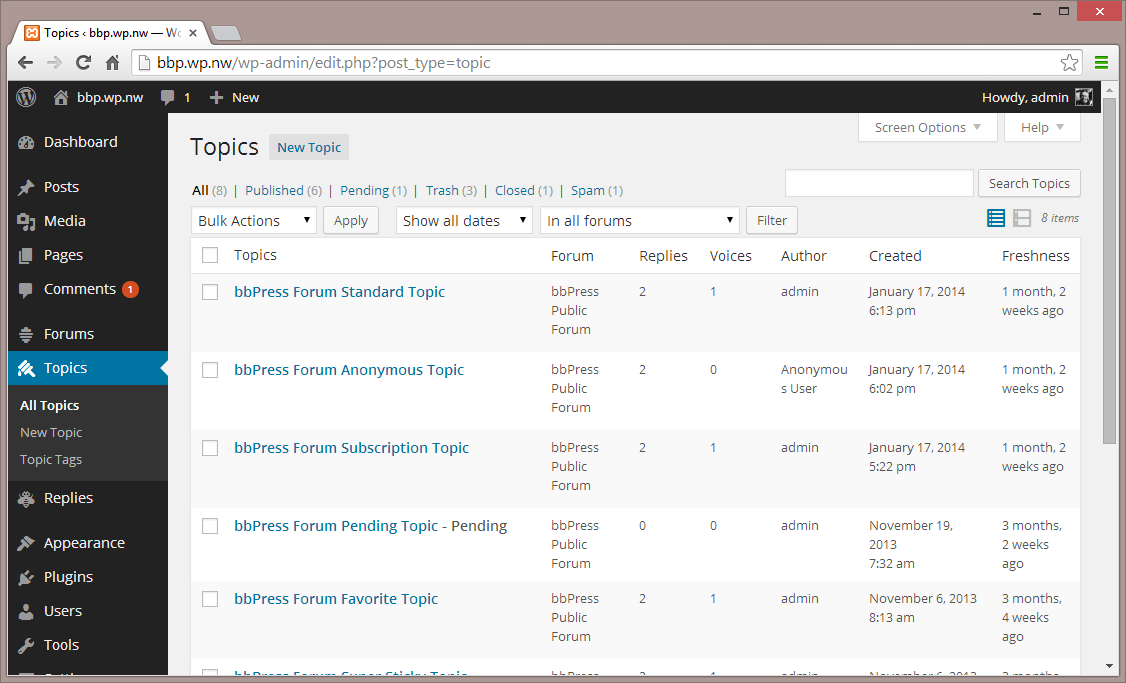
ຫົວຂໍ້ – ສ່ວນຕິດຕໍ່ຜູ້ໃຊ້ສຳລັບຜູ້ດູແລ 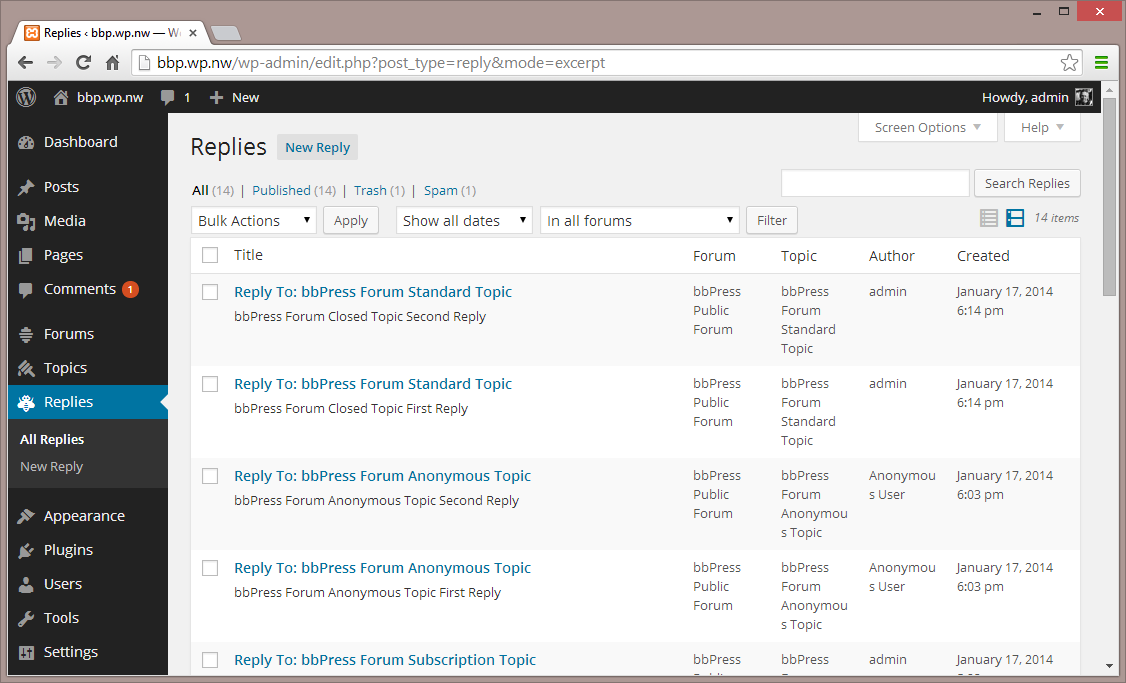
ການຕອບກັບ – ສ່ວນຕິດຕໍ່ຜູ້ໃຊ້ສຳລັບຜູ້ດູແລ 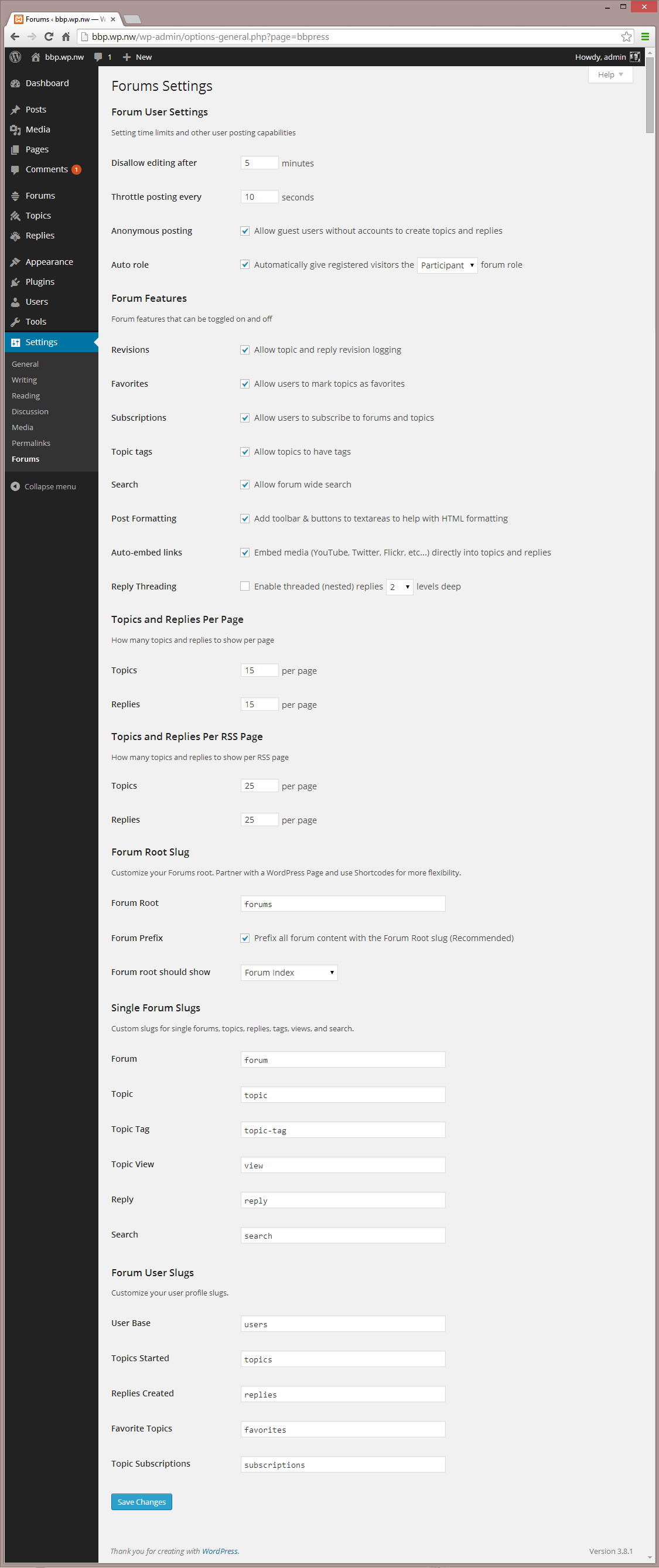
ການຕັ້ງຄ່າ – ສ່ວນຕິດຕໍ່ຜູ້ໃຊ້ສຳລັບຜູ້ດູແລ 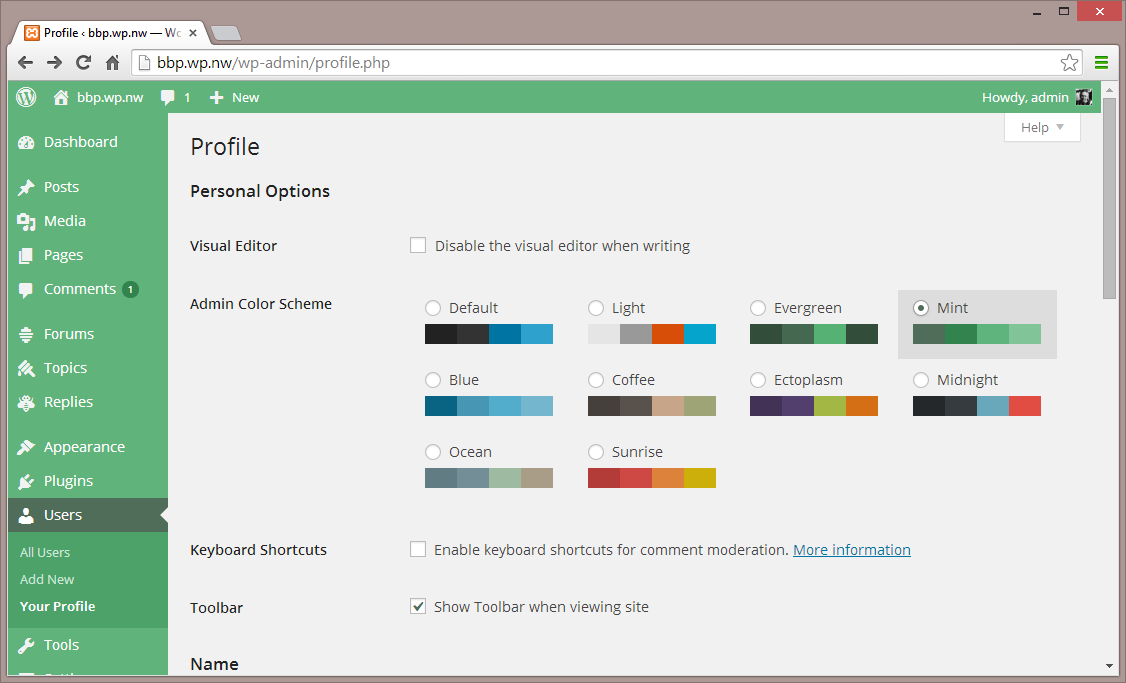
ການຕັ້ງຄ່າ 2 – ສ່ວນຕິດຕໍ່ຜູ້ໃຊ້ສຳລັບຜູ້ດູແລ 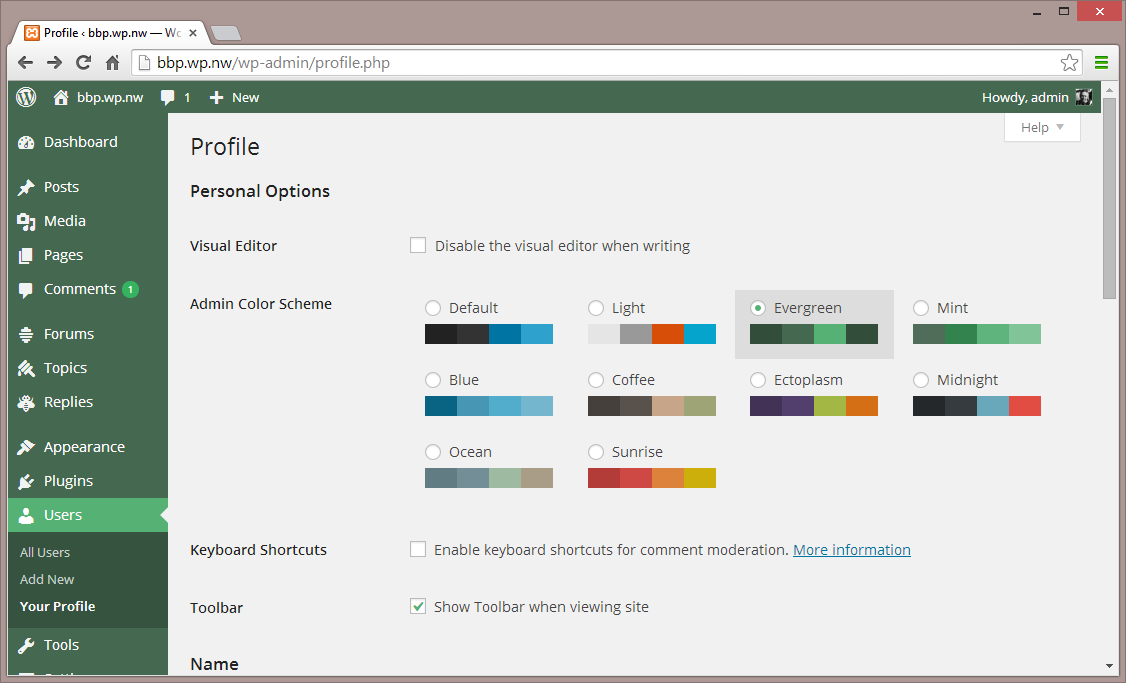
ຮູບແບບ – ສ່ວນຕິດຕໍ່ຜູ້ໃຊ້ສຳລັບຜູ້ດູແລ 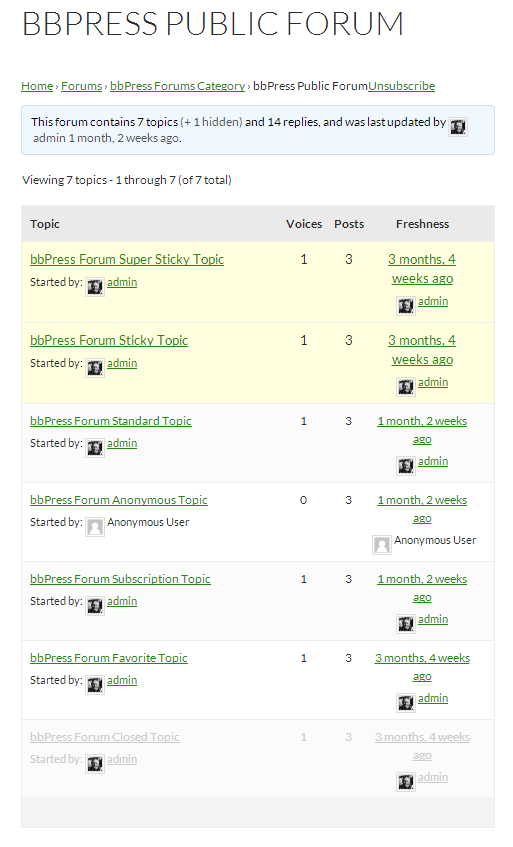
ເວທີສົນທະນາແບບດ່ຽວ – ຮູບແບບເລີ່ມຕົ້ນ


Installation
ຈາກແຜງຄວບຄຸມ WordPress ຂອງທ່ານ
- ໄປທີ່ ‘ປລັກອິນ > ເພີ່ມໃໝ່’
- ຄົ້ນຫາ ‘bbPress’
- ເປີດໃຊ້ງານ bbPress ຈາກໜ້າປລັກອິນຂອງທ່ານ. (ທ່ານຈະໄດ້ຮັບການຕ້ອນຮັບດ້ວຍໜ້າ Welcome.)
ຈາກ WordPress.org
- ດາວໂຫຼດ bbPress.
- ອັບໂຫຼດໂຟນເດີ ‘bbpress’ ໄປຍັງໄດເຣັກທໍຣີ ‘/wp-content/plugins/’ ຂອງທ່ານ, ໂດຍໃຊ້ວິທີທີ່ທ່ານຖະໜັດ (ftp, sftp, scp, ແລະ ອື່ນໆ…)
- ເປີດໃຊ້ງານ bbPress ຈາກໜ້າປລັກອິນຂອງທ່ານ. (ທ່ານຈະໄດ້ຮັບການຕ້ອນຮັບດ້ວຍໜ້າ Welcome.)
ເມື່ອເປີດໃຊ້ງານແລ້ວ
- ໄປທີ່ ‘ເວທີສົນທະນາ > ເພີ່ມໃໝ່’ ແລະ ສ້າງບາງເວທີສົນທະນາ. (ທ່ານສາມາດລຶບພວກມັນອອກໄດ້ໃນພາຍຫຼັງ.)
- ຖ້າທ່ານເປີດໃຊ້ງານລິ້ງຖາວອນ (pretty permalinks), ໃຫ້ໄປທີ່ example.com/forums/, ຫຼື ຖ້າບໍ່ໄດ້ເປີດໃຊ້ງານ, ໃຫ້ໄປທີ່ example.com?post_type=forum
- ໄປທີ່ ‘ການຕັ້ງຄ່າ > ເວທີສົນທະນາ’ ແລະ ກຳນົດຄ່າໃຫ້ເໝາະສົມກັບຄວາມຕ້ອງການຂອງຊຸມຊົນຂອງທ່ານ.
- ໄປທີ່ ‘ເຄື່ອງມື > ເວທີສົນທະນາ > ນຳເຂົ້າເວທີສົນທະນາ’ ຖ້າທ່ານມີເວທີສົນທະນາທີ່ມີຢູ່ແລ້ວທີ່ຕ້ອງການປ່ຽນມາເປັນ bbPress.
ເມື່ອກຳນົດຄ່າແລ້ວ
- bbPress ມາພ້ອມກັບ API ທີ່ຮອງຮັບການເຮັດວຽກຮ່ວມກັບຮູບແບບ (theme) ໄດ້ຢ່າງມີປະສິດທິພາບ ເພື່ອເຮັດໃຫ້ bbPress ເບິ່ງຄືວ່າເຂົ້າກັນໄດ້ກັບເກືອບທຸກຮູບແບບຂອງ WordPress. ທ່ານອາດຈະຕ້ອງປັບແຕ່ງບາງຮູບແບບດ້ວຍຕົນເອງເພື່ອໃຫ້ທຸກຢ່າງເບິ່ງສວຍງາມ.
- ທ່ານອາດຈະຕ້ອງການປັບແຕ່ງຂັ້ນຕອນການລົງທະບຽນ/ການເປີດໃຊ້ງານ/ການເຂົ້າສູ່ລະບົບ/ການລືມລະຫັດຜ່ານ ເພື່ອໃຫ້ເໝາະສົມກັບເວັບໄຊຂອງທ່ານ. bbPress ມາພ້ອມກັບຊອດໂຄ້ດ (shortcodes) ຫຼາຍຢ່າງເພື່ອເຮັດໃຫ້ສິ່ງນີ້ເປັນໄປໄດ້, ເບິ່ງລາຍການໄດ້ທີ່ນີ້: https://codex.bbpress.org/shortcodes/
- bbPress ຍັງຮອງຮັບ Akismet ແລະ BuddyPress ໃນຕົວ, ເຊິ່ງເປັນສອງປລັກອິນ WordPress ທີ່ໄດ້ຮັບຄວາມນິຍົມ ແລະ ມີປະສິດທິພາບຫຼາຍ. ຖ້າທ່ານກຳລັງໃຊ້ງານອັນໃດອັນໜຶ່ງຢູ່, ໃຫ້ໄປທີ່ໜ້າການຕັ້ງຄ່າເວທີສົນທະນາ ແລະ ກວດສອບເບິ່ງວ່າການເຊື່ອມຕໍ່ນັ້ນຖືກຕ້ອງຫຼືບໍ່.
Reviews

ທັນວາ 14, 2025
I have been using it for many years and have always been very happy with it. It allows you to turn WordPress into an online community. Fantastic!

ກັນຍາ 28, 2025
Пользуюсь давно, все функции работают нормально!!

ກັນຍາ 21, 2025
The screen goes white

ພຶດສະພາ 20, 2025
Abandonned plugin and buggy

ມີນາ 25, 2025
I am active on french support forum who runs under BBPress. It’s looks so old now, without the features (and rendering) the other forum’s programs have now. I now this forum here is under BBPress, but it’s a reworked version of what you get with the plugin.

ມັງກອນ 23, 2025
bbpress is not trustable and has poor features. Support seems non-existent. I just tried to get help with breadcrumbs that were not showing up on my installation. A technical issue that I presented on their forum (bbpress.org). They didn’t answer me, they deleted my post and now I can’t post anything there anymore, I don’t even know what criteria led to this… well, maybe they are experiencing some technical difficulty, but they could at least let me know, leave a pinned post or send a message on the user profile… it is not safe to create a large forum on a platform whose managers act this way.
Contributors & Developers
“bbPress” is open source software. The following people have contributed to this plugin.
Contributors


“bbPress” has been translated into 57 locales. Thank you to the translators for their contributions.
Translate “bbPress” into your language.
Interested in development?
Browse the code, check out the SVN repository, or subscribe to the development log by RSS.
Changelog
ເບິ່ງລາຍລະອຽດທີ່ ໜ້າເວີຊັນຕ່າງໆ
