


Download LRButton – Tablet, Reading, Page Turning, KOBO, Kindle, Web Comics, Digital Reading, Keyboard-Free, Touch Screen, Mobile App, Utility
Overview
LRButton is a specialized mobile utility designed to enhance the digital reading experience on tablets, particularly for users of the KOBO DeskTop app. By eliminating the need for a physical keyboard, the app provides a streamlined method for navigating through books and comics using simple button controls. Its primary function is to send left and right arrow key commands to the active window, enabling rapid and precise page turning. This addresses the common frustration of delayed or imprecise touch screen gestures, which can disrupt immersion during reading sessions. The app is especially beneficial for users who prefer a tactile, keyboard-free interface while reading on a tablet.
Target users include avid readers, comic enthusiasts, and digital content consumers who rely on tablet devices for extended reading. Whether using KOBO, Amazon Kindle for PC, or web-based comics, LRButton serves as a bridge between touch-based navigation and efficient keyboard-like input. Its role in the app ecosystem is notable, as it fills a niche gap in productivity tools tailored for digital reading environments. While the developer did not provide additional technical details, the app’s focus on simplicity and functionality suggests a targeted, user-centric design approach. Real-world use cases include quick navigation through long-form comics, seamless transitions between chapters in e-books, and improved control during extended reading sessions.
Key Features & Functionality
- Quick Page Turning: Pressing the left or right button sends an arrow key command to the active window, allowing for immediate page navigation. This feature reduces the lag associated with touch gestures, offering a more responsive reading experience.
- Continuous Page Flipping: Holding down either button enables continuous page turning, ideal for reading comics or scanning through long documents where rapid succession of pages is desired.
- Multi-Platform Compatibility: LRButton works with KOBO DeskTop, Amazon Kindle for PC, and various web-based comic platforms, making it a versatile tool across different digital reading environments.
- Customizable Button Placement: Users can reposition the buttons anywhere on the screen, ensuring optimal accessibility based on individual reading posture and device orientation.
- Active Window Awareness: A built-in reminder encourages users to ensure the target application is the active window, which is essential for the button commands to register correctly.
For example, a comic reader can hold the right button to rapidly flip through panels without lifting their hand from the tablet. Similarly, a student reading a lengthy e-book can use quick taps to navigate between sections with minimal disruption. The app’s functionality is directly tied to real-world reading behaviors, offering tangible improvements over standard touch navigation.
Interface, UX & Performance
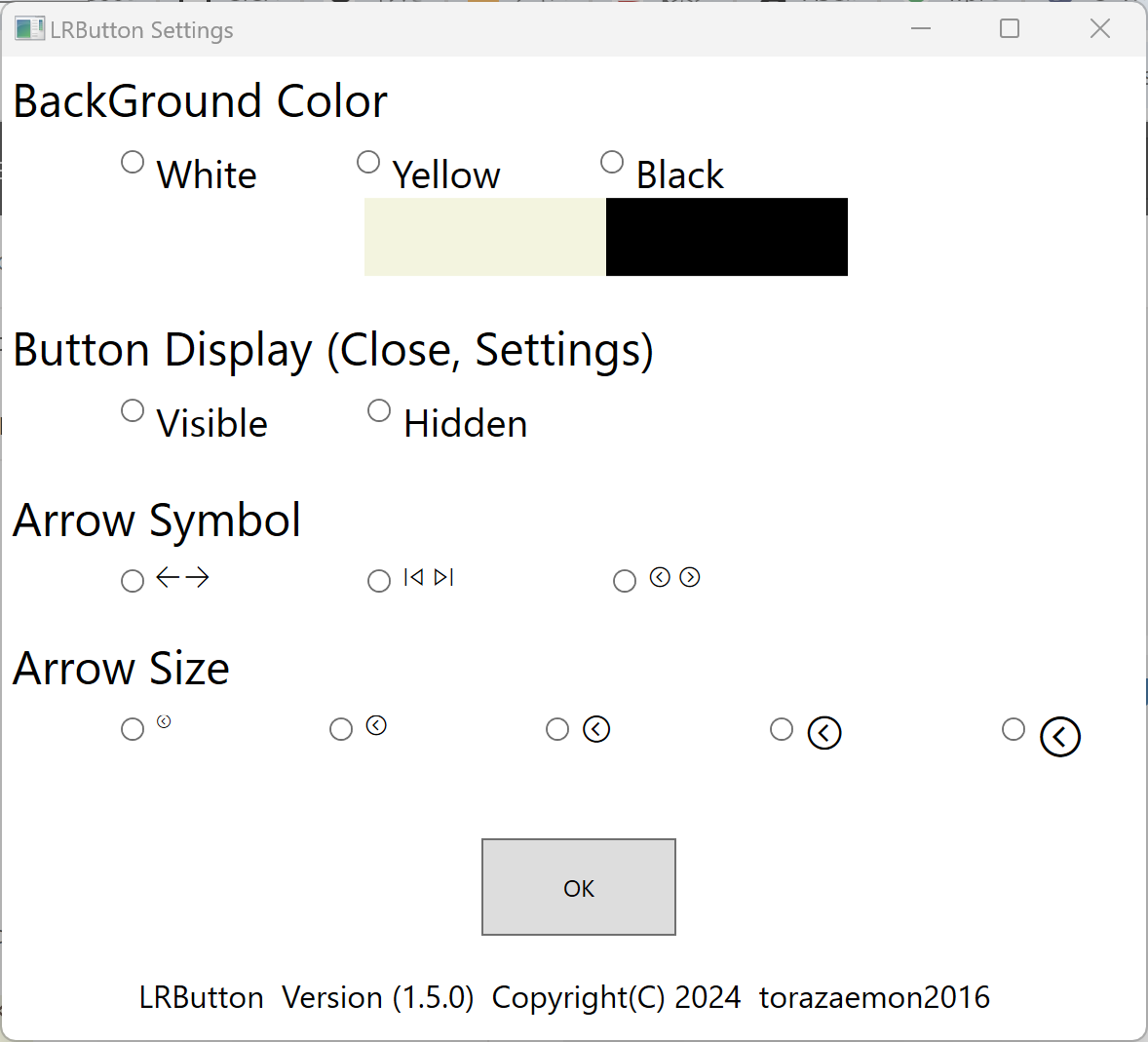
LRButton features a minimalistic interface focused on usability and accessibility. The app presents two clearly labeled buttons—left and right—positioned in a way that allows for intuitive interaction. The visual style is clean and unobtrusive, ensuring the buttons do not interfere with the content being read. Navigation is straightforward: users can tap or hold the buttons to trigger page turns, with immediate feedback in the active application.
Although the developer did not list formal performance metrics, the app’s lightweight design—only 2.5 MB in size—suggests efficient resource usage. It is expected to operate smoothly on most modern Android tablets, with minimal impact on battery life or system performance. Responsiveness appears to be a core design goal, as the app relies on real-time input delivery to the active window. Stability is likely maintained through a focused feature set, avoiding unnecessary complexity. Users can expect consistent behavior across different reading platforms, provided the target app is active. The app’s small footprint and simple design contribute to its reliability and ease of use.
Platform Compatibility & Technical Requirements
LRButton is available exclusively on the Android platform. The current version is 1.0, with a file size of 2.5 MB. The app is free to download and install, making it accessible to a wide audience. While the developer did not specify minimum OS requirements, it is designed for tablet devices and is compatible with Android systems that support the KOBO DeskTop app and similar reading platforms.
Specific requirements were not listed. Compatibility information was not fully disclosed. Users should ensure their device runs a stable Android version capable of supporting background applications and window input simulation. The app does not require root access or special permissions beyond standard Android functionality. Installation is straightforward, and the lightweight size ensures quick setup on most devices.
Pros and Cons
Pros
- Lightweight design at only 2.5 MB, ensuring minimal storage impact.
- Free to download and use, with no in-app purchases or ads.
- Enables fast, tactile page turning without needing a keyboard.
- Supports multiple reading platforms including KOBO and Kindle.
- Customizable button placement for personalized accessibility.
Cons
- Requires the target app to be the active window for commands to work.
- Platform limited to Android; no iOS or other OS availability.
- Developer did not provide detailed system requirements or performance data.
- Functionality is restricted to page turning; no additional navigation features.
- May require user adjustment to ensure proper window activation.
FAQ
Is LRButton safe to download and use?
Yes, the app is free and does not require root access. It operates within standard Android permissions and does not collect user data.
Can I use LRButton on iOS devices?
Currently, LRButton is only available on Android. No iOS version has been released.
Does LRButton work with web-based comics?
Yes, LRButton is compatible with various web comics platforms as long as the browser window is active.
Do I need a keyboard to use LRButton?
No. The app is specifically designed for keyboard-free reading on tablets, using on-screen buttons to simulate keyboard input.
How do I ensure LRButton works properly?
Make sure the application you're reading in (e.g., KOBO, Kindle, browser) is the active window when pressing the buttons.
Final Thoughts
LRButton delivers a focused, efficient solution for tablet users seeking a faster, more tactile way to navigate digital content. Its minimalist design, compatibility with multiple reading platforms, and customizable interface make it a valuable tool for readers and comic fans. While limited to Android and requiring active window awareness, its strengths in performance and ease of use outweigh these minor constraints. For anyone who reads extensively on a tablet—especially with KOBO or web comics—LRButton offers a meaningful upgrade over touch-based navigation. It’s a small app with a big impact on user experience.
Download LRButton now


