
Screenshots
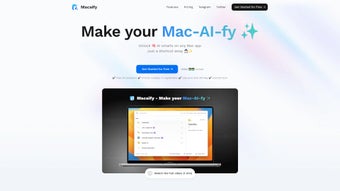
App details
- Updated
- November 28, 2024
- Requires
- Chrome
- License
- Subscription
- Developer
- macaify
- Category
- Web Apps
About Macaify
Download Macaify – AI‑Powered Productivity for Mac Users
Overview
Macaify is a web‑based, AI‑driven productivity suite built specifically for macOS enthusiasts who prefer a keyboard‑first workflow. By harnessing the conversational power of ChatGPT, Macaify turns everyday tasks—like text editing, code snippets generation, and routine automation—into lightning‑fast operations triggered by simple keyboard shortcuts. The platform ships with more than 1,000 pre‑configured “robot” templates, letting users instantly plug AI assistance into their favorite apps such as Safari, Mail, VS Code, and Terminal. Whether you’re a developer looking to scaffold code, a writer needing on‑the‑fly content re‑phrasing, or a project manager automating repetitive email drafts, Macaify offers a mouse‑free experience that keeps your hands on the keyboard and your mind on the work. A free tier gives you a taste of the core features, while the Standard and Plus subscriptions unlock extended template libraries, priority support, and future‑ready capabilities like image generation, text‑to‑speech, and sophisticated URL parsing. In short, Macaify is positioned as the bridge between native macOS productivity tools and cutting‑edge generative AI, promising a smoother, faster, and more personalized workflow for power users.
Key Features & Capabilities
- AI‑Powered Text Processing: Summarize, rewrite, translate, or proofread any selected text with a single shortcut.
- Code Generation & Debugging: Generate boilerplate code, refactor snippets, or receive instant debugging suggestions in languages ranging from Python to Swift.
- 1,000+ Robot Templates: Pre‑built workflows for common tasks—email drafting, data extraction, calendar management, and more.
- Keyboard‑Centric Operation: All interactions are invoked via customizable hotkeys, eliminating mouse‑dependency.
- Cross‑App Integration: Works seamlessly inside Safari, Mail, Notes, VS Code, Terminal, and any other macOS app that supports text selection.
- Future‑Ready Extensions: Upcoming modules for image generation, text‑to‑speech conversion, and advanced web URL processing.
- Secure Cloud Sync: Your custom templates and preferences are encrypted and synced across devices via Macaify’s secure servers.
- Free & Tiered Plans: A no‑cost tier for basic use, plus Standard and Plus subscriptions that add premium templates, priority support, and early access to new features.
Why These Features Matter
Each feature of Macaify is designed to eliminate friction in the typical macOS workflow. The AI‑driven text processor reduces the time spent toggling between apps for copy‑paste tasks, while the code generation module speeds up development cycles by delivering ready‑to‑run snippets in seconds. The extensive robot library means users rarely have to build a workflow from scratch; instead, they can fine‑tune an existing template to match their exact needs. Keyboard‑centric design is a boon for professionals who spend hours in front of the screen, as it reduces repetitive strain and improves overall efficiency. Finally, the upcoming visual and audio capabilities hint at a future where a single Mac app can handle everything from design mockups to narrated reports, all without leaving the keyboard.
Installation, Usage & Compatibility
Getting started with Macaify is intentionally straightforward. Because the service is web‑based, there is no heavyweight installer to download. Users simply sign up at macaify.com, choose a plan, and then add the lightweight browser extension for Safari or Chrome (both supported on macOS). The extension injects a small background script that listens for your custom hotkeys and communicates with the Macaify cloud via a secure HTTPS API. Once the extension is enabled, you can open any macOS application, select text, and press the assigned shortcut (default Ctrl + Space) to summon the AI assistant.
Step‑by‑Step Installation
- Visit the official website and create a free account using your Apple ID or email.
- Choose a plan—Free, Standard, or Plus—and complete the payment if required.
- Download the Macaify browser extension for Safari (or Chrome/Edge if you prefer).
- Open the System Preferences → Security & Privacy → Privacy → Accessibility and add the extension to allow keyboard shortcut listening.
- Configure your preferred hotkeys in the extension’s settings panel.
- Start selecting text in any app and invoke the AI with your shortcut.
Macaify is built exclusively for macOS 12 (Monterey) and later, taking advantage of Apple’s native security framework and the new Universal Control APIs. While the core engine runs in the cloud, the local extension ensures low latency interaction and respects macOS sandboxing rules. The service also supports iOS devices through a companion app, enabling cross‑device continuity for users who switch between MacBook and iPhone throughout the day.
Usage Tips for Maximum Efficiency
To get the most out of Macaify, consider creating custom robot templates that match your daily routines. For example, a “Meeting Summary” robot can automatically pull agenda items from your calendar and generate a concise recap after each session. Pairing the tool with macOS automation apps like Keyboard Maestro or Shortcuts further amplifies its power, allowing you to chain multiple AI actions together in a single macro. Remember to regularly review the template library, as new community‑contributed robots are added weekly.
Pros, Cons & Frequently Asked Questions
Pros
- Deep integration with macOS native apps and keyboard‑first design.
- Extensive library of over 1,000 ready‑made AI robot templates.
- Free tier available for basic usage, with affordable upgrade paths.
- Secure cloud sync keeps your custom workflows safe across devices.
- Upcoming multimodal features (image generation, TTS) expand utility.
Cons
- Requires an active internet connection for AI processing.
- Advanced features are locked behind paid subscriptions.
- Currently limited to macOS and iOS; no native Windows or Android client.
- Initial setup of hotkeys may be confusing for non‑technical users.
FAQ
Is Macaify safe for confidential data?
Yes. All communications between the local extension and Macaify’s servers are encrypted with TLS 1.3. Sensitive text is processed in memory and not stored permanently unless you explicitly save a template.
Can I customize the AI’s tone or style?
Absolutely. Within each robot template you can set parameters such as “formal”, “concise”, or “technical”. The underlying ChatGPT model respects these cues when generating responses.
Do I need a Mac to use Macaify?
Macaify’s core experience is optimized for macOS 12+ and iOS. While the web interface can be accessed from any platform, the keyboard‑centric shortcuts and native integration only work on Apple devices.
How does the pricing structure work?
The Free plan includes 200 robot executions per month. The Standard plan ($9.99/month) raises the limit to 2,000 executions and adds premium templates. The Plus plan ($19.99/month) offers unlimited executions, priority support, and early access to beta features.
Is there a trial period for the paid plans?
Yes. New users receive a 14‑day trial of the Standard plan with full feature access, after which the subscription auto‑renews unless cancelled.
Conclusion & Call to Action
For Mac power users who crave a frictionless, AI‑enhanced workflow, Macaify delivers a compelling blend of convenience, customization, and security. Its extensive robot library and keyboard‑first philosophy make it a natural fit for developers, writers, and anyone who spends the majority of their day navigating macOS applications. While the reliance on an internet connection and the lack of a Windows client may limit adoption for some, the generous free tier and reasonably priced subscriptions provide a low‑risk entry point. As the platform rolls out multimodal capabilities like image generation and text‑to‑speech, its value proposition will only grow stronger. If you’re ready to transform repetitive tasks into instant AI‑driven actions, click the button below to start your free trial and experience a new level of productivity on your Mac.
Start Free TrialGuides & Tutorials
How to install Macaify
- Click the Download button above.
- Once redirected, accept the terms and click Install.
- Wait for the Macaify download to finish on your device.
How to use Macaify
This software is primarily used for its core features described above. Open the app after installation to explore its capabilities.
User Reviews
No reviews yet. Be the first to share your experience.
You may also like
more
3D AI Studio
3D AI Studio Overview 3D AI Studio is a web-based AI-powered tool developed by S...

3D textures by Polycam
Generate Realistic 3D Textures Effortlessly 3D Textures by Polycam is an innovat...

3DAiLY
Customizable 3D Modeling Tool: 3DAiLY 3DAiLY is an online platform that harnesse...

3DFY
Revolutionizing 3D Model Creation: 3DFY Review 3DFY is an AI-powered service, de...

AI Dungeon
AI Dungeon: Deep Learning Text Adventure AI Dungeon is an artificial intelligenc...

Alpha3D
A subscription-based program for Web apps, by alpha3d. Alpha3D is a subscription...
