
Download MacDrive – Mac file system, Windows access, data transfer, cross-platform compatibility, file access, disk access, Mac disk, backup tool
Overview
MacDrive is a specialized utility designed to bridge the compatibility gap between Windows and macOS environments. It enables Windows users to access hard disks and partitions formatted with Mac file systems—such as APFS and HFS+—which are not natively supported by Windows operating systems. This capability is essential for users who frequently work across both platforms, including professionals in creative industries, IT administrators, and individuals managing personal data across multiple devices. The app solves a persistent technical limitation: the inability of Windows to read or write to Mac-formatted drives without third-party software. By integrating seamlessly into the Windows file explorer, MacDrive allows users to perform standard file operations—copying, moving, renaming, and deleting—on Mac disks as if they were local Windows drives. This functionality streamlines workflows involving data transfer between Mac and PC systems, reducing dependency on external tools or cloud-based solutions. The developer, Mediafour, has positioned MacDrive as a reliable, efficient, and secure tool for cross-platform file access. Its use cases span from personal file recovery to enterprise-level data migration. In the broader software ecosystem, MacDrive fills a niche that remains underserved by built-in OS features, making it a valuable asset for users who prioritize efficiency and compatibility.
Key Features & Functionality
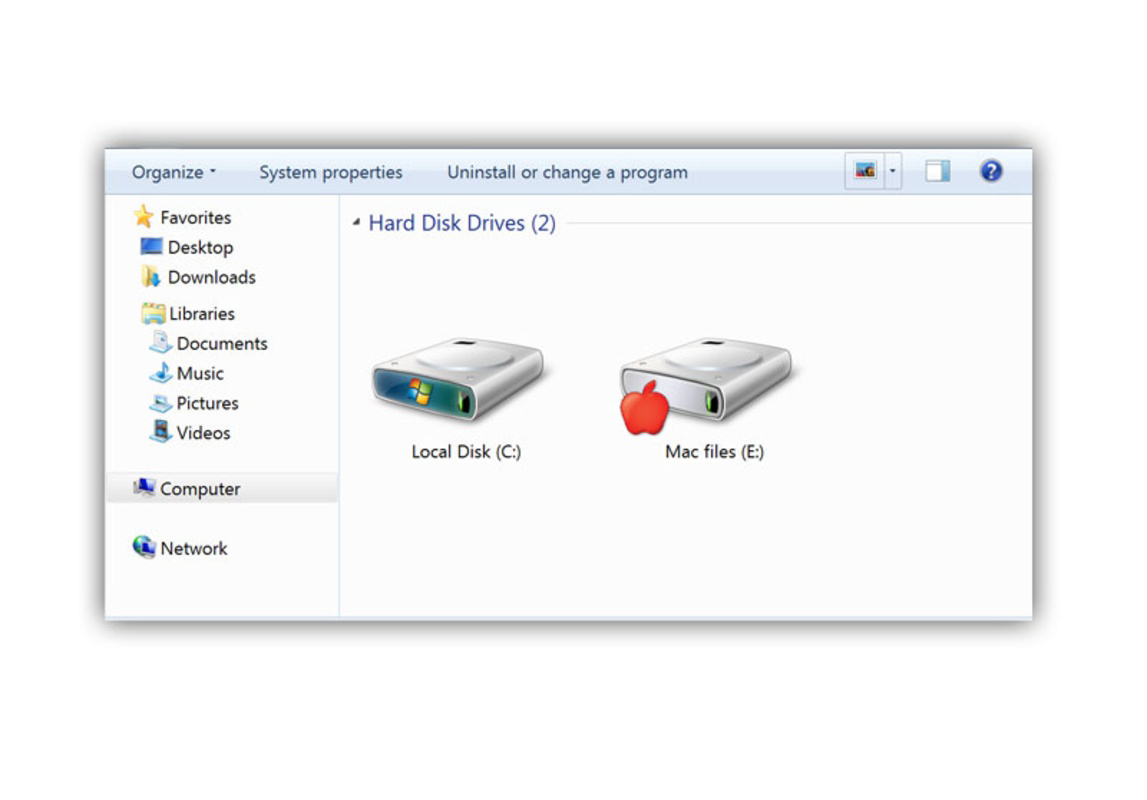
- Seamless File Access: MacDrive enables Windows users to view and interact with Mac-formatted drives directly through File Explorer. Files appear as standard drives, allowing for intuitive navigation and management without requiring complex setup or command-line tools.
- Native File Integration: The software preserves Mac-specific metadata such as file names, extensions, and icons, ensuring that files remain recognizable and usable within the Windows environment. This visual and functional consistency reduces user confusion during cross-platform work.
- Backup Capabilities: Users can easily copy the contents of Mac disks to external storage devices such as CDs or USB drives. This feature supports data preservation and disaster recovery, particularly useful for users managing critical or irreplaceable files.
- Partition Management: MacDrive allows users to create, delete, and format Mac disk partitions directly from within Windows. This functionality is beneficial for users who need to reorganize disk space or prepare drives for cross-platform use.
- Plug-and-Play Operation: Once installed, MacDrive automatically detects and mounts Mac-formatted drives upon connection, eliminating the need for manual configuration or driver installation.
These features are especially valuable in real-world scenarios such as transferring media files from a Mac to a Windows workstation, recovering data from a Mac external drive after a system failure, or preparing a dual-boot drive for a hybrid computing setup. The tool’s reliability in maintaining file integrity during transfers enhances its trustworthiness in professional and personal workflows.
Interface, UX & Performance
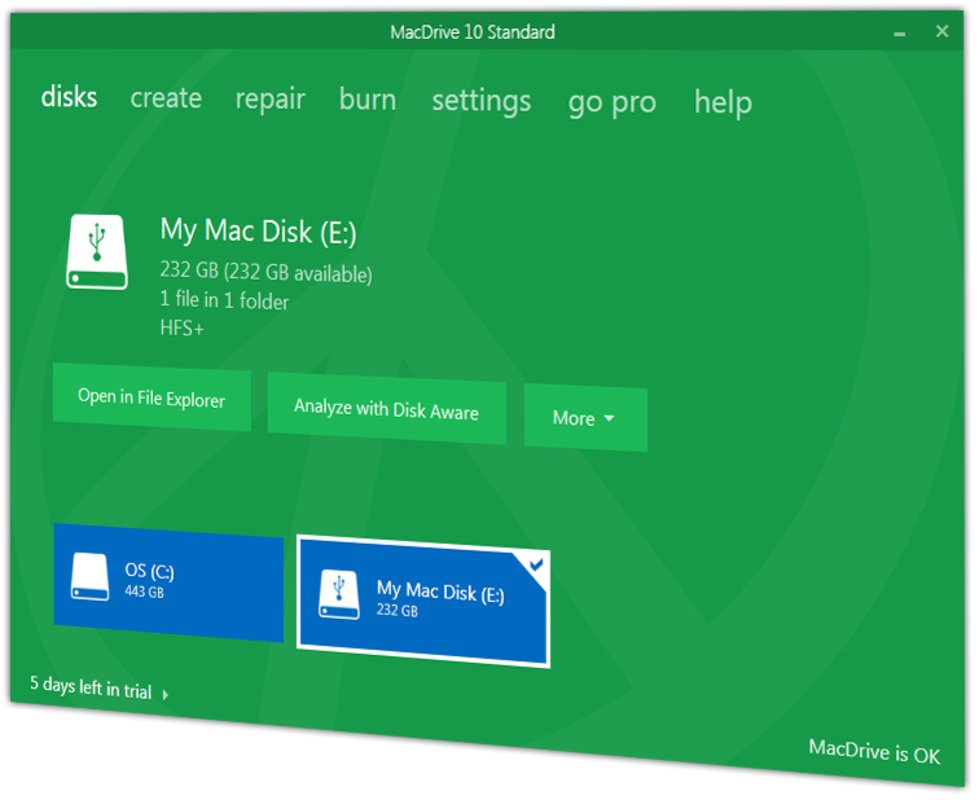
MacDrive features a minimalistic, streamlined interface that integrates directly into the Windows operating system. The software operates primarily in the background, with no intrusive pop-ups or complex dashboards. Users interact with Mac-formatted drives through the standard Windows File Explorer, which ensures a familiar and intuitive experience. Navigation is straightforward: connected Mac disks appear as regular drives, and file operations are executed with standard Windows gestures—drag-and-drop, right-click context menus, and keyboard shortcuts. The visual style aligns with Windows conventions, avoiding any design inconsistencies that could disrupt workflow. Performance is optimized for responsiveness, with fast mounting and unmounting of Mac partitions. Although the developer did not list formal performance metrics, users can expect stable operation across a range of device categories, including desktops, laptops, and workstations. The software maintains system stability during prolonged use and handles large file transfers efficiently. Compatibility with modern Windows versions ensures smooth functionality without conflicts. While no specific benchmarks were provided, the app’s design suggests a focus on reliability and low resource consumption, making it suitable for both casual users and power users managing high-volume data.
Platform Compatibility & Technical Requirements
MacDrive is designed exclusively for the Windows platform and is compatible with current and recent versions of Windows operating systems. The software has a file size of 12.3 MB, indicating a lightweight installation that does not consume significant disk space. The latest version, 12.0.0, was released on February 7, 2025. Specific requirements such as minimum OS version or processor architecture were not listed by the developer. Compatibility information was not fully disclosed, so users should verify system compatibility with their specific Windows configuration before installation. The app is intended for use on desktop and laptop systems that support external storage devices, including USB drives, external hard disks, and SSDs formatted with Mac file systems. No mobile or tablet versions are available. The software is distributed as a standard Windows installer, which simplifies deployment across multiple devices.
Pros and Cons
Pros
- Enables native access to Mac-formatted drives on Windows systems
- Integrates seamlessly with Windows File Explorer
- Supports standard file operations without additional steps
- Preserves file metadata and visual elements from Mac systems
- Lightweight installation with minimal system impact
- Facilitates efficient data transfer and backup processes
Cons
- Price point of $39.95 may be high for casual users
- No information on support for older Windows versions
- Developer did not specify minimum system requirements
- Not available on mobile platforms or macOS
- Requires manual installation and setup on each device
FAQ
Is MacDrive safe to install on my Windows PC?
Yes, MacDrive is a trusted utility developed by Mediafour. It does not contain malware or adware and is designed to operate securely within the Windows environment. Always download the software from the official website to ensure authenticity.
Can I use MacDrive to write data to Mac-formatted drives?
Yes, MacDrive allows both read and write access to Mac-formatted drives, enabling users to modify, save, and delete files directly on the disk from Windows.
Does MacDrive work with all Mac file systems?
MacDrive supports common Mac file systems such as HFS+ and APFS. However, compatibility may vary depending on the specific version and configuration of the disk format.
How often does MacDrive receive updates?
Updates are released periodically to improve compatibility, fix bugs, and enhance performance. The latest version, 12.0.0, was released on February 7, 2025.
Is MacDrive available for macOS or Android?
No, MacDrive is currently available only for Windows. There is no version for macOS, iOS, or Android platforms.
Final Thoughts
MacDrive stands out as a reliable and efficient solution for Windows users who need to access Mac-formatted storage devices. Its ability to bridge the cross-platform gap with minimal friction makes it an indispensable tool for professionals and power users who manage data across both ecosystems. The seamless integration with Windows File Explorer, combined with robust file access and backup features, delivers a high-value experience. While the price may deter occasional users, those who frequently work with Mac disks will find the investment justified by the time and effort saved. The software’s lightweight design and stable performance further enhance its appeal. For anyone dealing with mixed operating system environments, MacDrive offers a practical, secure, and effective way to maintain data continuity. Download MacDrive now.


