
Download Magic Pack WinPointer – Pointer Collection, Windows Customization, Cursor Design
Overview
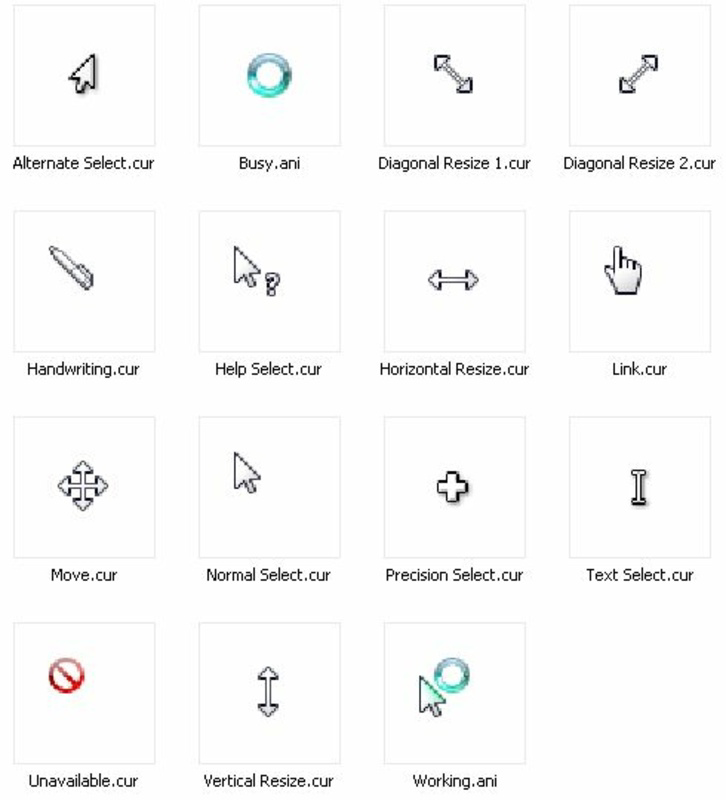
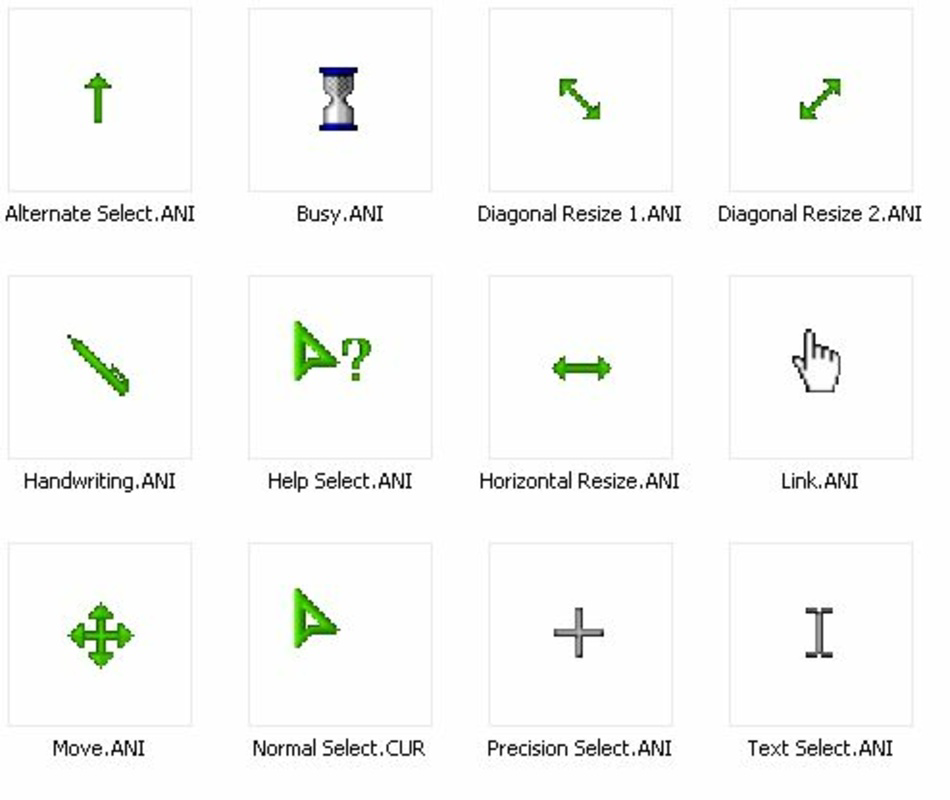
Magic Pack WinPointer is a specialized utility designed to enhance the visual experience of the Windows operating system through an extensive collection of custom cursor pointers. With 135 unique icons organized into nine distinct categories, the app provides users with a rich palette of design options to personalize their desktop environment. The primary purpose of Magic Pack WinPointer is to replace the default Windows cursor with more expressive, stylistically diverse alternatives, catering to users who value aesthetics and individuality in their computing setup. It solves the common frustration of repetitive or bland cursor designs by offering a curated selection inspired by earlier versions of Windows, such as XP and Vista, as well as free design packages. This makes it particularly appealing to long-time users nostalgic for classic UI elements, or to those seeking a unique visual identity on their desktops. The app targets individuals interested in system customization, digital artists, and users who enjoy fine-tuning their operating environment. Although the developer’s background is not disclosed, the app’s longevity—first released in 2009—suggests a stable and enduring presence in the niche customization space. Real-world use cases include personalizing workstations, enhancing gaming setups, or simply refreshing a tired desktop interface. In the broader app ecosystem, Magic Pack WinPointer occupies a specialized role as a lightweight, focused tool that delivers meaningful visual impact without compromising system performance.
Key Features & Functionality
- Diverse Pointer Collection: The app includes 135 distinct cursor designs, each carefully selected and categorized into nine folders for intuitive access. This variety ensures users can find a style that matches their preferences, whether minimalist, retro, or modern.
- Seamless Installation: Magic Pack WinPointer automates the installation process by placing all pointer files directly into the Windows pointer directory. This eliminates the need for manual file copying or registry edits, making setup accessible even for non-technical users.
- Design Variety Inspired by Legacy Systems: Many of the cursor designs draw visual cues from older Windows versions, such as XP and Vista, offering a nostalgic experience for users who remember those interfaces. Additional free design packages further expand the creative range.
- Easy Customization via System Settings: Once installed, users can switch between different cursor styles using the built-in Windows Control Panel or Settings app. This integration ensures that changes are persistent and reversible without additional software.
- Effortless Navigation and Selection: The categorized structure allows users to browse by theme—such as transparent, animated, or high-contrast styles—enabling quick identification of preferred designs based on context or mood.
For example, a user working in a creative studio might switch to a sleek, animated cursor during design sessions, while reverting to a subtle, high-contrast pointer during long writing tasks. The app’s simplicity enables rapid iteration, allowing users to experiment with different styles without disrupting workflow. By focusing on one core function—cursor customization—the app delivers consistent value without bloat or unnecessary complexity.
Interface, UX & Performance
Magic Pack WinPointer operates as a lightweight installer with no visible user interface during runtime. Its design philosophy centers on minimalism and efficiency, relying entirely on Windows’ native cursor management system for interaction. The installation process is straightforward, with no prompts or pop-ups, and completes silently in the background. Once installed, users interact with the app indirectly through standard system settings, which ensures a consistent and familiar UX across different Windows versions. Navigation is not handled by the app itself but through the operating system’s built-in cursor customization panel. This approach reduces cognitive load and prevents interface fragmentation. Performance is not impacted by the app’s presence, as it does not run in the background or consume system resources after installation. Although the developer did not list formal performance metrics, the app’s lightweight footprint suggests it operates efficiently on a wide range of hardware configurations, from older machines to modern systems. Responsiveness is maintained through direct integration with Windows’ native pointer engine, ensuring smooth cursor transitions and no lag during switching. Stability is likely high due to the app’s reliance on standard system folders and file formats. Users can expect consistent behavior across reboots and updates. The absence of a GUI may be a limitation for some, but it aligns with the app’s purpose: to deliver a one-time setup with lasting results.
Platform Compatibility & Technical Requirements
Magic Pack WinPointer is designed for the Windows operating system. The app’s compatibility with specific Windows versions is not explicitly stated. The developer did not provide information about minimum OS requirements, making it difficult to determine exact compatibility ranges. The file size of the package is not disclosed. However, given the nature of the app—focused on installing cursor files—the overall footprint is expected to be small, likely under 100 MB. The app does not require installation of additional software or runtime dependencies. It leverages standard Windows file paths and registry entries for pointer configuration. As such, it is likely compatible with most modern Windows platforms, including Windows 10 and Windows 11, though this cannot be confirmed without official documentation. Users should exercise caution when installing on systems with restricted permissions or strict security policies. The developer did not specify whether the app supports 32-bit or 64-bit systems, nor did they mention support for alternative architectures. Compatibility information was not fully disclosed.
Pros and Cons
Pros
- Large collection of 135 unique cursor designs across nine categories
- Automated installation process with no manual file management required
- Designed to integrate seamlessly with Windows native settings
- Offers nostalgic designs inspired by Windows XP and Vista
- Lightweight and does not impact system performance
- Easy to switch between cursor styles using built-in OS tools
Cons
- No visible user interface during operation
- Developer did not provide detailed technical specifications
- Compatibility with specific Windows versions was not listed
- File size and system requirements were not disclosed
- Does not support customization beyond the included designs
- Long-term support or update history is unclear
FAQ
Is Magic Pack WinPointer safe to download and install?
Yes, the app is designed to install cursor files directly into the Windows pointer folder using standard system procedures. As it does not modify critical system files or run in the background, it poses minimal risk to system stability. However, users should ensure they download from trusted sources.
Can I use Magic Pack WinPointer on Windows 11?
While the developer did not specify compatibility, the app’s reliance on standard Windows pointer directories suggests it may work on Windows 11. Users are advised to test on a non-critical system first.
Do I need to restart my computer after installation?
No restart is required. The cursor changes take effect immediately after selecting a new pointer through the system settings.
Can I revert to the default Windows cursor?
Yes, users can easily switch back to the default cursor by selecting it in the Windows Settings or Control Panel under the pointer options.
Is Magic Pack WinPointer free to use?
Based on available information, the app appears to be distributed at no cost. However, the developer did not explicitly state pricing or licensing terms.
Final Thoughts
Magic Pack WinPointer remains a niche yet valuable tool for users seeking to personalize their Windows experience with custom cursor designs. Its focus on delivering a large, well-organized collection of pointers—many inspired by classic Windows versions—makes it a compelling choice for enthusiasts, creatives, and anyone who values visual customization. The seamless installation and integration with native system settings ensure a hassle-free experience, while the lightweight nature of the app guarantees it won’t slow down performance. Though it lacks a modern interface and detailed technical documentation, its core functionality is reliable and effective. For users who appreciate the small details in their digital environment, this app offers a meaningful upgrade. If you're looking to refresh your desktop with a unique cursor style, Magic Pack WinPointer delivers exactly what it promises. Download Magic Pack WinPointer now.


