
Download MakerBox – AI‑Powered Personal Branding Tool for Professionals
Overview
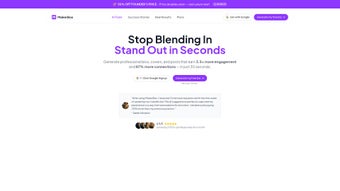
MakerBox is an innovative web‑app that puts artificial intelligence at the heart of personal branding. By analyzing more than 100,000 high‑performing LinkedIn, X (formerly Twitter), and Instagram profiles, the platform can instantly craft compelling bios, design eye‑catching cover images, and suggest engaging post ideas—all within a single minute. Whether you are a job seeker looking to attract recruiters, a freelancer needing a polished online showcase, or an entrepreneur eager to stand out in a crowded market, MakerBox removes the need for copywriting or design expertise. Users consistently report dramatic improvements: a 3.5× rise in profile visits and an 87 % increase in connection requests after just one session. The service operates on a subscription model, offering regular updates, fresh template libraries, and continuous AI improvements. In short, MakerBox is the all‑in‑one engine that transforms a bland digital footprint into a magnetic professional presence.
Key Features & What Sets MakerBox Apart
- AI‑Generated Bios: Input a few prompts, choose a tone (formal, friendly, creative), and receive a LinkedIn‑ready summary that highlights your achievements and personality.
- Professional Cover Image Creator: Choose from over 200 industry‑specific templates; the AI automatically adjusts colors, fonts, and layout to match your brand.
- Post Idea Engine: Get a daily list of 10‑plus content ideas tailored to your niche, complete with suggested hashtags and optimal posting times.
- Instant Optimization Score: Each output receives a score based on algorithmic analysis of top‑performing profiles, letting you tweak for maximum impact.
- Multi‑Platform Support: Works seamlessly for LinkedIn, X, Instagram, and even personal website bios.
- Secure Cloud Storage: All your drafts and designs are saved securely in the cloud, accessible from any device.
- Regular Updates: New templates, tone options, and AI improvements are rolled out monthly.
- Analytics Dashboard: Track profile visits, connection requests, and post engagement directly from the MakerBox interface.
Installation, Usage Instructions & Compatibility
Getting Started – No Download Required
MakerBox is a web‑based solution, so there is no traditional installation process. Simply visit makerbox.io, click the “Start Free Trial” button, and create an account using your email or social login. After confirming your email, you’ll be taken to the dashboard where the AI wizard guides you through each step.
Step‑by‑Step Workflow
- Answer the Prompt Questions: Provide basic details (industry, years of experience, key achievements) and select your desired tone.
- Generate Your Bio: Click “Create Bio.” Within seconds, MakerBox presents three variations. Choose the one you like best or edit directly in the inline editor.
- Design Your Cover Image: Choose a template, upload a high‑resolution photo (optional), and let the AI adjust typography and colors.
- Explore Post Ideas: Navigate to the “Content Hub” to receive a curated list of post topics, complete with suggested captions.
- Publish & Track: Copy the finished bio or download the cover image. Use the built‑in analytics tab to monitor performance metrics over the next 30 days.
System Requirements & Operating Systems
Because MakerBox runs entirely in the browser, it is compatible with any modern operating system, including Windows 10/11, macOS Ventura and later, Linux distributions, as well as mobile platforms like Android 12+ and iOS 15+. For the best experience, use the latest version of Chrome, Edge, Firefox, or Safari. The platform also supports progressive web app (PWA) installation, allowing you to add MakerBox to your desktop or mobile home screen for quick access.
Pros, Cons & Frequently Asked Questions
Pros
- Instant, AI‑driven content creation saves hours of manual drafting.
- Data‑backed algorithms ensure bios and visuals are optimized for each platform.
- No design or copywriting skills required – perfect for busy professionals.
- Regular template updates keep your brand fresh and relevant.
- Secure cloud storage and GDPR‑compliant data handling.
Cons
- Subscription‑only model; no perpetual license.
- Limited offline functionality – requires internet connection.
- Advanced customization (e.g., bespoke graphic design) may still need a professional designer.
FAQ – Your Quick Answers
Is there a free version of MakerBox?
MakerBox offers a 7‑day free trial with full feature access. After the trial, you can choose a monthly or annual subscription.
Can I use MakerBox for multiple social accounts?
Yes. The dashboard lets you manage bios and cover images for LinkedIn, X, Instagram, and personal websites from a single account.
How secure is my data?
All data is encrypted in transit (HTTPS) and at rest. MakerBox complies with GDPR and does not sell user information to third parties.
Do I need any design software to edit the cover images?
No. MakerBox’s built‑in editor lets you adjust text, colors, and layout directly in the browser. For advanced tweaks, you can export the PNG and edit it in Photoshop or any other tool.
What if I’m not satisfied with the generated content?
MakerBox provides three alternative drafts for each bio. You can also manually edit any part of the output. If you still need help, the support team offers a one‑on‑one review within 48 hours.
Conclusion & Call to Action
In a digital world where first impressions are made in seconds, MakerBox delivers a powerful, AI‑driven shortcut to a professional, high‑impact online presence. The combination of data‑backed bios, sleek cover images, and a continuous stream of post ideas gives job seekers, freelancers, and entrepreneurs a distinct edge over competitors who still rely on manual drafting. While the subscription model may not suit everyone, the measurable boost in profile visits and connection requests reported by real users makes the investment worthwhile. Ready to transform your personal brand without hiring a copywriter or designer? Start your free trial today and watch your digital footprint become a magnet for opportunities.
Pros: Fast AI generation, data‑driven optimization, multi‑platform support.
Cons: No offline mode, subscription‑only.



.png)




