Search models, users, collections, and posts
For You
Trending
Household
Toys & Games
Tools
Hobby & DIY
3D Printer
Art
Miniatures
Props & Cosplays
Fashion
Generative 3D Model
Education
Laser & Cut



Custom Wall Panels in Seconds


Contests
All Contests
Cup Holder Design Contest
Ends in 38 days
140 models
$300 Bambu Lab Gift Card
GIF
3D
Hosted By Creator: @Stag3D – Spring Play Challenge Design Contest
Ends in 3 days
743 models
Transfer of the host's MakerWorld points equivalent to $200
GIF
GIF
3D

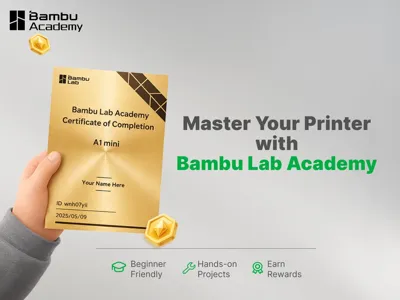
Master Your Printer with Bambu Lab AcademyIf you’re new to 3D printing, you’ve probably run into questions like:What should I set up right after powering on?How do I load filament?How do I understand slicing settings?What should I check if a print fails?To help you start printing with confidence and improve your print success rate, we’ve made the Bambu Lab Academy. Every model has its own dedicated Academy Course, so beginners can follow a structured, step-by-step path from the basics.What You’ll LearnBambu Lab Academy typically covers:First Print & Beginner BasicsFilament Overview & Hands-on PracticeSoftware Settings & Practical TipsPrinter MaintenanceLessons include step-by-step guides and official videos. After completing the course, you get rewarded with a Certificate of Completion and MakerWorld points. You can learn at your own pace and track your progress as you go.In addition to model-specific courses, Bambu Lab Academy also includes courses related to software, printing materials, and related topics to support continued learning.Example: X2DIn the Bambu Lab X2D Academy Course you have access to three levels: Beginner, Intermediate, and Advanced. You can see your progress and rewards at a glance. There’s also a full video playlist for this model, which is especially helpful if you follow it in order.How to Access Bambu Lab AcademyBambu Handy: Profile → LearnWeb: Bambu Lab website → Bambu Lab AcademyAccess Bambu Lab Academy by following this link: bambulab.com/academy If something still isn’t clear while you’re learning or printing, try Bambu’s AI assistant first. It’s trained on the official Wiki and can answer many common questions quickly. For more details, use the official Bambu Lab Wiki. If you need hands-on support, reach out to Bambu Lab Support or contact online technical support.On your phone, open the Bambu Handy app: Profile → Help Center, then use self-service, live chat, or tickets to get support quickly. You are welcome to share your learning experience in the MakerWorld Community so others can join you on their own learning journey.Wishing you smooth prints and consistently great results every time. ✨