
Download Manycontent – AI‑Powered Social Media Scheduler & Content Creator
Overview
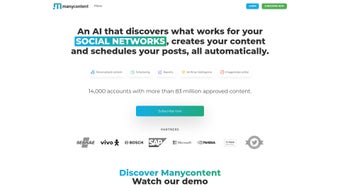
Manycontent is a cloud‑based, subscription‑only platform that promises to transform the way marketers, influencers, and small‑business owners handle their social‑media presence. Powered by advanced machine‑learning algorithms, the web app automatically generates eye‑catching images, compelling copy, and data‑driven hashtags that match the tone and interests of a chosen audience. What sets Manycontent apart is its ability to learn from each interaction—every like, comment, and share feeds the AI back into the system, sharpening future content recommendations and boosting relevance over time. In addition to short‑form posts, Manycontent includes “Manybot,” a built‑in editor that can spin out longer‑form assets such as blog articles, newsletters, and marketing emails, all while maintaining brand consistency. The platform also bundles an automatic scheduling engine that identifies peak engagement windows for each social network, ensuring that content goes live when followers are most active. With built‑in competitor analysis, performance reporting, and a drag‑and‑drop editing suite, Manycontent aims to be the all‑in‑one content hub for anyone looking to save hours on creation, planning, and publishing.
Key Features & How It Works
- AI‑Generated Visuals: The system creates custom images that align with brand colors, style guides, and trending design motifs.
- Smart Copywriter: Generates captions, calls‑to‑action, and hashtag clusters based on audience demographics and platform algorithms.
- Manybot Long‑Form Engine: Produces blog posts, email newsletters, and white‑papers in minutes, complete with SEO‑friendly headings.
- Automatic Scheduling: Analyzes historic engagement data to publish posts at optimal times across Facebook, Instagram, Twitter, LinkedIn, and TikTok.
- Competitor Insight Dashboard: Tracks rival accounts, highlights content gaps, and suggests topics that can give you a competitive edge.
- Real‑Time Editing Suite: Allows users to tweak AI‑generated assets before publishing, ensuring a human touch where needed.
- Performance Reporting: Detailed analytics on reach, clicks, conversions, and sentiment, exportable as CSV or PDF.
- Multi‑Account Management: Supports up to 10 social profiles per subscription, ideal for agencies handling multiple clients.
The workflow begins with a quick onboarding questionnaire where you specify industry, target persona, and preferred brand voice. Manycontent’s engine then pulls from a massive dataset of successful posts, identifies patterns, and creates a draft calendar for the upcoming week. Users can accept the suggestions as‑is, edit individual items, or replace them entirely. Once satisfied, the scheduling module queues each post, applying the best‑fit time slot based on platform‑specific engagement curves. Throughout the month, the analytics pane visualizes what’s working, and the AI automatically refines its models, so the next batch of content is even more on‑point. For longer‑form needs, you simply input a headline or keyword and let Manybot draft a complete article, which you can then edit, add images, and schedule for cross‑posting or email distribution.
Installation, Usage Instructions & Compatibility
Because Manycontent is a web‑application, there is no traditional download or installation process required on your local machine. All you need is a modern browser (Chrome, Firefox, Edge, or Safari) and an active internet connection. To get started, visit manycontent.com, click “Start Free Trial,” and complete the sign‑up flow using your email address or single‑sign‑on via Google or Microsoft. After confirming your account, you’ll be taken to the dashboard where the AI wizard will guide you through the initial setup.
Step‑by‑Step Usage Guide
- Create a New Campaign: Choose a social platform, define your audience, and set campaign goals (e.g., brand awareness, lead generation).
- Generate Content: Click “Generate,” review AI‑suggested images and copy, and edit as needed using the built‑in editor.
- Schedule Posts: Drag each piece of content onto the calendar, adjust publishing times, or let Manycontent auto‑schedule.
- Monitor Performance: Open the “Analytics” tab to see real‑time metrics; use insights to tweak future content.
- Utilize Manybot: For blog posts or newsletters, select “Manybot,” enter a topic or keyword, and let the AI write a draft you can refine.
Since the service runs entirely in the cloud, it is compatible with all major operating systems—Windows 10/11, macOS Monterey and later, Linux distributions with a supported browser, as well as mobile platforms (iOS 14+ and Android 9+). Manycontent also offers a lightweight companion app for iOS and Android that lets you approve drafts, adjust schedules, and view analytics on the go.
Security is handled through SSL/TLS encryption for all data in transit, and the platform complies with GDPR and CCPA standards, giving you confidence that your brand assets and audience data remain private. Updates to the AI models and feature set are rolled out automatically on the server side, so you always benefit from the latest improvements without manual patches.
Pros, Cons, FAQ & Final Thoughts
Pros
- Fully AI‑driven content creation saves countless hours.
- Automatic scheduling aligns posts with peak engagement windows.
- Manybot extends functionality to long‑form marketing assets.
- Competitor analysis and performance reporting are built‑in.
- Cross‑platform compatibility (Windows, macOS, iOS, Android).
- Secure, GDPR‑compliant cloud infrastructure.
Cons
- Subscription pricing may be high for solo freelancers on a tight budget.
- Reliance on internet connectivity; no offline mode.
- AI suggestions sometimes need significant human tweaking for niche industries.
- Learning curve for the full suite of analytics and competitor tools.
Frequently Asked Questions
Is there a free trial available?
Yes, Manycontent offers a 14‑day free trial with full access to all features, allowing you to test the AI engine and scheduling tools before committing.
Which social platforms does Manycontent support?
Currently supported networks include Facebook, Instagram, Twitter/X, LinkedIn, TikTok, and Pinterest. New integrations are added quarterly.
Can I import my existing content calendar?
Yes, you can upload CSV or Google Sheet files to bulk‑import scheduled posts, which Manycontent will then optimize for timing.
How does Manycontent ensure data privacy?
All data is encrypted in transit and at rest, and the platform adheres to GDPR, CCPA, and ISO‑27001 standards. You retain full ownership of your content.
Is there a discount for agencies or teams?
Manycontent offers tiered pricing for agencies with 10+ seats, including a volume discount and a dedicated account manager.
Conclusion & Call to Action
In a landscape where fresh, engaging content is the lifeblood of digital marketing, Manycontent provides a compelling blend of AI creativity, data‑driven scheduling, and comprehensive analytics—all wrapped in a user‑friendly web interface. While the subscription cost may give pause to solo entrepreneurs, the time saved on brainstorming, design, and posting can quickly outweigh the expense, especially for growing brands that need to maintain a consistent voice across multiple channels. If you’re ready to streamline your social‑media workflow, boost engagement, and free up creative bandwidth for strategy rather than execution, now is the perfect moment to download Manycontent and start your free trial.



.png)




