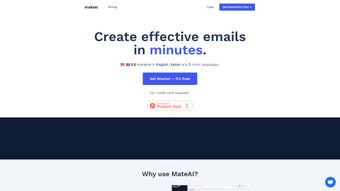

Download MateAI – AI‑Powered Email Campaign Writer, Free & Secure
Overview
MateAI is a web‑based, AI‑driven writing assistant built specifically for email marketers who want to speed up campaign creation without sacrificing quality. By leveraging large‑language models trained on top‑performing brand copy, MateAI can generate complete email drafts in seconds, suggest subject‑line variations, and provide real‑time editing tips that keep your tone consistent and persuasive. The platform ships with a library of ready‑to‑use templates sourced from leading brands, so you never start from a blank page. Once an email is crafted, you can export it directly into popular Email Service Providers (ESPs) such as Mailchimp, ConvertKit, or Klaviyo with a single click. MateAI’s onboarding process is frictionless – there’s no credit‑card requirement, and the free tier offers enough credits for small teams to test the core functionality. Users consistently report cutting draft time by up to 70 %, freeing up resources for strategy, segmentation, and analysis. Whether you’re a solo entrepreneur, a growing agency, or an enterprise marketing department, MateAI promises a secure, always‑up‑to‑date solution that fits into any existing workflow.
Key Features & Benefits
- AI‑Generated Email Drafts: Input a brief brief or goal, and MateAI produces a full‑length email, complete with greeting, body, and call‑to‑action.
- Editable Brand Templates: Access a curated collection of high‑conversion templates from well‑known brands, all fully customizable.
- One‑Click ESP Export: Seamlessly push copy to Mailchimp, ConvertKit, Klaviyo, and other major ESPs without manual copy‑pasting.
- Subject‑Line Optimizer: Generate multiple subject‑line options and get AI‑ranked suggestions based on open‑rate data.
- Real‑Time Tone & Readability Checks: The tool highlights complex sentences, passive voice, and offers alternatives to keep emails concise.
- Multi‑Language Support: Write in English, Spanish, French, German, and more, with language‑specific style recommendations.
- Secure Cloud Storage: All drafts are saved encrypted on MateAI’s servers, with GDPR‑compliant data handling.
- Free Tier & Pay‑As‑You‑Go Options: Start without a credit card, then upgrade for higher generation limits or team collaboration features.
- Continuous Model Updates: The AI engine receives monthly improvements, ensuring you always benefit from the latest language advancements.
- Integration with Workflow Tools: Zapier, Slack, and Google Workspace connectors let you automate copy hand‑offs.
Installation, Compatibility & How to Use MateAI
Because MateAI is a cloud‑native web application, there is no traditional “installation” process. Getting started takes less than two minutes:
- Sign Up: Visit mateai.com and create a free account using your email or Google OAuth. No credit‑card information is required for the free tier.
- Choose a Template or Start From Scratch: After logging in, you’ll land on the dashboard where you can browse the template library or click “New Email” to describe your campaign goal.
- Enter Your Brief: Provide a short prompt (e.g., “Announce our summer sale to existing customers – 20 % off sitewide”). MateAI instantly generates a draft.
- Refine & Optimize: Use the side‑panel to tweak tone, length, or add personalization tokens (like {{first_name}}). The AI suggestions appear in real‑time.
- Export to ESP: Click the “Export” button, select your ESP (Mailchimp, ConvertKit, etc.), and MateAI will automatically create a new campaign draft in the chosen platform.
- Send & Track: Finish any final edits within your ESP, schedule the send, and monitor performance metrics as usual.
Compatibility: Since MateAI runs entirely in the browser, it works on any modern operating system—Windows 10/11, macOS, Linux, Chrome OS, as well as mobile platforms like Android and iOS (via Safari or Chrome). The responsive UI adapts to tablets and smartphones, making it easy to generate copy on the go.
For teams that require deeper integration, MateAI offers an API key (available on paid plans) that lets developers embed the generation engine into internal tools or custom CRMs. All communications are encrypted via HTTPS, and the service complies with GDPR, CCPA, and SOC 2 standards, ensuring that your data remains private and secure.
Pros, Cons, Frequently Asked Questions & Final Verdict
Pros
- Fast, AI‑powered copy generation saves up to 70 % of drafting time.
- Free tier with no credit‑card requirement lowers entry barriers.
- One‑click export to major ESPs eliminates manual copy‑pasting.
- Extensive template library based on proven brand campaigns.
- Real‑time tone, readability, and subject‑line suggestions improve engagement.
- Secure, GDPR‑compliant cloud storage protects sensitive marketing data.
- Multi‑language support expands reach for global audiences.
- Continuous AI model updates keep the tool cutting‑edge.
Cons
- Advanced collaboration features (team folders, version history) are locked behind paid plans.
- Limited offline capability – requires an internet connection.
- Free tier imposes a daily generation limit (typically 20 emails).
- Template customization can be time‑consuming for highly unique brand voices.
- API access is only available on higher‑tier subscriptions.
Frequently Asked Questions
Is MateAI really free to use?
Yes, MateAI offers a completely free tier that lets you generate up to 20 emails per day without entering any credit‑card details. Paid plans unlock higher limits, team features, and API access.
Can I integrate MateAI with my existing ESP besides Mailchimp?
Absolutely. MateAI supports one‑click export to Mailchimp, ConvertKit, Klaviyo, and SendinBlue. For other platforms, you can copy the generated HTML or use the API to push content programmatically.
How does MateAI ensure my data is secure?
All data is transmitted over TLS 1.3 and stored encrypted at rest. The service complies with GDPR, CCPA, and SOC 2, and you retain full ownership of your drafts.
What languages does MateAI support?
MateAI currently supports English, Spanish, French, German, Italian, Portuguese, Dutch, and Japanese, with ongoing expansions planned for additional languages.
Do I need any technical knowledge to use MateAI?
No. MateAI’s interface is designed for marketers of all skill levels. The step‑by‑step wizard guides you from brief input to final export, and the AI handles the heavy lifting.
Final Verdict & Call to Action
In a landscape where email remains a cornerstone of digital marketing, MateAI stands out as a practical, AI‑enhanced solution that bridges creativity and efficiency. Its free tier makes it accessible to startups and freelancers, while the premium features provide enough depth for large teams seeking collaborative workflows. The combination of fast draft generation, template variety, and seamless ESP integration translates into measurable time savings and higher campaign quality. If you’re looking to accelerate your email production without compromising brand voice, give MateAI a try today. Download MateAI now and start creating high‑performing emails in seconds.
MateAI delivers a compelling mix of speed, usability, and AI intelligence. While the free plan’s limits are modest, they are sufficient for most small‑scale marketers. Paid tiers unlock powerful collaboration tools that justify the cost for growing agencies. Overall, the platform earns a solid 4.6 out of 5 for its ability to transform email drafting from a manual chore into an automated, insight‑driven process.



.png)




