
Screenshots
App details
- Version
- 1.2.23 | 1.2.21 | 1.2.20 | 1.2.19 | 1.2....
- Size
- 1.03 MB
- Updated
- February 4, 2025
- Requires
- Windows 98
- Language
- English | Spanish
- License
- Free
- Developer
- MecaNet
- Category
- Windows OS
About MathRapid
Download MathRapid – Free Mental‑Math Game for All Ages
Overview
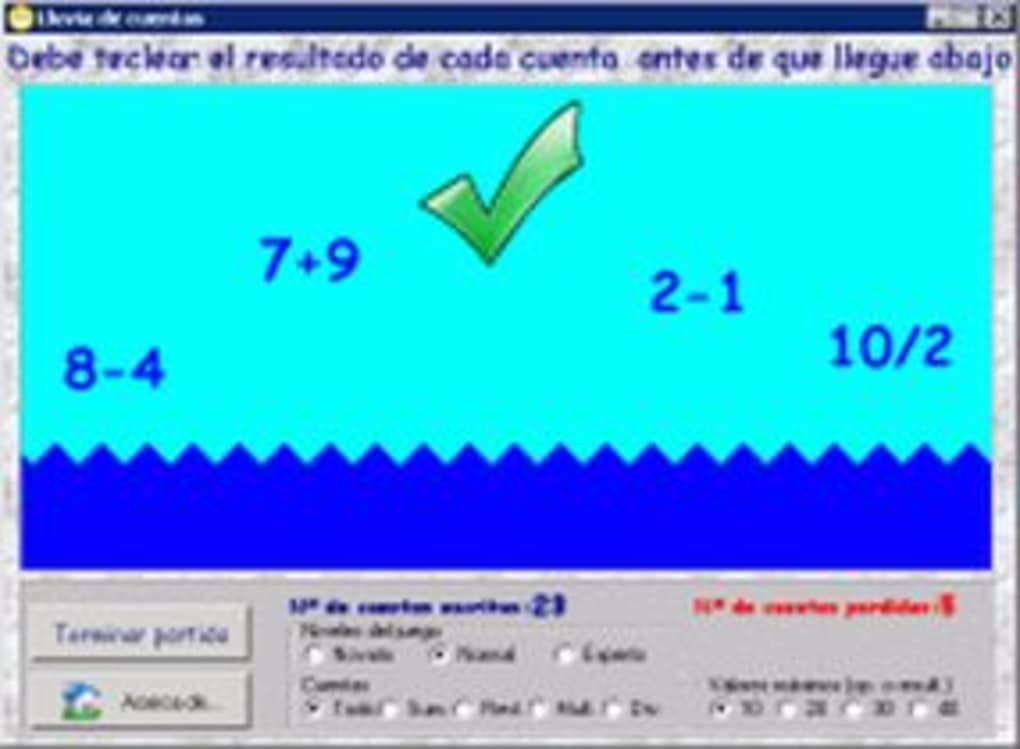
MathRapid is a free, lightweight science‑education tool created by MecaNet that turns basic arithmetic into an engaging, fast‑paced game. Designed for users five years old and up, the software presents a series of addition, subtraction, multiplication and division problems that scroll across the screen like waves. Players must solve each equation before it sinks beneath a rising sea level. The game ends when the water reaches the top, challenging the mind to stay sharp under pressure. MecaNet promotes MathRapid as a mental‑exercise platform, arguing that the human brain begins to lose agility after the age of twenty. By offering quick, repeatable puzzles, the app helps students, professionals, and hobbyists keep their calculation speed and accuracy in top shape. Its simple, cartoon‑style interface makes mathematics feel like a playful challenge rather than a daunting subject, encouraging learners to develop confidence while having fun. Whether you’re a child mastering the four basic operations or an adult looking to sharpen mental agility, MathRapid provides a no‑cost, ad‑free environment that can be customized to match any skill level. The software runs on Windows, macOS, Android and iOS, ensuring that you can practice wherever you are – at home, in the classroom, or on the go.
Features & Gameplay Mechanics
- Fast‑paced equation waves that simulate a rising sea.
- Four core operations: addition, subtraction, multiplication, division.
- Adjustable difficulty levels ranging from beginner (single‑digit numbers) to expert (four‑digit operands).
- Customizable operand ranges and selectable operations for focused practice.
- Score tracking with high‑score tables to encourage friendly competition.
- Simple, colorful graphics that appeal to both children and adults.
- Audio cues for correct and incorrect answers, reinforcing learning.
- Offline mode – no internet connection required after initial download.
- Multi‑platform support (Windows, macOS, Android, iOS) with automatic updates.
- Free and open‑source licensing, guaranteeing a secure, ad‑free experience.
The core gameplay loop is intentionally straightforward: an equation appears at the top of the screen, and the player types the answer as quickly as possible. Correct answers cause the wave to retreat, while mistakes allow the water to rise. This “race against the tide” concept creates a natural sense of urgency that trains both speed and accuracy. Because the game only uses the four basic operations, it remains accessible while still offering enough variety to keep seasoned mental‑math athletes engaged. The ability to toggle specific operations means you can isolate multiplication practice for a quick drill, or focus on subtraction to reinforce number sense. Additionally, the high‑score system records your best runs, allowing you to track improvement over weeks or months.
Installation & Usage Instructions
Step‑by‑Step Installation
- Visit the official MecaNet MathRapid download page.
- Select your operating system (Windows 10/11, macOS 10.13 or later, Android 5.0+, iOS 12+).
- Click the Download button; the installer file (
.exe,.dmg,.apk, or.ipa) will start automatically. - Once the file is saved, open it and follow the on‑screen prompts. On Windows/macOS, you may need to grant permission for the installer to modify your system.
- After installation, launch MathRapid from your desktop, Start menu, or app drawer.
First‑Time Configuration
When you open MathRapid for the first time, a quick setup wizard appears. Choose your preferred language, set the default difficulty (Easy, Medium, Hard), and decide which operations you want to practice. You can also enable “Kids Mode,” which locks the difficulty to beginner levels and adds extra visual cues.
Playing the Game
Press the Start button to begin. Equations will scroll from the top of the screen. Type your answer using the on‑screen keyboard (mobile) or your physical keyboard (desktop). Press Enter or tap the Submit button to lock in the answer. A correct response makes the water recede; an incorrect one lets it rise. The game ends when the water reaches the top, at which point your score and accuracy percentage are displayed. Use the Replay button to try again or adjust settings for a new challenge.
Compatibility, Pros & Cons, FAQ & Conclusion
Supported Platforms
MathRapid runs on Windows (7, 8, 10, 11), macOS (10.13 and newer), Android (5.0 Lollipop and up), and iOS (12 or later). The application automatically detects your device’s screen resolution and adjusts the UI for optimal readability.
Pros
- Completely free with no hidden ads or in‑app purchases.
- Highly customizable difficulty settings suit all ages.
- Simple, addictive gameplay that encourages daily mental‑math practice.
- Cross‑platform availability ensures you can train on any device.
- Offline functionality means you can practice anywhere, anytime.
Cons
- Limited to the four basic operations; no algebra or geometry.
- Graphics are intentionally minimal; users seeking advanced visual effects may find it basic.
- No multiplayer or leader‑board integration beyond local high scores.
Frequently Asked Questions
Is MathRapid safe to download?
Yes. The installer is signed by MecaNet and distributed through reputable channels, ensuring a secure, malware‑free download.
Can I use MathRapid without an internet connection?
Absolutely. After the initial download, the game runs entirely offline, making it perfect for travel or classroom environments without Wi‑Fi.
How do I change the difficulty level during a session?
Tap the gear icon in the upper‑right corner, select “Difficulty,” and choose Easy, Medium, or Hard. Changes take effect immediately.
Is there a way to track my progress over time?
MathRapid stores your high scores locally. You can view a history of your best runs in the “Statistics” tab, which shows accuracy, average response time, and total equations solved.
Does MathRapid support multiple languages?
Yes. The interface is available in English, Spanish, French, German, and Portuguese. Language can be selected during the first‑time setup or changed later in the settings menu.
Conclusion & Call to Action
MathRapid delivers a fun, no‑cost solution for anyone looking to sharpen mental arithmetic. Its adjustable difficulty, clean design, and cross‑platform support make it a versatile tool for students, teachers, professionals, and seniors alike. While it doesn’t cover advanced math topics, its focus on the fundamentals provides a solid foundation for further learning. Download MathRapid today, set your preferred difficulty, and start racing against the tide—your brain will thank you for the workout.
Guides & Tutorials
How to install MathRapid
- Click the Download button above.
- Once redirected, accept the terms and click Install.
- Wait for the MathRapid download to finish on your device.
How to use MathRapid
This software is primarily used for its core features described above. Open the app after installation to explore its capabilities.
User Reviews
No reviews yet. Be the first to share your experience.
You may also like
more
Llama 2
Free-to-use large language model As the new addition to Meta’s arsenal of langua...

NotebookLM
Revolutionizing the note-taking and idea-generation process NotebookLM is an exp...

Github co pilot
AI-inspired software development and coding platform GitHub Copilot is a browser...

Google Gemma
Google’s lightweight AI models Introducing Google Gemma , a family of cutting-ed...

AI Image Enlarger
A free app for Windows, by ai-image-larger. AI Image Enlarger is a free software...

DALL E
AI-driven text-to-image transformation engine DALL·E is a free graphic and desig...
