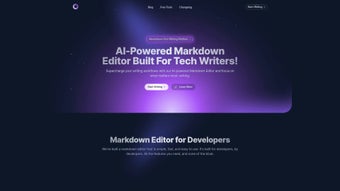

Download MD Editor – AI‑Powered Markdown Editor for Tech Writers
Overview: Why MD Editor Is the Go‑To Tool for Modern Technical Writing
In the fast‑paced world of software documentation, blogs, and developer‑focused content, writers need a workspace that does more than just render markdown. MD Editor answers that call with a comprehensive AI‑driven environment built specifically for tech writers, developers, and anyone who regularly works with code snippets, diagrams, and data‑rich articles. The platform combines a clean, distraction‑free writing canvas with intelligent suggestions that adapt to your preferred style, making the first‑draft creation almost effortless. Whether you’re drafting a detailed API guide, a tutorial on Jupyter Notebook, or a complex Mermaid diagram, MD Editor offers syntax highlighting, live preview, and a suite of export options—including HTML, PDF, and DOCX—so your content looks polished on any medium.
Beyond the core markdown experience, MD Editor shines in organization. Users can group files into folders, tag articles for instant retrieval, and perform keyword searches across an entire library of drafts. Synchronization across Windows, macOS, Linux, Android, and iOS ensures that you can switch devices without missing a beat. The built‑in AI engine can generate a first draft from a simple title, suggest headings, and even recommend code‑formatting standards, dramatically cutting down the time spent on repetitive structuring. With direct publishing integrations for Medium and Dev.to, you can move from concept to live post with just a few clicks.
In short, MD Editor is more than a markdown editor; it’s a full‑stack content‑creation hub that streamlines workflow, enhances accuracy, and boosts productivity for anyone who writes technical material on a regular basis.
Key Features, Benefits, and Pros & Cons
- AI‑Generated Drafts: Input a title or a brief outline and let the AI craft a structured first draft in seconds.
- Advanced Syntax Highlighting: Supports over 30 programming languages, Jupyter Notebook cells, and Mermaid diagram syntax.
- Rich Export Options: Export to HTML, PDF, DOCX, and even Markdown‑flavored formats for seamless publishing.
- Folder, Tag, and Keyword System: Organize articles in hierarchical folders, assign multiple tags, and perform instant keyword searches.
- Cross‑Device Sync: Cloud‑based synchronization keeps your drafts consistent on Windows, macOS, Linux, Android, and iOS.
- Custom Themes & Fonts: Choose from light, dark, and high‑contrast themes, and adjust font families and sizes for comfort.
- Direct Publishing: One‑click publishing to Medium, Dev.to, and other popular blogging platforms.
- Version History & Auto‑Save: Automatic snapshots let you revert to previous versions without losing work.
- Import & Export Compatibility: Seamlessly import existing markdown, HTML, or DOCX files and convert them to the MD Editor format.
- Secure Collaboration: Invite teammates to edit drafts in real time with end‑to‑end encryption.
How These Features Translate Into Real‑World Benefits
The AI‑generated draft function eliminates the dreaded blank‑page syndrome. Instead of spending minutes—or even hours—brainstorming structure, you receive a ready‑to‑edit skeleton that respects common documentation conventions. This not only accelerates the writing process but also ensures consistency across large documentation projects.
Robust syntax highlighting and Jupyter Notebook support mean that code blocks are instantly recognizable and correctly formatted. No more manual fiddling with backticks or trying to force a diagram to render. The live preview updates as you type, giving immediate visual feedback—a crucial advantage when dealing with complex Mermaid flowcharts or data tables.
Export flexibility is another game‑changer. Whether your audience prefers a downloadable PDF, an embeddable HTML snippet, or a DOCX file for internal review, MD Editor handles the conversion without the need for third‑party tools. This reduces the risk of formatting errors and keeps your brand’s visual identity intact across all output channels.
Cross‑device sync and secure collaboration ensure remote teams can work together without version conflicts. Writers can start a draft on a desktop, continue editing on a tablet during travel, and finalize on a phone—all while teammates see changes in real time.
Pros & Cons
- Pros
- AI‑driven draft generation dramatically reduces writer’s block.
- Extensive syntax highlighting covers most programming languages.
- Seamless cross‑platform sync keeps work consistent on any device.
- Multiple export formats eliminate the need for external conversion tools.
- Direct publishing integrations save time for content marketers.
- Robust organization with folders, tags, and keyword search.
- Secure collaboration with end‑to‑end encryption.
- Free tier available with generous feature set.
- Cons
- Advanced AI features require an internet connection.
- Free tier imposes a limit of 10 AI‑generated drafts per month.
- Desktop app can be memory‑intensive on older hardware.
- Some users report a learning curve when first customizing themes.
Installation, Usage, Compatibility & FAQ
Step‑by‑Step Installation Guide
Getting started with MD Editor is intentionally straightforward. Follow these steps to have the application up and running on your preferred platform:
- Visit the official MD Editor download page and select the installer for your operating system (Windows, macOS, Linux, Android, or iOS).
- For desktop platforms, download the .exe (Windows) or .dmg (macOS) file. Linux users can obtain a .deb or AppImage package.
- Run the installer and follow the on‑screen prompts. The process typically takes under two minutes.
- Mobile users should install the app directly from the Google Play Store or Apple App Store by searching “MD Editor”.
- After installation, launch the app and create a free account using your email or single‑sign‑on (SSO) via Google or GitHub.
- Complete the optional onboarding tutorial to learn how to enable AI suggestions, set up your preferred theme, and connect to cloud storage for synchronization.
First‑Time Usage Tips
Once inside the dashboard, you’ll see a clean workspace with a left‑hand panel for folders and tags. Click the “New Document” button, enter a title, and watch the AI generate a draft outline. Use the toolbar to insert code blocks, Mermaid diagrams, or Jupyter cells. The right‑hand preview pane shows a real‑time rendering of your markdown, ensuring you can spot errors instantly.
To customize your experience, head to Settings > Appearance where you can toggle between themes, adjust font size, and enable line numbers for code. Under Settings > AI, you can fine‑tune the suggestion level, choose a writing style (technical, casual, academic), and set a word‑count goal for each session.
Compatibility Across Devices and OS Versions
MD Editor is built on Electron for desktop and uses native frameworks for mobile, guaranteeing broad compatibility:
- Windows: 10, 11 (64‑bit)
- macOS: Catalina (10.15) and later
- Linux: Ubuntu 18.04+, Fedora 30+, and other major distros
- Android: 7.0 (Nougat) and up
- iOS: 13.0 and later (iPhone & iPad)
The application automatically checks for updates and prompts you to install the latest version, ensuring you always have the newest AI models, security patches, and feature enhancements.
FAQ – Your Questions Answered
Can I use MD Editor offline?
Yes. The core markdown editor works offline, but AI‑generated suggestions and cloud sync require an internet connection.
Is there a limit on the size of documents I can create?
MD Editor supports documents up to 10 MB, which is ample for most technical articles and tutorials. Larger files can be split into multiple sections.
How does the pricing model work?
MD Editor offers a free tier with basic features and limited AI drafts. The Pro plan, priced at $9.99 per month, unlocks unlimited AI drafts, priority support, and advanced collaboration tools.
Can I import existing markdown files?
Absolutely. Use the “Import” button to bring in .md, .html, or .docx files. The editor will preserve headings, code blocks, and front‑matter metadata.
Is my data encrypted during sync?
Yes. All data transmitted between devices is encrypted with TLS 1.3, and stored files are encrypted at rest on MD Editor’s servers.
Conclusion & Call to Action
For anyone serious about technical writing—whether you’re documenting APIs, crafting developer tutorials, or publishing data‑heavy blog posts—MD Editor delivers a potent blend of AI assistance, powerful markdown features, and seamless cross‑platform sync. The free tier provides enough functionality to test the workflow, while the Pro subscription unlocks the full potential of unlimited AI drafts and collaborative capabilities. By centralizing organization, offering robust export options, and integrating directly with popular publishing platforms, MD Editor saves time, reduces errors, and elevates the overall quality of your content.
If you’re ready to experience a faster, smarter, and more organized writing process, download MD Editor today. Start with the free version, explore the AI draft generator, and see how much more you can accomplish in a single workday. Your next polished technical article is just a click away.



.png)




