Screenshots
App details
- Version
- 1.0.6
- Size
- 43.45 MB
- Updated
- May 28, 2025
- Requires
- Android 13.0
- Language
- English
- License
- Free
- Developer
- Self Star
- Category
- Android OS
About Menu Maker
Download Menu Maker – restaurant menu design, food event planning, customizable menu templates
Overview
Menu Maker is a lifestyle-focused desktop application designed to assist users in creating visually appealing and professional-quality menus for restaurants, cafes, and food-related events. The software enables users to design customized menus without requiring prior graphic design experience, making it accessible to a broad audience. It is particularly suited for restaurant owners, caterers, event planners, and food bloggers who need to promote their offerings with polished visual content. The application supports a range of use cases, including daily menu updates, seasonal promotions, holiday-themed events, and special occasion planning. With its focus on intuitive design tools and ready-to-use templates, Menu Maker streamlines the process of transforming simple text into engaging, branded menu layouts. The developer did not provide additional details about their background or organizational structure. Platform compatibility information is limited to Android, though the software is marketed as a desktop tool. Real-world applications include designing menus for pop-up events, wedding receptions, bakery product displays, and promotional campaigns. The app’s ability to save, edit, and share designs enhances its utility in ongoing business and event workflows.
Key Features & Capabilities
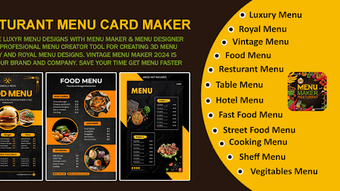
- Customizable Templates: Access to a library of pre-designed templates for various occasions, including holidays, weddings, and seasonal events, enabling quick and consistent menu creation.
- Intuitive Template Editor: Allows users to modify backgrounds, fonts, colors, and layout elements without requiring design expertise.
- Image and Sticker Integration: Supports image cropping and the addition of decorative stickers to enhance visual appeal and brand identity.
- Multi-Layer Editing: Offers a layered design environment, allowing users to manage and adjust different elements independently for advanced customization.
- Undo/Redo Functionality: Enables safe experimentation by allowing users to reverse or reapply recent edits.
- AutoSave Feature: Automatically saves progress to prevent data loss during extended editing sessions.
- Export and Sharing Options: Designs can be saved directly to the SD card or shared across social media platforms.
- Re-editable Projects: Previously saved designs can be reopened and modified, supporting iterative improvements and version control.
These features collectively empower users to produce high-quality, branded menus efficiently. For example, a cafe owner can update their daily specials using a holiday-themed template, adjust fonts and images to match their branding, and share the final version on Instagram. Similarly, an event planner can create a cohesive menu for a themed party by layering images, stickers, and text. The software’s emphasis on flexibility and ease of use makes it suitable for both one-time projects and ongoing content creation.
User Interface, Workflow & Performance
The user interface of Menu Maker is structured around a clean, visual workspace designed for simplicity and efficiency. Navigation is centered on a toolbar with clearly labeled tools for editing, layer management, and export options. The layout prioritizes accessibility, with commonly used functions placed within easy reach. Workflow efficiency is enhanced by the integration of AutoSave and Undo/Redo features, which reduce the risk of losing progress during editing. Users can apply changes in real time, with visual feedback ensuring immediate understanding of design adjustments. The developer did not specify resource usage details, so exact performance metrics such as CPU or RAM consumption remain unknown. General software behavior patterns suggest stable operation under typical usage conditions, but no benchmark data was provided. Stability during extended sessions has not been independently verified. The application appears to maintain responsiveness during standard editing tasks, though performance may vary based on device capabilities. Users should expect consistent behavior when working with basic templates and edits, but complex multi-layered designs may impact responsiveness depending on the hardware.
Compatibility & System Requirements
Menu Maker is available for Android devices, as specified in the provided information. The software version is 1.1.1, with a file size of 12.8 MB, indicating a lightweight footprint suitable for most mobile devices. The application supports installation on Android systems, though the exact minimum OS version was not listed. Compatibility information was partially provided, and no additional platform details such as iOS or desktop versions were included. The developer did not specify hardware requirements, such as RAM or processor type, beyond the general Android ecosystem. Users should ensure their device meets standard Android system requirements for app installation. The software does not appear to require specialized hardware. Installation is straightforward, with the app available for free download from the Android platform. No cloud dependencies or internet access are required for core functionality, though sharing features may need connectivity.
Pros and Cons
Pros
- Free to download and use, making it accessible for small businesses and individuals.
- Intuitive interface ideal for users without design experience.
- Wide range of customizable templates for diverse occasions and industries.
- Supports multi-layer editing for advanced design flexibility.
- AutoSave and Undo/Redo features improve workflow safety and reduce errors.
- Designs can be saved locally and shared across platforms.
- Re-editable projects allow for future updates and revisions.
Cons
- Only available on Android; no desktop or iOS version was specified.
- Exact system requirements and performance data were not provided.
- Limited to mobile platforms, which may restrict use in professional design workflows.
- No information on cloud backup or synchronization across devices.
- Template library may require periodic updates to remain relevant.
FAQ Section
Is Menu Maker available for Windows or Mac?
The software is currently only available for Android devices. No desktop versions for Windows or Mac were provided in the release details.
Is Menu Maker safe to download and use?
Menu Maker is offered as a free application through the Android platform. As it is distributed via official channels, it is considered secure for standard use. Users should always download from trusted sources to ensure safety.
How often are new templates updated?
The update frequency for templates was not specified. Users may need to check the app periodically for new additions or seasonal releases.
Can I use Menu Maker offline?
Core editing features do not require an internet connection. However, sharing designs on social media platforms may require connectivity.
What type of license does Menu Maker have?
Menu Maker is offered as a free application. No licensing details were provided beyond its free availability.
Final Thoughts + CTA
Menu Maker delivers a compelling solution for food industry professionals and event organizers seeking an easy way to create visually engaging menus. Its combination of customizable templates, intuitive tools, and offline functionality makes it a practical choice for users who value both design quality and workflow simplicity. While the lack of desktop support limits its use in professional design environments, its mobile-first approach ensures accessibility for a wide audience. The app’s focus on usability, combined with features like AutoSave and re-editable projects, enhances long-term value. For restaurant owners, caterers, and food bloggers, Menu Maker offers a reliable tool to elevate their branding and communication efforts. The free pricing model further strengthens its appeal. Download Menu Maker now to create stunning, professional menus for any occasion.
Guides & Tutorials
How to install Menu Maker
- Click the Download button above.
- Once redirected, accept the terms and click Install.
- Wait for the Menu Maker download to finish on your device.
How to use Menu Maker
This software is primarily used for its core features described above. Open the app after installation to explore its capabilities.
User Reviews
No reviews yet. Be the first to share your experience.
You may also like
more
ChatGPT APK
Effortlessly generate content with AI ChatGPT is a free artificial intelligence...

Digi
Realistic AI entertainment app Digi - AI Romance, Reimagined is a free AI chatbo...

Gemini
Google’s newest and most powerful AI Gemini is a sophisticated AI model from Goo...

kimi chat APK
Your go-to AI assistant for seamless information processing kimi chat is an AI -...

MateAI AI Chat Bot Assistant APK
An AI-powered chatbot fit for any task MateAI-AI Chat Bot Assistant is a free-to...

Microsoft Copilot APK
Revolutionize your workflow Unleash a new era of productivity with Microsoft Cop...
